
Low Render Distance Mod (26.3, 26.1.2) – Shrink View And Simulation Range
Java mod listed for Minecraft 26.x. Downloads from the MC Java Mods app on Android.
Low Render Distance Mod lets you lower Minecraft's Render Distance and Simulation Distance all the way down to 1 chunk, well past the vanilla minimums of…
⬇ Download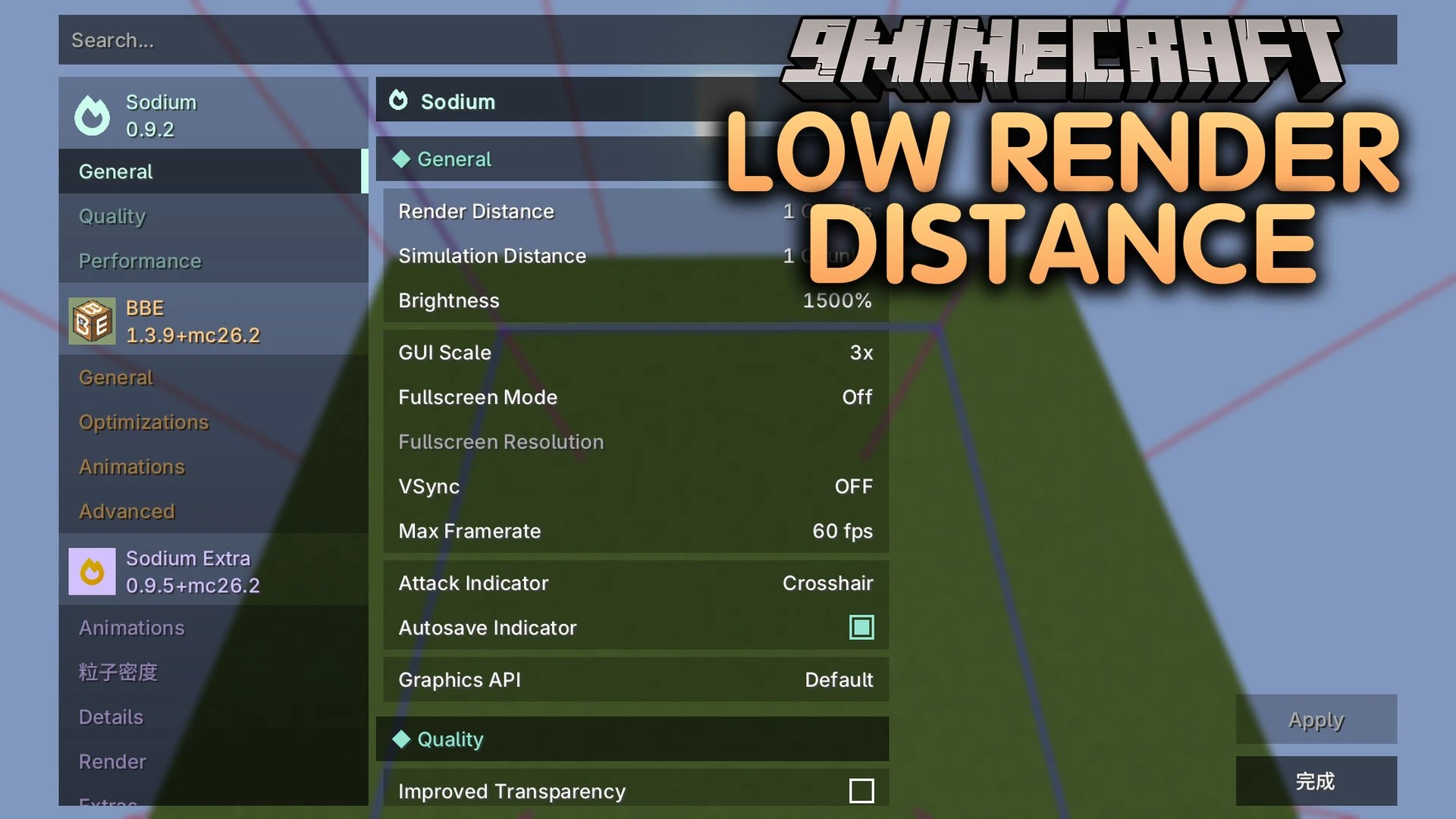
Low Render Distance Mod lets you lower Minecraft’s Render Distance and Simulation Distance all the way down to 1 chunk, well past the vanilla minimums of 2 and 5 chunks. This mod works directly inside the vanilla Video Settings menu as well as Sodium’s settings screen, and it also pairs cleanly with Bobby. At 1 chunk, Minecraft draws only a single chunk visually while chunks stay loaded within a 2-chunk radius, and smaller Simulation Distance values pull the active range for mobs, crops, and redstone closer to your player. It runs purely on the client side, while multiplayer servers still control Simulation Distance so that part applies only in singleplayer worlds.
Features:
- 1-Chunk Render Distance: Lowers the Render Distance slider down to 1 chunk instead of stopping at the vanilla 2-chunk floor.
- 1-Chunk Simulation Distance: Unlocks Simulation Distance values all the way down to 1 chunk instead of the vanilla 5-chunk limit.
- Vanilla, Sodium, and Bobby Ready: Works straight inside the standard Minecraft Video Settings screen, Sodium’s video options menu, and alongside Bobby.
- Client-Side Only: Installs cleanly on your game client with no server-side files needed.
- Draws only 1 chunk visually at the lowest setting while Minecraft still keeps chunks loaded in a 2-chunk radius around your player.
- Applies the lowered Simulation Distance strictly in singleplayer worlds because multiplayer servers dictate Simulation Distance on their own.
- Reduces how far away mobs, crops, and redstone contraptions stay active when you lower Simulation Distance, so keep farm distances in mind before dropping it to 1 chunk.
Vanilla vs. Lowered Slider Limits:
| Setting | Vanilla Minimum | Mod Minimum | Multiplayer Behavior |
|---|---|---|---|
| Render Distance | 2 chunks | 1 chunk | Applies on client |
| Simulation Distance | 5 chunks | 1 chunk | Controlled by server |
How to Use:
- Pause your game with Esc, open Options, and go to Video Settings (using either the vanilla menu or Sodium’s Video Settings screen if Sodium is installed).
- Drag the Render Distance slider below the normal 2-chunk minimum all the way down to 1 chunk; Minecraft now draws only 1 chunk while still loading chunks in a 2-chunk radius.
- In a singleplayer world, drag the Simulation Distance slider below the vanilla 5-chunk minimum down to 1 chunk if you want tighter tick distance around your character.
- Watch nearby farms, crops, mobs, and redstone machines after lowering Simulation Distance, because anything outside that smaller active radius pauses and can break farm loops.
- On multiplayer servers, keep in mind that you can lower Render Distance on your client (including alongside Bobby), while the server continues to control Simulation Distance.
Low Render Distance Mod Download Links
- Edition: Minecraft Java
- File type: .jar
- Minecraft versions listed: 26.3, 26.1.2
- How to install: Install the matching mod loader (Forge, Fabric or NeoForge) for your Minecraft version. → Download the .jar. → Put it in the .minecraft/mods folder and launch that loader profile.
- Where to get it: In MC Java Mods, or directly above on this page.
Install steps are the general flow for this file type — How to install Minecraft Java mods & modpacks walks through it step by step.
- Downloads as 558773.mcaddon
- Download size: 8 KB
- Download link checked 28 Nov 2026 — working
- Mirrored on our own servers — the download does not depend on the original host
These come from our own check of the pack file, not from the source page.