
# PaintingVariantSelector
This very simple plugin will allow your players to pick the specific variant of painting they'd want to use in their build.
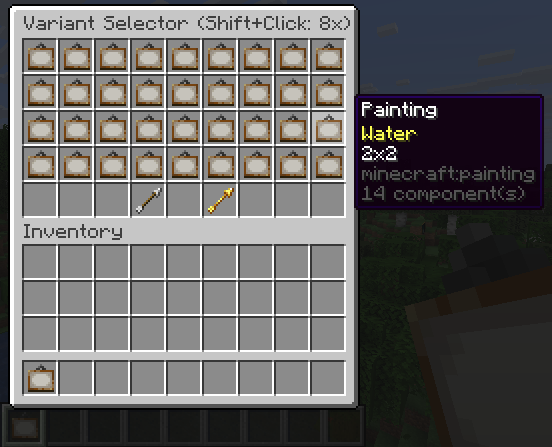
If you right click in the air, while holding a painting, a little GUI will pop up.
Here you can exchange the paintings you were holding for any of the available paintings in the game.
Right clicking the air, while shifting, while holding a painting, will remove the variant from the painting and make it behave like a 'normal' painting again.
Quick facts
- Edition: Minecraft Java
- File type: .jar
- Minecraft versions listed: 1.21, 1.21.11
- How to install: Install the matching mod loader (Forge, Fabric or NeoForge) for your Minecraft version. → Download the .jar. → Put it in the .minecraft/mods folder and launch that loader profile.
- Where to get it: Opens on Hangar — not every file is mirrored on our own servers.
Install steps are the general flow for this file type — How to install Minecraft Java mods & modpacks walks through it step by step.
PaintingVariantSelector is a free Minecraft Java mod. Compatible with Minecraft 1.21, 1.21.11. Available via Hangar. Download it and open it directly in the game.