
Sentry Blocks Addon provides an additional layer of security for your base. The unique feature of this mod is its stealthiness, which allows you to protect your house or base without immediately revealing it.
Screenshots:
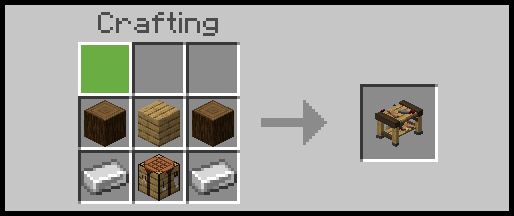
Before you start your road to full protection, you will need an Assembly Bench.
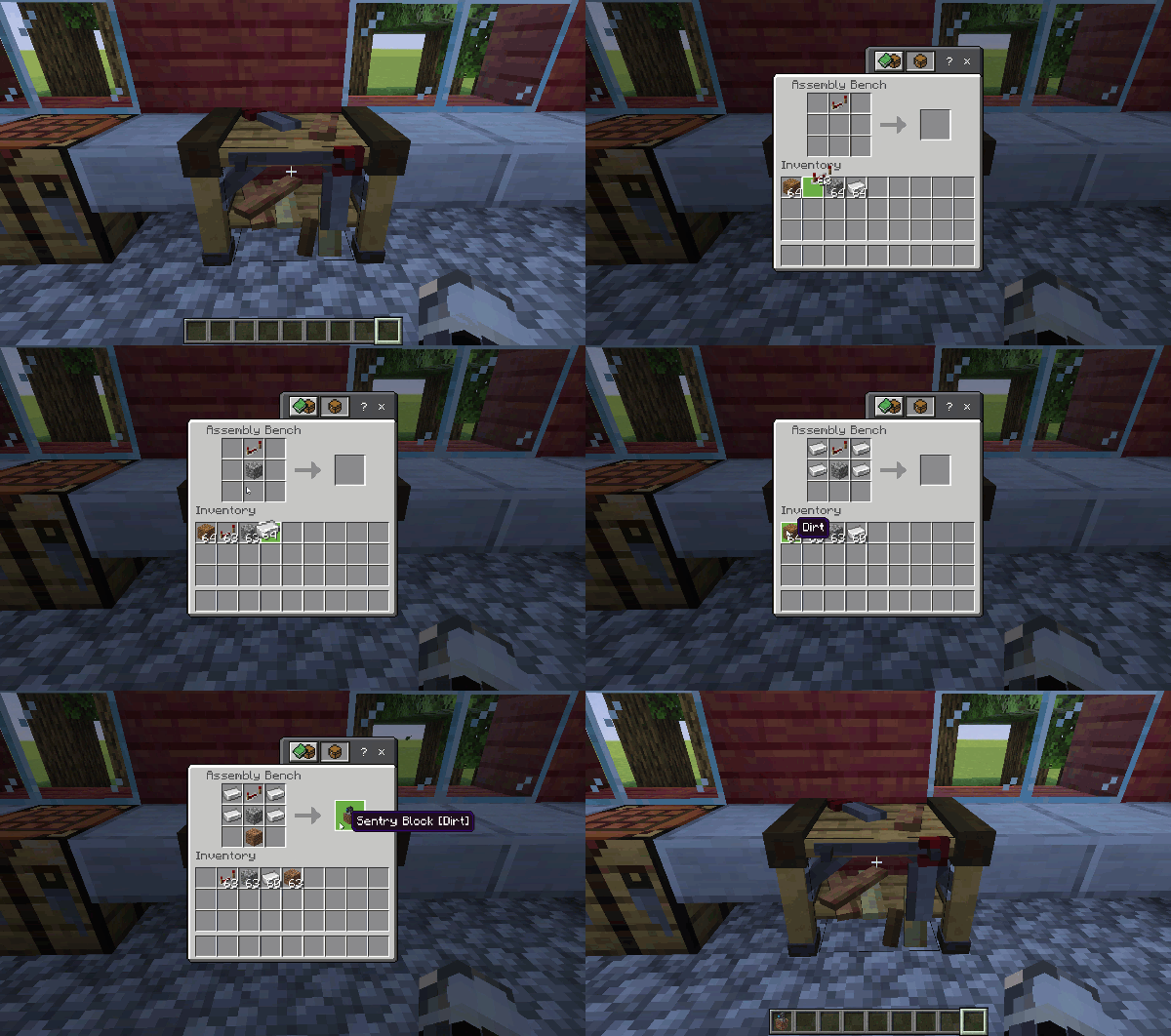
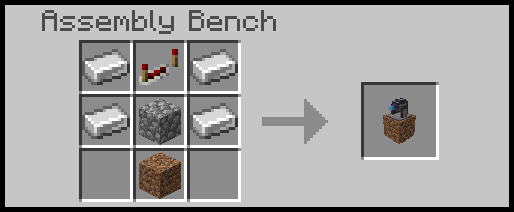
Using the Assembly Bench, you can start creating your Sentry Blocks.
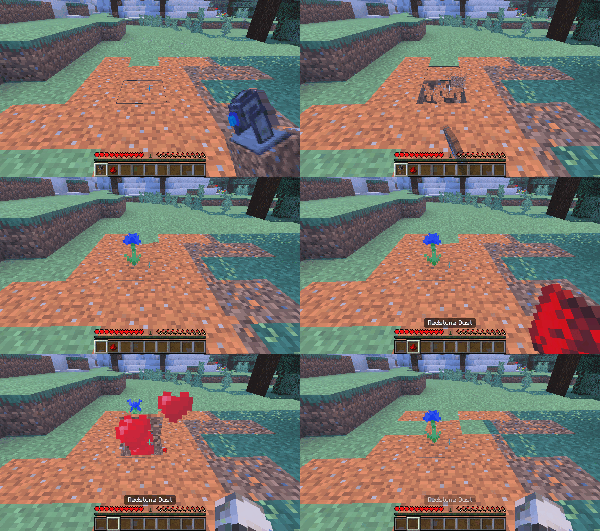
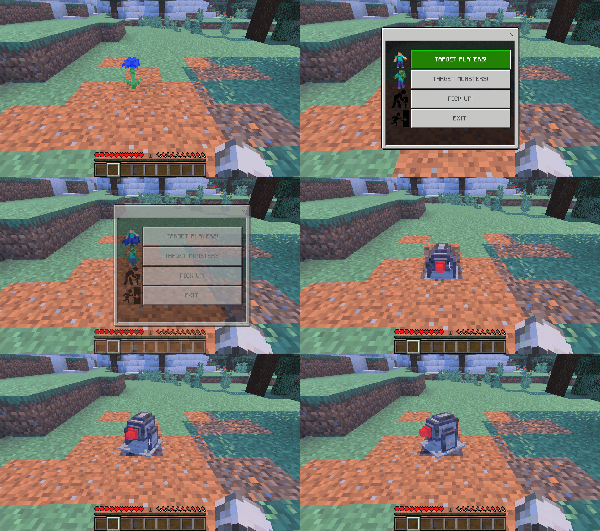
By changing the Block at the bottom of the Recipe, you will change the design of the Sentry Block. Place a Sentry Block down and power it (Tame it) with some Red Stone.
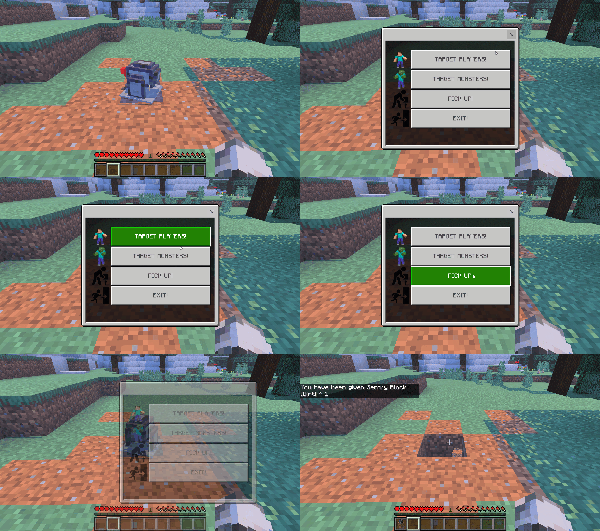
Once powered, it will be set to Default, which means it will target Monsters, interact with the Sentry Block to swap the target to Players,
If, for any reason, you would like to move base and take your Sentry Gun Blocks with you, use the menu and choose Pick Up!
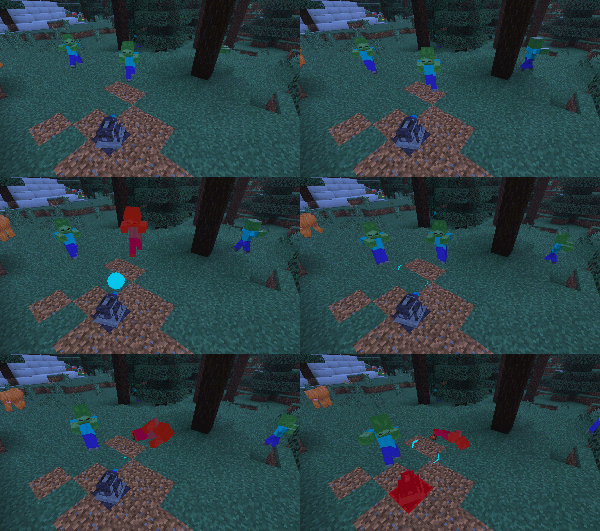
Now your Sentry Block will keep you safe from hordes of Zombies or Players.
Installation Note:
- You don’t need to enable the Experimental Settings.
Sentry Blocks Addon Download Links
For Minecraft PE/Bedrock 1.21
Resource: Download from Server 1 – Download from Server 2
Behavior: Download from Server 1 – Download from Server 2
- Edition: Minecraft Bedrock
- File type: .mcpack or .mcaddon
- Minecraft version listed: 1.21
- How to install: Download the .mcpack or .mcaddon file. → Open it — Minecraft imports it. → In your world: Behavior Packs → Available → Activate, then the same under Resource Packs.
- Where to get it: Opens on the file's original source — not every file is mirrored on our own servers.
Install steps are the general flow for this file type — How to install Minecraft Bedrock addons & mods walks through it step by step.
- Pack type: .mcaddon — behaviour and resource pack in one file
- Complete pack — everything it depends on is inside the file
- Download size: 210 KB
- Download link checked 17 Jun 2026 — working
- Mirrored on our own servers — the download does not depend on the original host
These come from our own check of the pack file, not from the source page.