All-Purpose Drone Addon (26.x, 1.21) – MCPE/Bedrock Mod
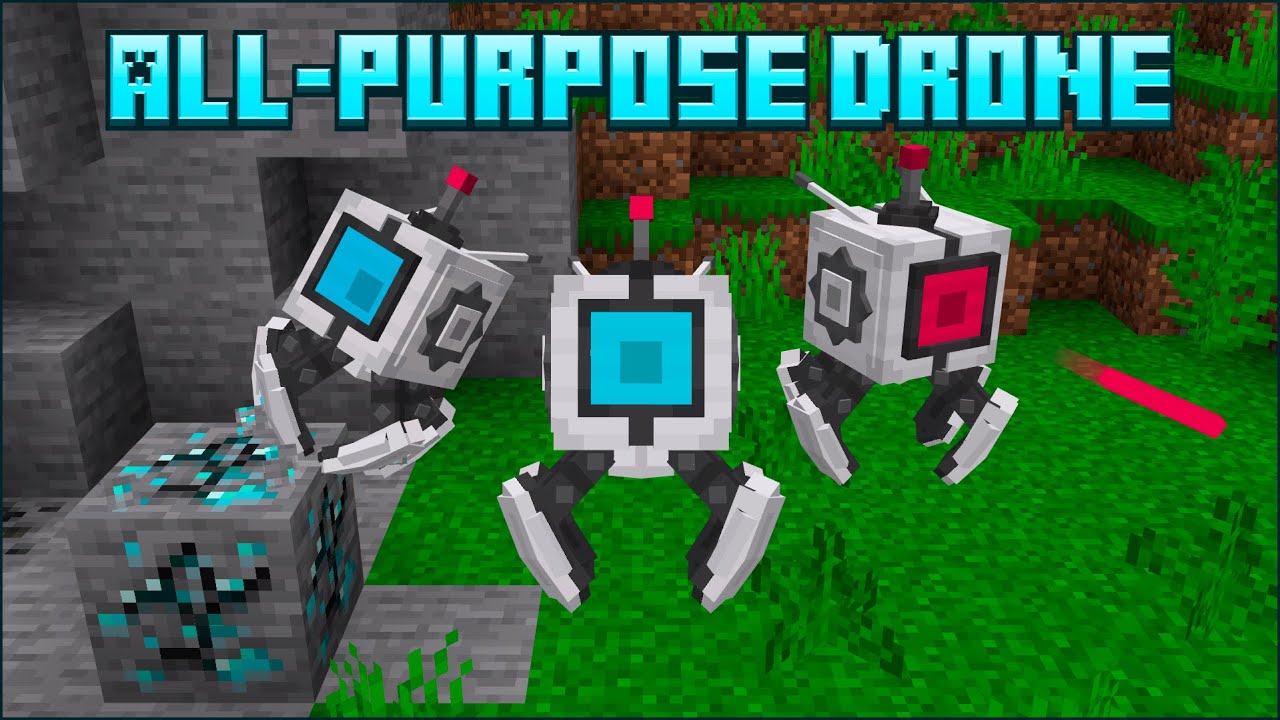
All-Purpose Drone Addon adds a compact robot designed to follow all your commands, including mining, building, attacking mobs, and collecting items…
⬇ DownloadOpen in MCModsHubGet it on Google Play →All-Purpose Drone Addon adds a compact robot designed to follow all your commands, including mining, building, attacking mobs, and collecting items. Additionally, an antenna and remote control can be extremely useful for managing a large group of drones.
Features:
How does it work?
To start using a drone you must first place a packed drone block and interact with it, after that, a small drone will appear.
When you interact with the drone, a menu will open with several options where you can configure the tasks you want the drone to execute, order it to follow you, change the movement mode, open the camera, open the settings, or dismantle it.
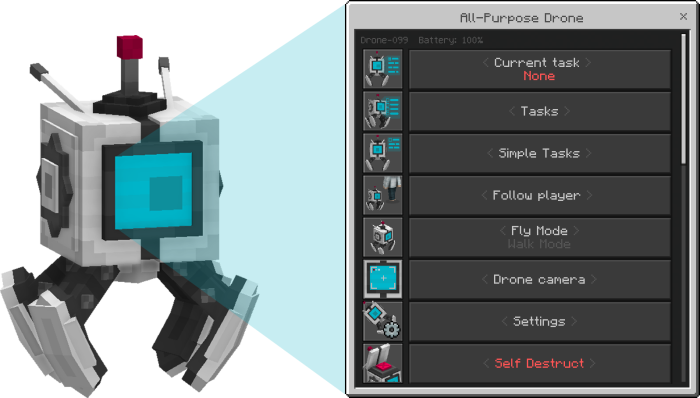
Drone Options:
- Current task: Here you can see the name and settings of the current drone task to reconfigure or cancel it.
- Tasks: Here you can see a list of all the tasks that can be executed by the drone.
- Simple tasks: In this option, you can configure small tasks such as sending the drone to a specific location, ordering it to take items from a chest, dropping its inventory, and others.
- Follow player: In this option, you can order it to follow you or not. (The drone will teleport to you when it gets too far away: configurable in the drone settings)
- Fly Mode and Walk Mode: In this option, you can change the drone’s movement mode between flying and walking.
- Drone camera: By clicking this option you will activate the drone’s camera so you can see yourself from its perspective.
- Settings: Here you can configure various settings for the drone such as its name and visibility, its resting zone, its owner, automatic flight and others.(In the drone settings you can configure the owner of the drone, this serves to prevent other players from accessing its menu)
- Self Destruct: Here you can dismantle the drone. (You don’t have to worry about clicking it by accident as confirmation is required)
Antenna Options:
The antenna is a block that can be configured to charge the drone’s battery and set new tasks for nearby drones.
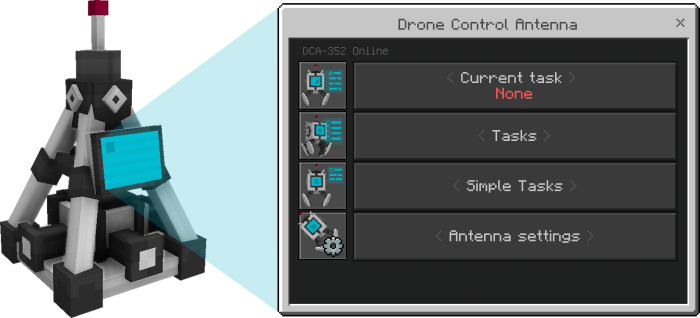
The antenna options serve the same functions as the drone’s, but after configuring a task, you’ll be asked to set the drone search radius for the antenna and how often it should resend a signal.
In simple tasks some tasks that were blocked on the drone such as charging the battery and others will be unlocked.
In the antenna settings you can configure the owner of the antenna, this serves to prevent other players from accessing its menu.
Antennas without an owner can only issue commands to drones without an owner, while antennas with an owner can issue commands to both unowned drones and drones owned by the same owner as the antenna.
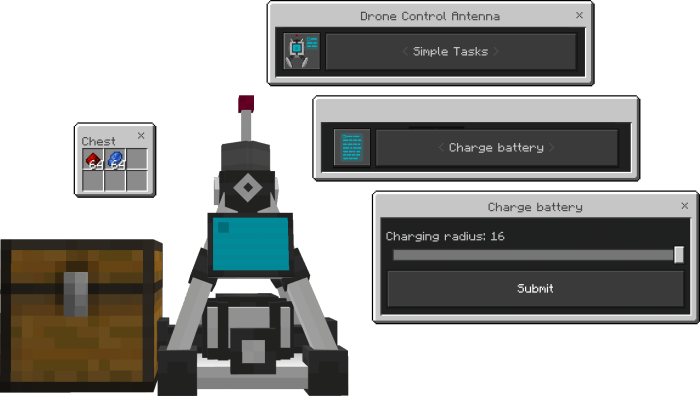
One of the most important tasks of the antenna is to charge the drone’s battery. To do this, you must enter the Simple Tasks option, select the Charge battery task, and select the charging radius in blocks.
After that, you must place a chest or another container next to the antenna and place redstone or lapis which will be consumed by the antenna, converting them into 1% charge.
Drone Remote Control:
An item that allows you to control a large group of drones simultaneously.
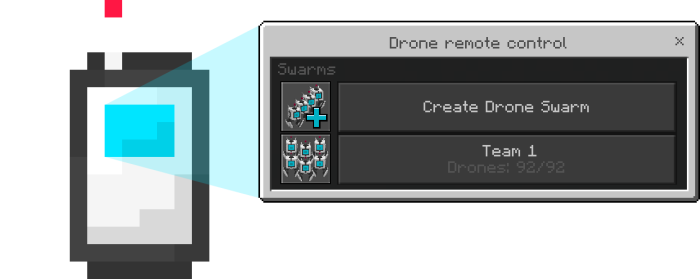
To create a group of drones just select the first option, put the name you want, and then select the option with the given name.
Then select the add drone option where you will see a list of nearby drones that do not belong to any swarm and that do not have any owner or are owned by you.
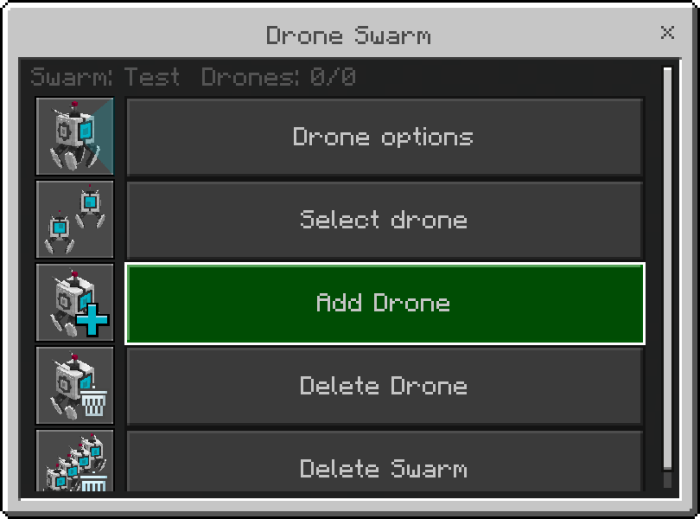
After that select the drone options option and the same menu that all drones have will open, only this time you can give orders to an entire swarm.
Other functions:
Selection mode:
- Selection mode is a feature that can be activated by using the “Select coordinates in the world” option in the “fill a location” and “mine a location” tasks.
- This is to make it easier for players to select blocks and avoid using coordinates.
- (When activating this option all other settings of the task will not be saved)
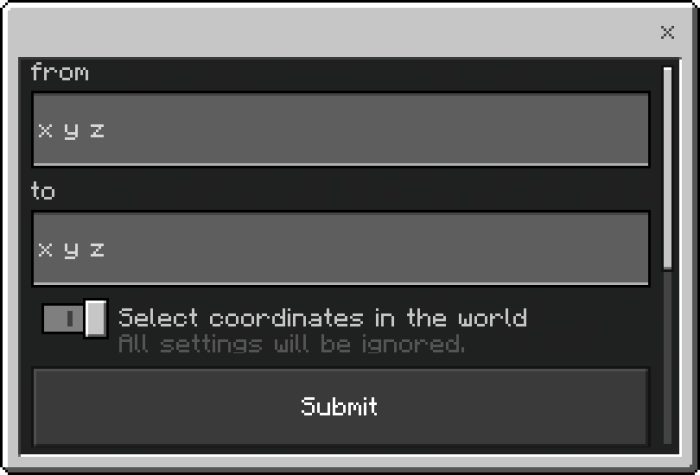
- After enabling the option and saving the settings, a message will appear in the player’s actionbar indicating that they must break a block to select the first position followed by another to select the second. (The blocks won’t really break)

To select a rectangular or square area of blocks, you need to define two points. These two points represent the opposite corners of the area you want to select.
- From:
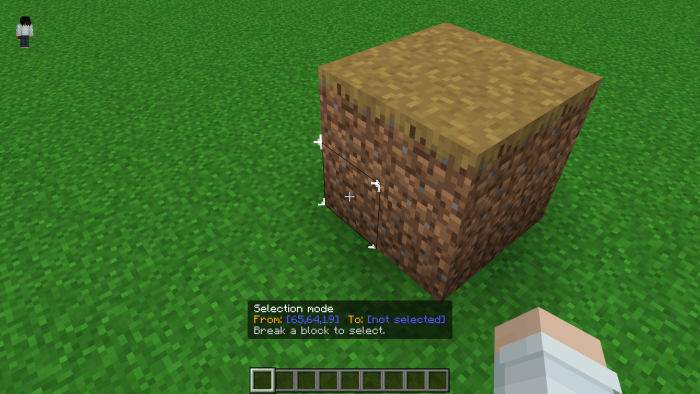
- To:
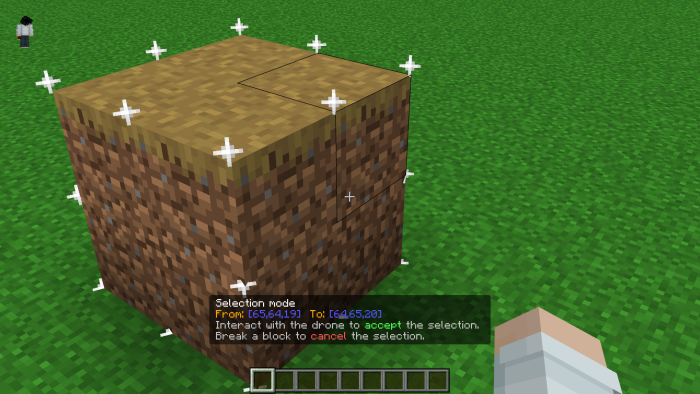
After that, you can break any block again to cancel the selection or interact with the drone or swarm to place those coordinates on the chosen task.
Drones that are involved in the task will be making a left-to-right movement indicating that they are in standby mode and those that are not involved in the task will deny you access to their menu.
Drone Durability:
- The drone has a life system equal to that of the iron golem, the more damage it receives, the more damaged its appearance becomes.
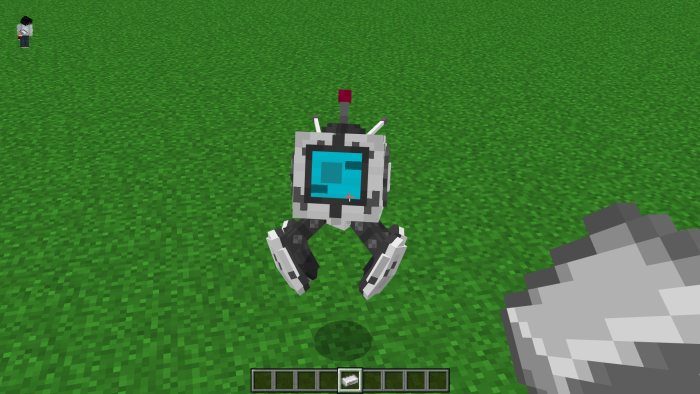
- To repair it simply use iron ingots on the drone while crouching.
Drone battery:
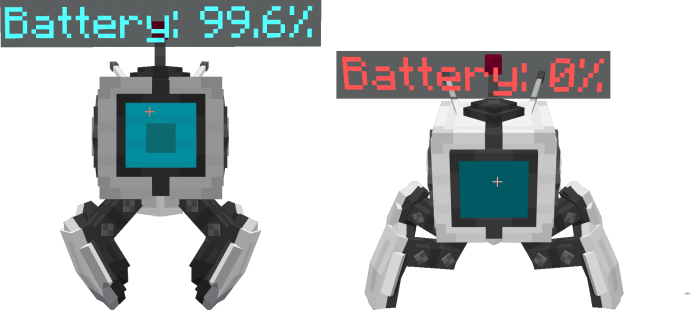
- There is not much to say about the drone’s battery, it simply decreases by 0.1% every two seconds if the drone is moving or has an active task.
- When it drops below 10% the drone will no longer be able to fly and can only be in walking mode. When it reaches 0% it will turn off and will not move or obey orders.
Drone inventory:
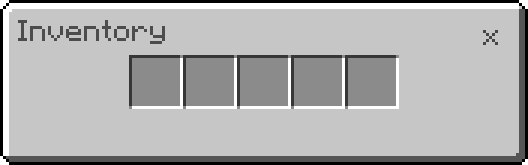
- The drone inventory is a small 5-slot container, this inventory is public which means that any player can access it even if it has an owner.
- To access the drone inventory you must crouch and interact with the drone.
Items:
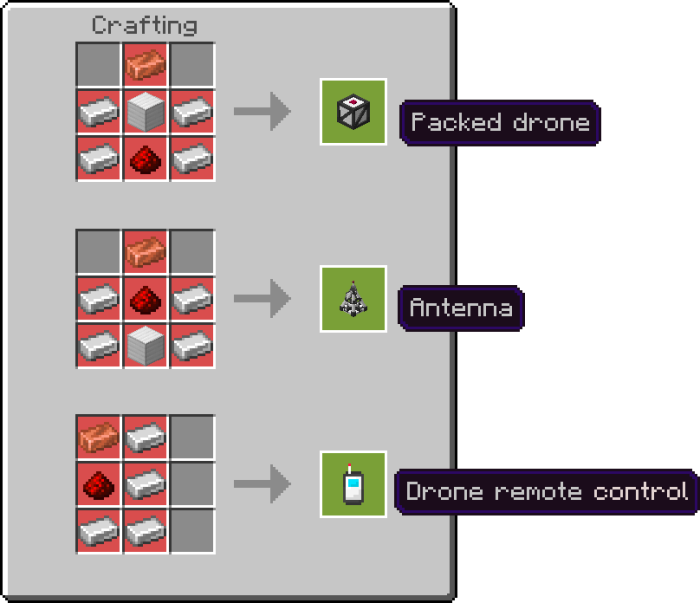
- Packed drone (A box containing a drone)
- Drone remote control (A device that allows you to control groups of drones)
- Drone control antenna (An antenna that can charge drone batteries and set up new tasks for nearby drones)
Available tasks:
- Mine blocks: Harvest a crops
- Attack mobs.
- Fill a location: Growing crops
- Bring mobs.
- Mine nearby blocks.
- Collect items.
- Ore detector.
- Move items between chests.
Other simpler tasks such as moving to a location, saving inventory, taking items from a chest, and more are also available.
Craftings:
Installation Note:
- Make sure you turn on the Experimental Gameplay.

All-Purpose Drone Addon Download Links
For Minecraft PE/Bedrock 1.21
mcaddon: Download from server 1 – Download from server 2
- Pack type: .mcaddon — behaviour and resource pack in one file
- Manifest requires Minecraft 1.19.80 or newer
- Needs Beta APIs switched on in the world settings
- Download link checked 17 Jun 2026 — working
- Mirrored on our own servers — the download does not depend on the original host
These come from our own check of the pack file, not from the source page.