AddonsBedrock
3D Player Skin Addon (1.21, 1.20) – MCPE/Bedrock Mod
Bedrock add-on listed for Minecraft 1.20–1.21 (resource pack only). File opened and checked on 20 Sep 2026; installs from the MC Bedrock Mods app on Android.
⬇ Download
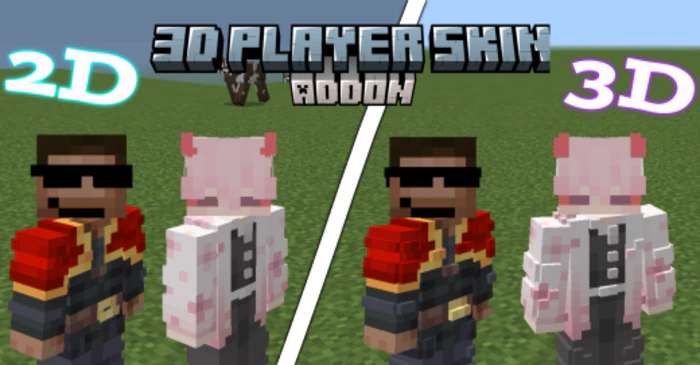
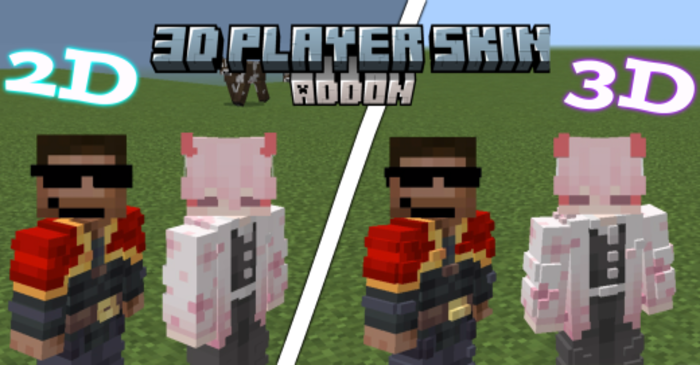
3D Player Skin Addon is a fantastic tool for MCPE players who want to add more depth and realism to their characters. This addon allows you to add a second 3D skin layer to your character, transforming their appearance and enhancing your immersion in the game world.
Features:
- To install the skin, you need to download the 3D Player Skin Addon file, locate the “textures” folder inside the 3D Player Skin folder, and rename your skin file to “steve.png”. Then, copy and paste your skin in PNG format into the “textures” folder. Once you’ve done this, open Minecraft, load a world, and your 3D skin should be applied to your character, adding a new layer of depth and realism.
- However, it’s important to note that the creator of the addon mentioned that Steve’s skin needs to be selected in-game for the addon to work properly.
- Overall, the 3D Player Skin Addon is a great way to customize your Minecraft character and make your gaming experience more visually engaging.
3D Player Skin Addon Download Links
For Minecraft PE/Bedrock 1.21
For Minecraft PE/Bedrock 1.20
Quick facts
- Edition: Minecraft Bedrock
- File type: .mcpack or .mcaddon
- Minecraft versions listed: 1.21, 1.20
- How to install: Download the .mcpack or .mcaddon file. → Open it — Minecraft imports it. → In your world: Behavior Packs → Available → Activate, then the same under Resource Packs.
- Where to get it: In MCModsHub, or directly above on this page.
Install steps are the general flow for this file type — How to install Minecraft Bedrock addons & mods walks through it step by step.
File checked by MCModsHub
- Save it as 61669.mcpack before opening — it downloads as .mcaddon, but it is a .mcpack pack
- Manifest requires Minecraft 1.21.0 or newer
- Complete pack — everything it depends on is inside the file
- Download size: 251 KB
- Download link checked 17 Jun 2026 — working
- Mirrored on our own servers — the download does not depend on the original host
These come from our own check of the pack file, not from the source page.