AddonsBedrock
Anime Waifus Addon (26.x, 1.21) – MCPE/Bedrock Mod
Bedrock add-on listed for Minecraft 1.21 (behavior + resource pack). File opened and checked on 18 Oct 2026; installs from the MC Bedrock Mods app on Android.
⬇ Download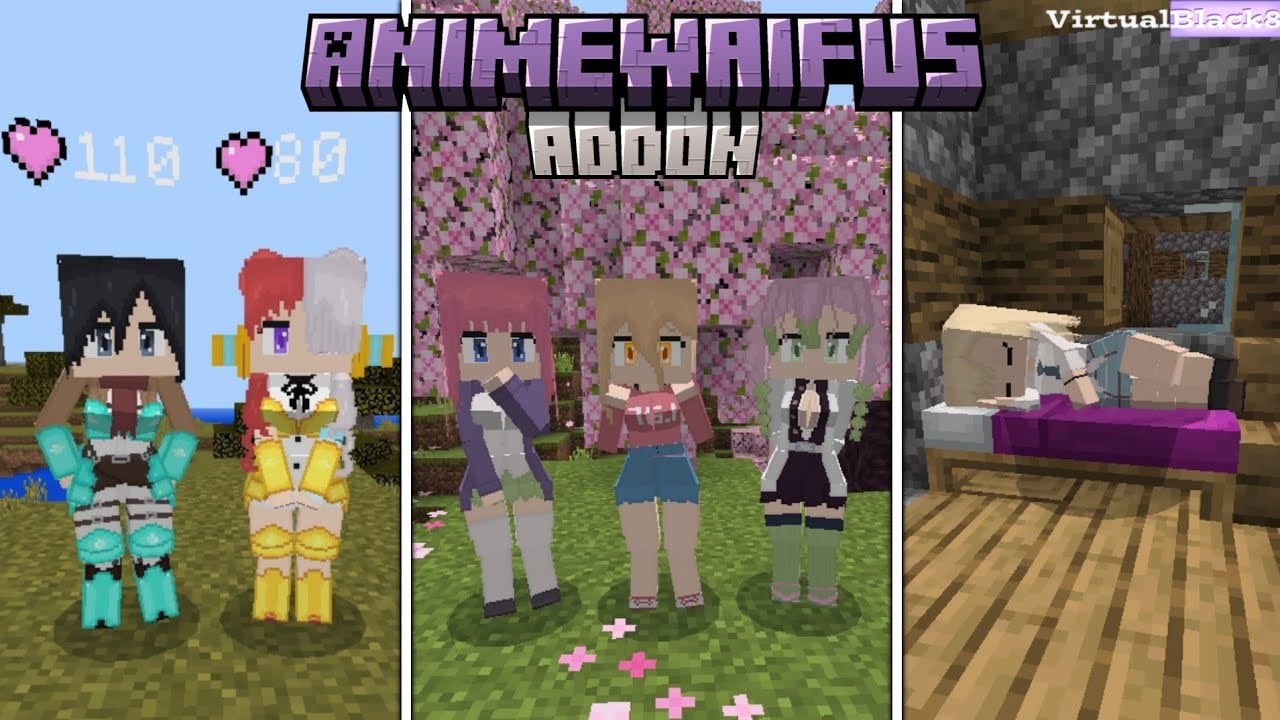
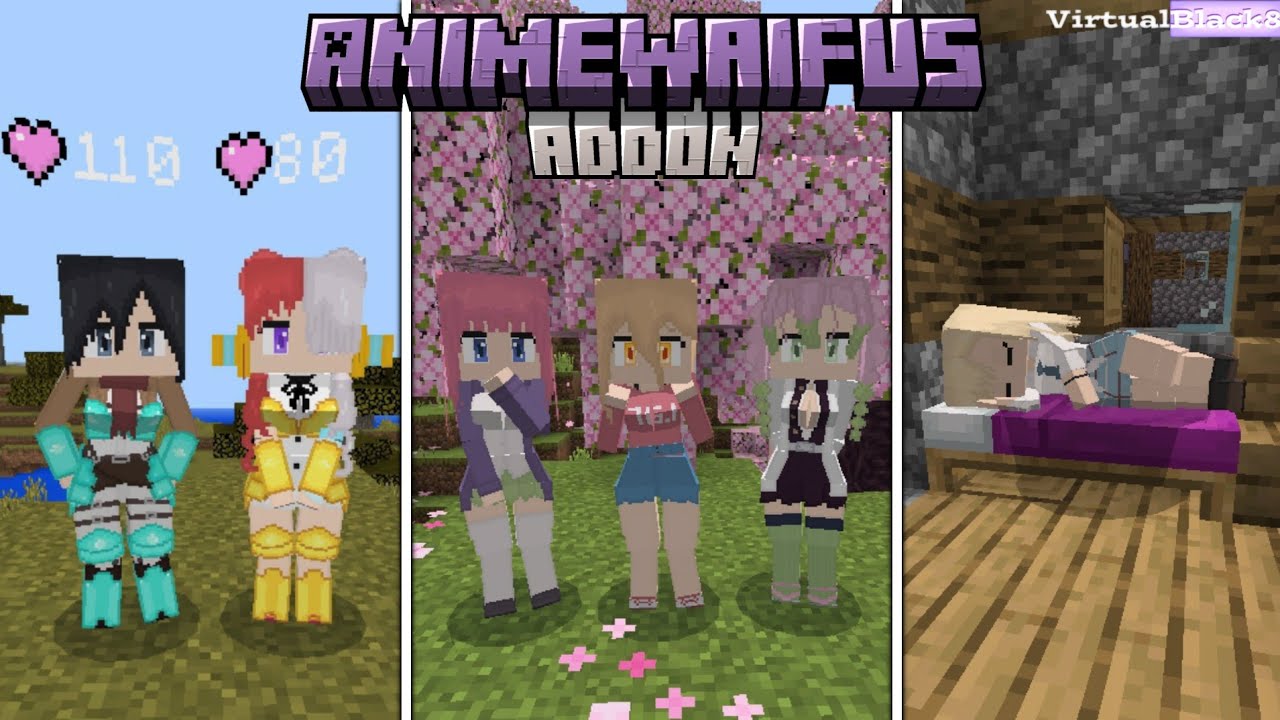
Experience the magic of this incredible plugin that brings beautiful waifus to your square world with Anime Waifus Addon! Get ready to meet 23 captivating, natural-looking waifus, each with their own unique personality, waiting for you to discover them and make them feel at home by your side. Immerse yourself in a unique experience full of surprises as you interact with these fascinating companions on your adventure. Are you ready to make your world an even more exciting and loving place? Don’t wait any longer and join this unforgettable waifu experience!
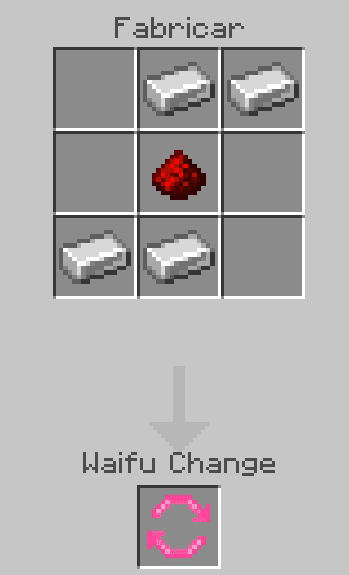
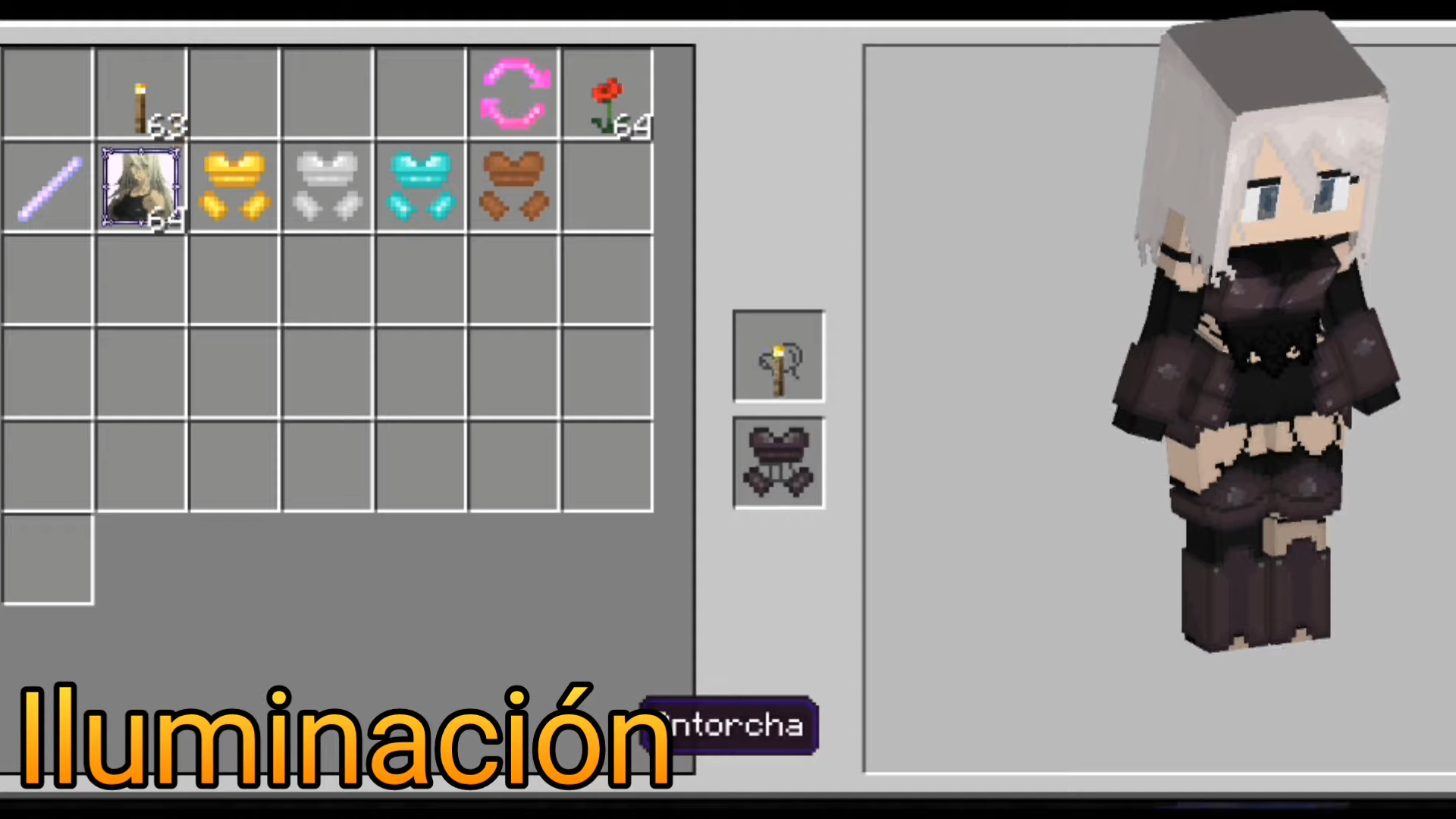
 Waifu Change
(no function at the moment)
Waifu Change
(no function at the moment)
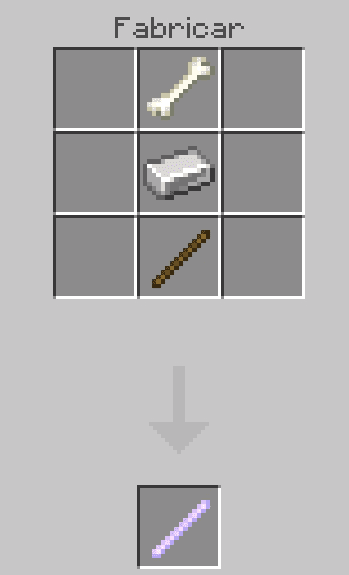
 Removal Wand
Eliminate your waifus with this item
Removal Wand
Eliminate your waifus with this item
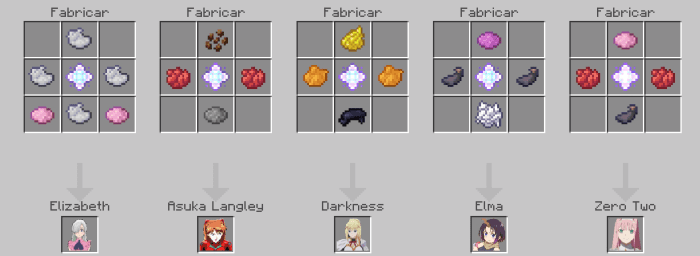
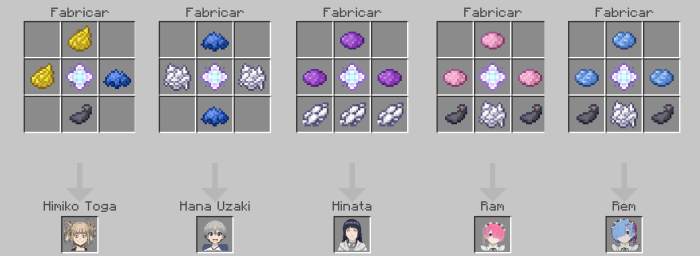
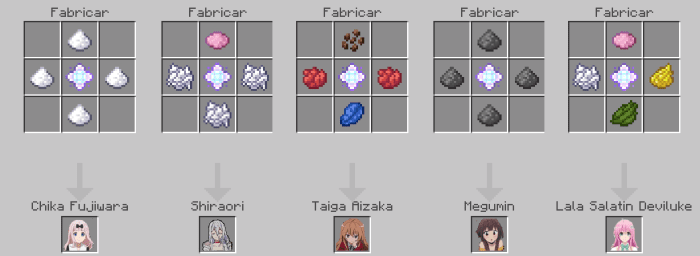
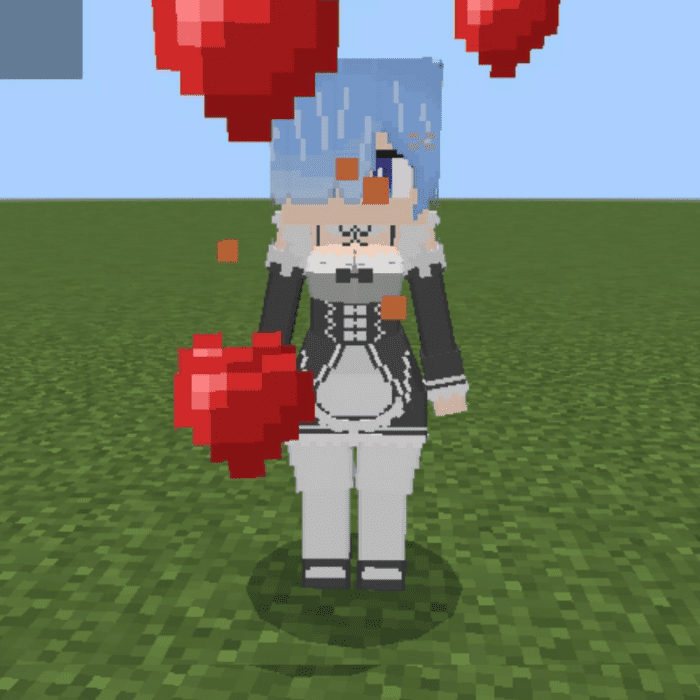
 To tame the waifu you must use a “poppy”:
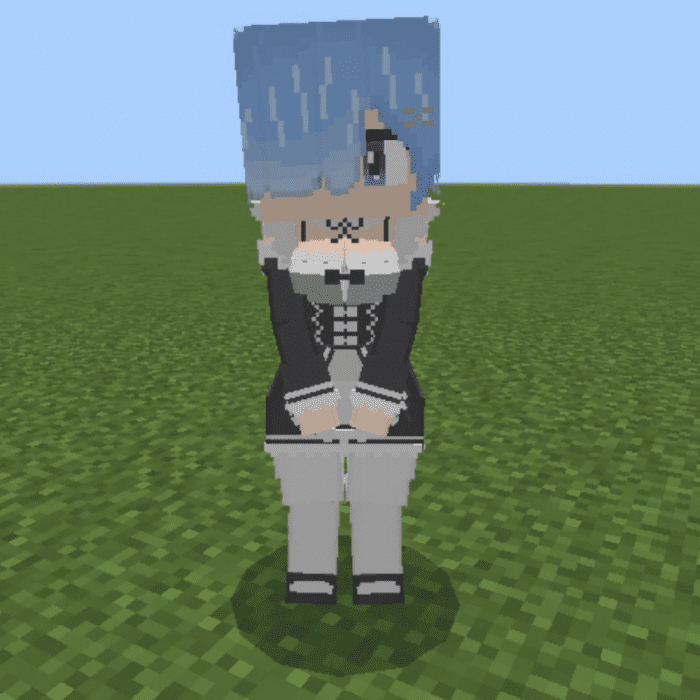
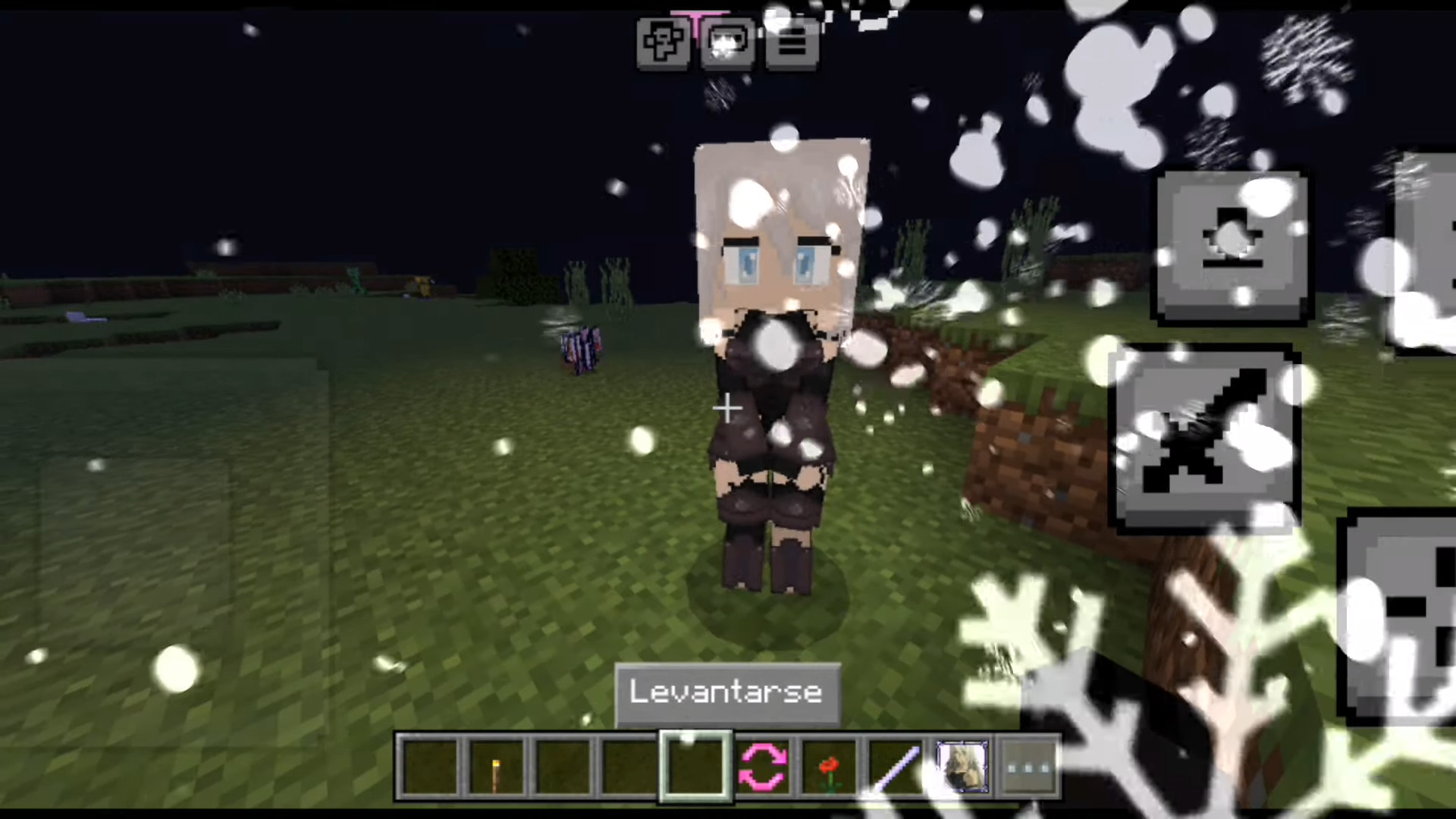
 You can sit them:
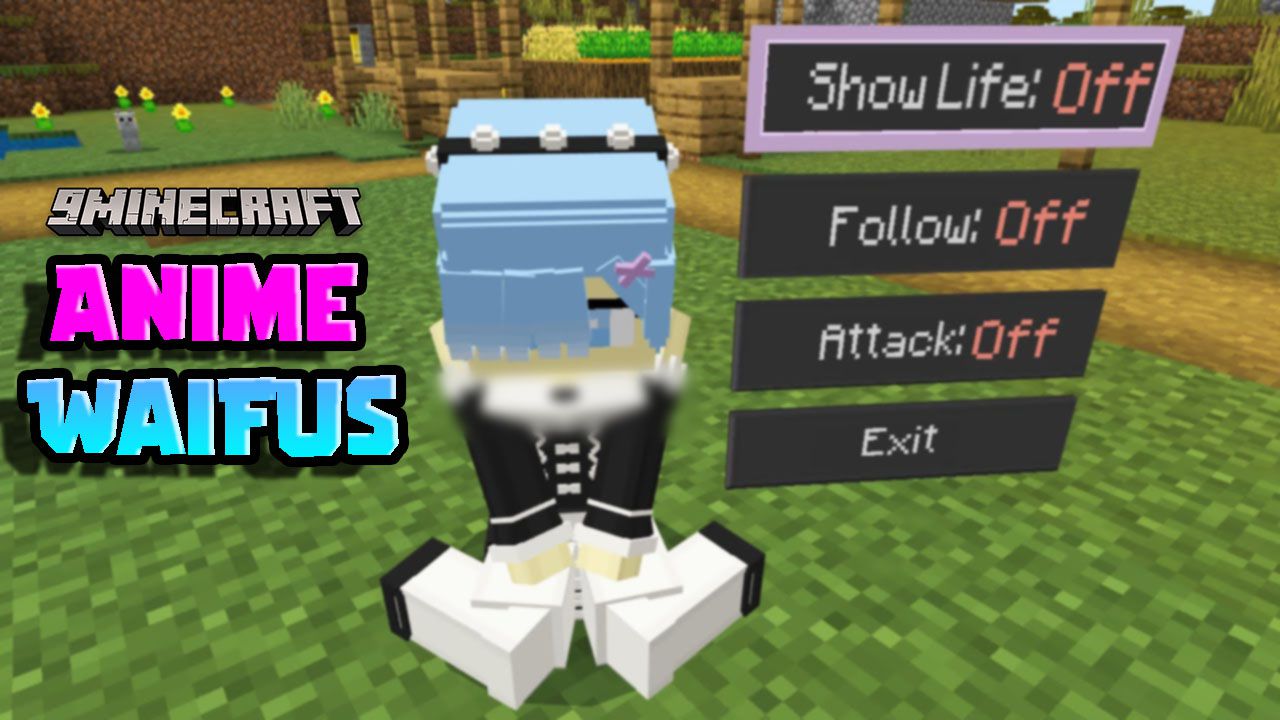
 Crouch down to activate options:
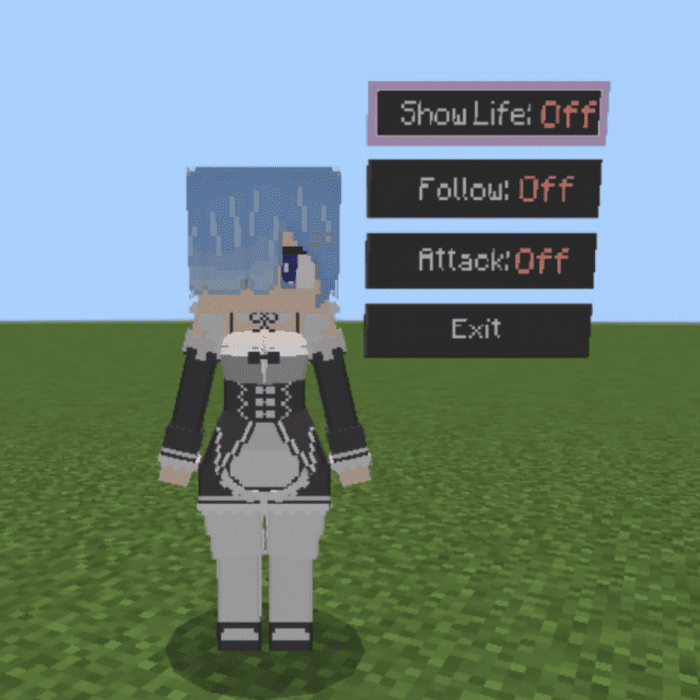 Use the “Next” button to go to the next action,
To select crouch down and use the “Select” button:
Options
Use the “Next” button to go to the next action,
To select crouch down and use the “Select” button:
Options
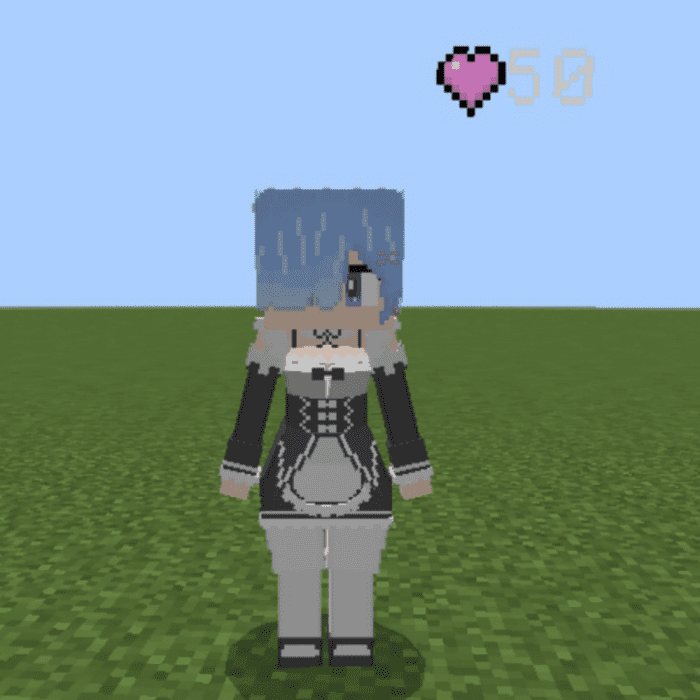
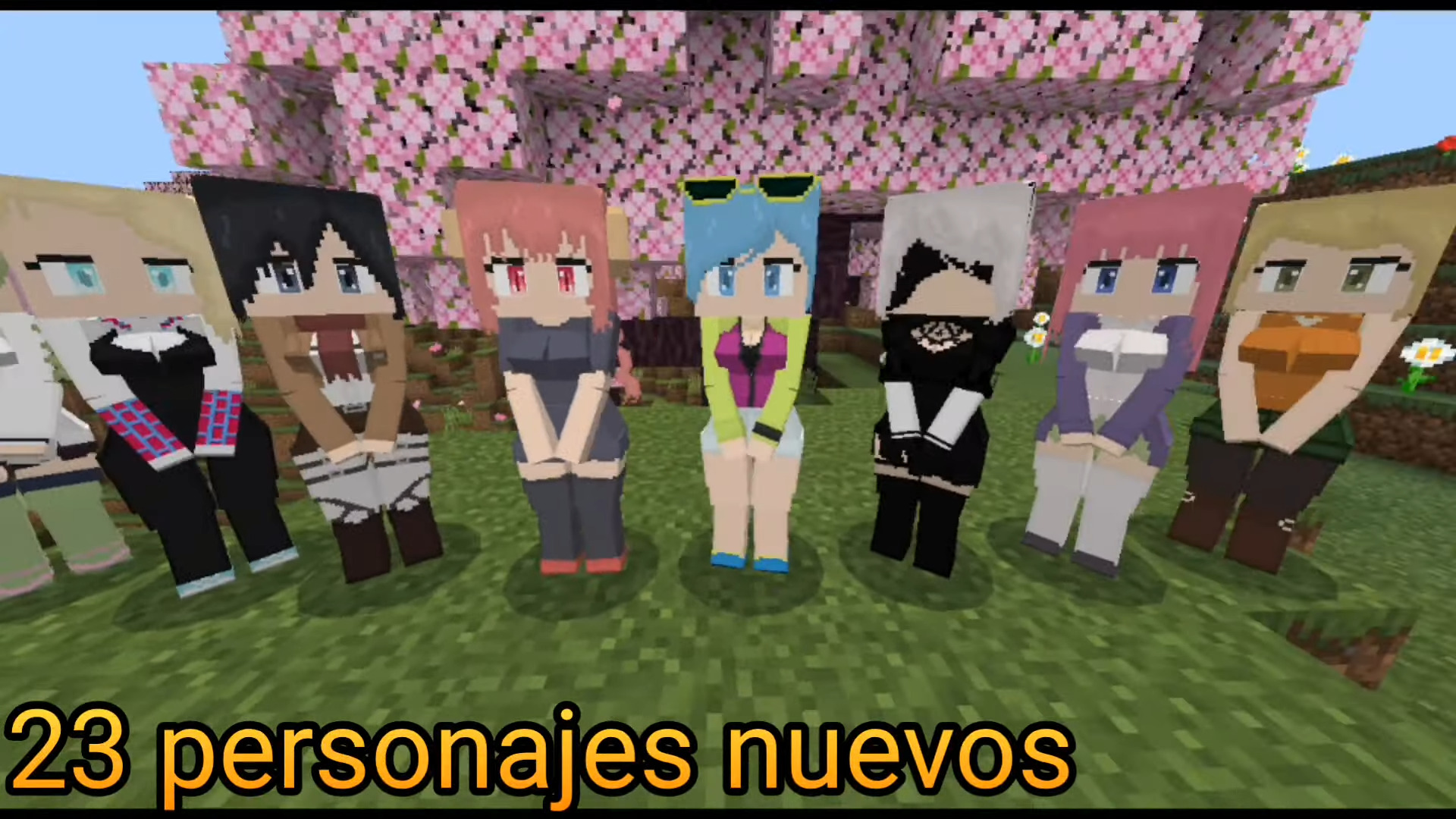
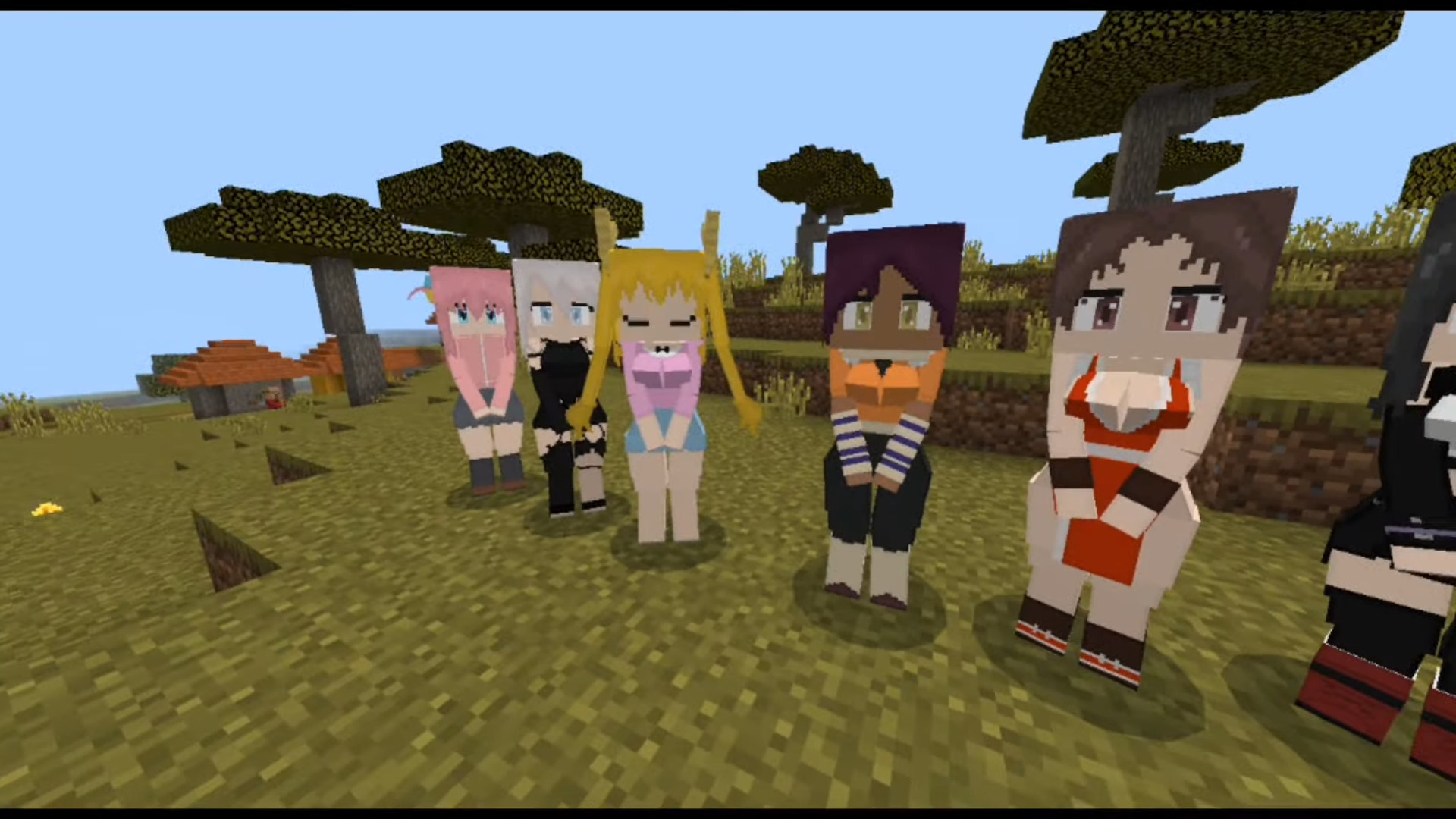
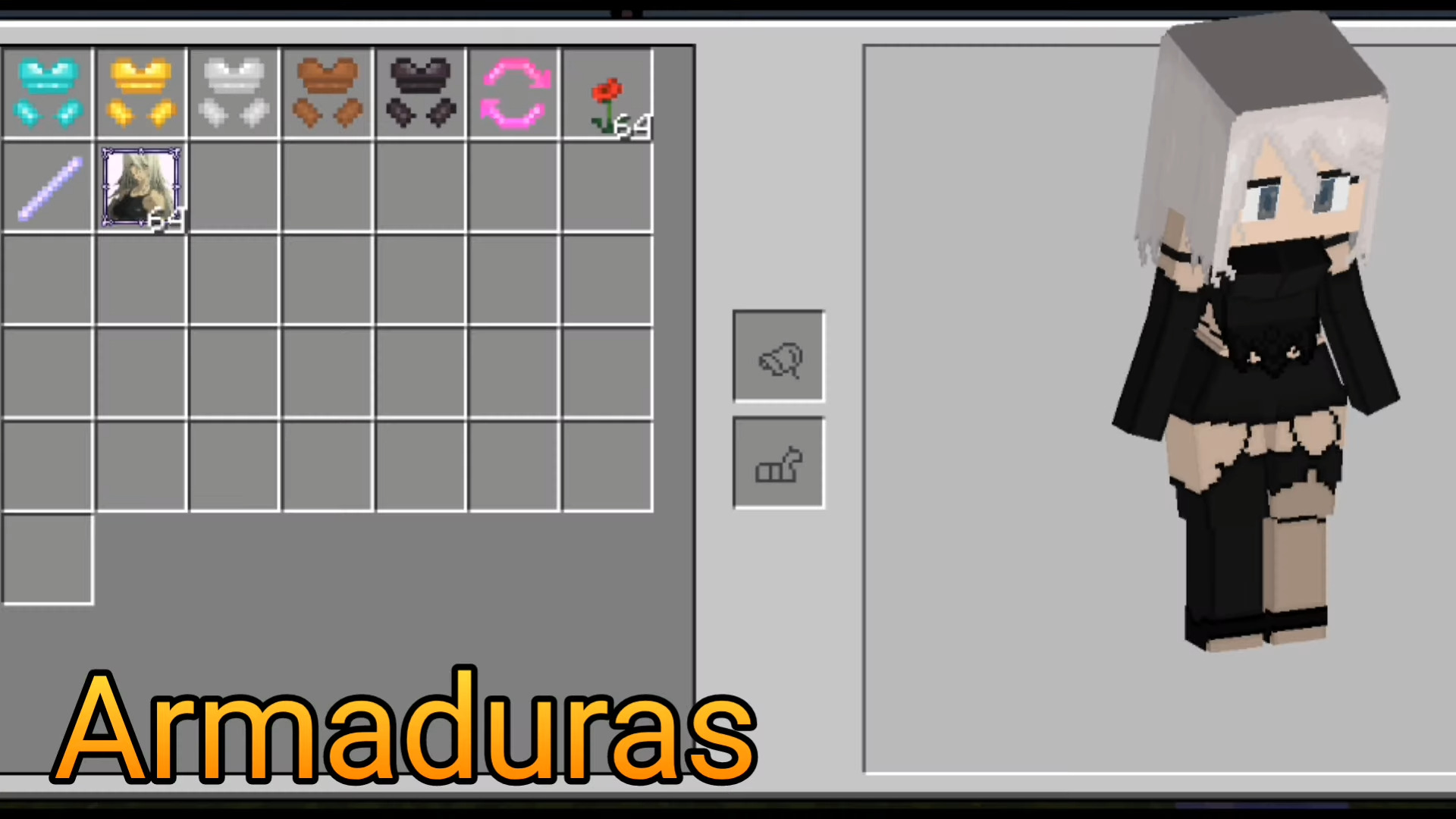
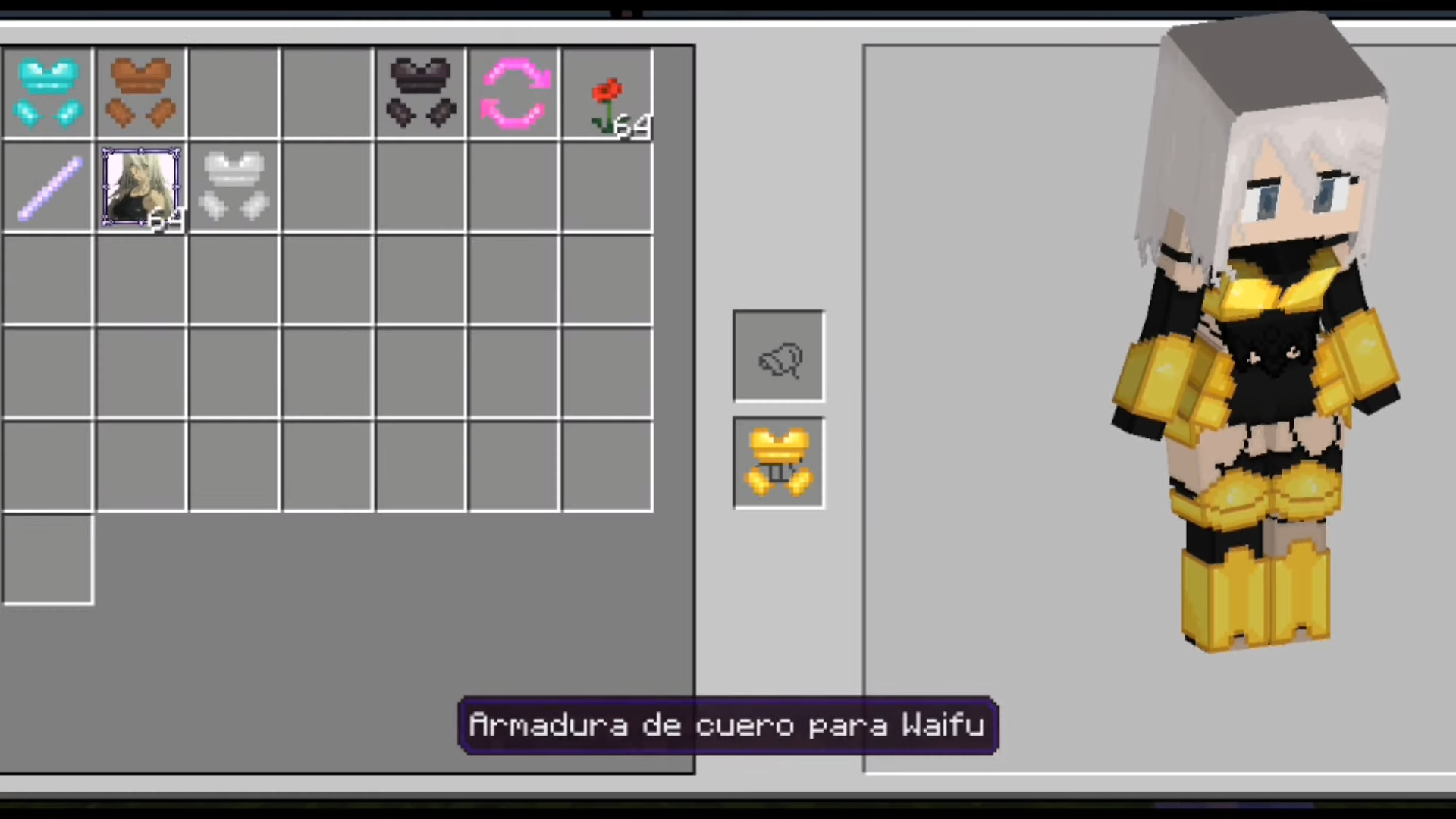
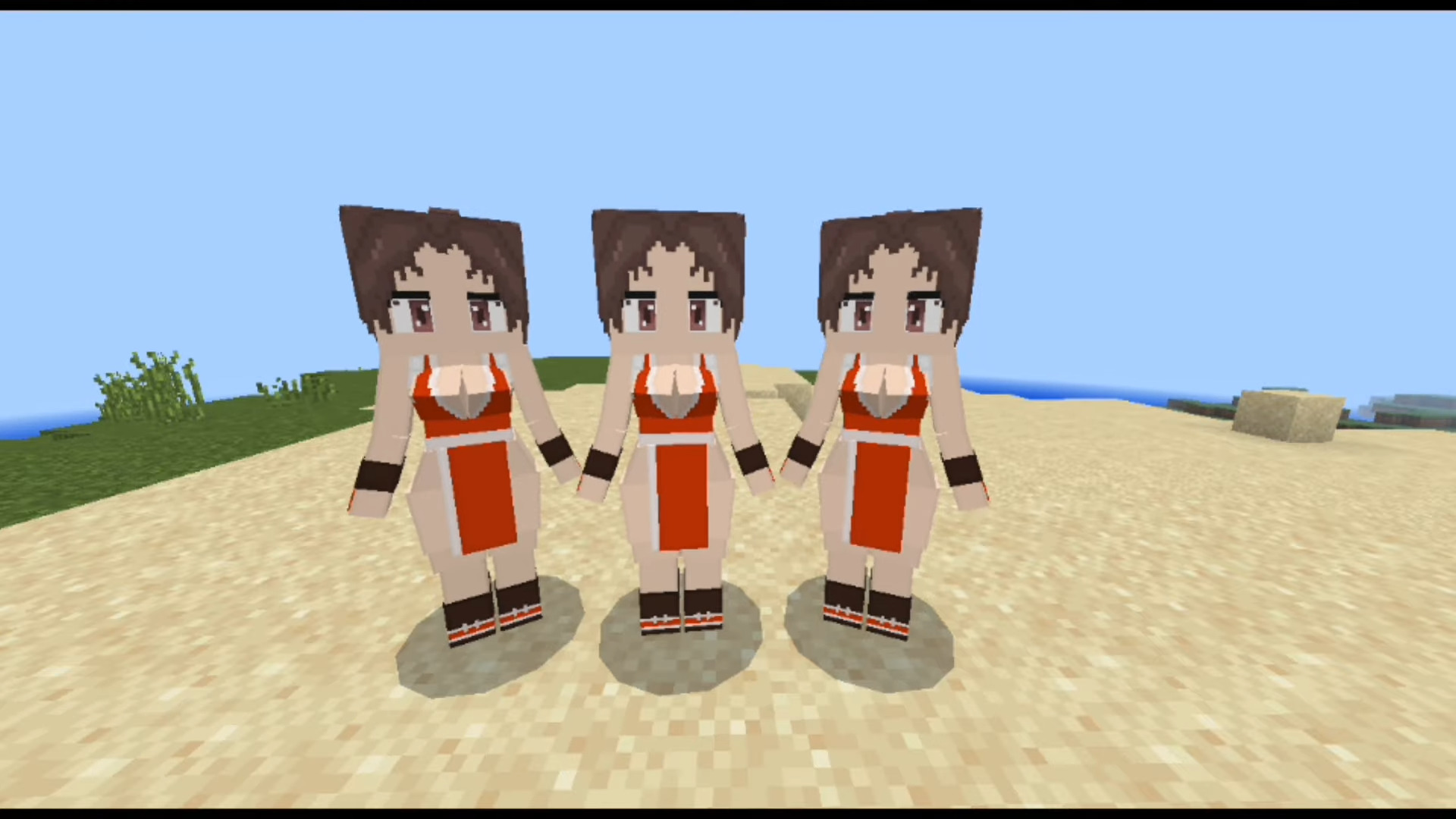
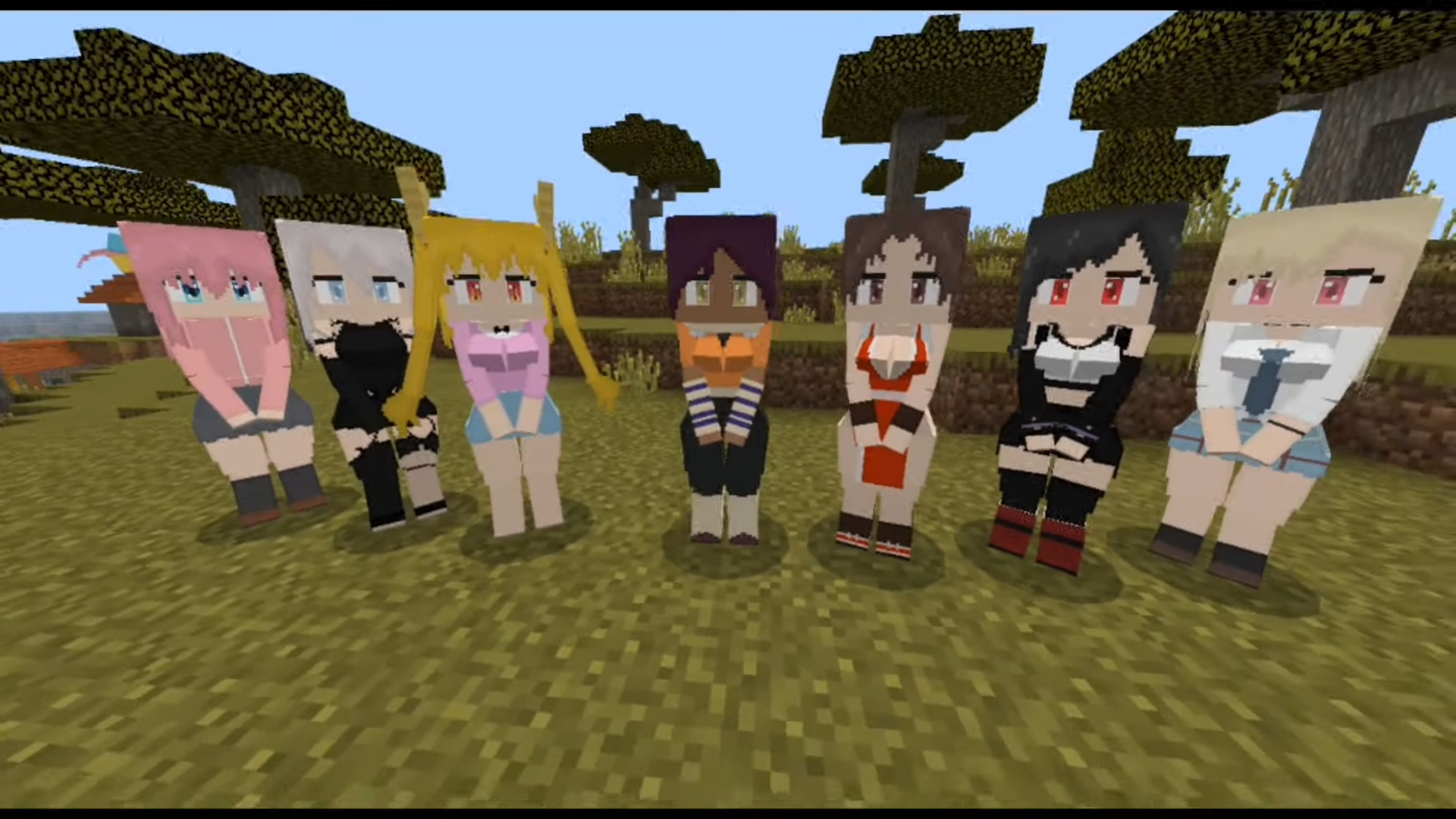
Features:
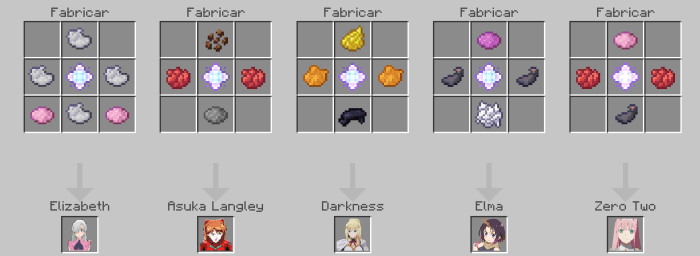
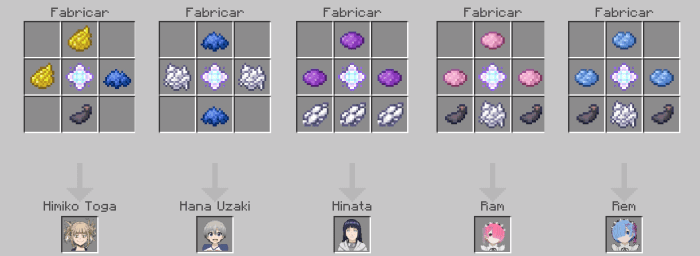
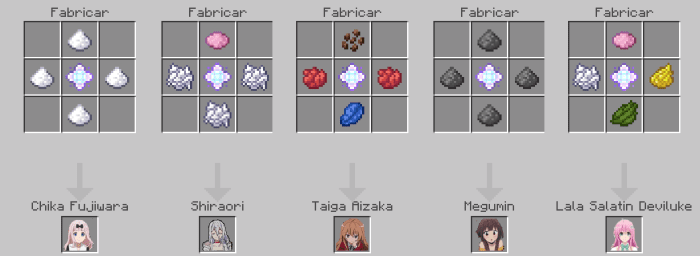
Waifus List:- -Chika Fujiwara-
- -Elizabeth-
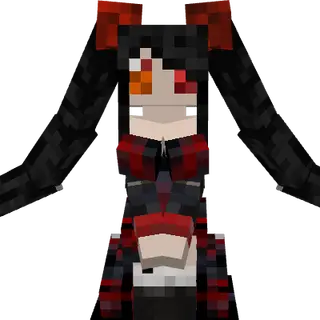
- -Darkness-
- -Hana Uzaki-
- -Megumin-
- -Ram-
- -Rem-
- -Zero Two-
- -Hinata-
- -Elma-
- -Asuka Langley-
- -Taiga Aizaka-
- -Shiaori-
- -Himiko Toga-
- -Lala Salatin Deviluke-
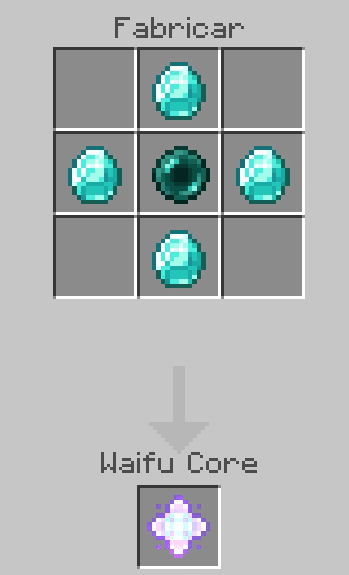
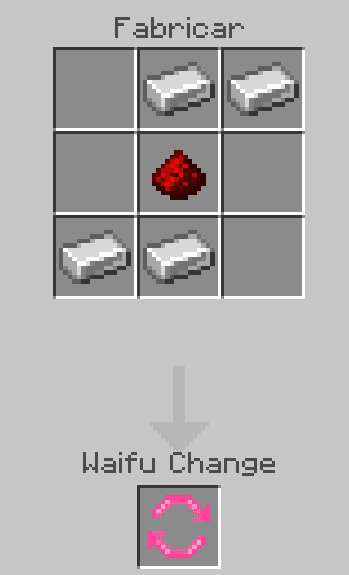
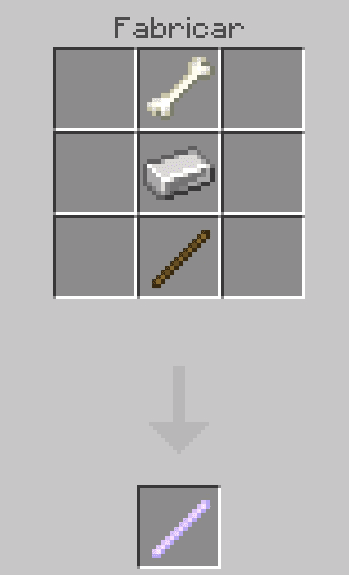
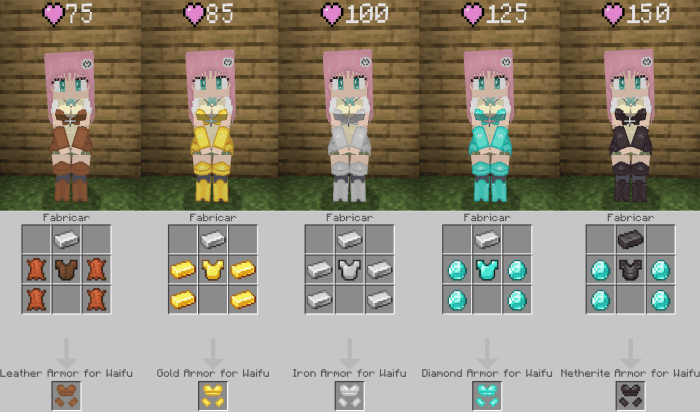
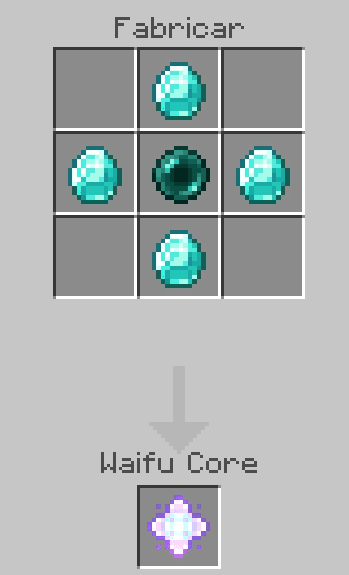
Crafting Recipes:
Waifu Core
Waifu Change
(no function at the moment)
Removal Wand
Eliminate your waifus with this item
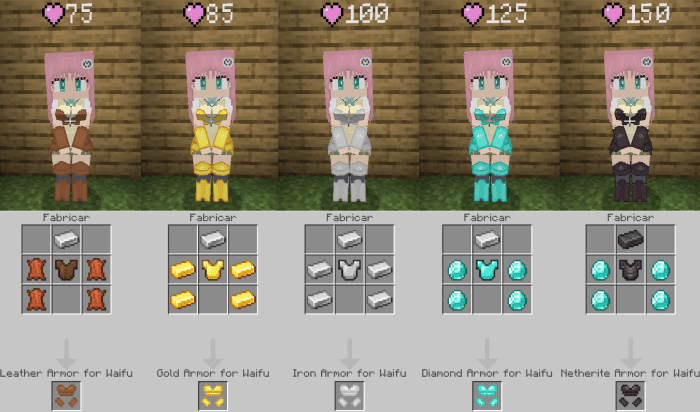
Armors
To tame the waifu you must use a “poppy”:
You can sit them:
Crouch down to activate options:
Use the “Next” button to go to the next action,
To select crouch down and use the “Select” button:
Options
- Show Life: if this option is active it will show a life indicator
- Follow: If this option is active the waifu will follow you
- Attack: If this option is active the waifu will defend you
- Exit: this option is to exit the menu
Screenshots:
Installation Note:
- Don’t forget to turn on the experimental features.
Anime Waifus Addon Download Links
For Minecraft PE/Bedrock 1.21
Behavior: Download from server 1 – Download from server 2 Resource: Download from server 1 – Download from server 2
For Minecraft PE/Bedrock 1.20
Behavior: Download from server 1 – Download from server 2 Resource: Download from server 1 – Download from server 2
For Minecraft PE/Bedrock 1.19
Behavior: Download from server 1 – Download from server 2 Resource: Download from server 1 – Download from server 2
Quick facts
- Edition: Minecraft Bedrock
- File type: .mcpack or .mcaddon
- Minecraft version listed: 1.21
- How to install: Download the .mcpack or .mcaddon file. → Open it — Minecraft imports it. → In your world: Behavior Packs → Available → Activate, then the same under Resource Packs.
- Where to get it: In MCModsHub, or directly above on this page.
Install steps are the general flow for this file type — How to install Minecraft Bedrock addons & mods walks through it step by step.
File checked by MCModsHub
- Pack type: .mcaddon — behaviour and resource pack in one file
- Complete pack — everything it depends on is inside the file
- Download size: 1.3 MB
- Download link checked 17 Jun 2026 — working
- Mirrored on our own servers — the download does not depend on the original host
These come from our own check of the pack file, not from the source page.