Sign Shop Addon (26.x, 1.21) – MCPE/Bedrock Mod
Bedrock add-on listed for Minecraft 1.19–1.21 (behavior pack only). Needs Beta APIs. File opened and checked on 28 Sep 2026; installs from the MC Bedrock Mods app on Android.
⬇ Download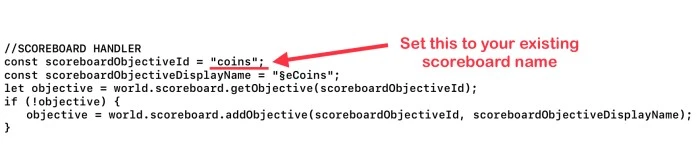
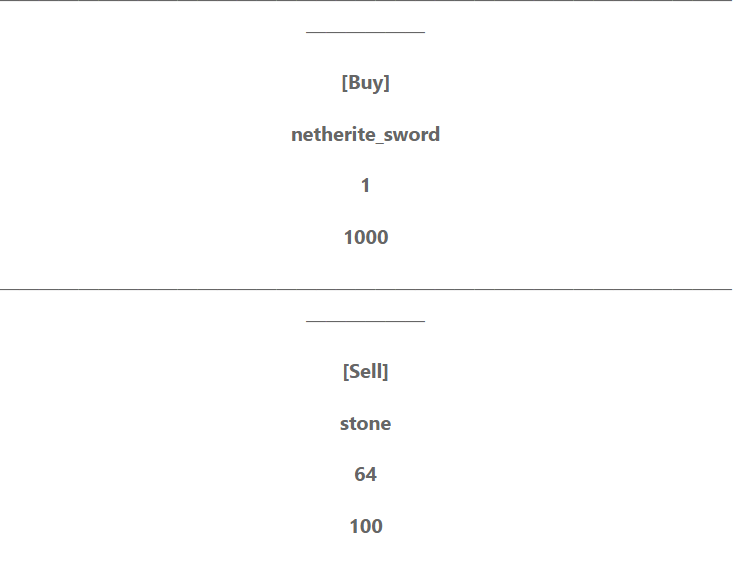
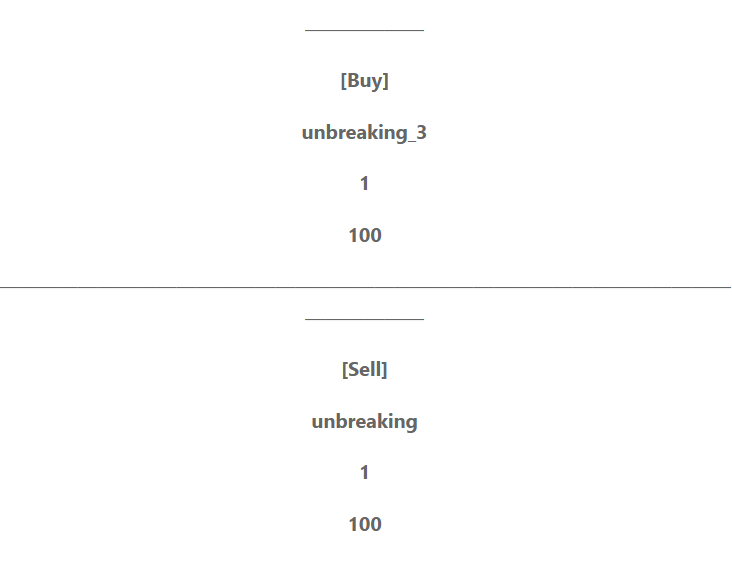
Sign Shop Addon provides you the easiest way to create shops in Minecraft! Forget about complicated setups; with this mod, setting up shops is a breeze. All you need are some signs and a honeycomb! With straightforward sign layouts, you can quickly establish shops to sell or buy any item in the game!
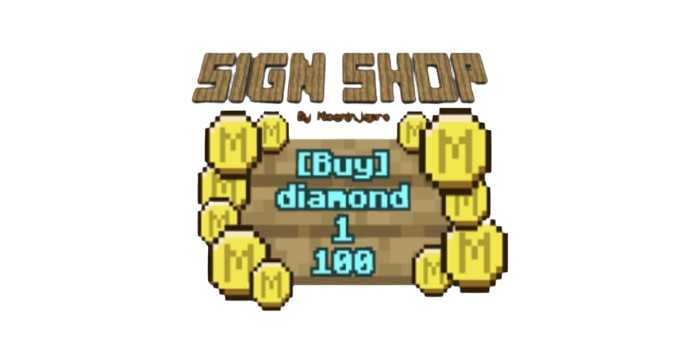
Features:
How to use:
Tag:
To honeycomb signs, you must have the “Admin” tag. Otherwise, you’ll receive a message stating “You Don’t Have Permission to Honeycomb Signs.” To give yourself or others the “Admin” tag, run this command:
- /tag @s add Admin
or
- /tag (player name) add Admin
Scoreboard:
1. First, execute the command: `/scoreboard objectives setdisplay sidebar coins`. This sets the scoreboard to display the “coins” objective on the sidebar.
2. Execute the following command: `/scoreboard players set @a coins 0` to initialize the “coins” objective with a starting value of 0 for all players. Note that this step may not be necessary, as the amount received from selling items will automatically adjust the player’s coin balance accordingly.
3. To add coins to a player, execute the command: `/scoreboard players add [Player’s Name] coins [Amount]`. Replace `[Player’s Name]` with the player’s in-game name and `[Amount]` with the number of coins you want to add.
For an existing scoreboard do this:
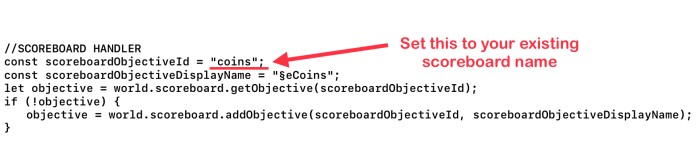
- If you prefer to use an existing scoreboard, you can customize this in the behavior pack.
- Navigate to com.mojang/behaviourpacks/SignShop/scripts/main.js.
- Open main.js file located in the specified directory.
- And then change this line of code bellow to the scoreboard in your world:
How to set up a Sign Shop:
Step 1: Placing the Sign
- Place a sign on the ground or any suitable surface within your Minecraft world.
Step 2: Setting the Transaction Type
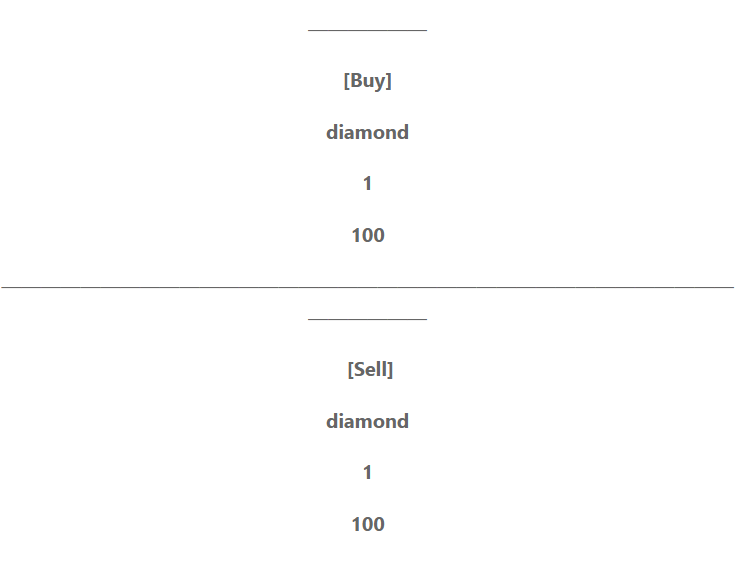
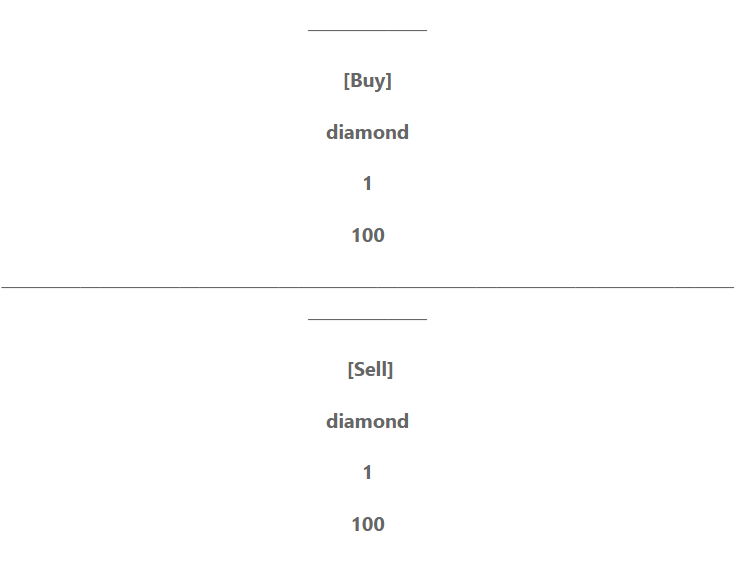
- On the first line of the sign, type either [Buy] or [Sell] to indicate the type of transaction.
Step 3: Specifying the Item or enchant
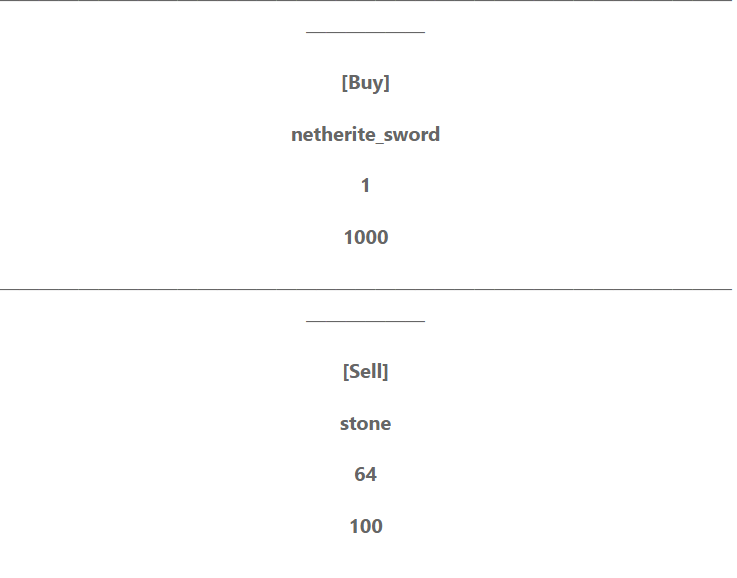
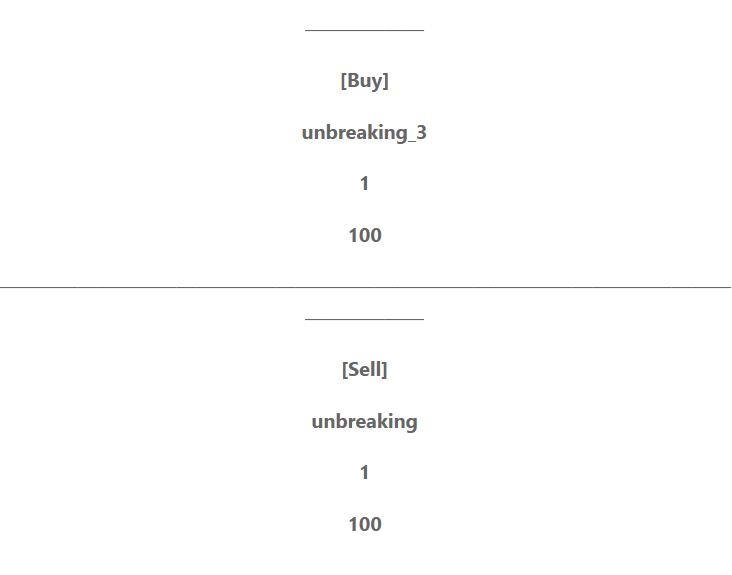
- On the second line of the sign, input the Minecraft ID of the item you wish to buy or sell. For instance, specify items such as “diamond” or “netherite_sword,” or if you using the enchants version you can also do enchantments like “unbreaking_3” and “mending,” and they will receive the corresponding enchantments on an enchanted book.
Step 4: Indicating Quantity
- On the third line of the sign, specify the quantity of the item desired for purchase or sale. For instance, input “1” for a single item or “64” for a full stack. Note that when dealing with enchantments, the quantity input is inconsequential, as only one enchanted book will be provided regardless.
Step 5: Setting the Price
- On the fourth line of the sign, type the price at which you want to buy or sell the item. Simply indicate the price without referring to any specific scoreboard.
Step 6: Activating the Shop
- Enable the shop by right-clicking the sign with a honeycomb to activate it. This action will only succeed if you have the Admin tag.
Examples:
Installation Note:
- Make sure you turn on the Beta APIs.
Sign Shop Addon Download Links
For Minecraft PE/Bedrock 1.21
mcaddon: Download from server 1 – Download from server 2
- Edition: Minecraft Bedrock
- File type: .mcpack or .mcaddon
- Minecraft version listed: 1.21
- How to install: Download the .mcpack or .mcaddon file. → Open it — Minecraft imports it. → In your world: Behavior Packs → Available → Activate, then the same under Resource Packs.
- Where to get it: In MCModsHub, or directly above on this page.
Install steps are the general flow for this file type — How to install Minecraft Bedrock addons & mods walks through it step by step.
- Pack type: .mcaddon — behaviour and resource pack in one file
- Manifest requires Minecraft 1.19.80 or newer
- Needs Beta APIs switched on in the world settings
- Complete pack — everything it depends on is inside the file
- Download size: 708 KB
- Download link checked 17 Jun 2026 — working
- Mirrored on our own servers — the download does not depend on the original host
These come from our own check of the pack file, not from the source page.