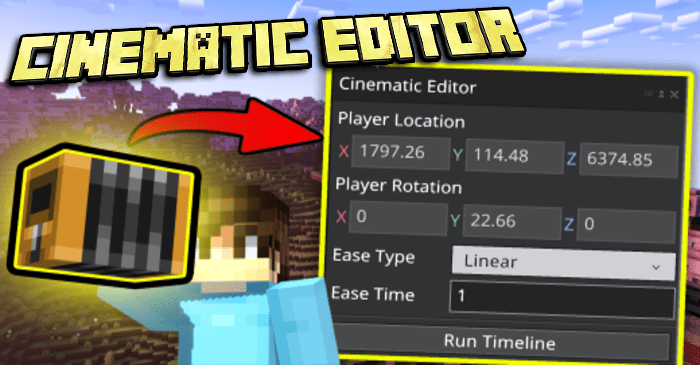
Jayly Cinematic Editor Addon (1.21, 1.20) – Bedrock Edition Replay Mod
Bedrock add-on listed for Minecraft 1.20–1.21 (behavior + resource pack). Needs Beta APIs. File opened and checked on 20 Sep 2026; installs from the MC Bedrock Mods app on Android.
⬇ Download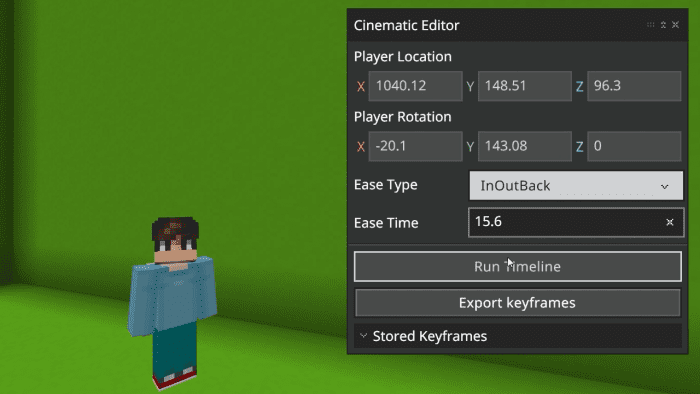
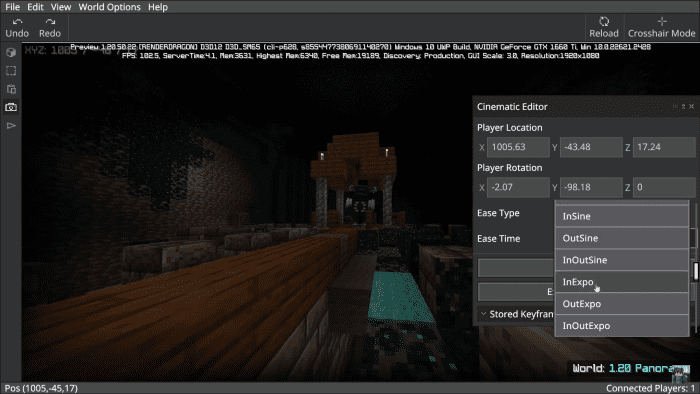
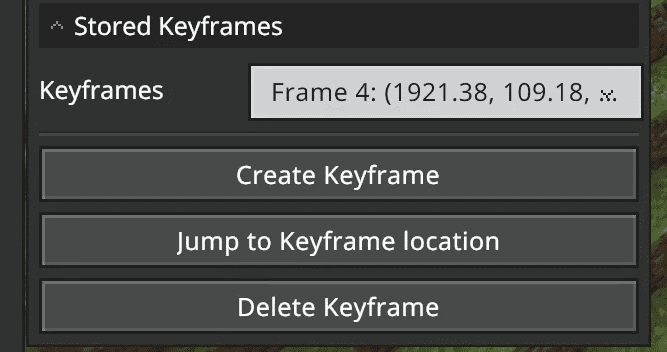
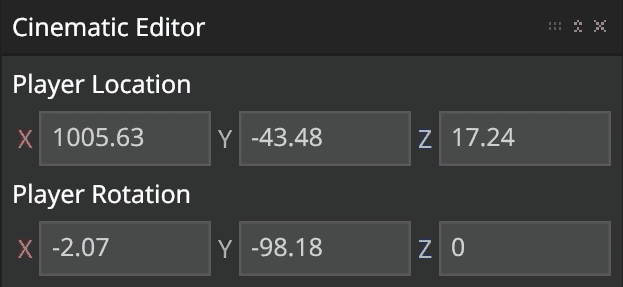
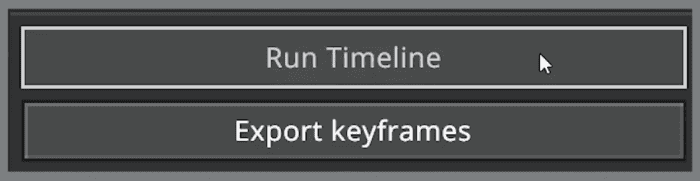
Jayly Cinematic Editor Addon is a mod similar to Replay Mod for Java Edition that enhances the cinematic experience of Minecraft scenes. It uses Minecraft: Bedrock Editor and the /camera command to enable users to change a player’s camera perspective. This allows users to create dynamic and smooth trailers in less than five minutes, using powerful, simplified, and easy-to-understand tools without needing experimental features and high device requirements.
Features:
Similarities between ReplayMod:
This cinematic editor has a similar concept to ReplayMod from Minecraft: Java Edition.
- You can create multiple keyframes in a scene. With its simple user interface provided by Mojang’s Minecraft Editor to create camera paths, the editor can utilize a player’s camera to move from one place to another with different transitions and time durations.
- The editor allows you to adjust the time duration and ease of a keyframe. There are more ease options than the actual ReplayMod!
Major Differences:
However, there is a major difference between this extension and ReplayMod:
- The scene is played in real time since you cannot rewind Minecraft’s gameplay footage within the game.
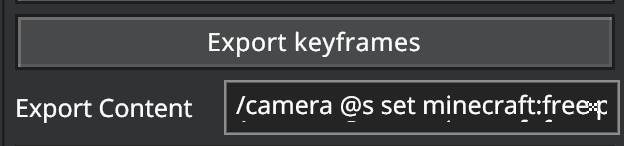
- The export keyframes button converts keyframes data into /camera command. This is made so creators can use the camera commands in command blocks for map-making or other purposes.
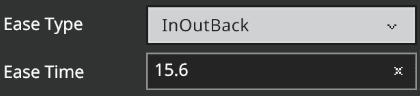
- The ‘Ease Type’ button adjust the ease of a keyframe, different ease type allows the camera can move from one place to another with different motion. Different ease types allow us to make the transition more natural in some scenes.
The following easing types are supported in the cinematic editor extension:
- Linear
- Spring
- In Quad
- Out Quad
- In Out Quad
- In Cubic
- Out Cubic
- In Out Cubic
- In Quart
- Out Quart
- In Out Quart
- In Quint
- Out Quint
- In Out Quint
- In Sine
- Out Sine
- In Out Sine
- In Expo
- Out Expo
- In Out Expo
- In Circ
- Out Circ
- In Out Circ
- In Bounce
- Out Bounce
- In Out Bounce
- In Back
- Out Back
- In Out Back
- In Elastic
- Out Elastic
- In Out Elastic
The ‘Ease Time’ adjusts the time duration from one keyframe to another.
These two options are automatically saved to the world, so data will not be deleted when leaving and joining the world.
Running a Scene
Before running a scene, you have to create keyframes so the extension can generate a path for the scene.
The “Create Keyframe” button will immediately save the player’s current coordinates and rotation into the extension, which can be viewed within the top part of the extension:
When the “Run Timeline” button is clicked, the editor extension controls your camera and gets all the keyframes saved to generate a path for the camera to transit from one location to another.
Note: The extension will only take control of the camera to run a scene given that there are data in the stored keyframes dropdown.
Jayly Cinematic Editor Addon Download Links
For Minecraft PE/Bedrock 1.21
Cinematic Editor Runtime Addon: Download from server 1 – Download from server 2
Cinematic Editor Extension: Download from server 1 – Download from server 2
For Minecraft PE/Bedrock 1.20
Cinematic Editor Runtime Addon: Download from server 1 – Download from server 2
Cinematic Editor Extension: Download from server 1 – Download from server 2
- Edition: Minecraft Bedrock
- File type: .mcpack or .mcaddon
- Minecraft versions listed: 1.21, 1.20
- How to install: Download the .mcpack or .mcaddon file. → Open it — Minecraft imports it. → In your world: Behavior Packs → Available → Activate, then the same under Resource Packs.
- Where to get it: In MCModsHub, or directly above on this page.
Install steps are the general flow for this file type — How to install Minecraft Bedrock addons & mods walks through it step by step.
- Pack type: .mcaddon — behaviour and resource pack in one file
- Manifest requires Minecraft 1.21.20 or newer
- Needs Beta APIs switched on in the world settings
- Complete pack — everything it depends on is inside the file
- Download size: 29 KB
- Download link checked 17 Jun 2026 — working
- Mirrored on our own servers — the download does not depend on the original host
These come from our own check of the pack file, not from the source page.