AddonsBedrock
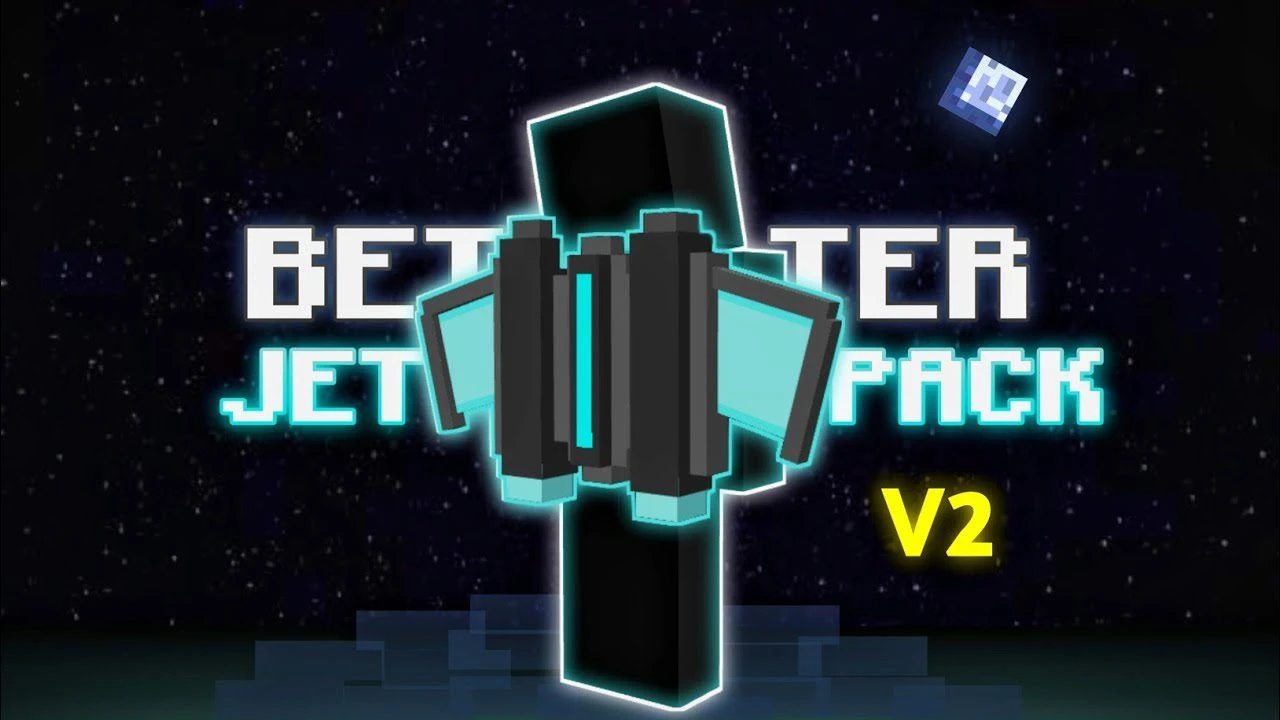
Better Jetpack Addon (1.20, 1.19) – MCPE/Bedrock Mod
Bedrock add-on listed for Minecraft 1.19–1.20 (behavior + resource pack). Needs Beta APIs. File opened and checked on 8 Oct 2026; installs from the MC Bedrock Mods app on Android.
⬇ Download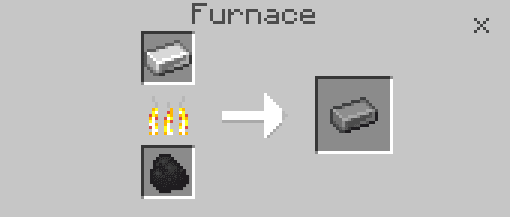
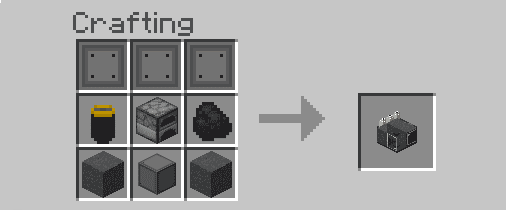
Better Jetpack Addon provides an improved Jetpack with enhanced mobility, making it easier to tackle challenges such as being stuck in a hole, surrounded by mobs, or falling into the void. Additionally, the Jetpack gives you an edge in defeating bosses, particularly the Ender Dragon. Experience an elevated gaming experience by trying this addon today.
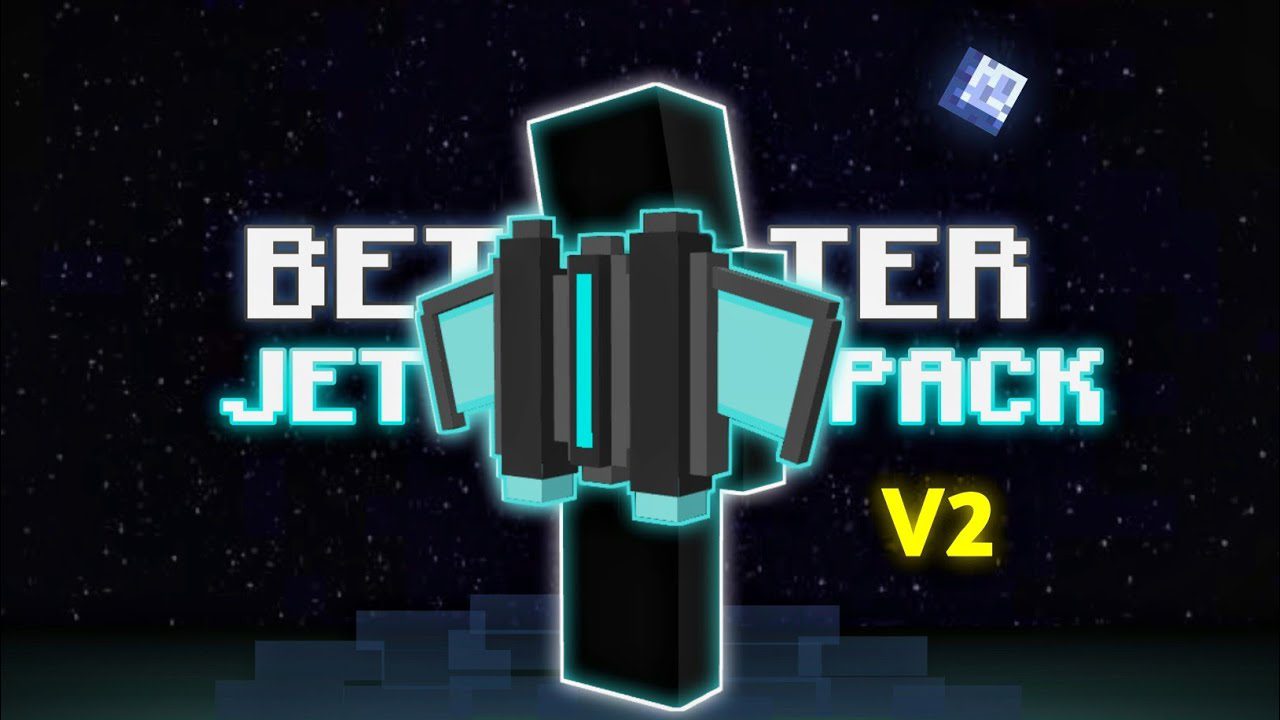
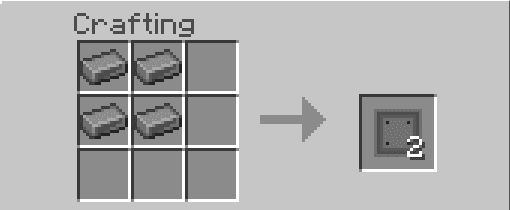
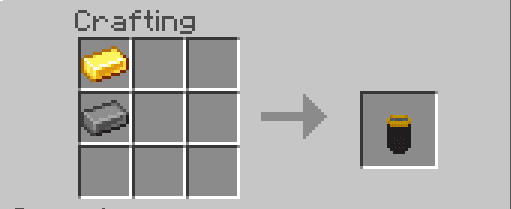
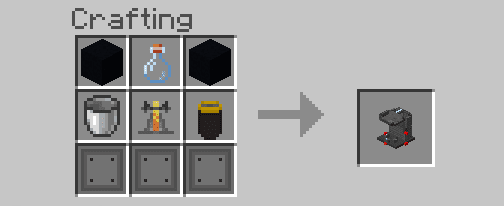
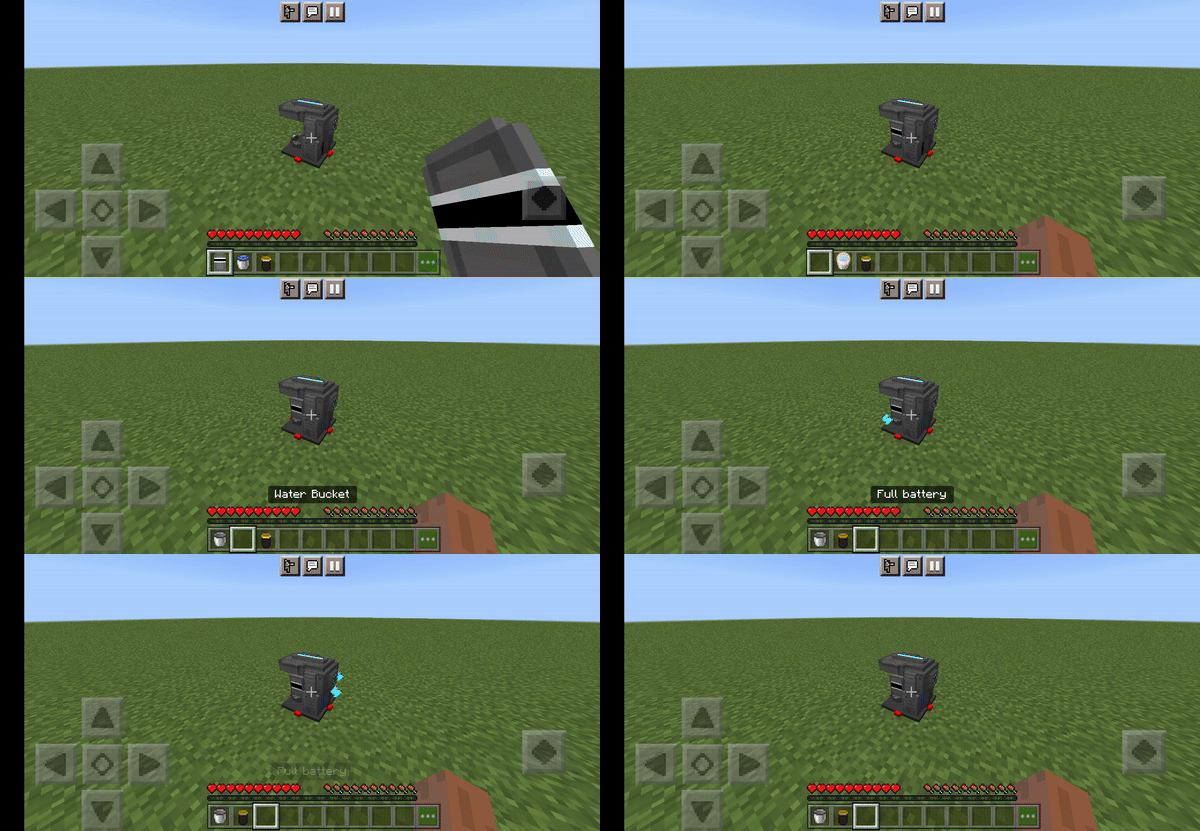
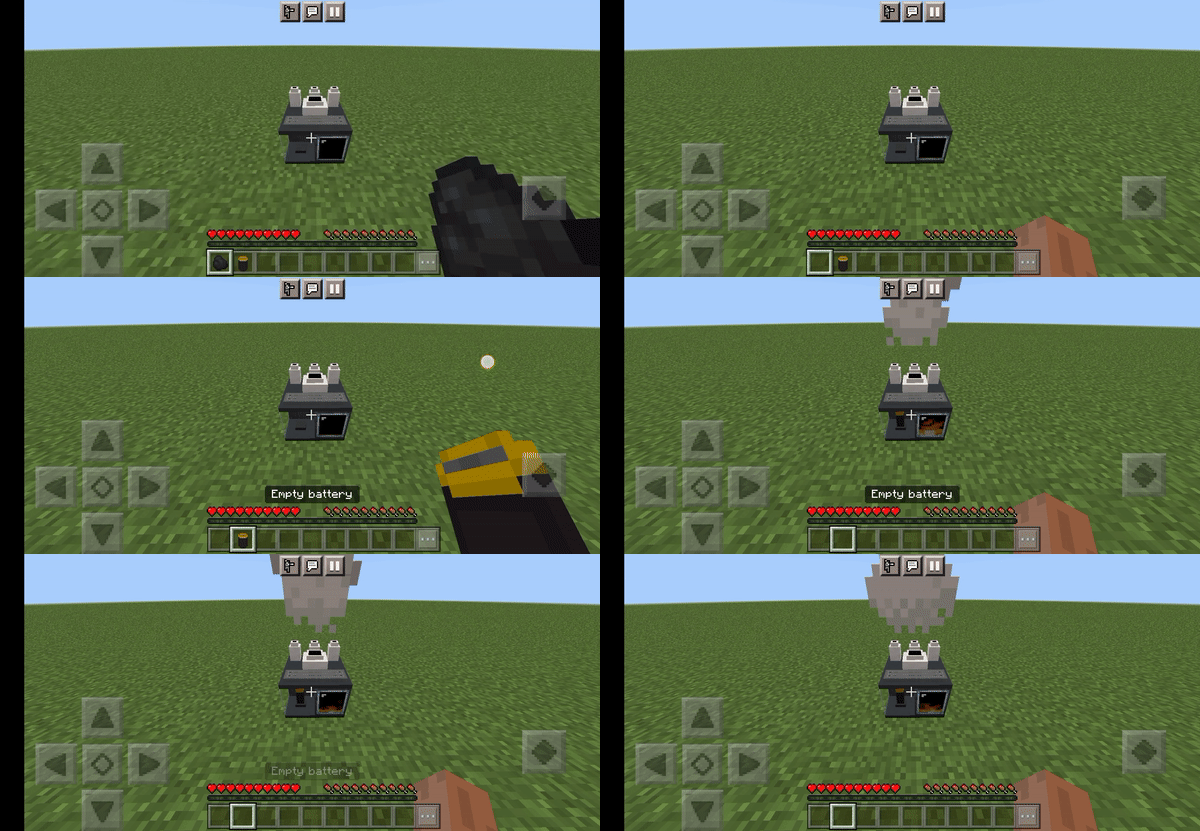
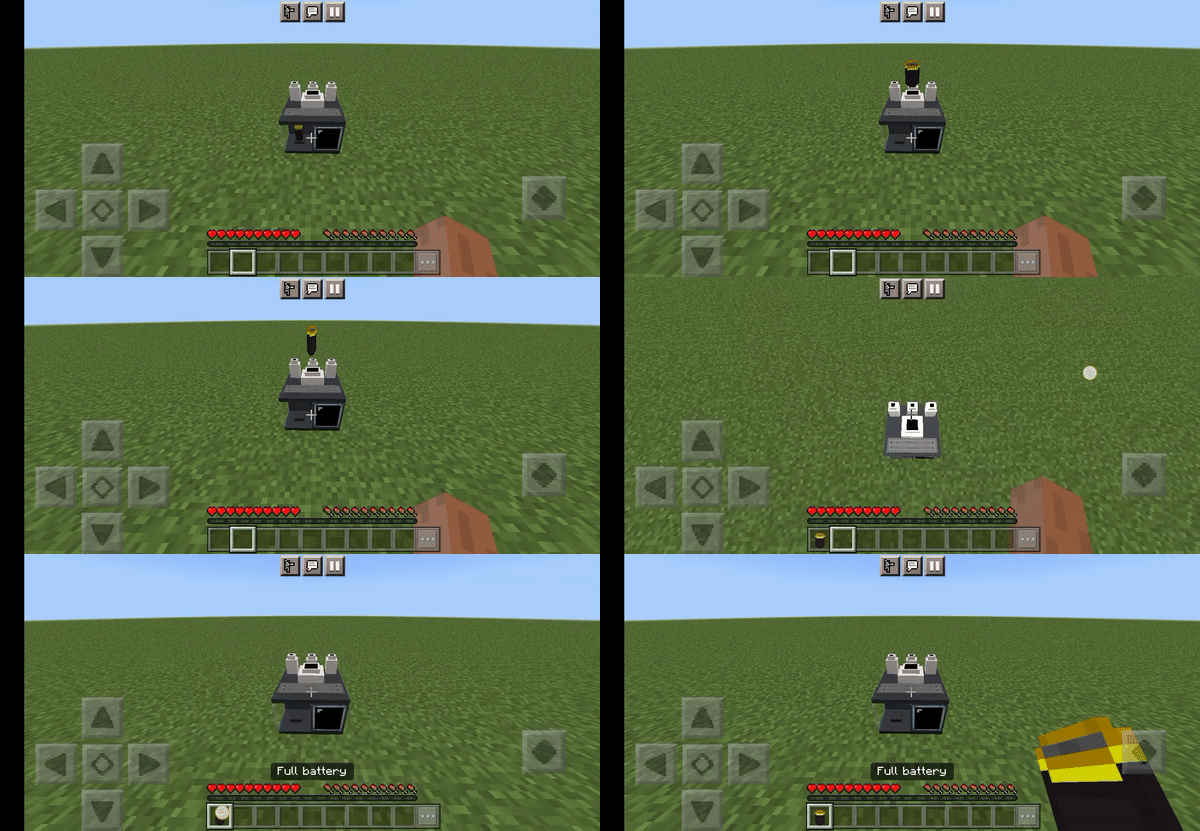
 Coal power station
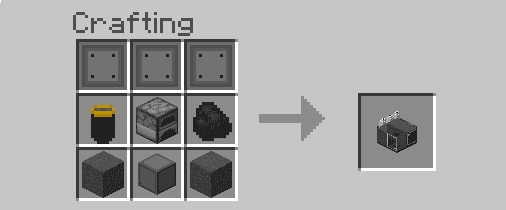
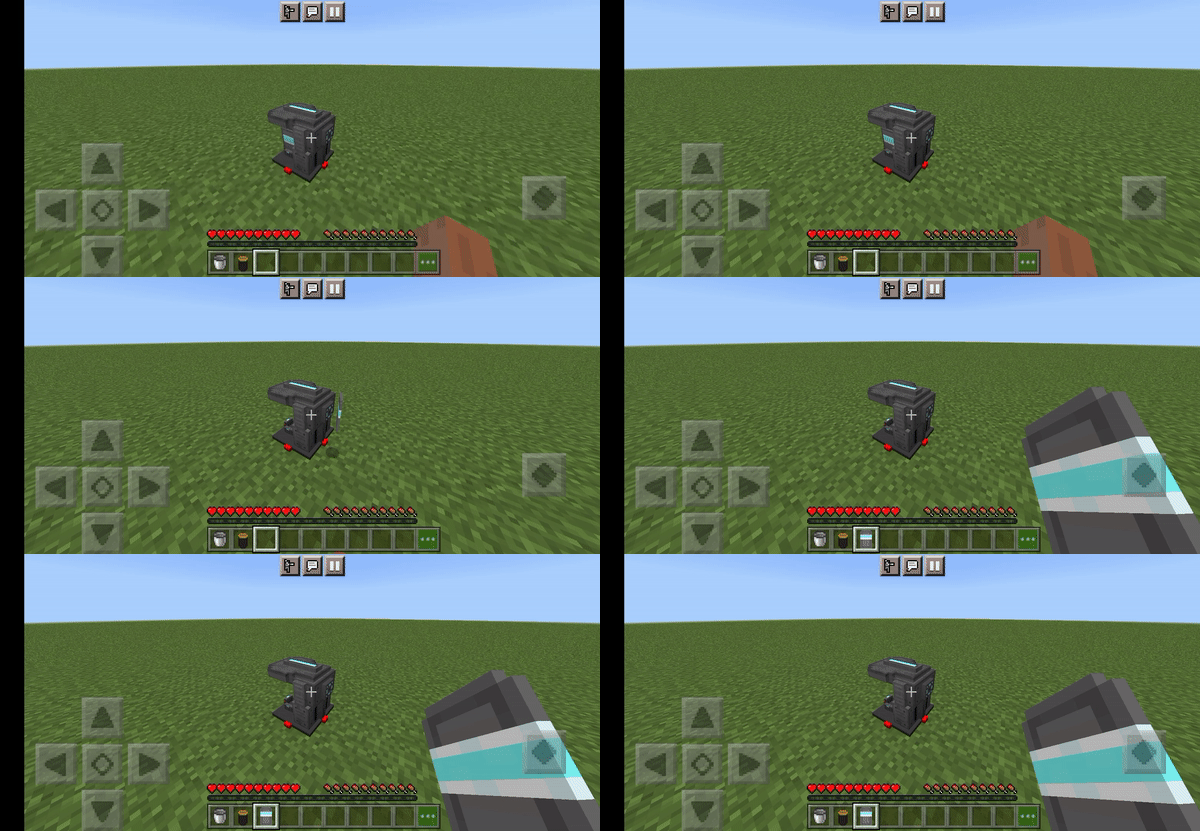
 Jetpack Crafter
 Hologram Plate (Optional)
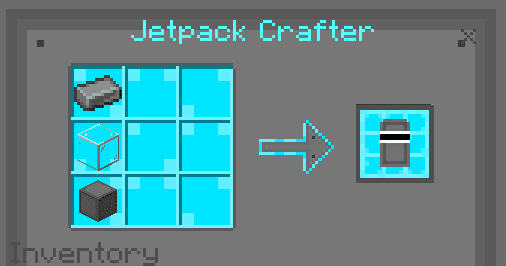 Iron bottle
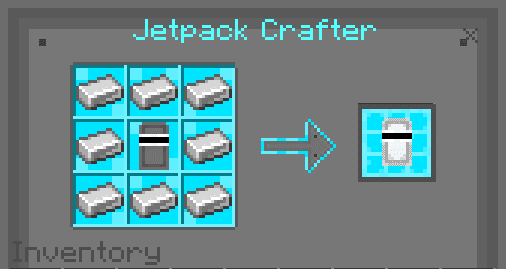 Gold bottle
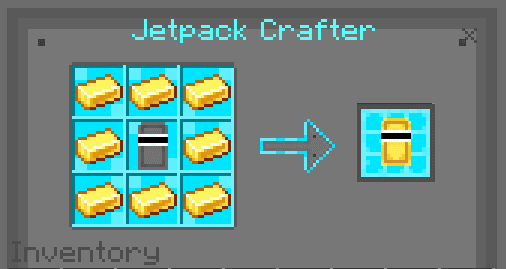 Diamond bottle
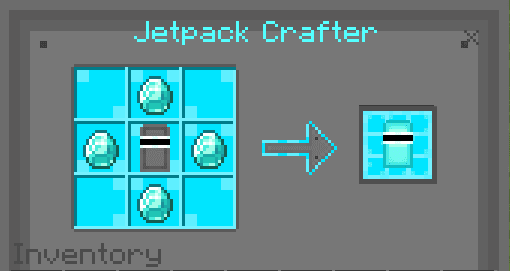 Emerald bottle
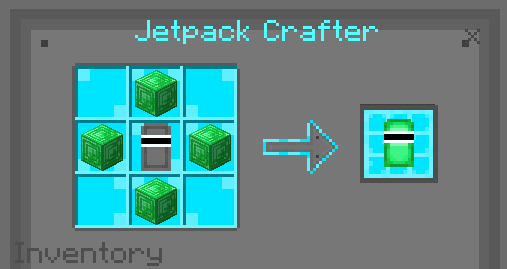 Netherite bottle
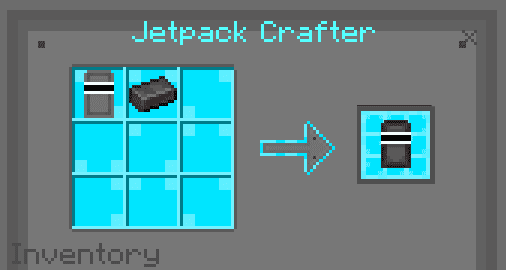 Infinite hydrogen bottle
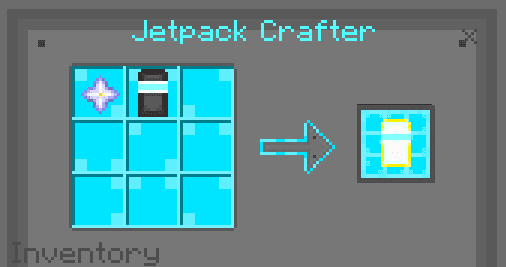 WARNING: HYDROGEN/FUEL CAN’T BE STACKED.
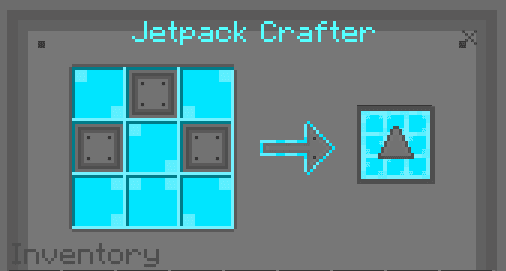 Jetpack wings
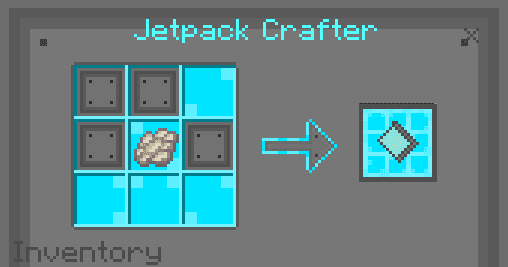 Jetpack thrusters
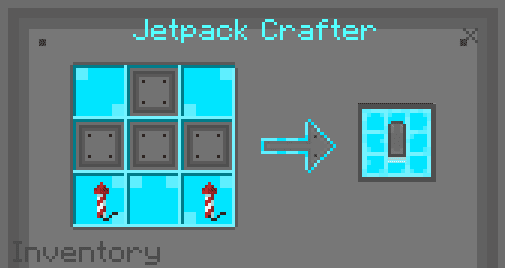 To upgrade the pieces, you can see them on the table itself. No need for more details about this.
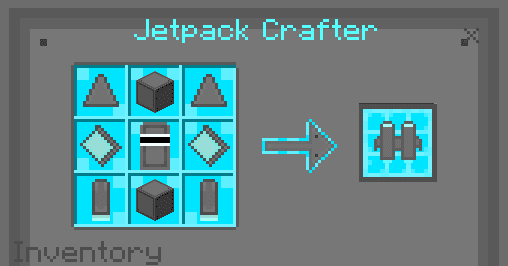 Iron Jetpack
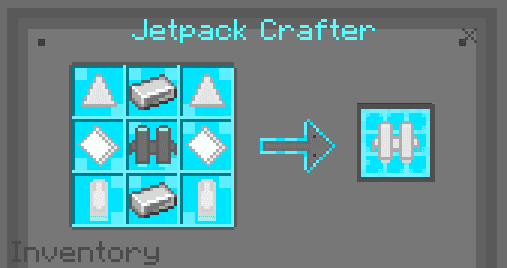 Gold Jetpack
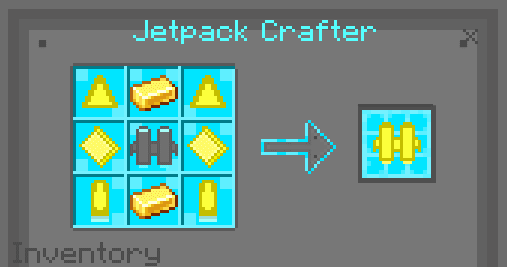 Diamond Jetpack
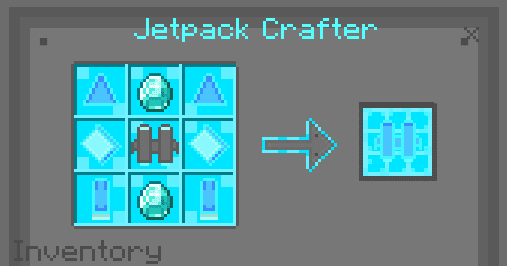 Emerald Jetpack
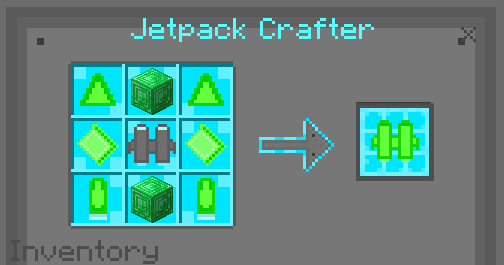 Netherite Jetpack
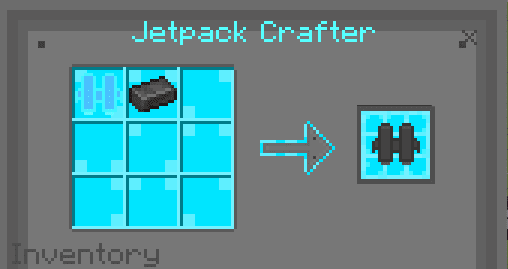
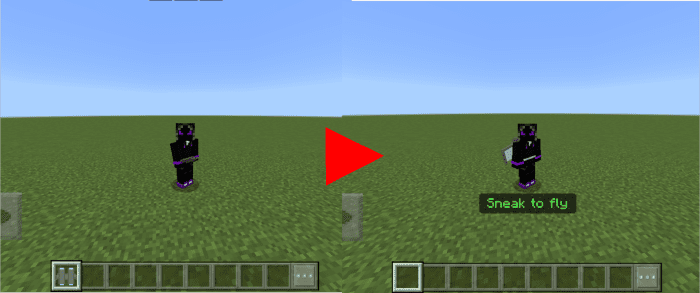 How to Use the Fuel:
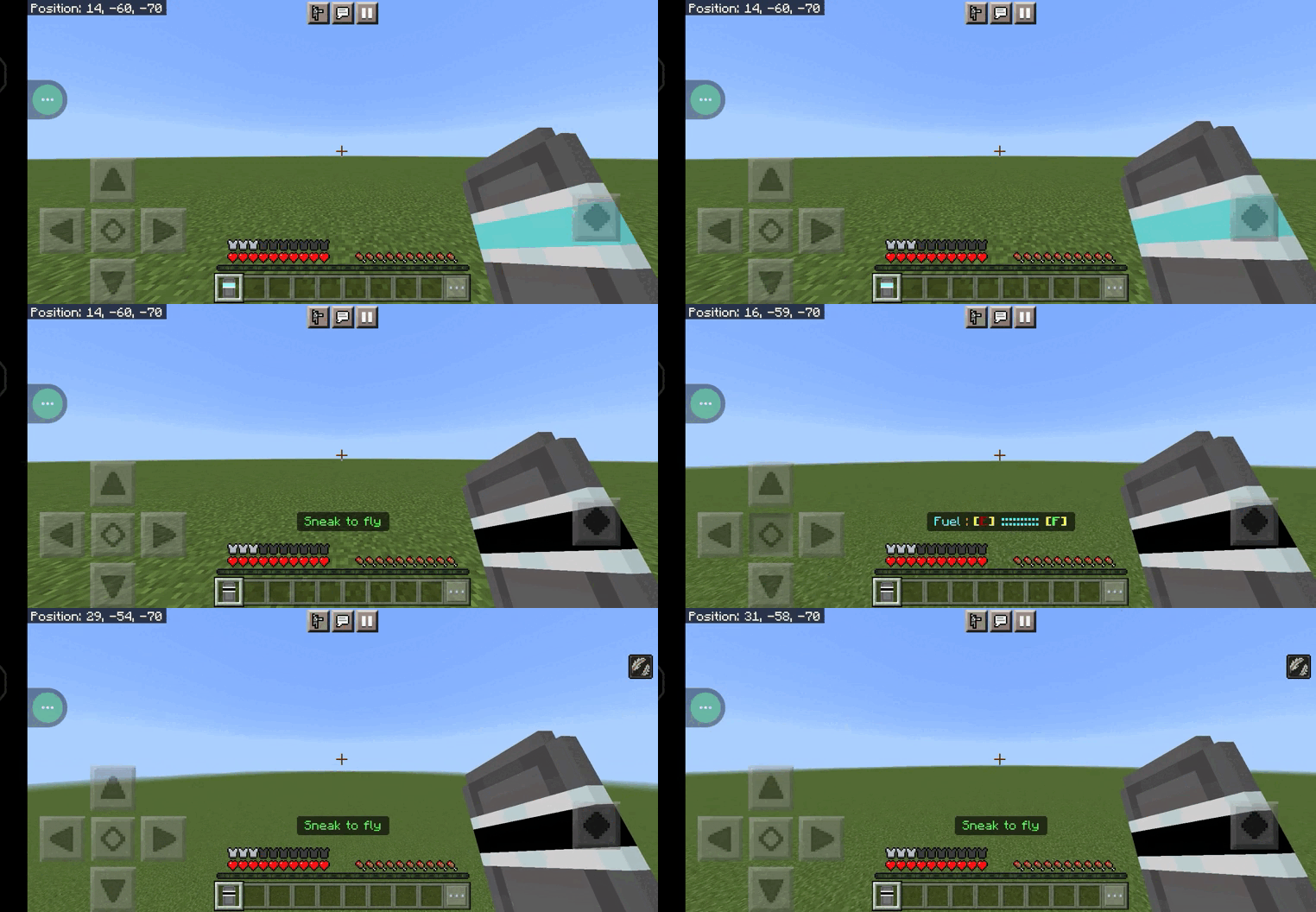
Features:
Before you go to the jetpack section. You’ll need to craft these items & blocks first : Steel Ingot
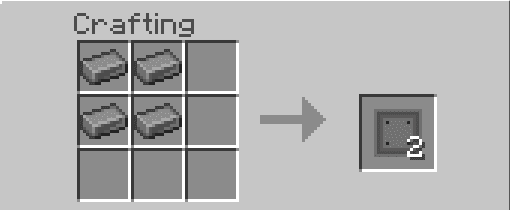
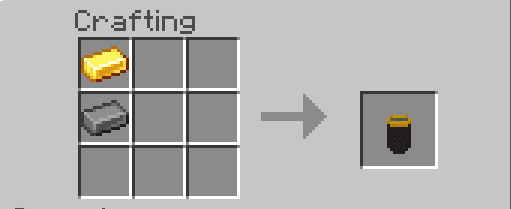
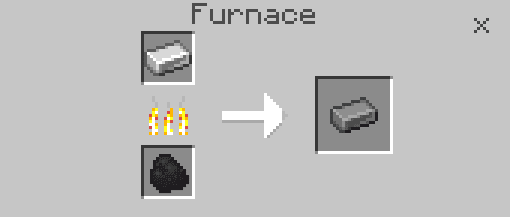
- By putting an iron ingot into a furnace. You’ll get a steel ingot. This item can be used to craft battery and steel plate
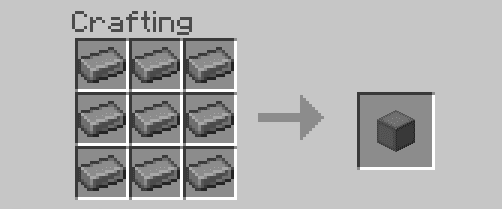
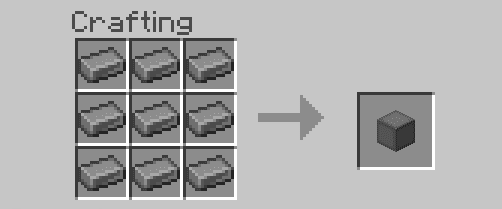
- You can also make steel blocks from the ingots.
- This item will be used a lot in making a machine.
- Use it to store energy (Need coal power station)
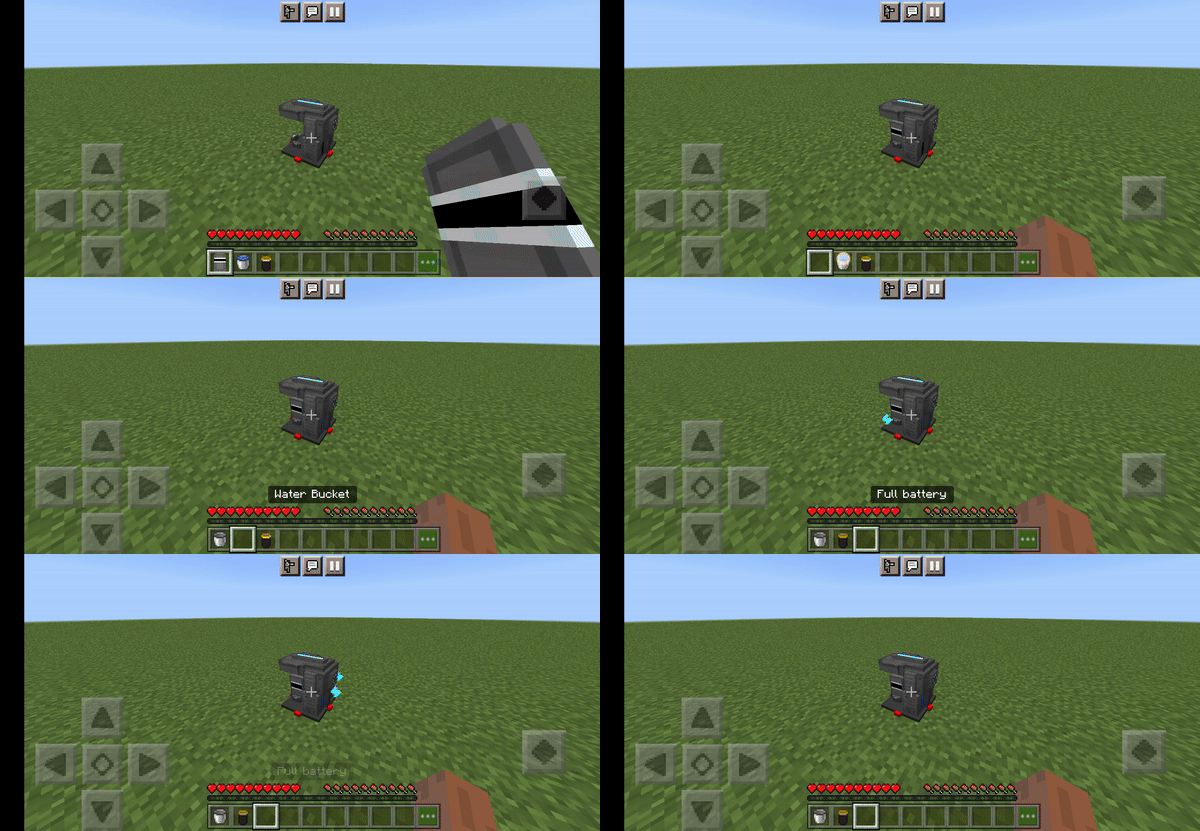
- This machine is used for making hydrogen(Jetpack fuel). It requires a water bucket, energy from a battery, and an empty bottle. To put them into the machine, simply click it while holding the ingredients. The machine then process all of the items and filled the empty bottle with hydrogen for 10 seconds.
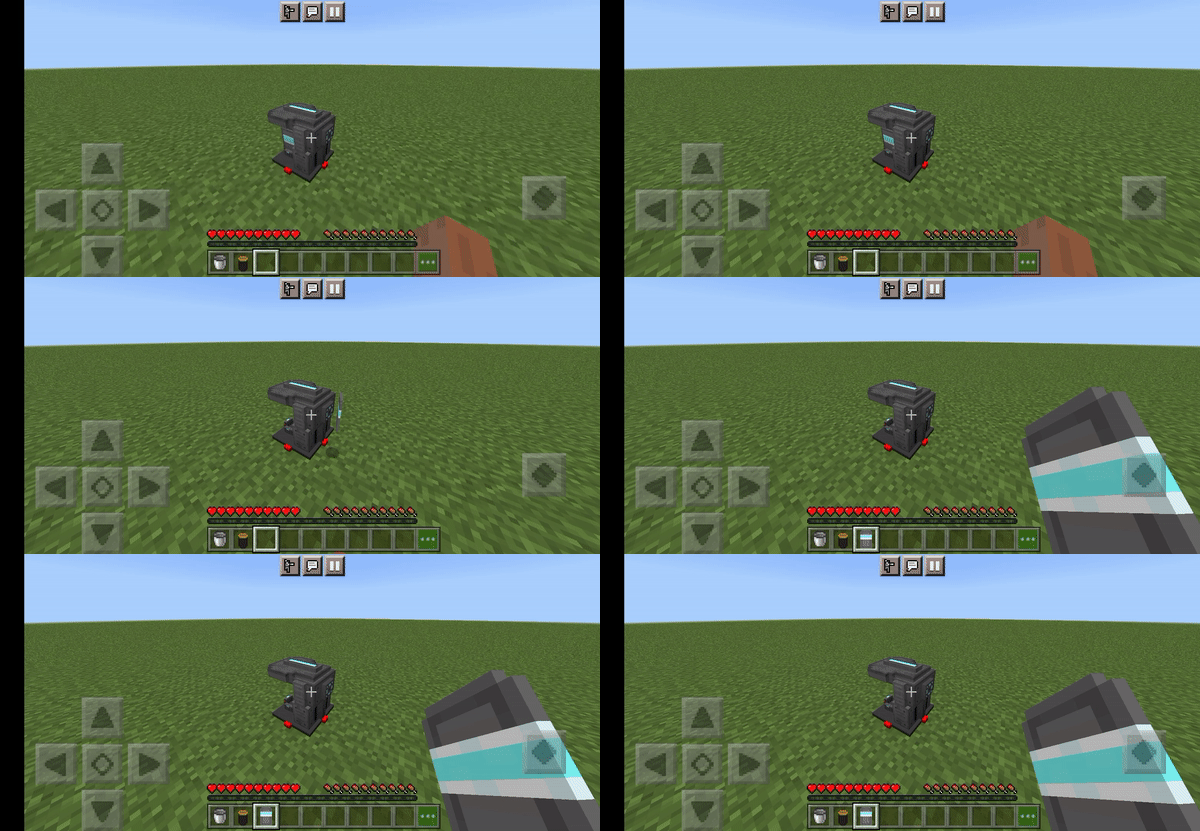
Coal power station
- This machine is used for powering a battery. It only needs an empty battery and coal. It takes 5 seconds to process the materials. The battery should glow when it’s done.
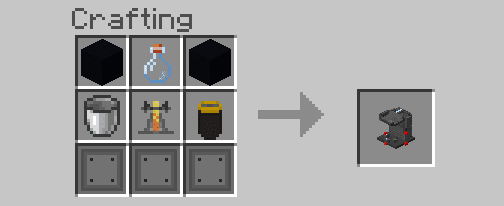
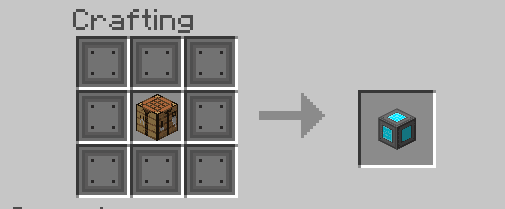
Jetpack Crafter
- A custom crafting table for crafting the jetpack pieces and also the jetpacks.
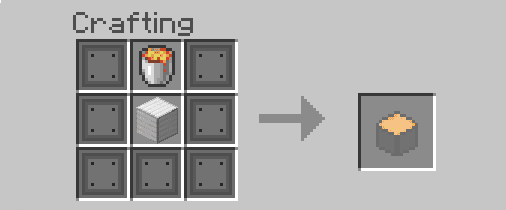
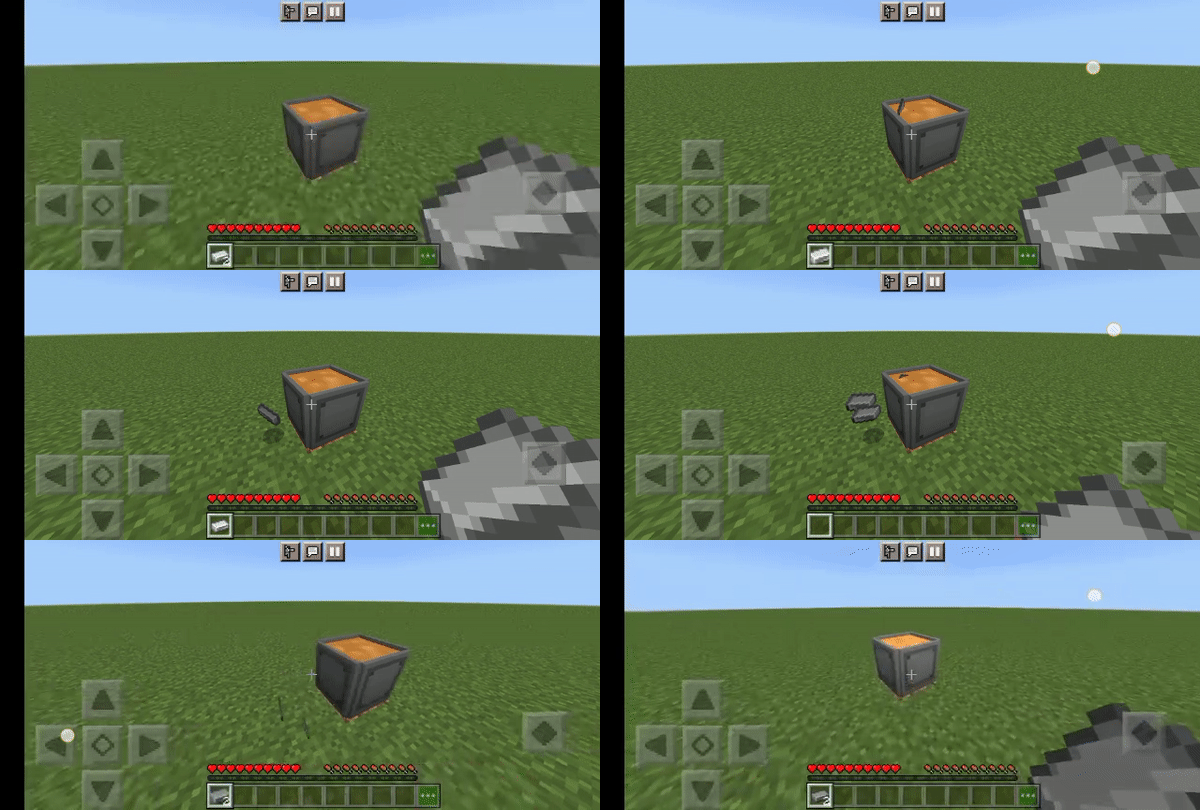
- Craft this block if you want to save a lot of time when making a steel ingot. Click it while holding an iron ingot and it will immediately transform the iron into a steel ingot.
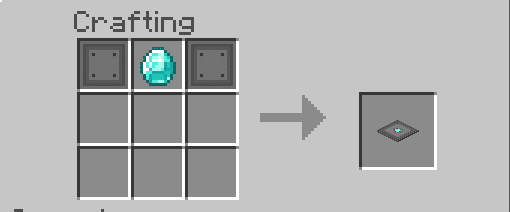
Hologram Plate (Optional)
- All Jetpacks need fuel. And fuel requires a container. Here’s the recipe for it :
- Hydrogen: 500 ml
Iron bottle
- Hydrogen: 1500 ml
Gold bottle
- Hydrogen: 1500 ml
Diamond bottle
- Hydrogen: 2000 ml
Emerald bottle
- Hydrogen: 2500 ml
Netherite bottle
- Hydrogen: 3000 ml
Infinite hydrogen bottle
- Hydrogen: ~ ml
WARNING: HYDROGEN/FUEL CAN’T BE STACKED.
JETPACK PIECE RECIPES
Jetpack nose cone
Jetpack wings
Jetpack thrusters
To upgrade the pieces, you can see them on the table itself. No need for more details about this.
JETPACK RECIPES
Steel Jetpack- Speed: Very slow
- Control: Easy
Iron Jetpack
- Speed: Slow
- Control: Easy
Gold Jetpack
- Speed: Slightly fast
- Control: Medium
Diamond Jetpack
- Speed: Fast
- Control: Medium
Emerald Jetpack
- Speed: Very Fast
- Control: Hard
Netherite Jetpack
- Speed: Super Fast
- Control: Very Hard
HOW TO USE IT:
How to Equip the Jetpack:- 1. Hold the jetpack
- 2. Long press while holding the Jetpack
- And it will automatically go into your armor slot.
How to Use the Fuel:
- 1. Hold the bottle and
- 2. Drink it.
- It will instantly fill your jetpack with fuel that depends on what bottle you drink.
Installation Note:
- Make sure you activated all the Experimental Gameplay Options.
Better Jetpack Addon Download Links
For Minecraft PE/Bedrock 1.19
Behavior: Download from server 1 – Download from server 2 Resource: Download from server 1 – Download from server 2
For Minecraft PE/Bedrock 1.20
Behavior: Download from server 1 – Download from server 2 Resource: Download from server 1 – Download from server 2
Quick facts
- Edition: Minecraft Bedrock
- File type: .mcpack or .mcaddon
- Minecraft versions listed: 1.20, 1.19
- How to install: Download the .mcpack or .mcaddon file. → Open it — Minecraft imports it. → In your world: Behavior Packs → Available → Activate, then the same under Resource Packs.
- Where to get it: In MCModsHub, or directly above on this page.
Install steps are the general flow for this file type — How to install Minecraft Bedrock addons & mods walks through it step by step.
File checked by MCModsHub
- Pack type: .mcaddon — behaviour and resource pack in one file
- Needs Beta APIs switched on in the world settings
- Complete pack — everything it depends on is inside the file
- Download size: 392 KB
- Download link checked 17 Jun 2026 — working
- Mirrored on our own servers — the download does not depend on the original host
These come from our own check of the pack file, not from the source page.