AddonsBedrock
Vissom's Backpack Addon (1.20) – MCPE/Bedrock Mod
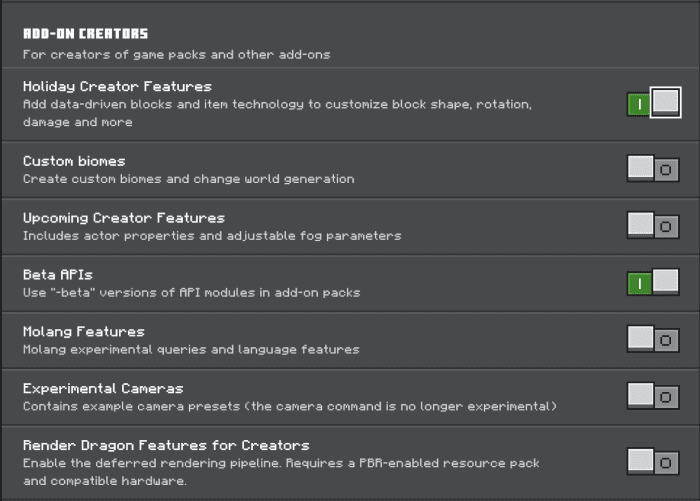
Bedrock add-on listed for Minecraft 1.20 (behavior + resource pack). Needs Beta APIs. File opened and checked on 8 Oct 2026; installs from the MC Bedrock Mods app on Android.
⬇ Download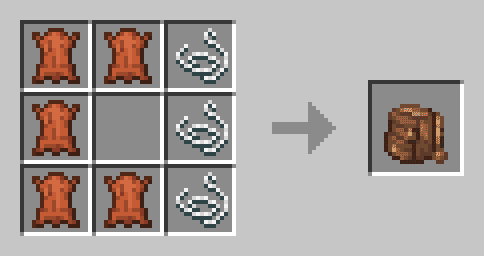
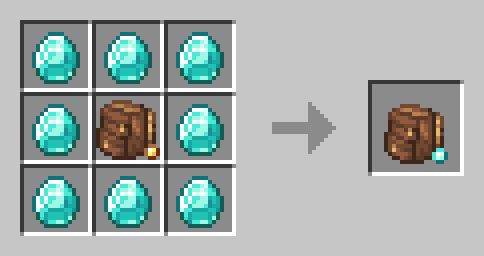
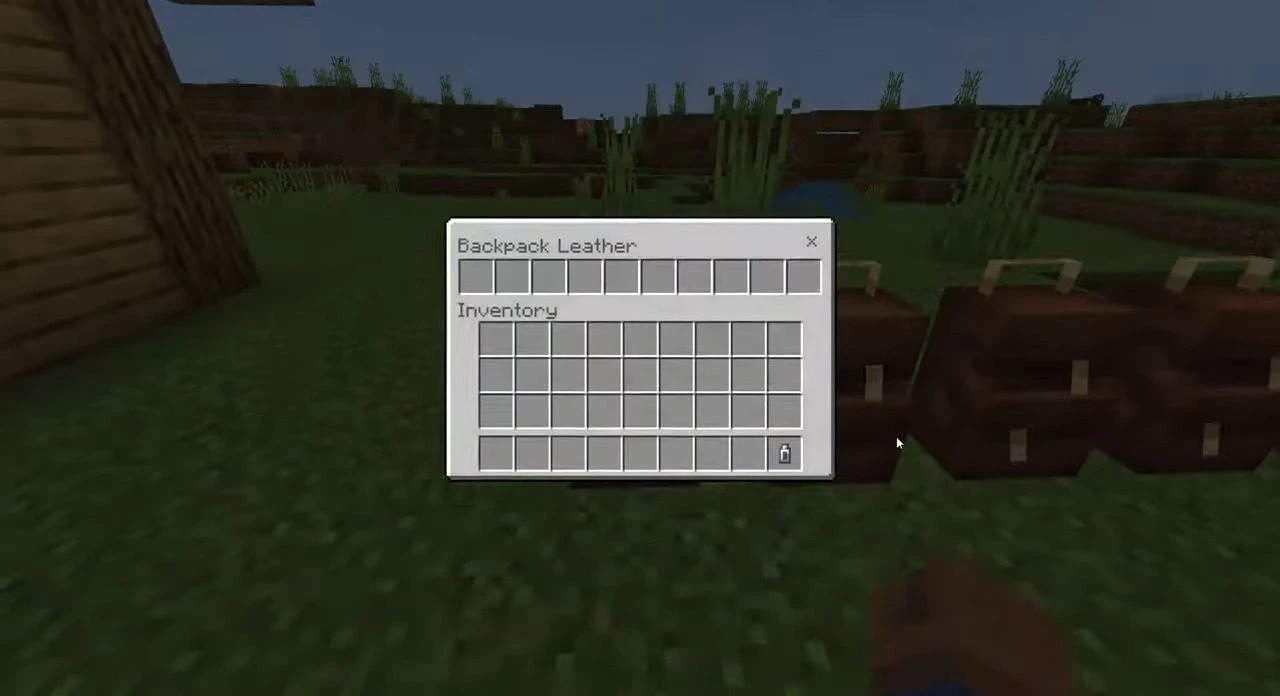
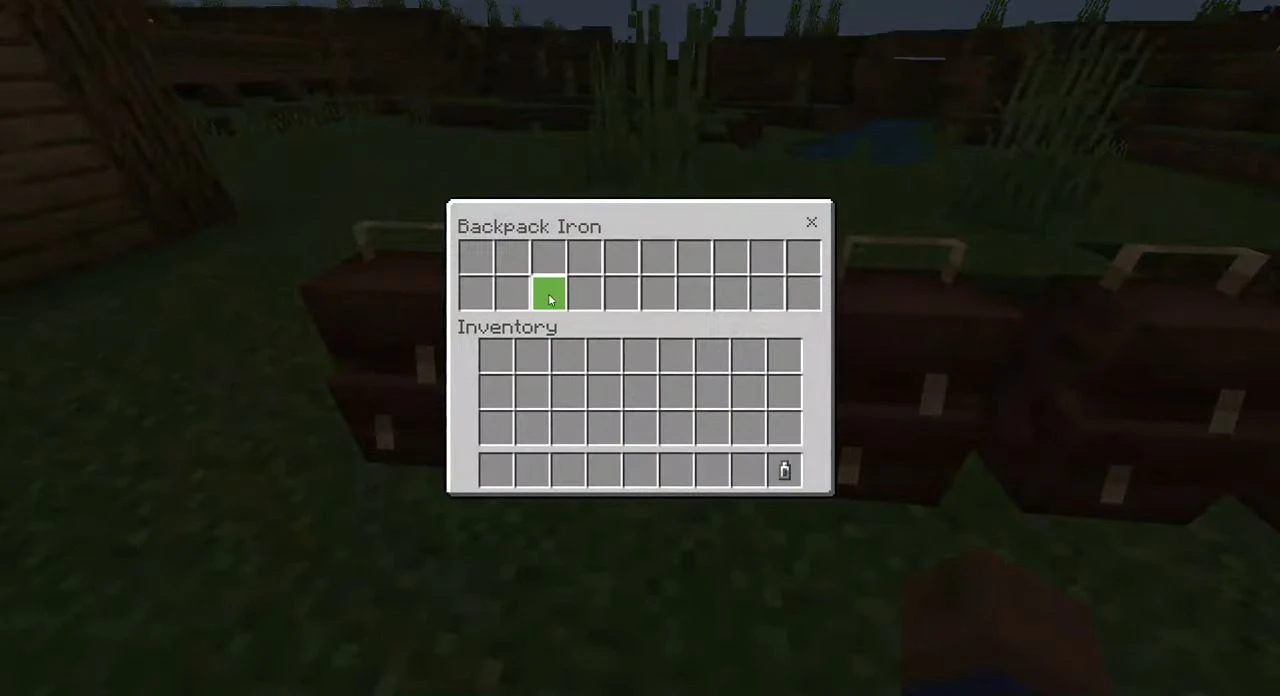
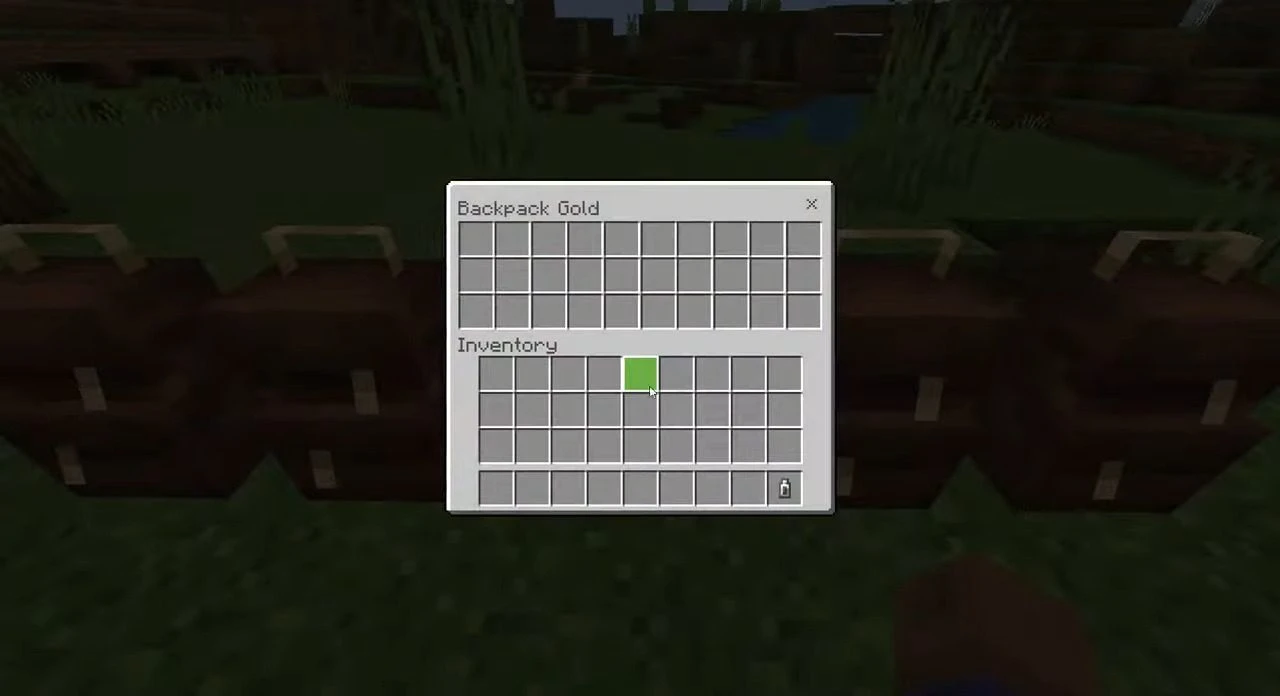
Ready for an adventure? Pack all your essentials in a backpack that can be placed on your back and opened without having to place it on the ground. This addon will give you a Minecraft Java Mods-like experience. If you’re looking to increase the amount of loot you can take on your adventure, consider using this addon. Vissom’s Backpack Addon offers up to 40 item slots in your backpack, allowing you to carry more items with ease.
Features:
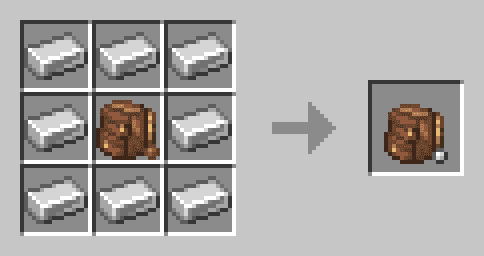
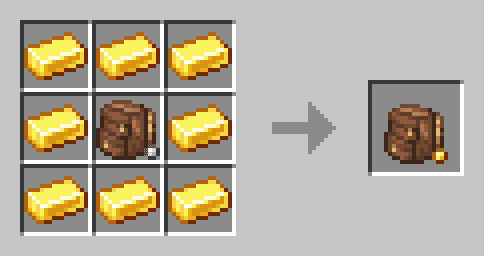
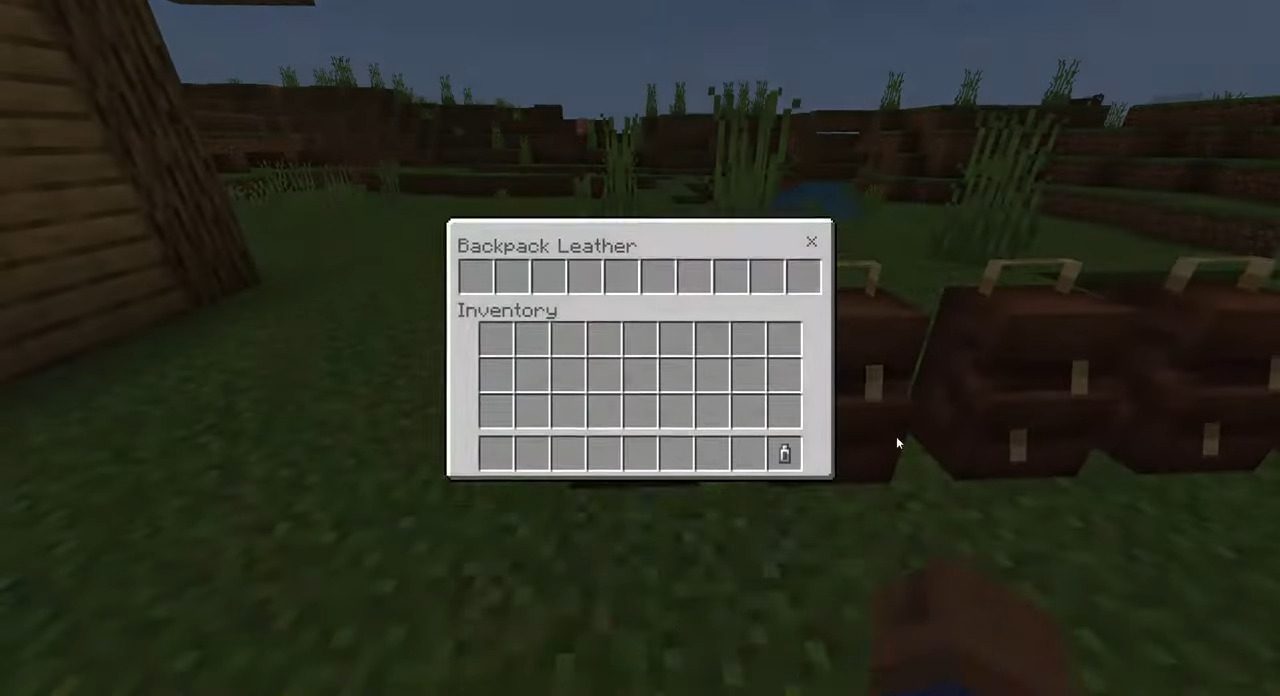
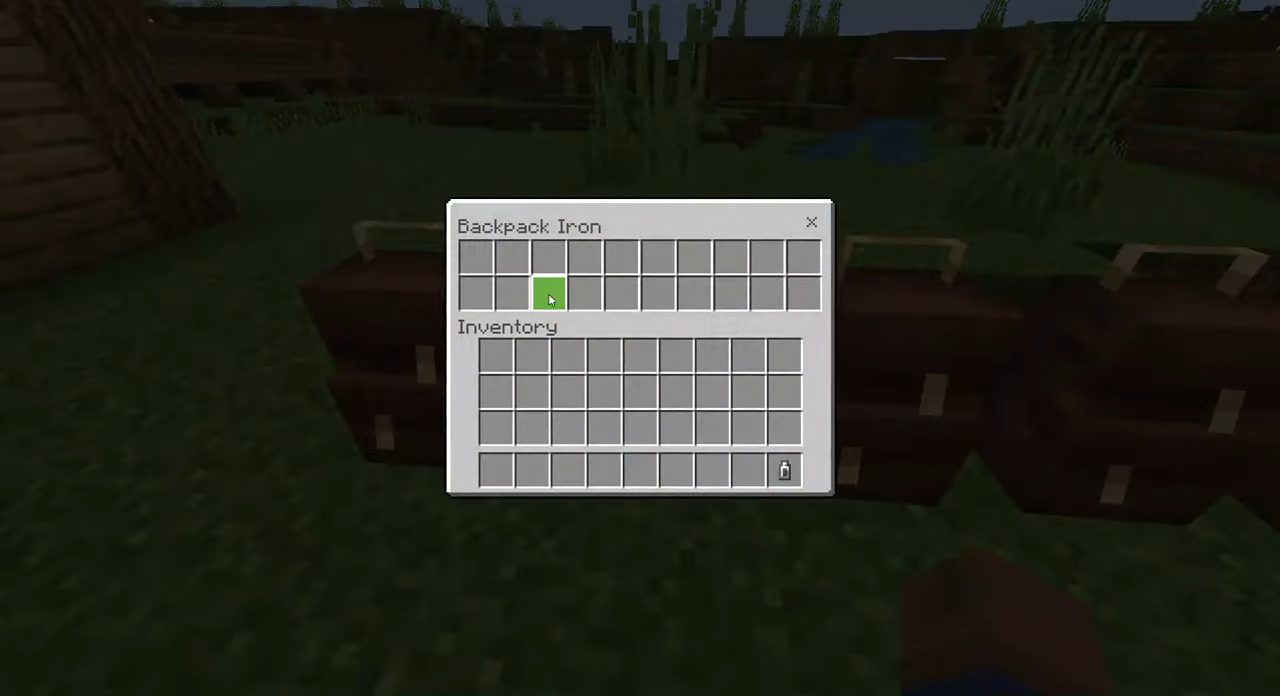
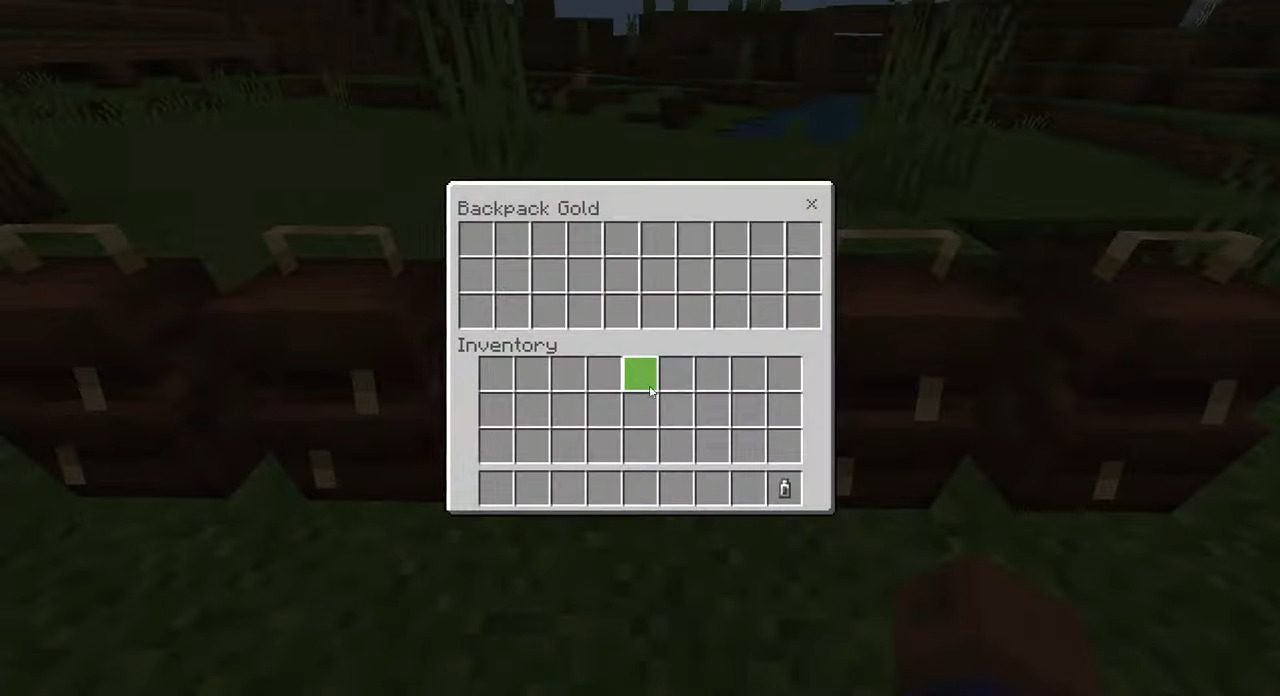
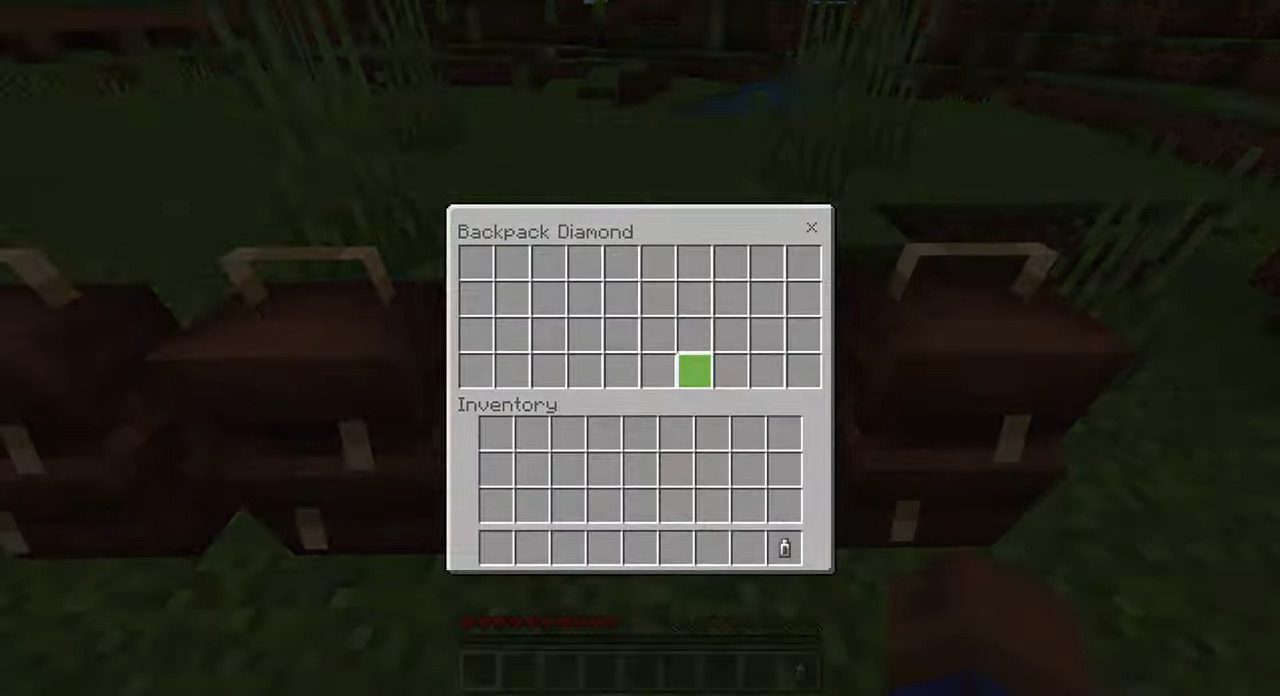
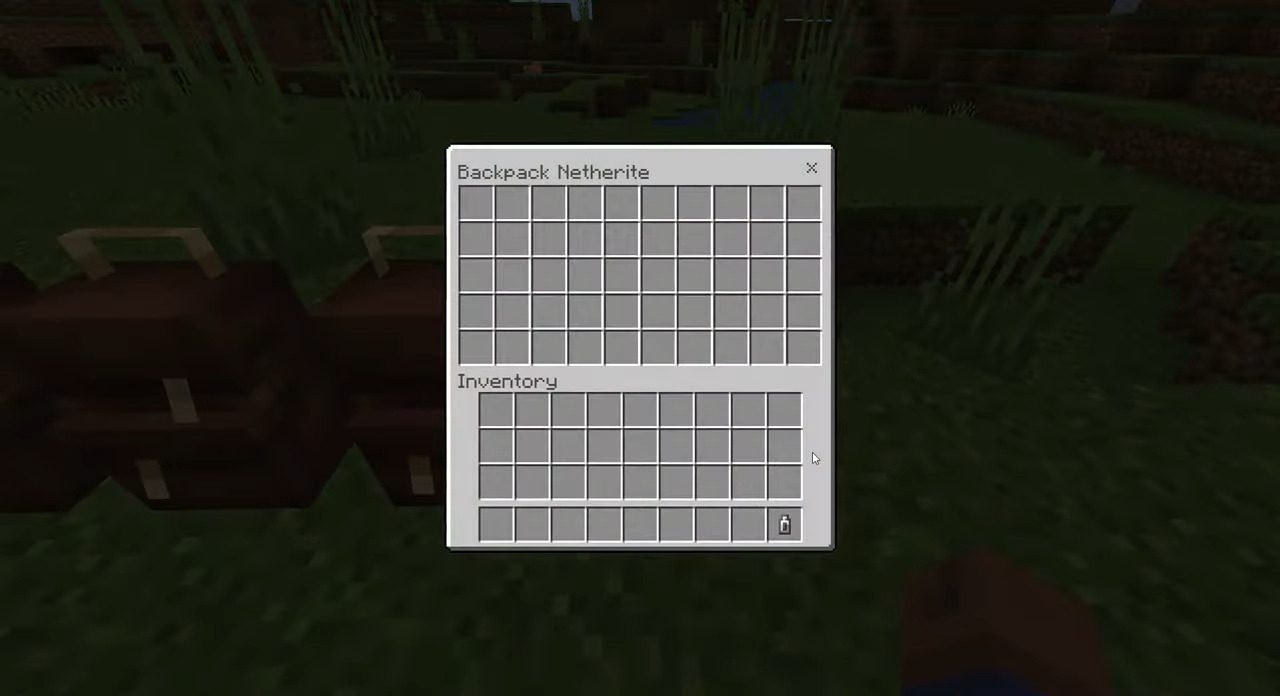
We have 5 types of backpacks for your adventure: Leather, Iron, Gold, Diamond, and Netherite.- Leather: Slots: 10
- Iron: Slots: 20
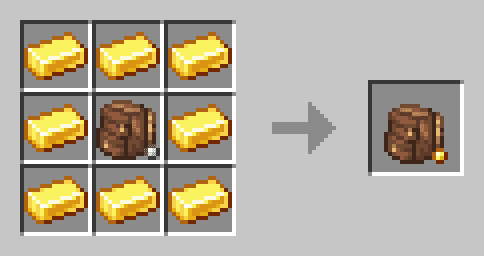
- Gold: Slots: 30
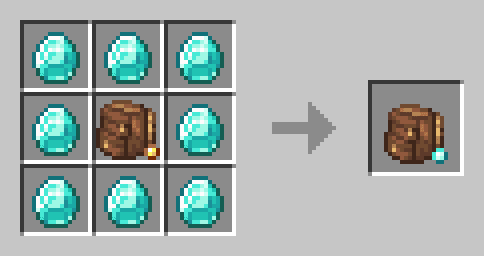
- Diamond: Slots: 40
- Netherite: Slots: 50
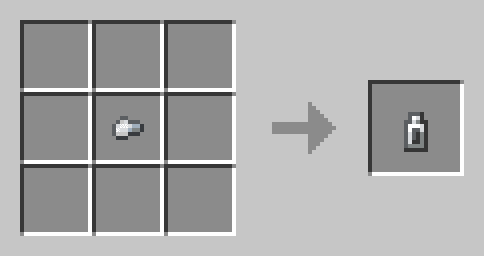
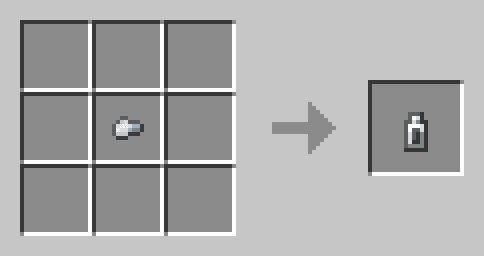
- You can use the Backpack Zipper to open the Backpack on your Shoulder.
- To Equip the Backpack you need to Sneak and Interact/Click on the Backpack.
- To Place the Backpack on the Ground you need to aim and Interact/Click on the Ground.
- To use the Backpack Zipper you need to hold on your hand the Backpack Zipper and Interact to open the Backpack, keep in mind, that you can’t Break Blocks, Place Blocks, or hit Entitys with the Backpack Zipper in Hand.
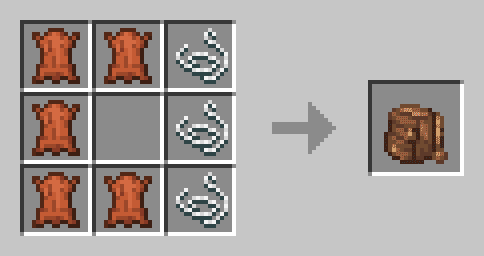
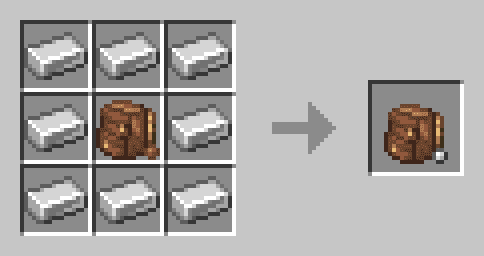
Crafting Recipes:
Screenshots:
Installation Note:
- Make sure you turn on the Experimental Gameplay.
Vissom’s Backpack Addon Download Links
For Minecraft PE/Bedrock 1.20
Behavior: Download from server 1 – Download from server 2 (with Json) Resource: Download from server 1 – Download from server 2 (with Json) Behavior: Download from server 1 – Download from server 2 (without Json) Resource: Download from server 1 – Download from server 2 (without Json)
Quick facts
- Edition: Minecraft Bedrock
- File type: .mcpack or .mcaddon
- Minecraft version listed: 1.20
- How to install: Download the .mcpack or .mcaddon file. → Open it — Minecraft imports it. → In your world: Behavior Packs → Available → Activate, then the same under Resource Packs.
- Where to get it: In MCModsHub, or directly above on this page.
Install steps are the general flow for this file type — How to install Minecraft Bedrock addons & mods walks through it step by step.
File checked by MCModsHub
- Pack type: .mcaddon — behaviour and resource pack in one file
- Needs Beta APIs switched on in the world settings
- Complete pack — everything it depends on is inside the file
- Download size: 342 KB
- Download link checked 17 Jun 2026 — working
- Mirrored on our own servers — the download does not depend on the original host
These come from our own check of the pack file, not from the source page.