AddonsBedrock
Craftables Addon (1.20, 1.19) – MCPE/Bedrock Mod
Bedrock add-on listed for Minecraft 1.19–1.20 (behavior pack only). File opened and checked on 4 Oct 2026; installs from the MC Bedrock Mods app on Android.
⬇ Download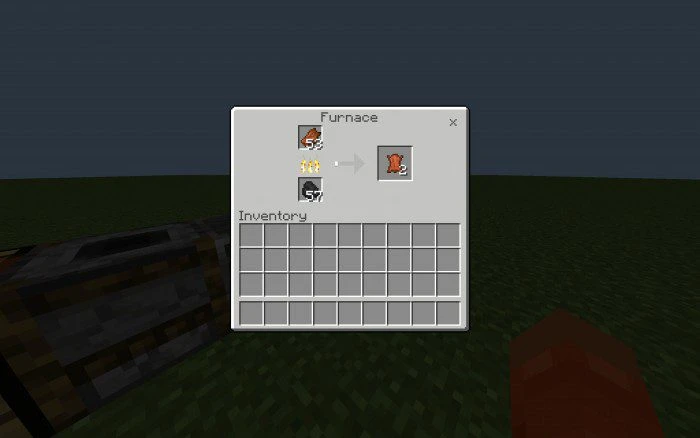
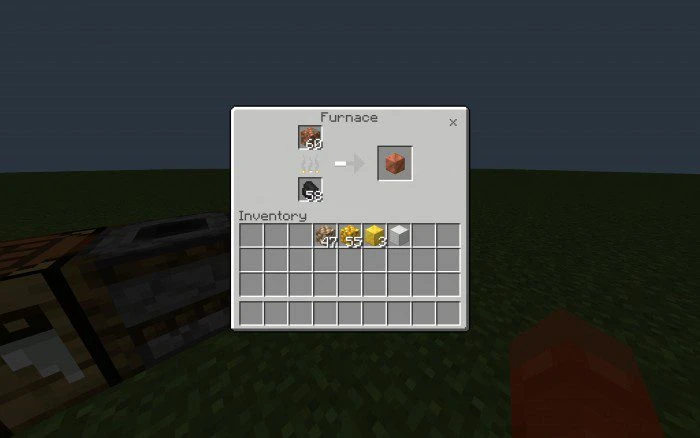
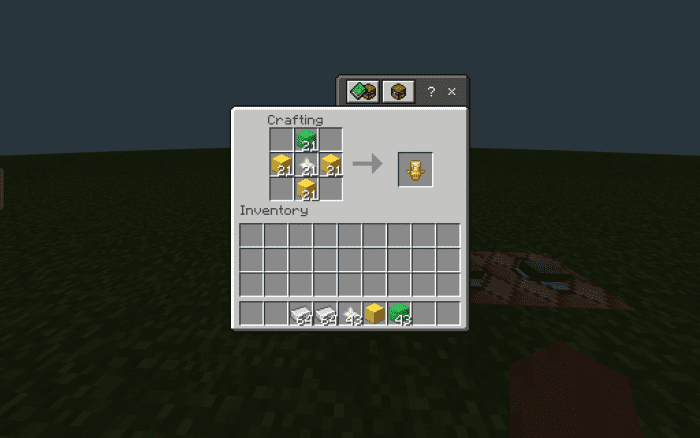
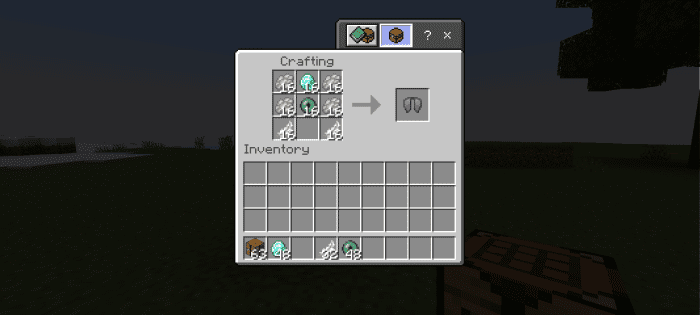
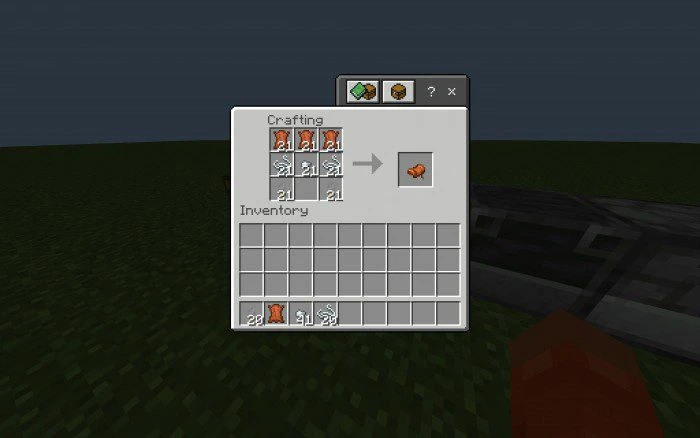
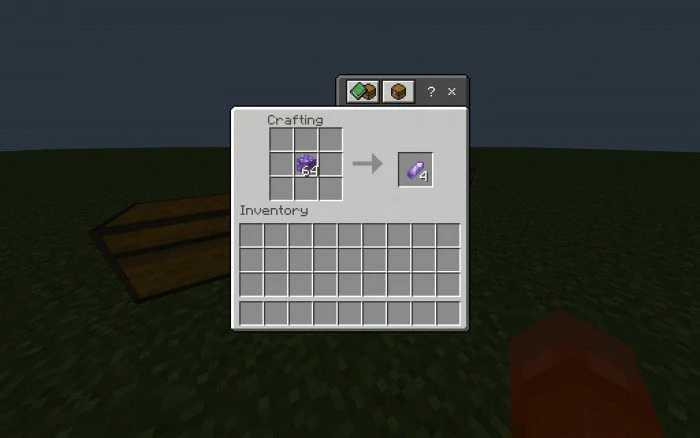
We all know that Minecraft has had its fair share of removed recipes or recipes that were never added. Craftables Addon aims to fix that by re-implementing removed recipes and adding more that make sense and should be in the game (but aren’t), making them craftable!
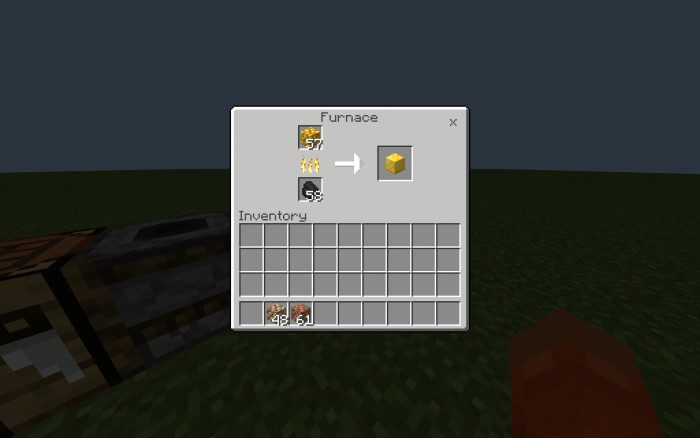
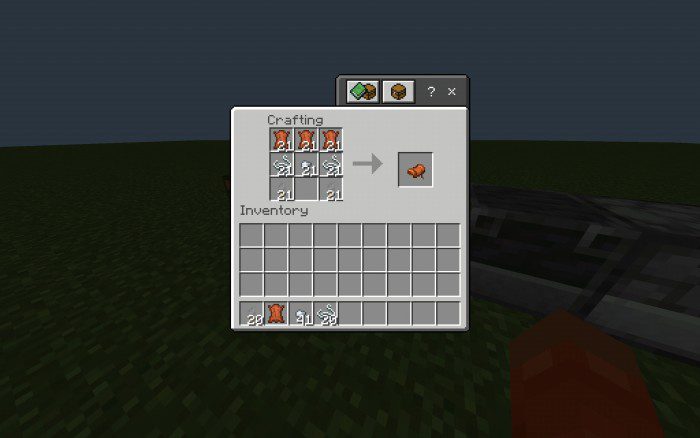
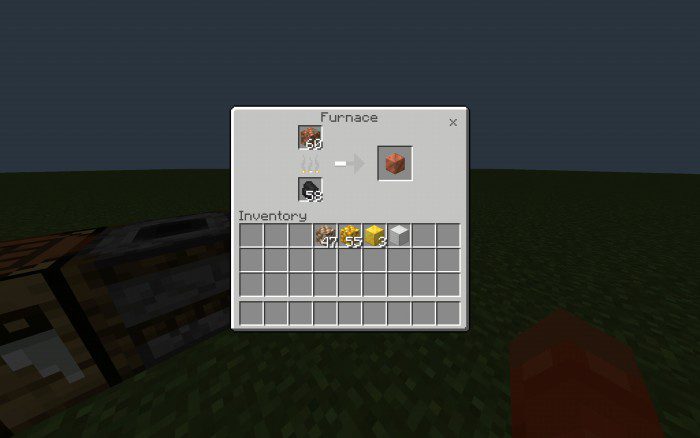 Item recipes:
Items with crafting table recipes include:
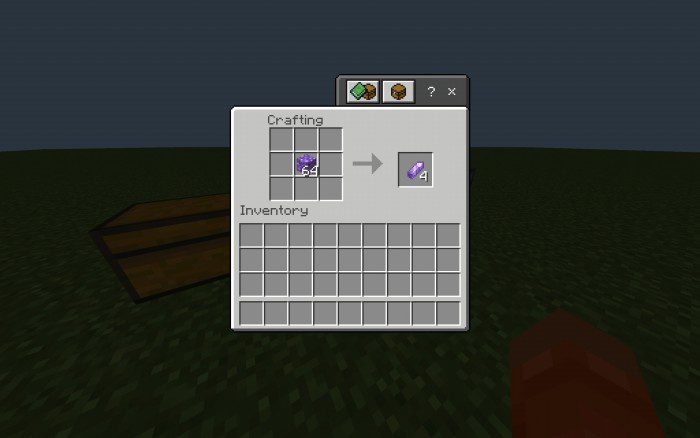
Item recipes:
Items with crafting table recipes include:
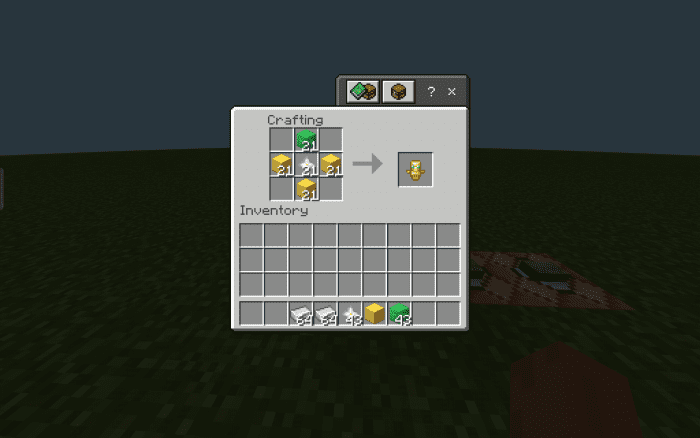
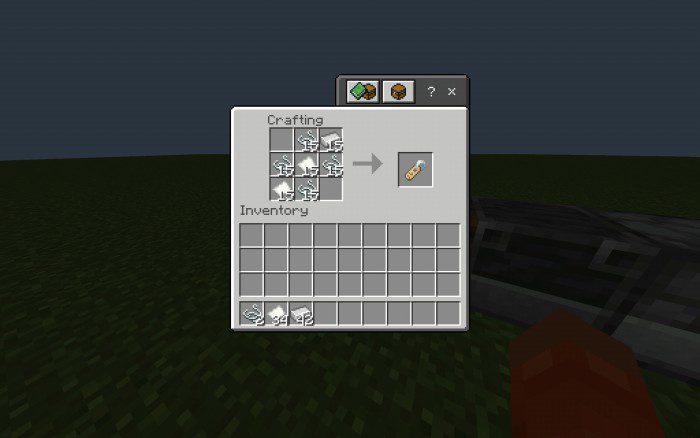
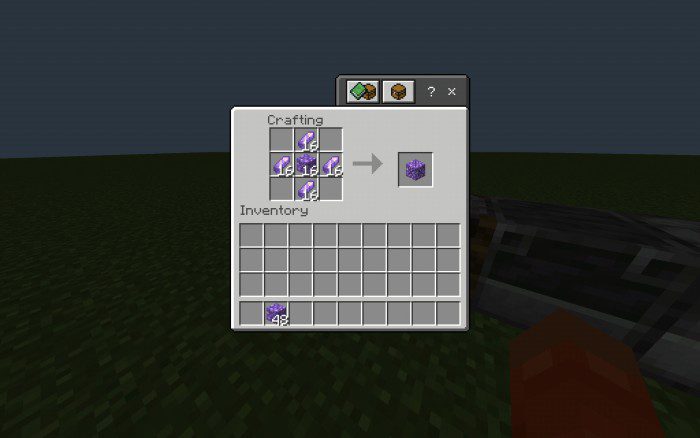
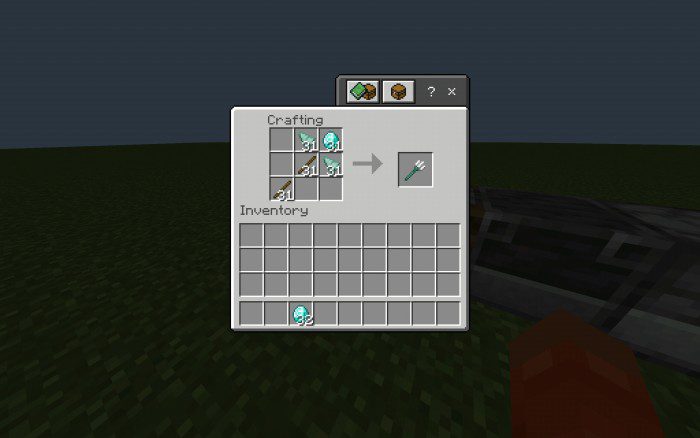
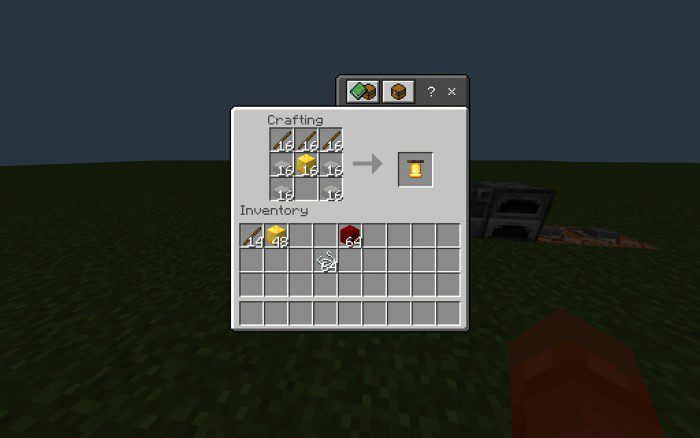
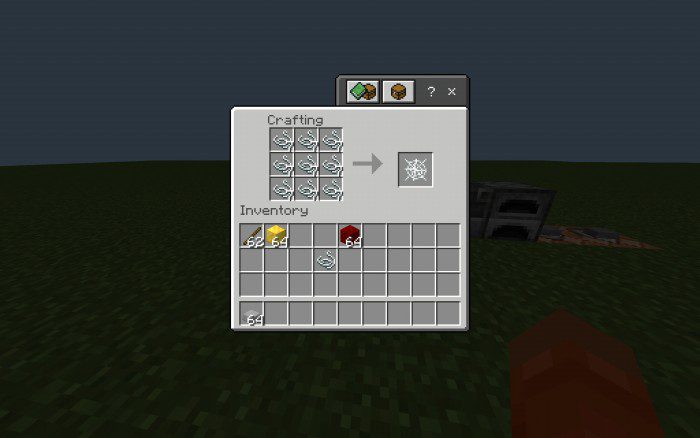
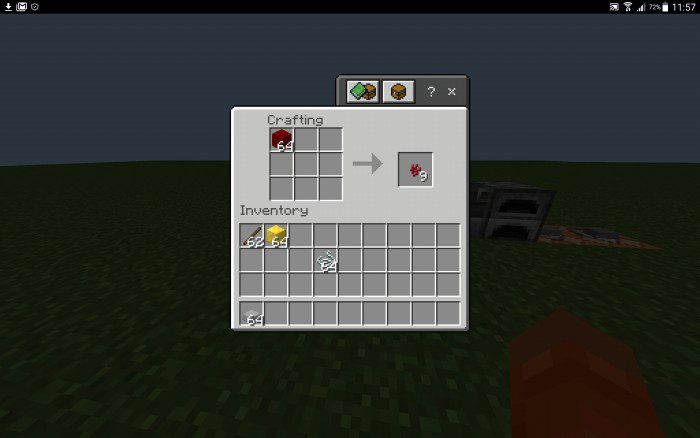
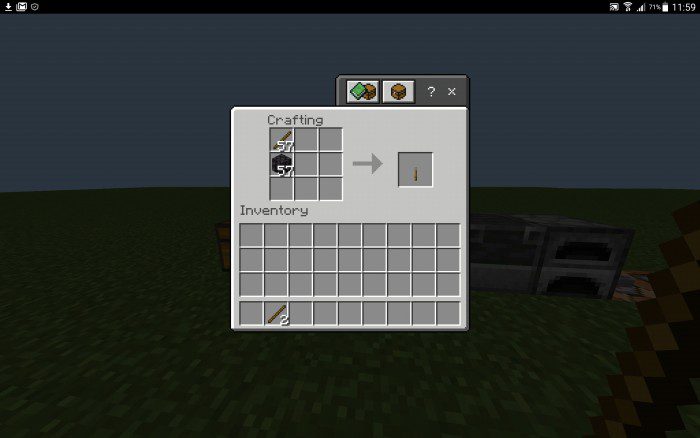
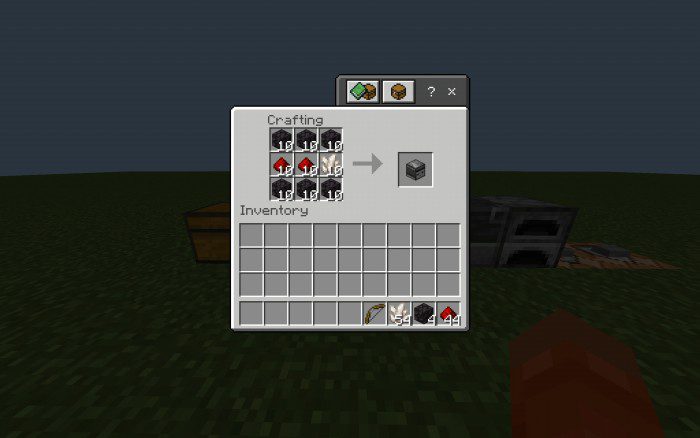
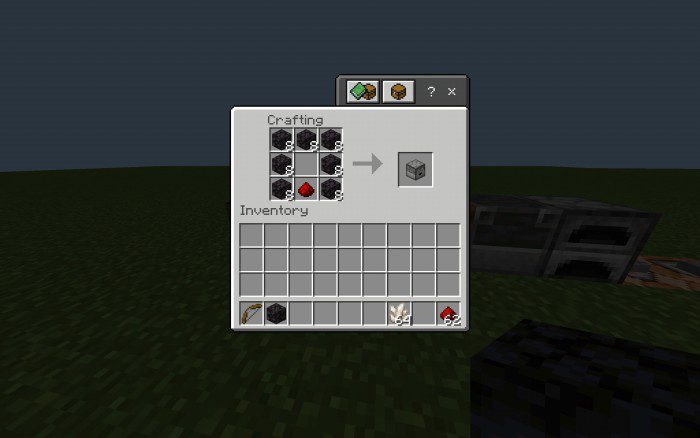
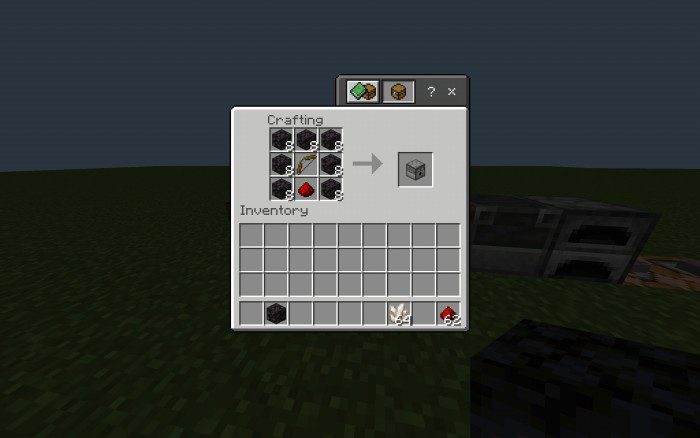 Music discs:
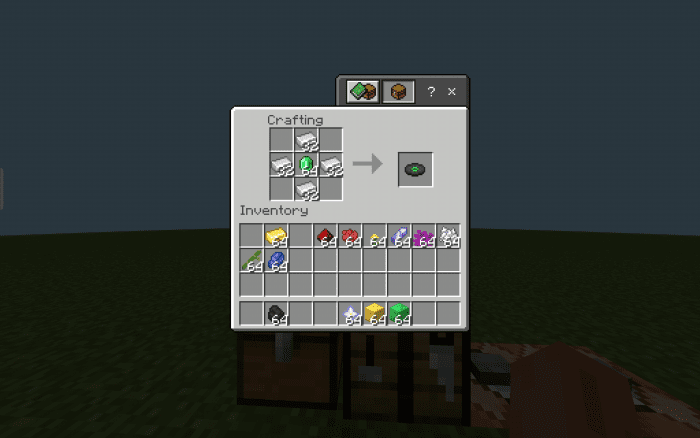 All other music discs follow this format with a different item in the middle:
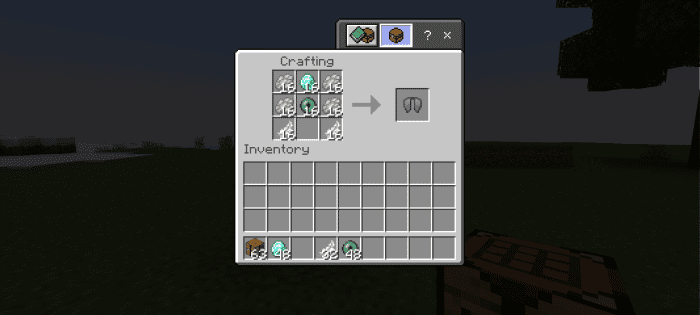
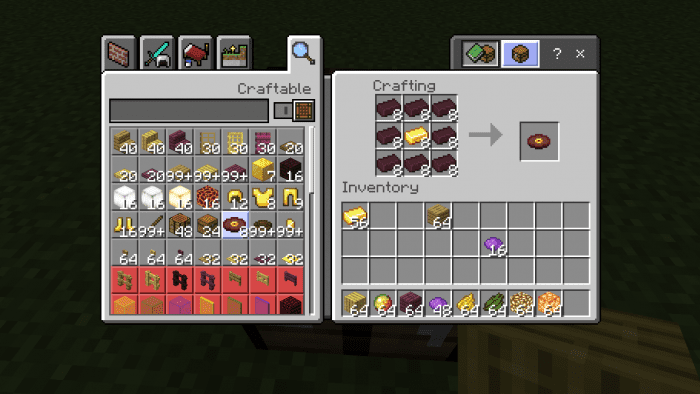 Horse armor recipes:
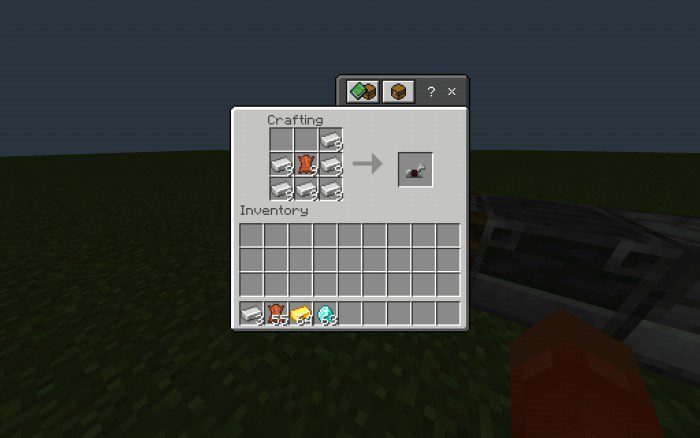
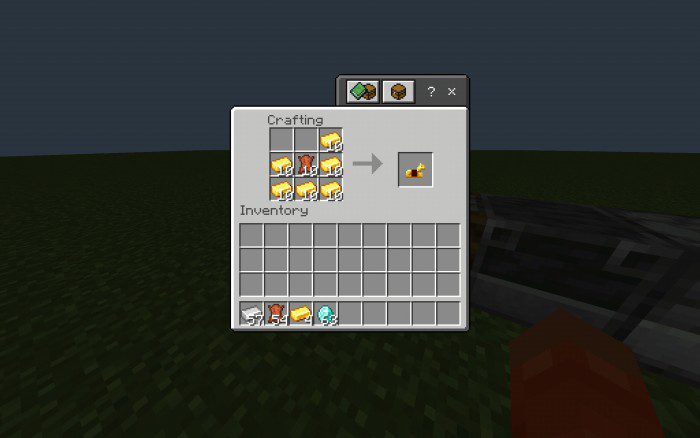
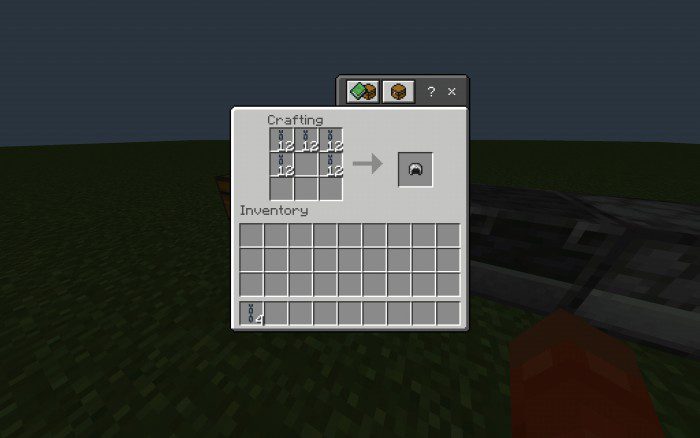
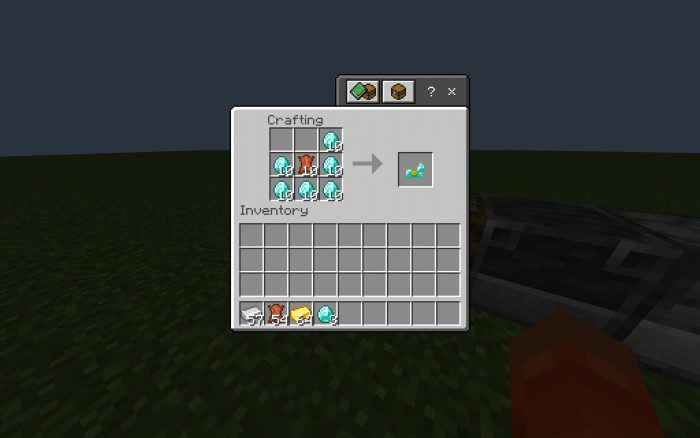 Chain armor recipes:
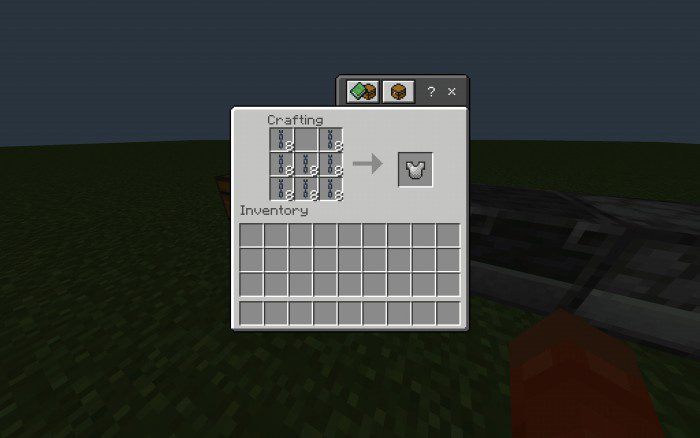
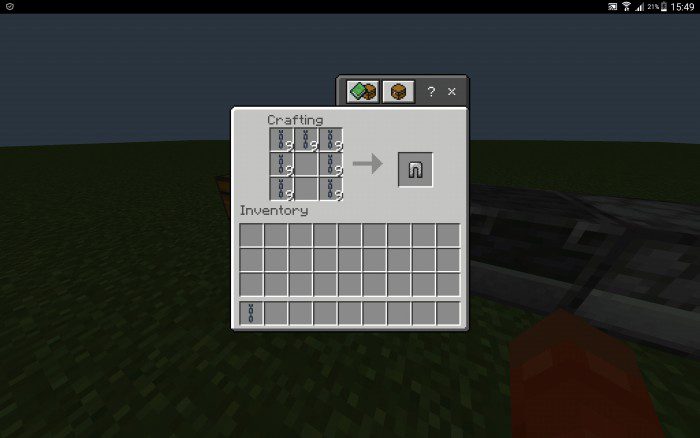
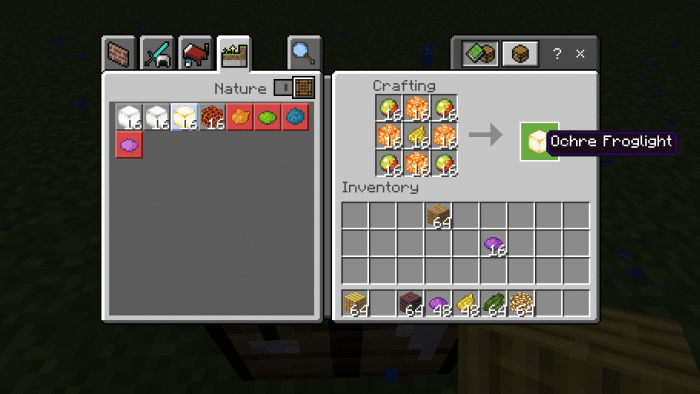
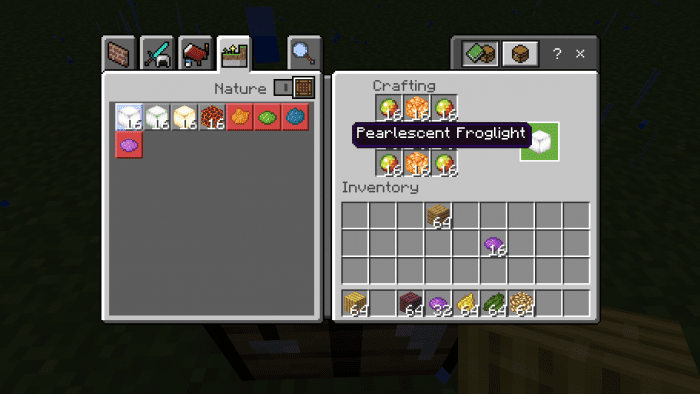
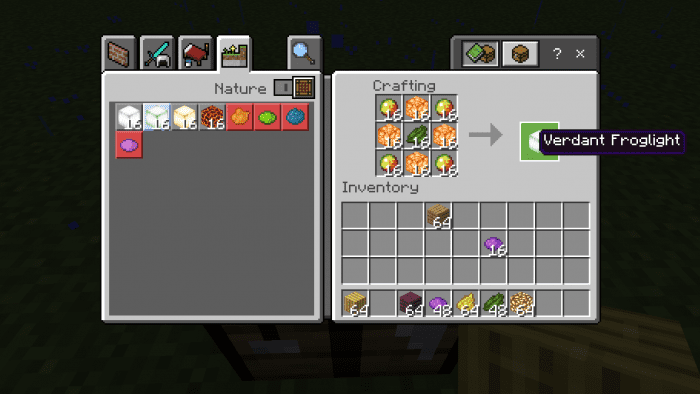
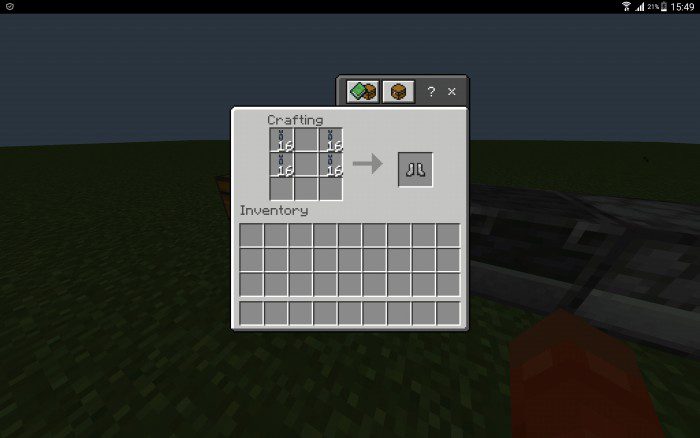 Froglight recipes:
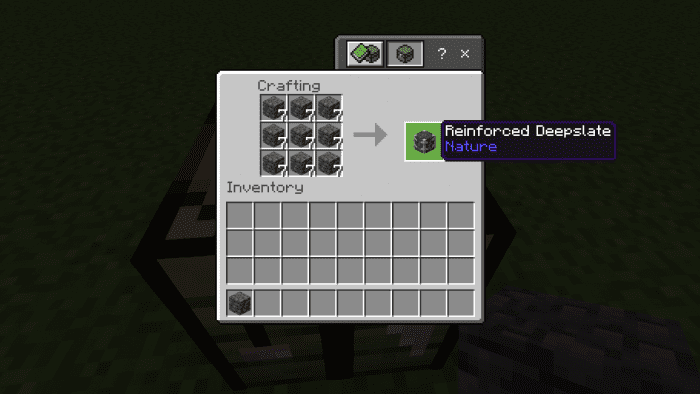
 Reinforced Deepslate:
Features:
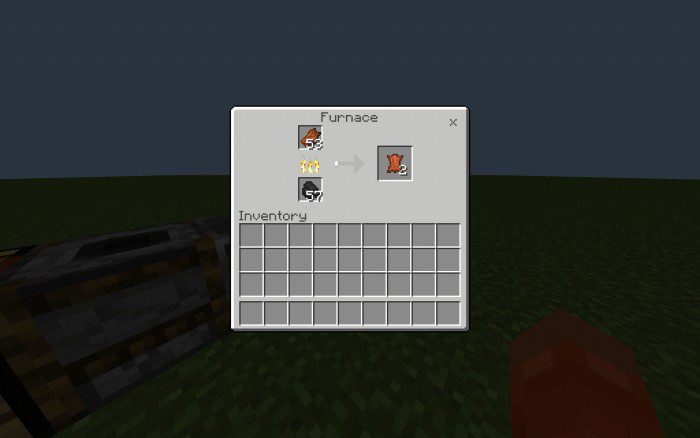
Furnace recipes:- Rotten flesh can be smelted into leather
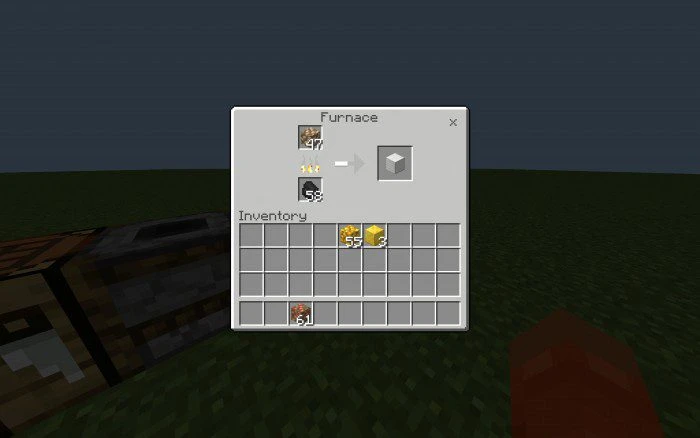
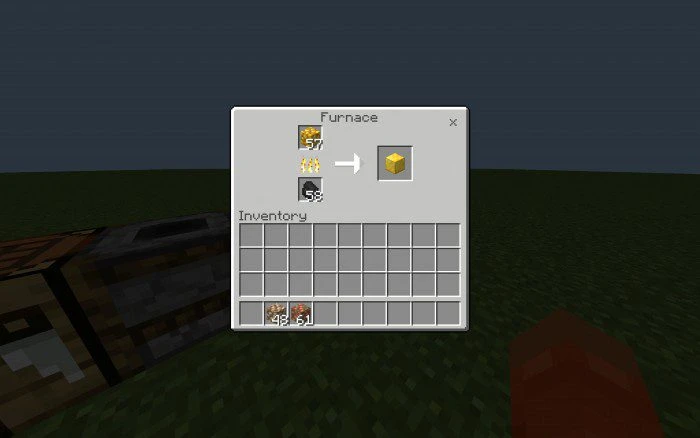
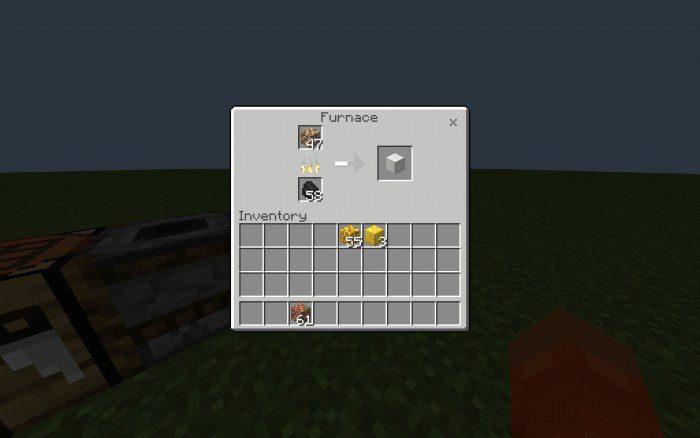
- Raw iron, gold, and copper can be smelted into full blocks in a furnace or blast furnace
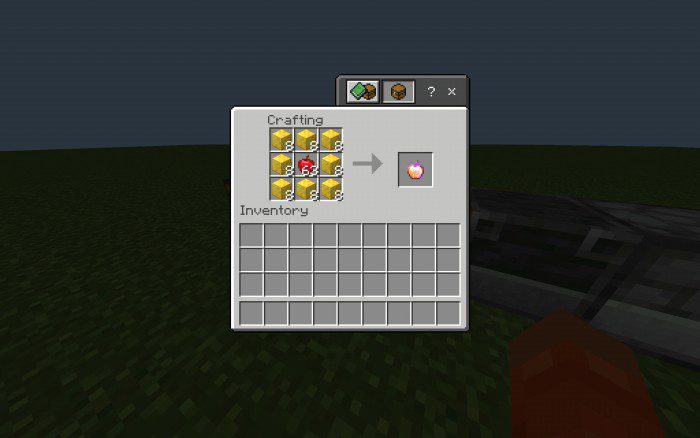
Item recipes:
Items with crafting table recipes include:
- Saddle, Name tag, amethyst shard, budding amethyst, nether wart, bell, Cobweb, cobblestone recipes for Blackstone, enchanted golden apple, trident, all horse armor types, music discs, elytra, Totem of Undying, chain armor, Froglights and Reinforced Deepslate.
Music discs:
- Cat
All other music discs follow this format with a different item in the middle:
- 13 – Gold ingot
- Far – Dandelion
- Blocks – Red dye
- Chirp – Redstone
- Mall – Amethyst shard
- Mellohi – Bubble coral
- Stal – Coal
- Strad – Bone meal
- Ward – Bamboo
- 11 – Black dye
- Wait – Lapis lazuli
- Otherside – Cyan dye
- Pigstep
Horse armor recipes:
Chain armor recipes:
Froglight recipes:
Reinforced Deepslate:
Installation Note:
- Make sure you turn on the Experimental Gameplay.
Craftables Addon Download Links
For Minecraft PE/Bedrock 1.20
mcpack: Download from server 1 – Download from server 2
For Minecraft PE/Bedrock 1.19
mcpack: Download from server 1 – Download from server 2
Quick facts
- Edition: Minecraft Bedrock
- File type: .mcpack or .mcaddon
- Minecraft versions listed: 1.20, 1.19
- How to install: Download the .mcpack or .mcaddon file. → Open it — Minecraft imports it. → In your world: Behavior Packs → Available → Activate, then the same under Resource Packs.
- Where to get it: In MCModsHub, or directly above on this page.
Install steps are the general flow for this file type — How to install Minecraft Bedrock addons & mods walks through it step by step.
File checked by MCModsHub
- Pack type: .mcaddon — behaviour and resource pack in one file
- Manifest requires Minecraft 1.20.50 or newer
- Complete pack — everything it depends on is inside the file
- Download link checked 17 Jun 2026 — working
- Mirrored on our own servers — the download does not depend on the original host
These come from our own check of the pack file, not from the source page.