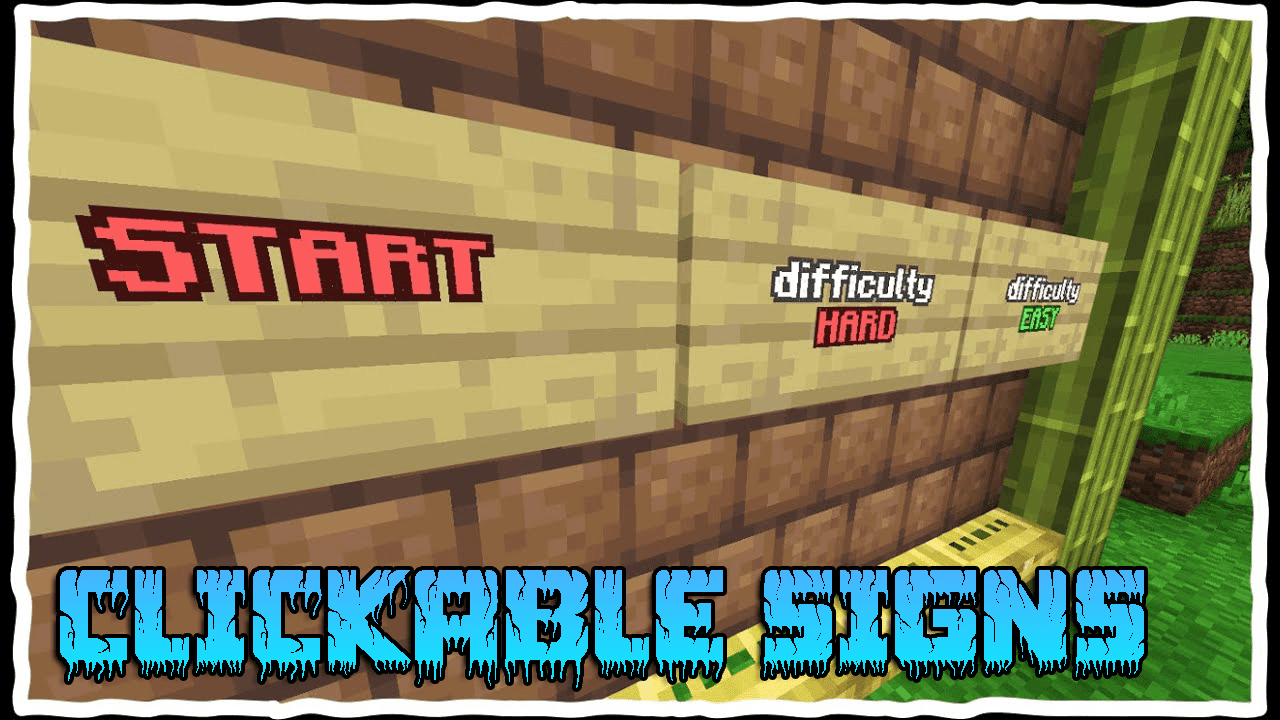
AddonsBedrock
Clickable Signs Addon (1.20) – MCPE/Bedrock Script
Clickable Signs Addon allows you to make signs clickable. You can also add commands that run when clicking the sign (you can add them just in creative)…
⬇ DownloadOpen in MCModsHubGet it on Google Play →Clickable Signs Addon allows you to make signs clickable. You can also add commands that run when clicking the sign (you can add them just in creative).
Features:
How to use:
Adding Commands (only player in creative mode can add commands):
To add commands to a sign follow the steps below:
- 1- place the sign.
- 2- type §r§r and the any text you want. example: “§r§r Click me”:
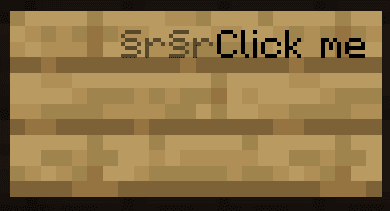
- 3- lock the sign with honeycomb.
- 4- interact with the sign-in creative and add the commands:
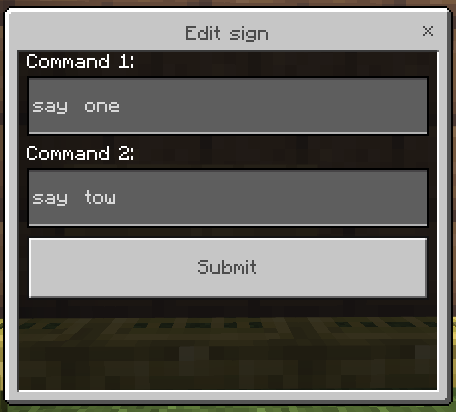
Redstone Signal (only signs on the wall can output Redstone signal)
To get a redstone signal when clicking the sign follow the steps below:
- 1- place the sign on a block.
- 2- if you want to only get redstone signal add §r before the text and lock the sign, if you want to add commands and get redstone signal add §r§r before the text.
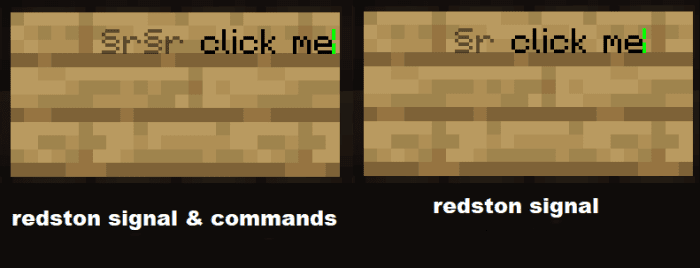
You can get the signal by using only repeater:
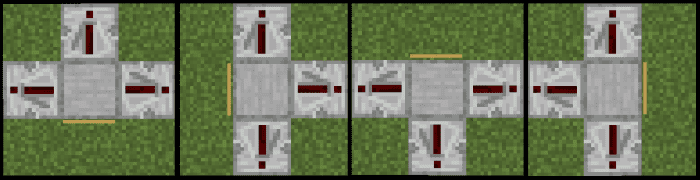
Installation Note:
- Make sure you turn on the Beta APIs on the Experimental Gameplay.
- Only works for the 1.20.4x version.

Clickable Signs Addon Download Links
For Minecraft PE/Bedrock 1.20
mcaddon: Download from server 1 – Download from server 2
Verified by MCModsHub
- Pack type: .mcpack — a single pack
- Manifest requires Minecraft 1.20.0 or newer
- Needs Beta APIs switched on in the world settings
- Complete pack — everything it depends on is inside the file
- Download link checked 17 Jun 2026 — working
- Mirrored on our own servers — the download does not depend on the original host
These come from our own check of the pack file, not from the source page.
Explore more