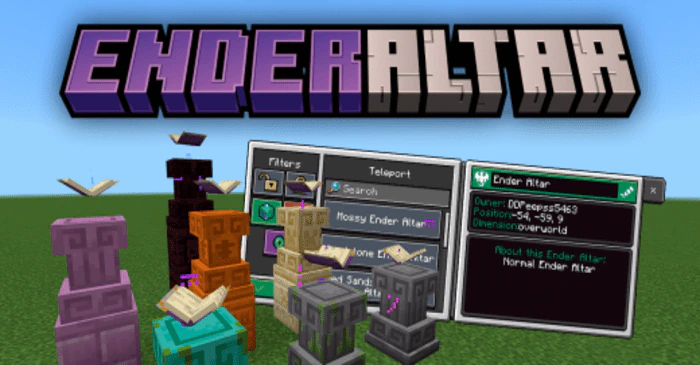
Ender Altar Addon (1.20) – MCPE/Bedrock Waystone Mod
Bedrock add-on listed for Minecraft 1.19–1.20 (behavior + resource pack). Needs Beta APIs. File opened and checked on 25 Sep 2026; installs from the MC Bedrock Mods app on Android.
⬇ Download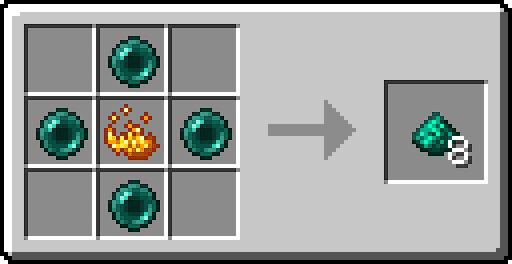
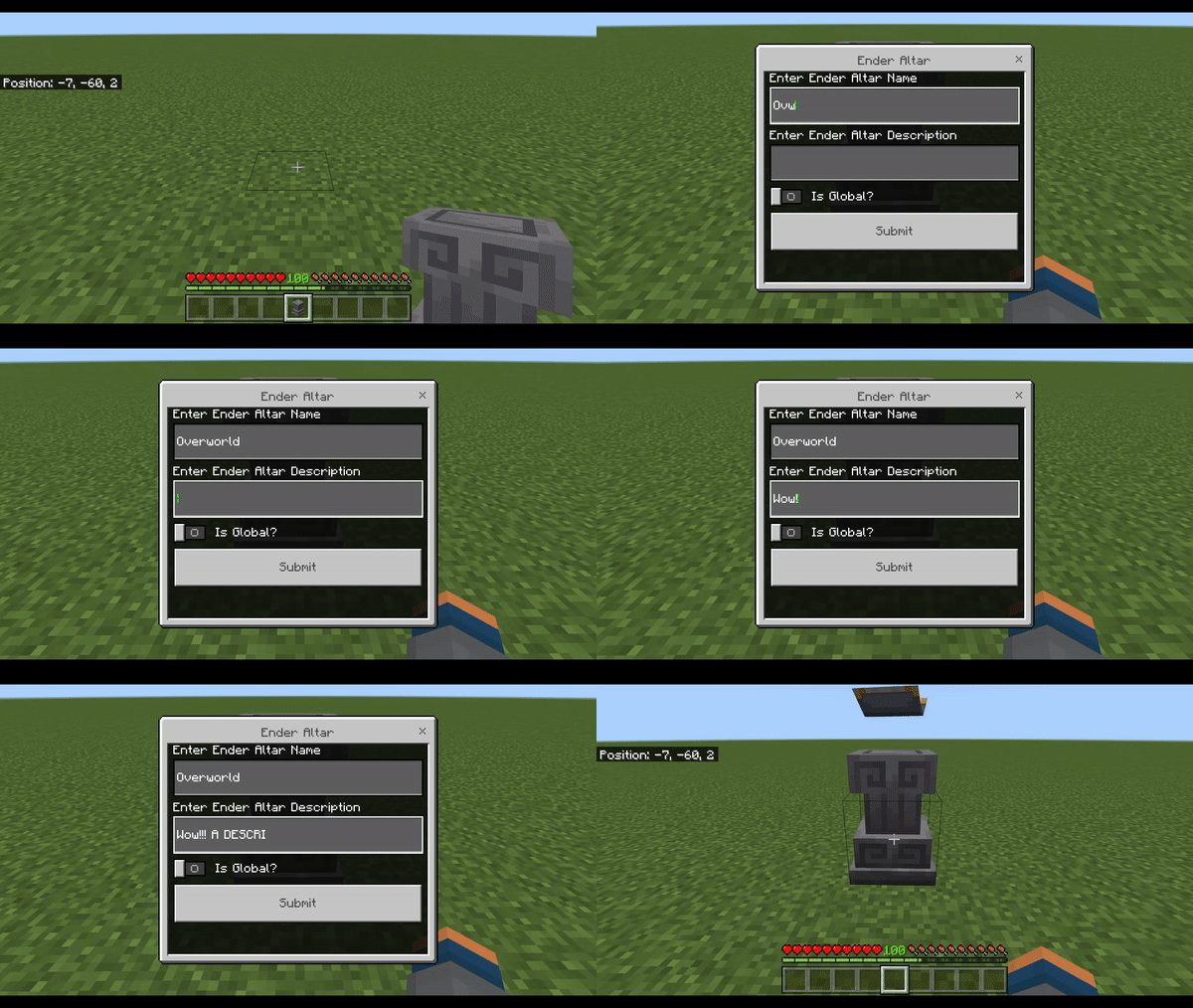
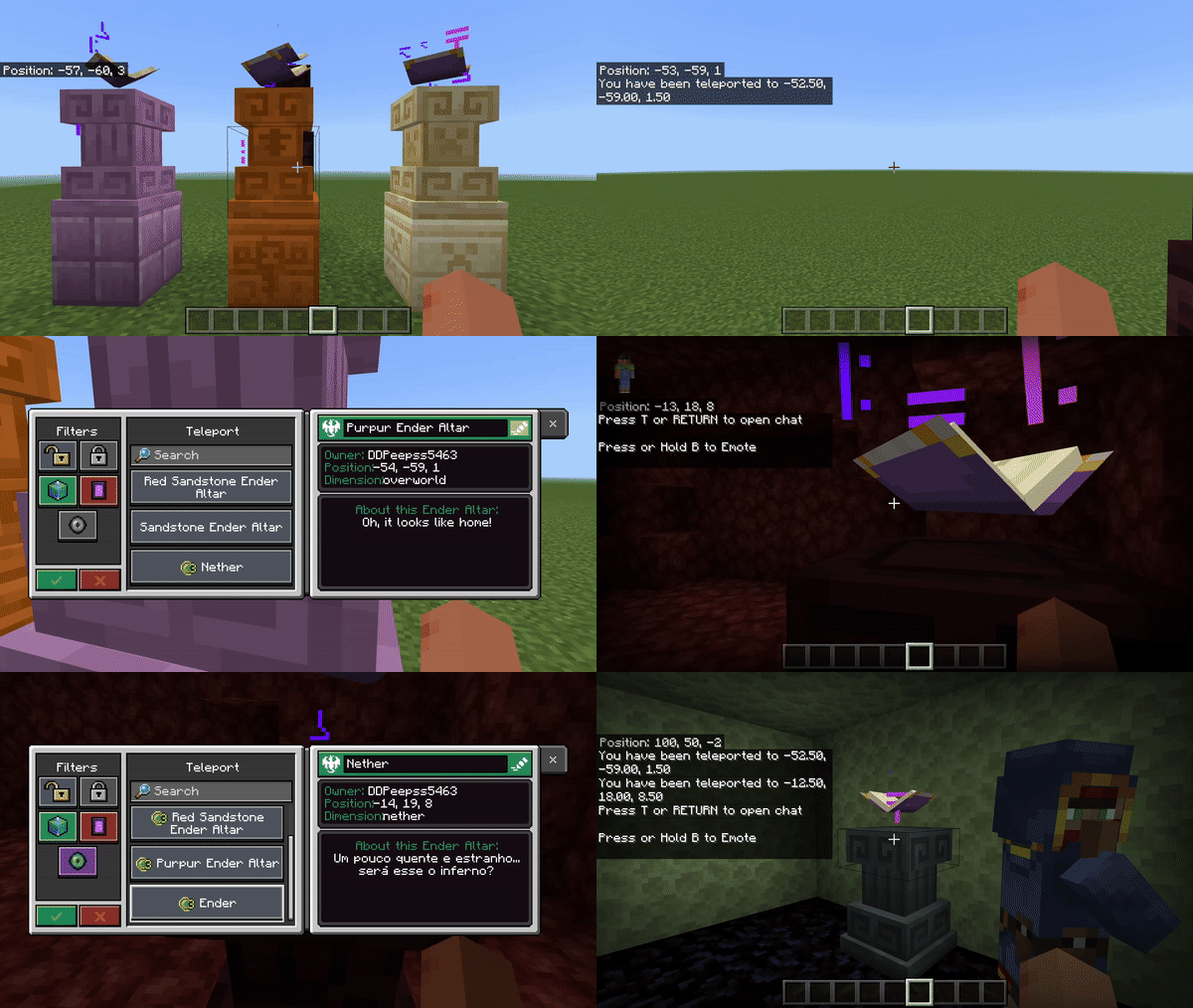
In Minecraft, teleportation is a common practice that can be achieved through various means. One of the ways to teleport is by using Ender Altars. With the help of Ender Altar Addon, you can create Ender Altars and teleport between points marked on the map without any limits.
Original idea by: BlayTheNinth.
Features:
Types:
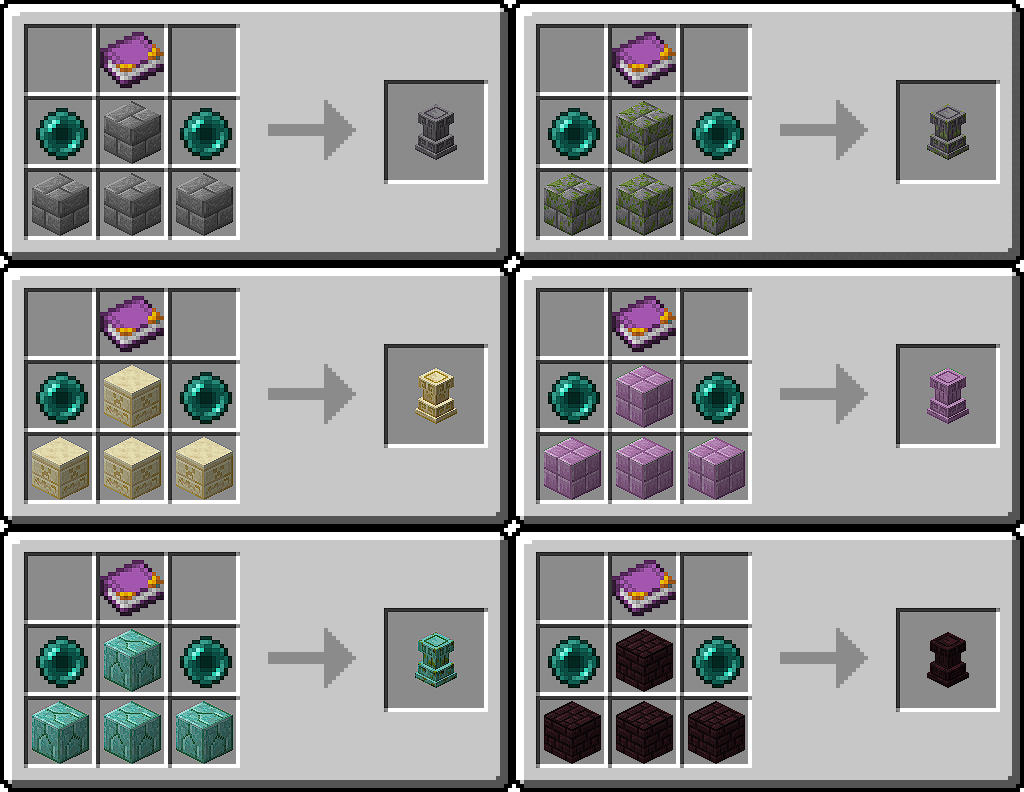
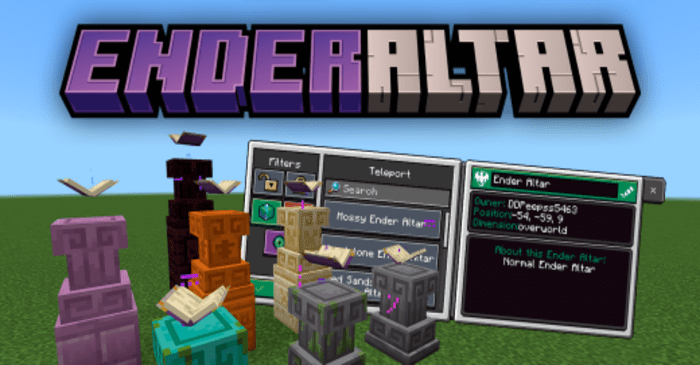
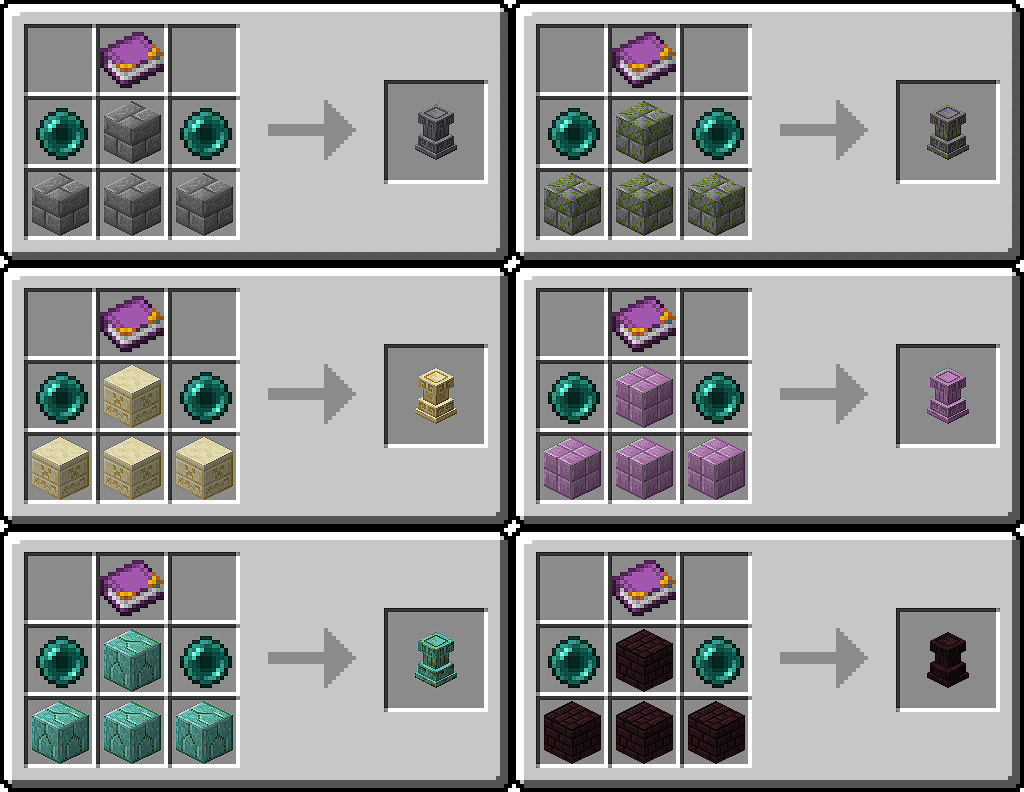
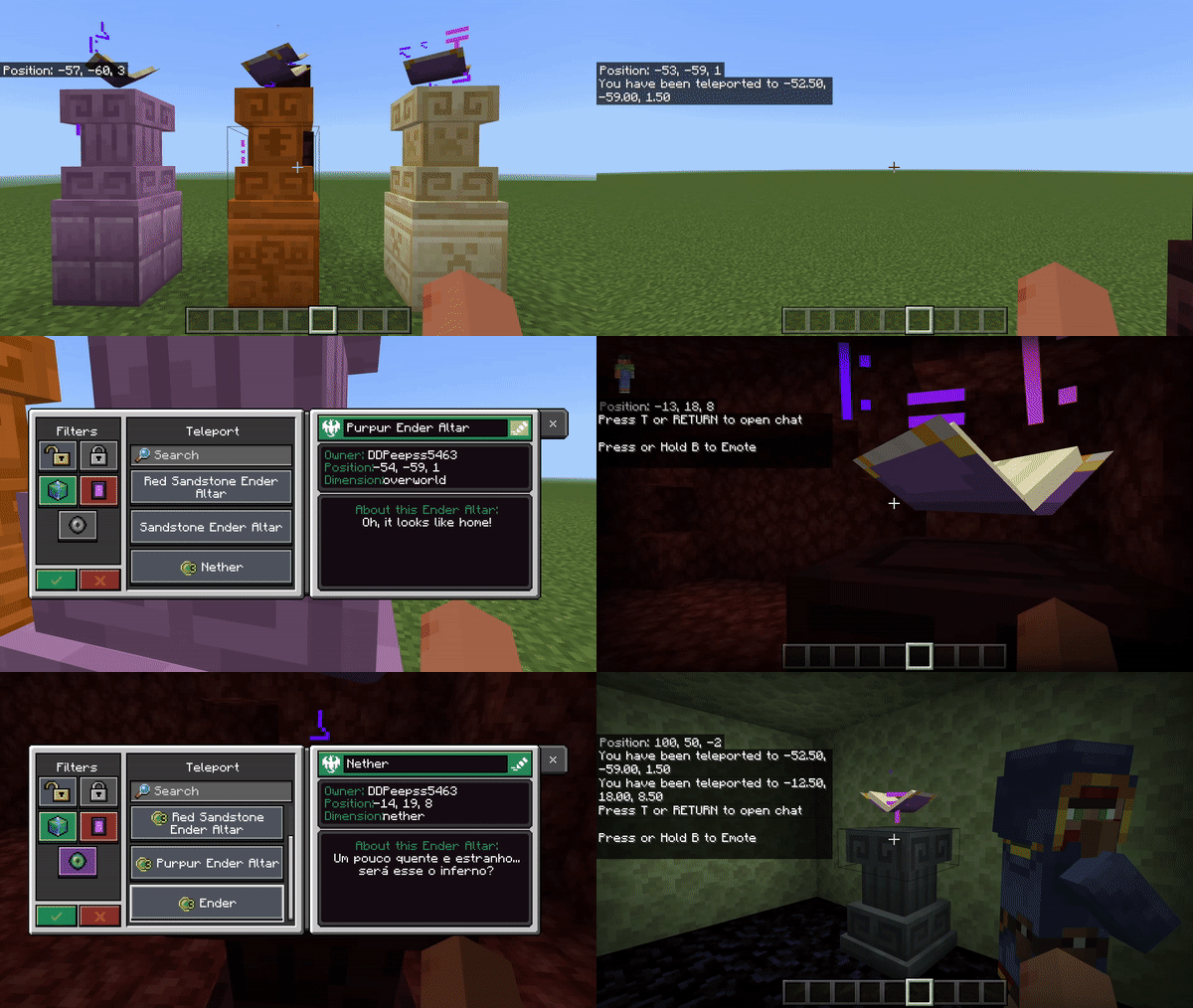
There are 7 types of Ender Altars possible to create with this add-on so far, there is no difference between all these types, the only difference between them is the appearance. The 7 types of Ender Altars are:
- Ender Altar
- Mossy Ender Altar
- Sandstone Ender Altar
- Red Sandstone Ender Altar
- Purpur Ender Altar
- Nether Bricks Ender Altar
- Prismarine Ender Altar
Items:
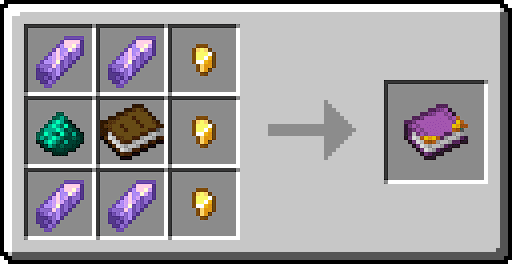
All items present in the add-on have a purpose or will have a purpose, so far there are only two, which are the Ender Pearl Dust and Ender Book.
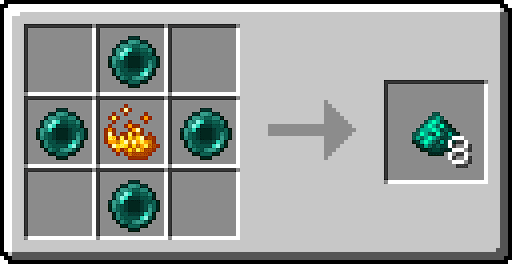
- Ender Pearl Dust: A strange powder left over when an end pearl is shattered. Ancient writings say it has magical properties.
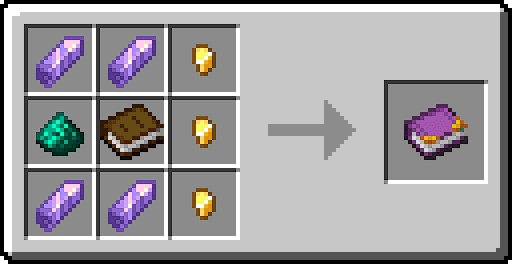
- Ender Book: An ancient, magical book with some writing in ancient runes inside. Currently, you don’t seem to understand what is written, but something tells you that you will soon know.
Crafting Recipes:
Teleport:
- But, how to the Ender Altar work? Simple, when you place an Ender Altar, it will show an interface asking for you to put a name, and a description and define if it’s a global Ender Altar or a Private Ender Altar, then, you’ve set your Ender Altar. (Obs: You can edit the name, description, and if it’s global or private later!
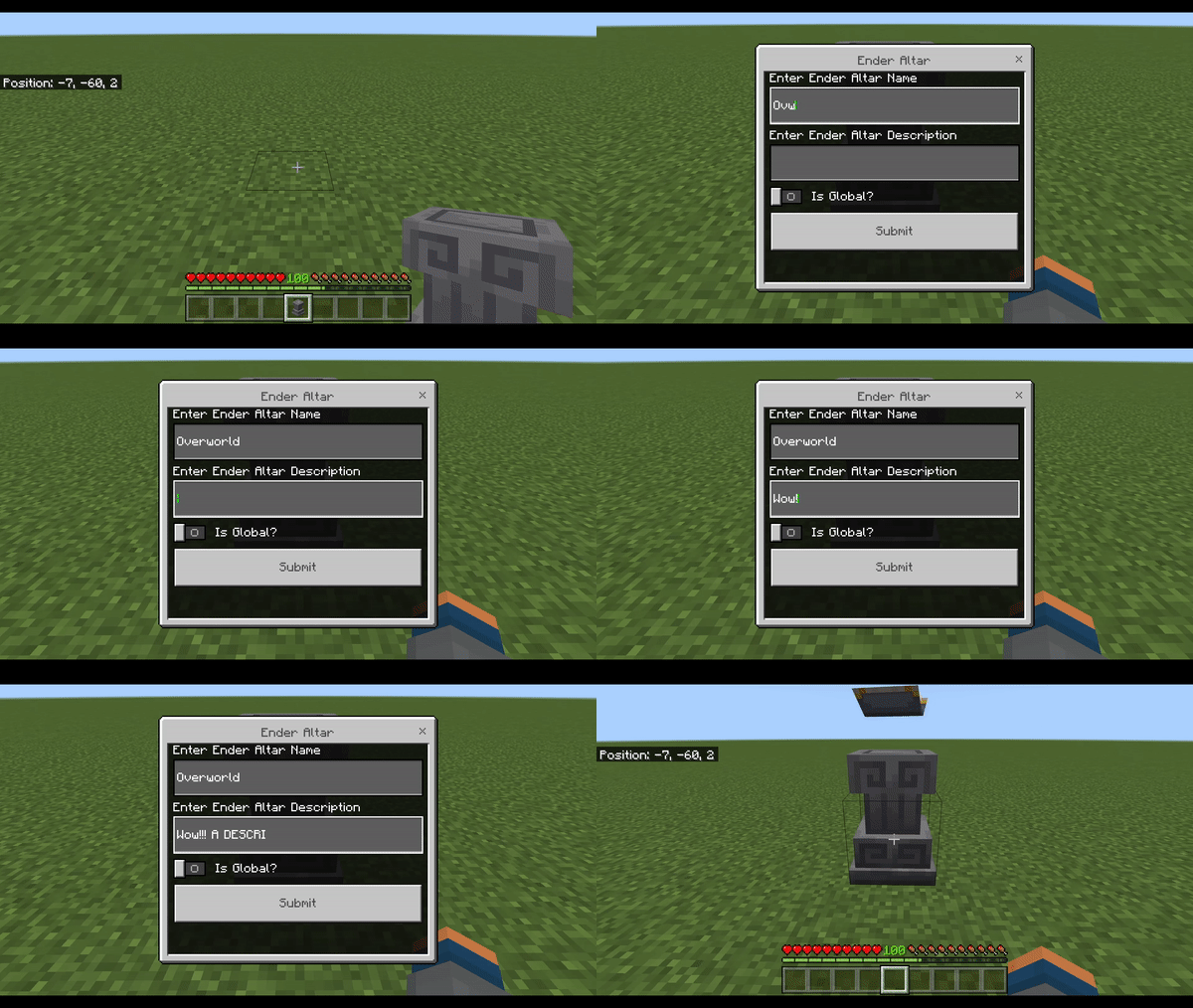
- Now you can access the Ender Altar UI and teleport to other set Ender Altars on the map and between dimensions, which costs 3 XP levels!
Installation Note:
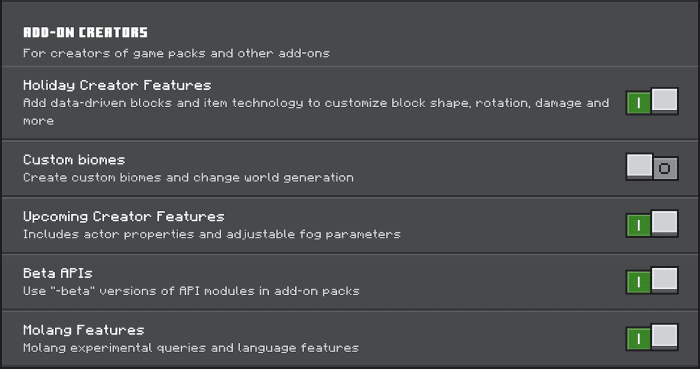
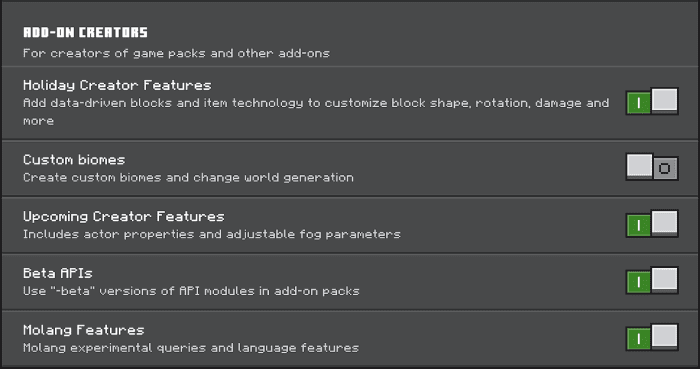
- Make sure you turn on the Experimental Gameplay.
Ender Altar Addon Download Links
For Minecraft PE/Bedrock 1.20
mcaddon: Download from server 1 – Download from server 2
- Edition: Minecraft Bedrock
- File type: .mcpack or .mcaddon
- Minecraft version listed: 1.20
- How to install: Download the .mcpack or .mcaddon file. → Open it — Minecraft imports it. → In your world: Behavior Packs → Available → Activate, then the same under Resource Packs.
- Where to get it: In MCModsHub, or directly above on this page.
Install steps are the general flow for this file type — How to install Minecraft Bedrock addons & mods walks through it step by step.
- Pack type: .mcaddon — behaviour and resource pack in one file
- Manifest requires Minecraft 1.19.50 or newer
- Needs Beta APIs switched on in the world settings
- Complete pack — everything it depends on is inside the file
- Download size: 131 KB
- Download link checked 17 Jun 2026 — working
- Mirrored on our own servers — the download does not depend on the original host
These come from our own check of the pack file, not from the source page.