Camera/Selfie Addon allows players to take pictures in the game, making it perfect for capturing moments with friends or creating thumbnails for videos. This addon is multiplayer-supported and compatible with MCPE’s latest version 1.20+.
Features:
The add-on introduces two new items: the “Camera (Start)” and “Camera (Stop)”. The “Camera (Start)” allows you to place the camera anywhere, while the “Camera (Stop)” is used to remove the camera. It’s important to have the “Camera (Stop)” item before using the “Camera (Start)” to avoid potential issues.
Stop and Play Item
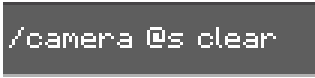
- There are Two Items you need to use it. First, you need an Item called “Camera (Start)” Which allows you to place the Camera anywhere. Second, you need another item called “Camera (Stop)” This is so you can remove the camera. NOTE: MAKE SURE TO HAVE THIS BEFORE YOU GET THE “CAMERA (START)” If this seems to happen, do the following command
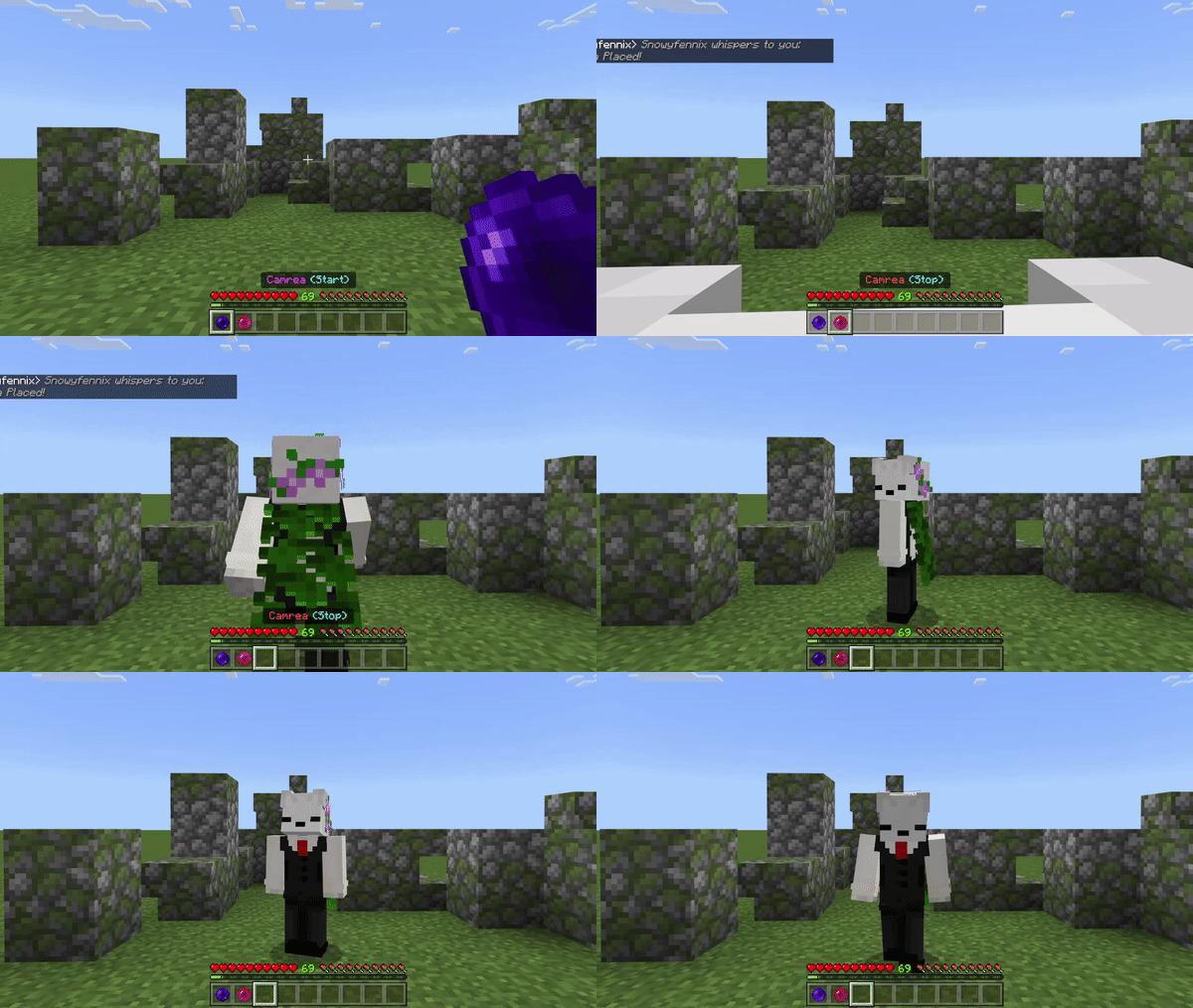
- Here’s how the start item works:
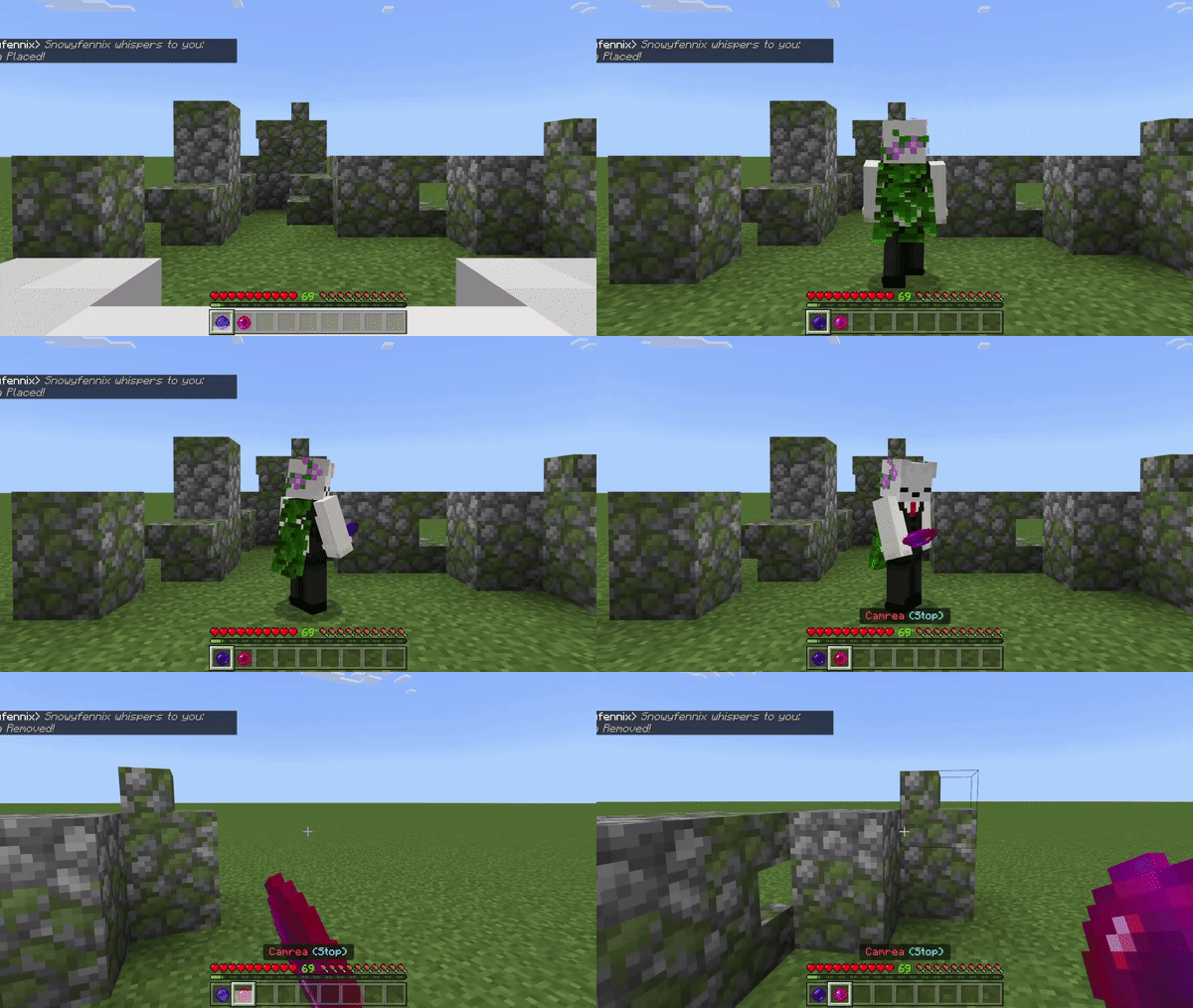
- This is how the Stop item works:
Installation Note:
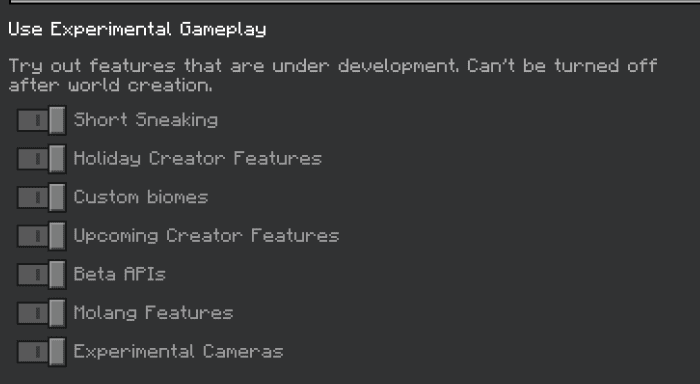
- Experimental Cameras and Education Edition Must be enabled for this addon can work:
Camera/Selfie Addon Download Links
For Minecraft PE/Bedrock 1.20
Craftable version: Download from server 1 – Download from server 2
Non craftable version: Download from server 1 – Download from server 2
- Edition: Minecraft Bedrock
- File type: .mcpack or .mcaddon
- Minecraft version listed: 1.20
- How to install: Download the .mcpack or .mcaddon file. → Open it — Minecraft imports it. → In your world: Behavior Packs → Available → Activate, then the same under Resource Packs.
- Where to get it: In MCModsHub, or directly above on this page.
Install steps are the general flow for this file type — How to install Minecraft Bedrock addons & mods walks through it step by step.
- Pack type: .mcaddon — behaviour and resource pack in one file
- Manifest requires Minecraft 1.17.0 or newer
- Complete pack — everything it depends on is inside the file
- Download link checked 17 Jun 2026 — working
- Mirrored on our own servers — the download does not depend on the original host
These come from our own check of the pack file, not from the source page.