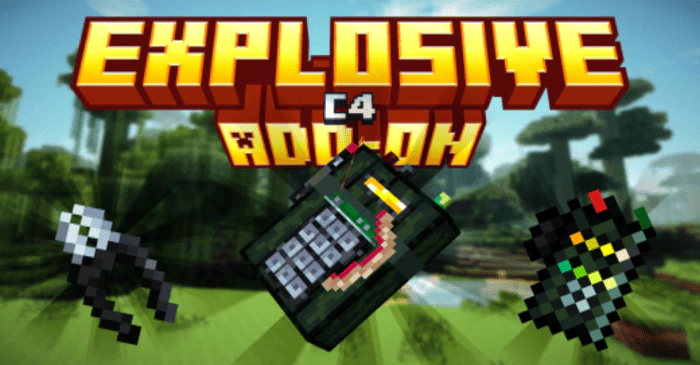
Explosive C4 Addon (1.20, 1.19) – MCPE/Bedrock Mod
Bedrock add-on listed for Minecraft 1.19–1.20 (behavior + resource pack). File opened and checked on 11 Oct 2026; installs from the MC Bedrock Mods app on Android.
⬇ Download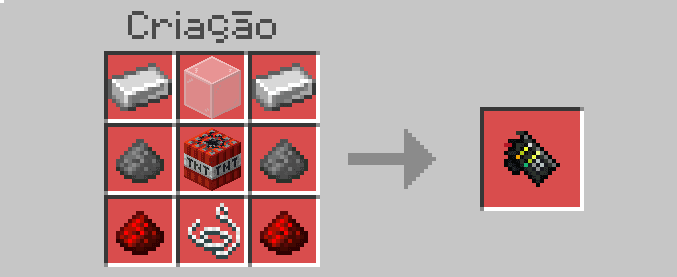
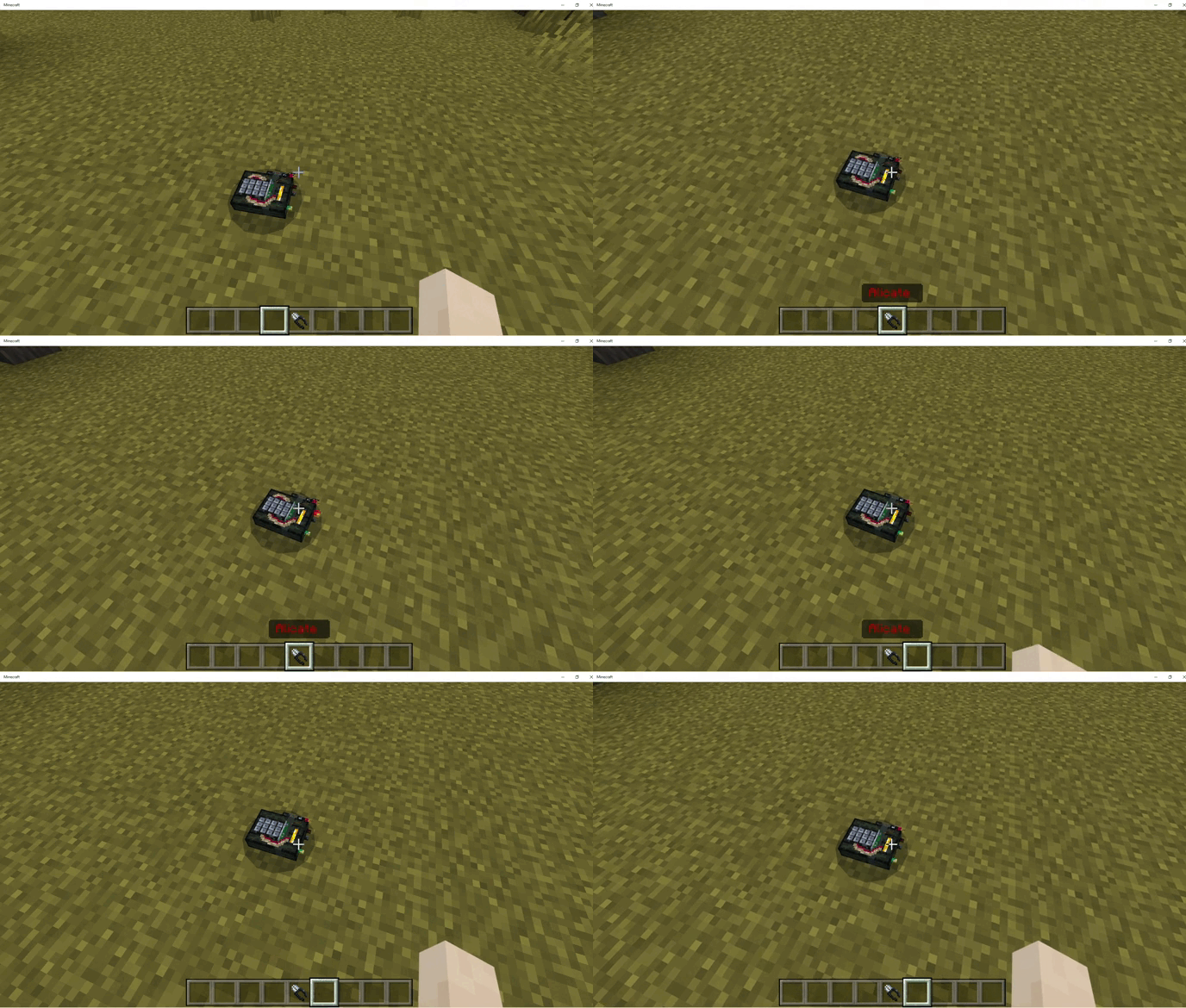
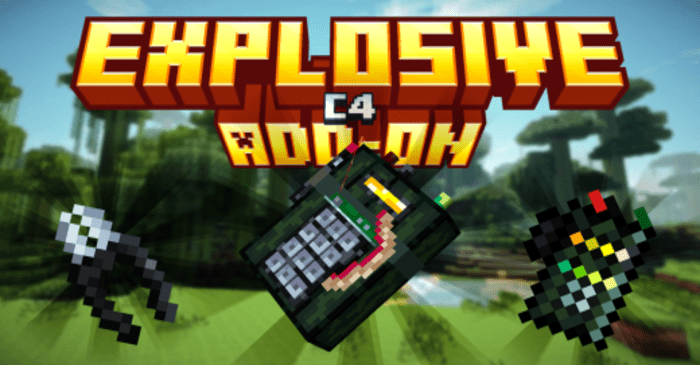
Designed for players who enjoy high-octane action and destruction, this add-on incorporates a potent new element into the Minecraft world – C4 explosives. With Explosive C4 Addon, players can craft C4 explosives and use them in their adventures. These explosives pack a powerful punch, capable of causing substantial damage to structures and entities alike. The introduction of C4 changes the dynamics of the game, adding an explosive tool that can be used for a variety of purposes, whether it’s for mining, clearing large areas, or for tactical advantages in combat.
Features:
- The “Explosive C4 Add-On” also introduces a detonator, a necessary tool to trigger the C4. This gives players control over when the explosives go off, adding an extra layer of strategy and planning to their gameplay. The combination of the C4 and the detonator offers a new and exciting way to interact with the Minecraft environment.
- However, it’s important to remember that this add-on introduces a high level of destructive power. While this can be exhilarating, it can also inadvertently lead to large-scale destruction if not used carefully. It’s advised to use the C4 responsibly to avoid unwanted damage.
Crafting Recipes:
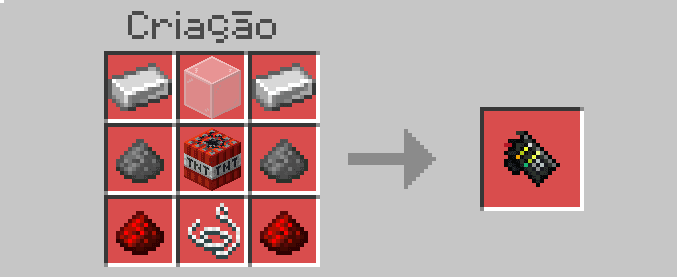
To Create The C4 You Will Need The Following Items:
- 2 irons
- 1 tnt
- 1 line
- 2 Redstone
- 2 Gunpowder
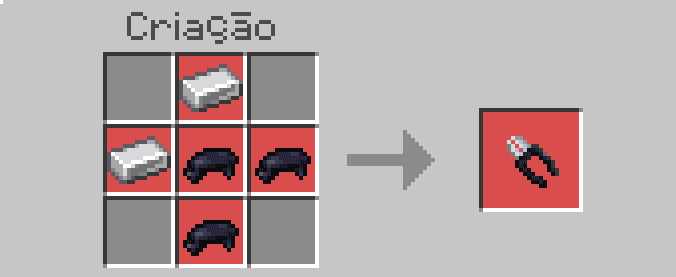
To craft C4 Disarming Pliers You Will Need The Following Items:
- 2 irons
- 3 Black Dye
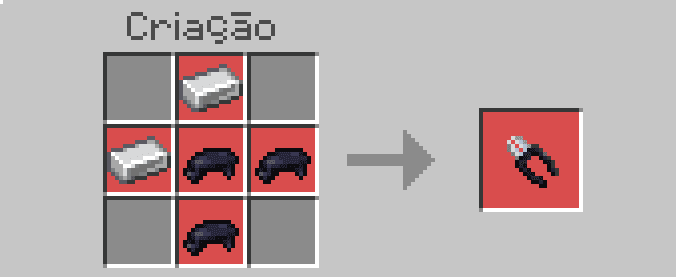
How it work:
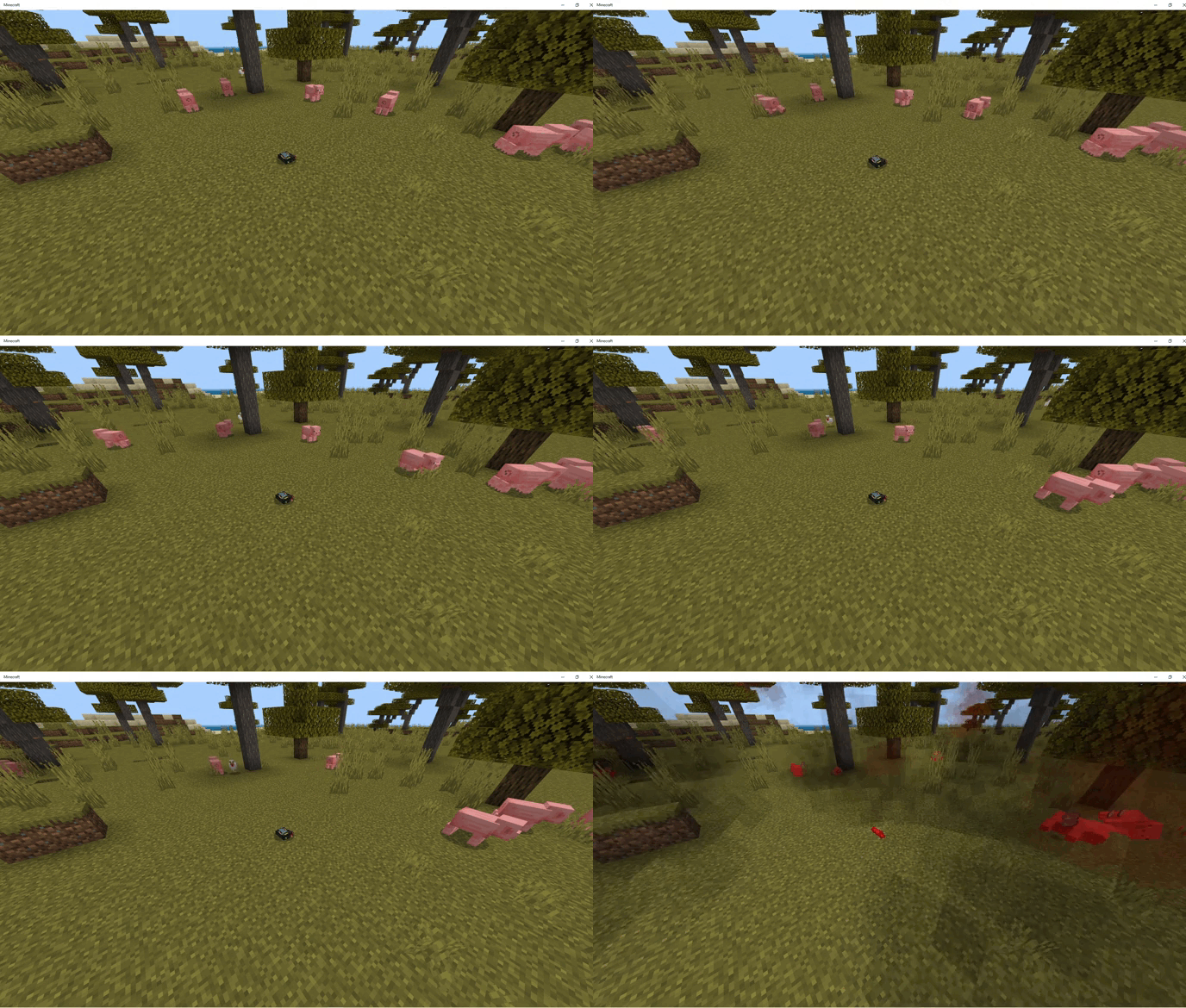
After the C4 is planted you will have 60 seconds to un-plant it using the pliers.
That only with one click the combo will not explode.
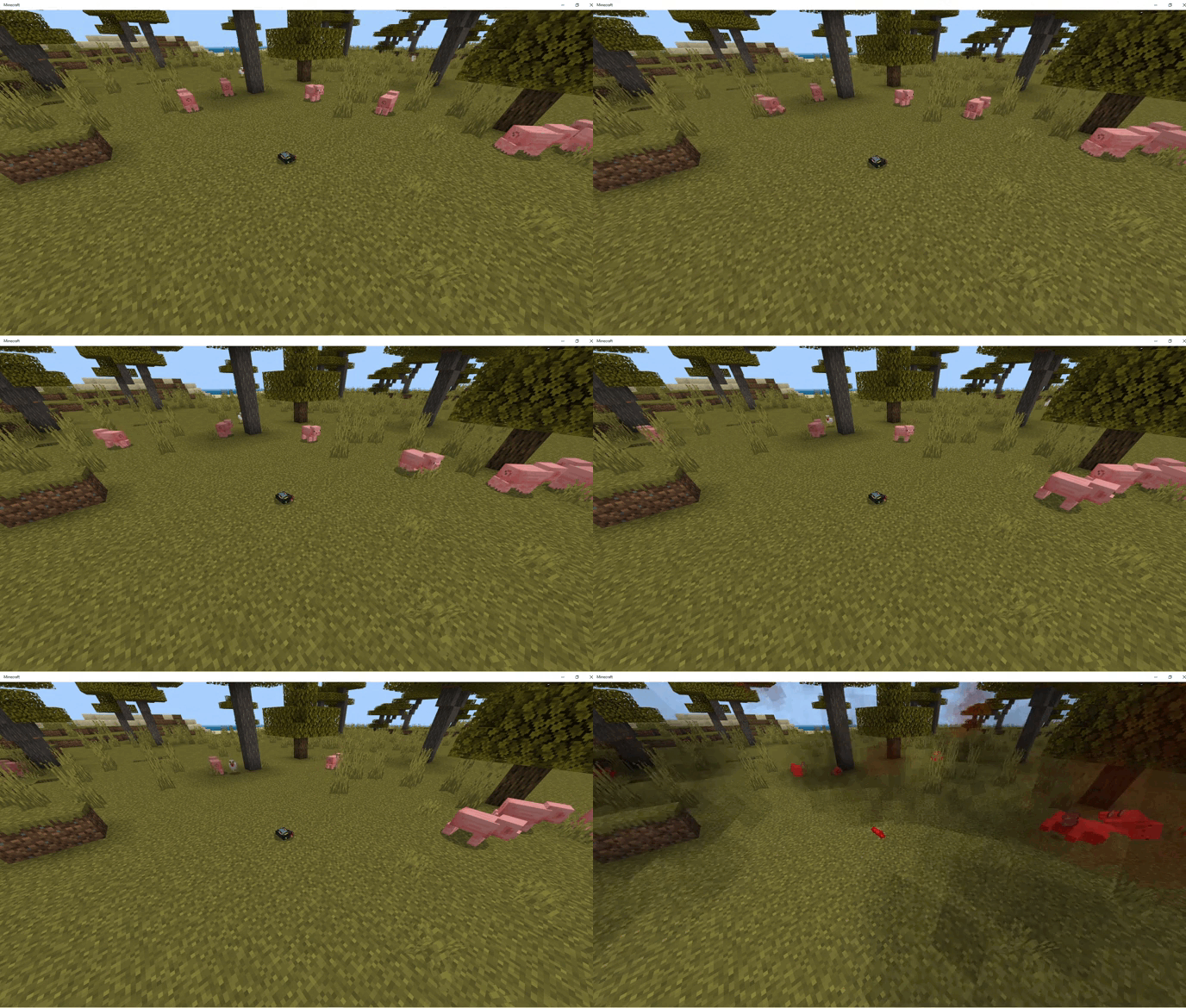
It will hit a 30-block area and will not destroy any blocks, and it will also give hit kill.
With the Serar Pliers Capable of Deactivating the c4.
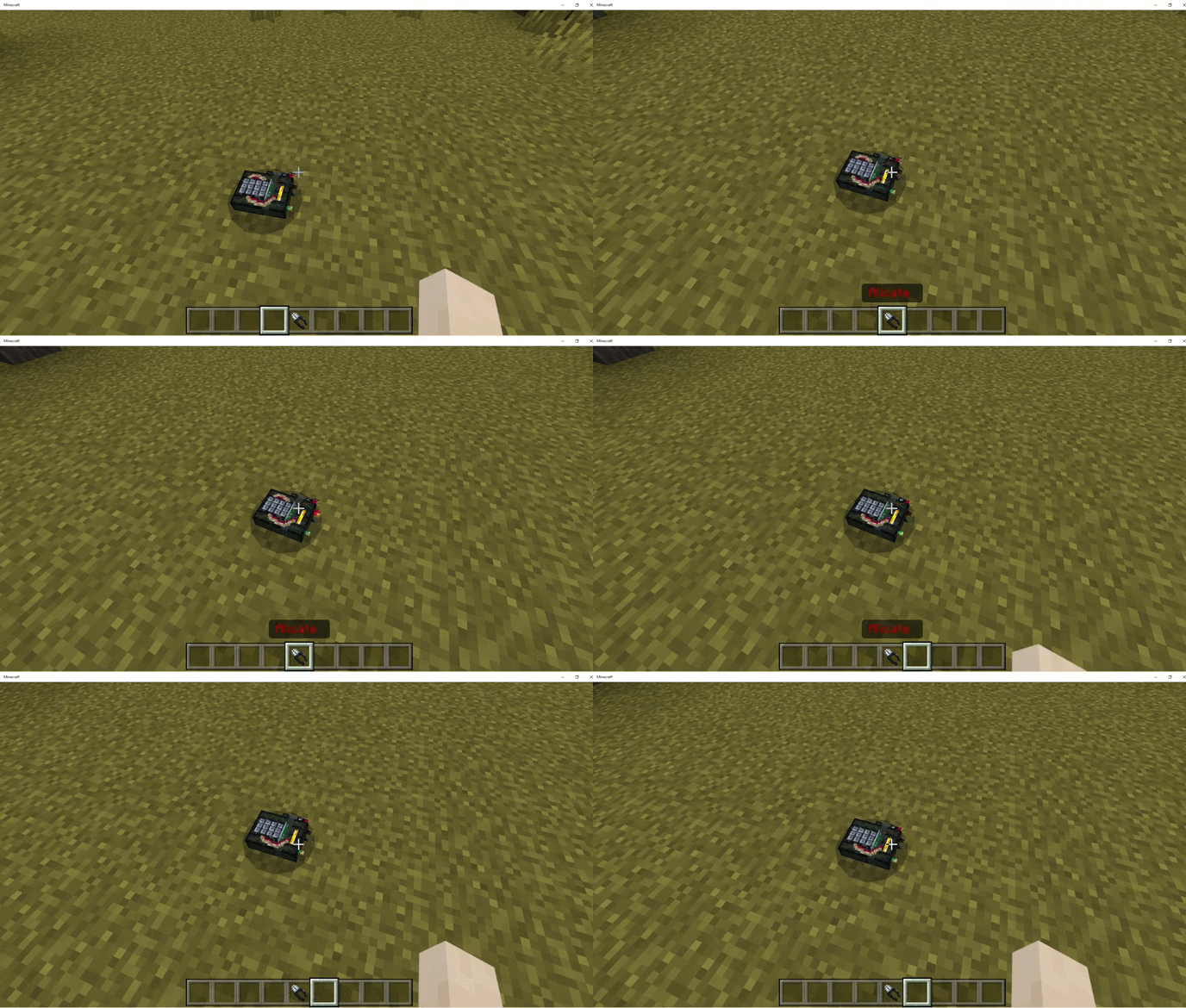
Installation Note:
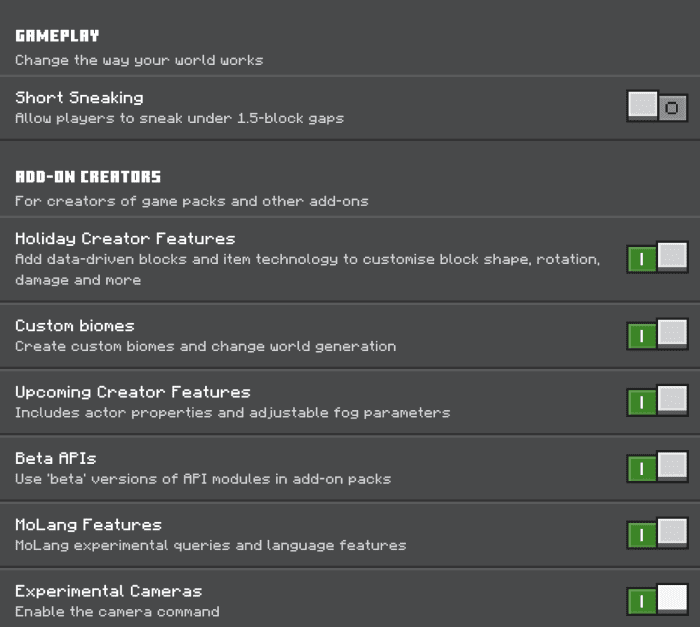
- Make sure you turn on the Experimental Gameplay.
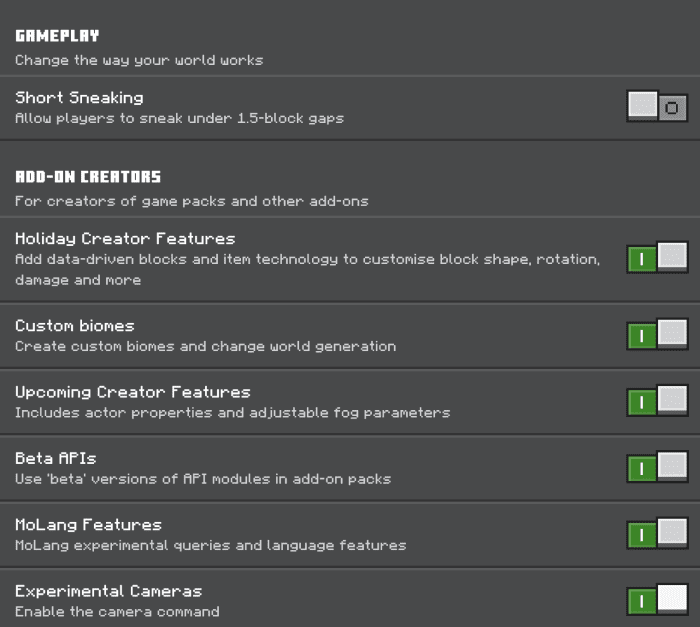
Explosive C4 Addon Download Links
For Minecraft PE/Bedrock 1.20, 1.19
Behavior: Download from server 1 – Download from server 2
Resource: Download from server 1 – Download from server 2
- Edition: Minecraft Bedrock
- File type: .mcpack or .mcaddon
- Minecraft versions listed: 1.20, 1.19
- How to install: Download the .mcpack or .mcaddon file. → Open it — Minecraft imports it. → In your world: Behavior Packs → Available → Activate, then the same under Resource Packs.
- Where to get it: In MCModsHub, or directly above on this page.
Install steps are the general flow for this file type — How to install Minecraft Bedrock addons & mods walks through it step by step.
- Pack type: .mcaddon — behaviour and resource pack in one file
- Complete pack — everything it depends on is inside the file
- Download size: 83 KB
- Download link checked 17 Jun 2026 — working
- Mirrored on our own servers — the download does not depend on the original host
These come from our own check of the pack file, not from the source page.