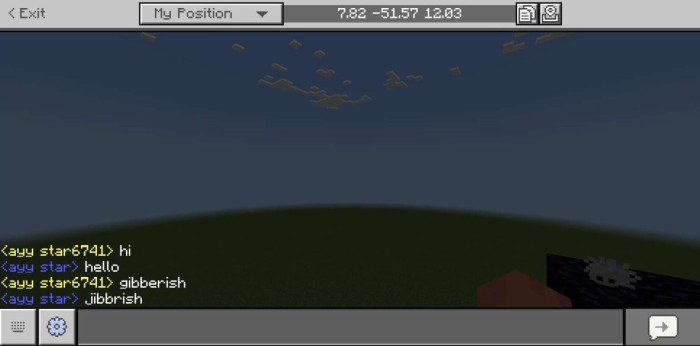
Star Bridge Addon enables you to connect your Minecraft Bedrock Edition dedicated server’s chat to one of the channels in your Discord server, hence the name “Bridge”. The best part is that it does not require any external server or modifications to the server software itself!
Features:
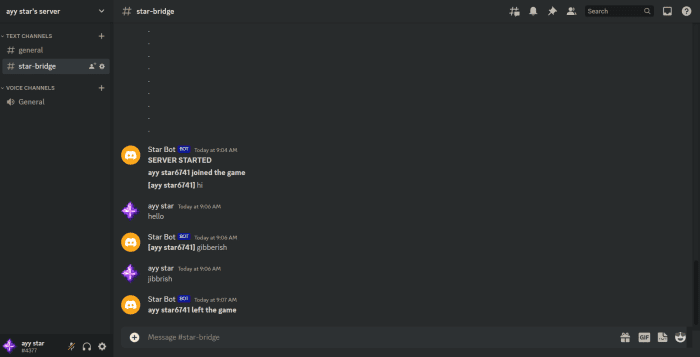
- As you can see, it tells you when the server starts, when a new player joins the game, or when a player leaves the game along with the chat bridge itself.
Requirements:
- This addon can only be used on a Bedrock Dedicated Server or BDS with open ports so you definitely need one of those.
- You need to have the “Beta APIs” experiment enabled to use this addon.
Note:
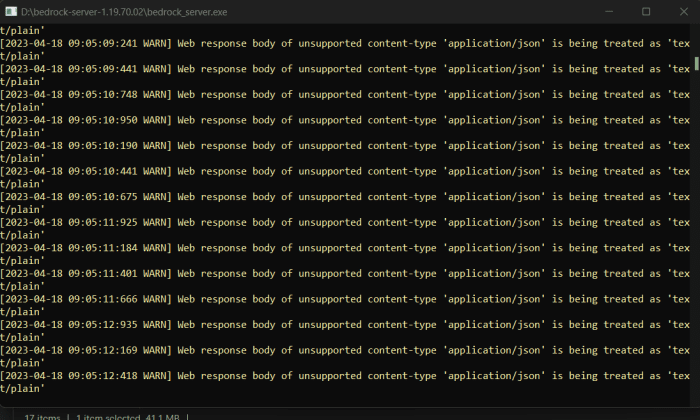
- This addon also has a downside, the BDS console is spammed with warns as shown below:
- But this is just a bug and this warning means nothing and you can use any commands just fine.
Installation:
- First, you need to open your server’s world in normal Minecraft.
- Now apply the provided behavior pack to this world.
- Now put this world back in the server.
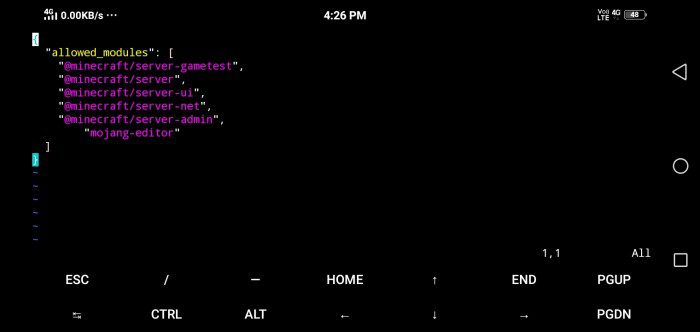
- Now, open the “~/config/default/permissions.json” file and edit it so it looks exactly like below:
- Now, create a discord bot (watch a YouTube tutorial if you don’t know how to).
- Make sure that “Message Content Intent” is enabled for your bot.
- Copy the bot’s token and paste it inside the double quotes at “const token = “”; line inside the “~/worlds/your-world/behavior_packs/StarBridge/scripts/bridge.js” file.
- Now, invite the bot to your server.
- Now, copy the ID of the channel which you want to bridge to Minecraft chat and paste it inside double quotes at “const channel_ID = “”;” line in the same file where you put the bot token.
- Now launch your server and it should be working!
Star Bridge Addon Download Links
For Minecraft PE/Bedrock 1.20
mcpack: Download from server 1 – Download from server 2
Quick facts
- Edition: Minecraft Bedrock
- File type: .mcpack or .mcaddon
- Minecraft version listed: 1.20
- How to install: Download the .mcpack or .mcaddon file. → Open it — Minecraft imports it. → In your world: Behavior Packs → Available → Activate, then the same under Resource Packs.
- Where to get it: In MCModsHub, or directly above on this page.
Install steps are the general flow for this file type — How to install Minecraft Bedrock addons & mods walks through it step by step.
Verified by MCModsHub
- Pack type: .mcpack — a single pack
- Manifest requires Minecraft 1.20.0 or newer
- Needs Beta APIs switched on in the world settings
- Complete pack — everything it depends on is inside the file
- Download link checked 17 Jun 2026 — working
- Mirrored on our own servers — the download does not depend on the original host
These come from our own check of the pack file, not from the source page.