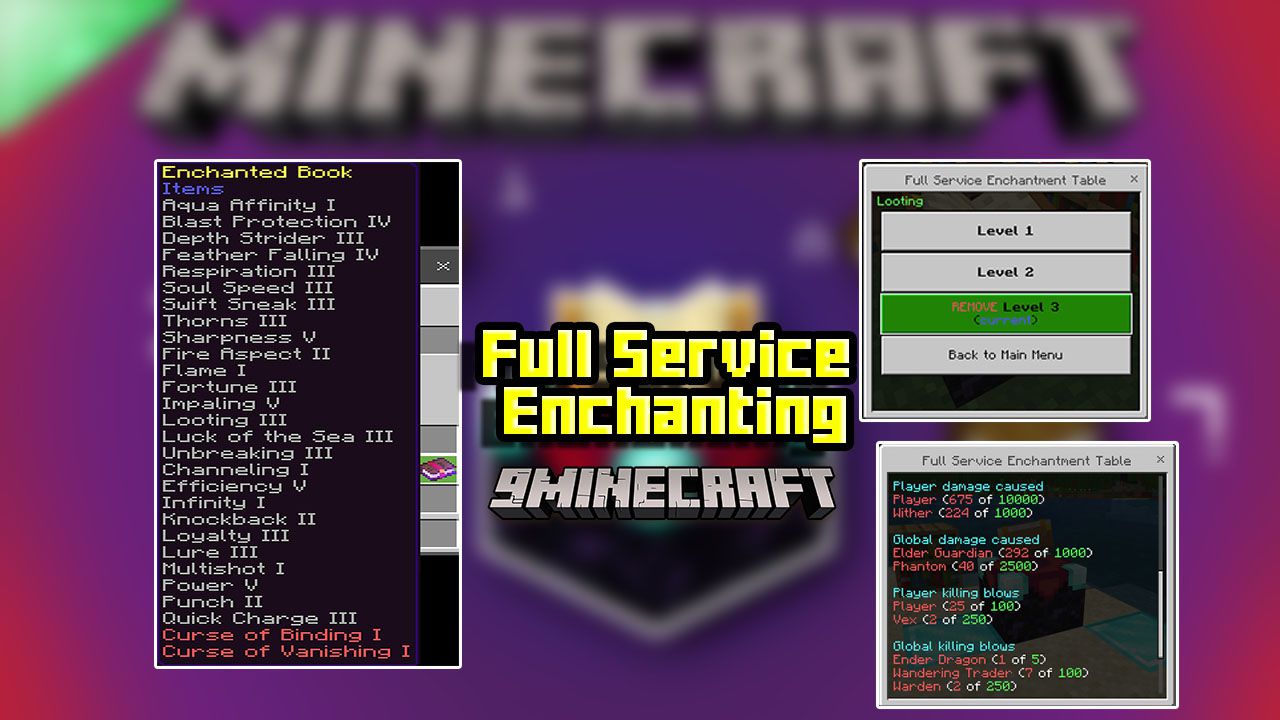
Full Service Enchanting Addon (1.19) – MCPE/Bedrock Mod
The future of enchanting is here! With this enchanting table upgrade, you can add enchantments to all your gear, without having to roll the right RNG…
⬇ DownloadOpen in MCModsHubGet it on Google Play →The future of enchanting is here! With this enchanting table upgrade, you can add enchantments to all your gear, without having to roll the right RNG. What … how is that “full service” you ask? How about instead of using the grindstone, which forces you to remove all the good and bad enchantments, you are now able to remove any specific enchantment individually? Still not good enough to be called full service? Check out the rest of the features that Full Service Enchanting Addon provides and see if that changes your mind!
Features:
- This addon overrides the vanilla enchantment table to provide several quality-of-life improvements as well as gives access to features that are not in the vanilla game.
- Instead of the normal enchantment table user interface, when the table is interacted with, there are now custom menus that provide a wide range of options for the player.
- This addon is intended to be as minimalistic and non-intrusive as possible, so it is all contained in a single custom javascript file, which allows for it to work with most other behavior packs as it does not override any vanilla game files.
Latest Updates:
- All of the previous settings that were specific to each difficulty level are now individually configurable, and several other options are now available.
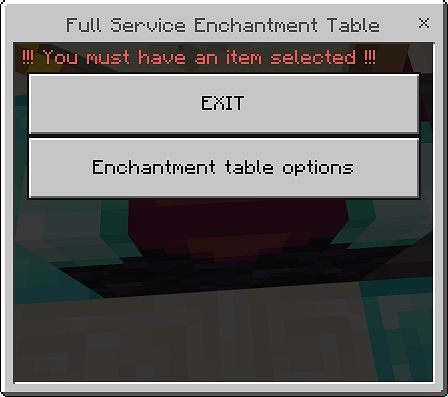
- To change any of the options (player/global/admin) for the table, there is a new menu button labeled, “Enchantment table options,” whenever the table is interacted with.
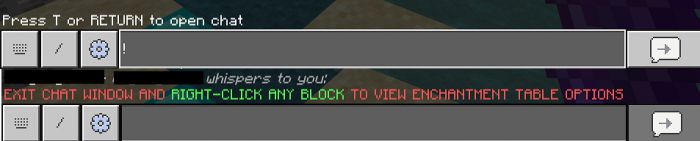
- Additionally, this new menu can also be accessed at any time by entering a single exclamation mark (!) into the chat and then simply right-clicking on any block in the world (or right-clicking the air with an item equipped).
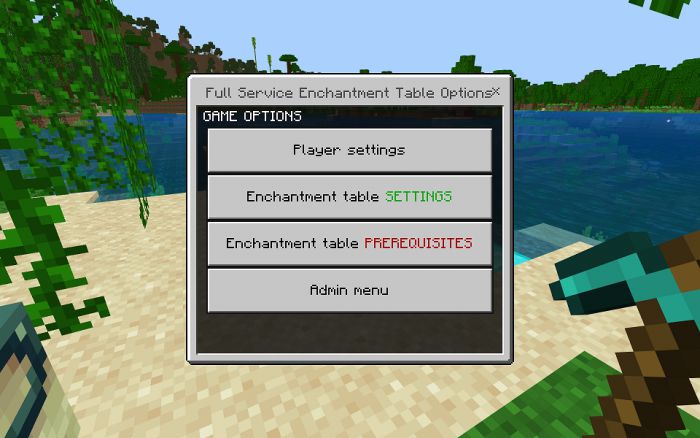
A new pack has been created called “Full_service_enchanting_CUSTOMIZE.mcpack” and requires 1.19.22 or higher.
Changes:
- Consolidated addon difficulty packs into a single pack
- Custom commands (those starting with !) redesigned into the menu UI system
- Added customizable game options
- Added admin role for changing game options
- Added table prerequisite system
- Added Watchdog Timeout catch
- Reworked XP system for level 8 and up
- Enchanted/Golden apples dis/enchanted in a stack
- Misc. bug fixes and optimizations
Consolidated addon difficulty packs into a single pack:
- Previously, there were separate mcpack/zip files for each difficulty setting in the game. All of the settings were set based on the difficulty level (number of bookshelves required, XP levels needed, etc.), and are now individually selectable via the game options.
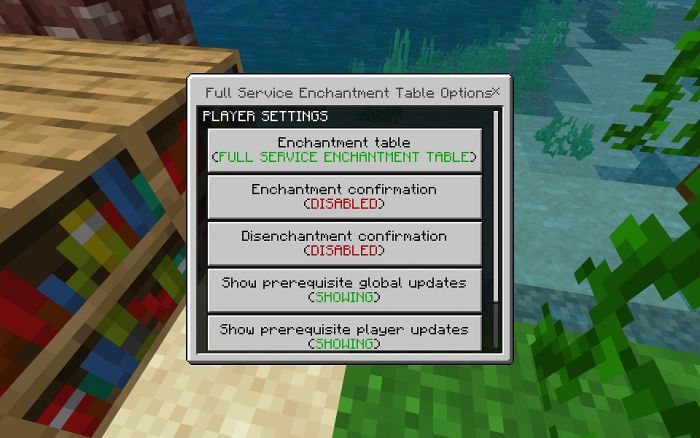
Custom commands (those starting with !) redesigned into the menu UI system:
- Instead of each player changing their specific settings via custom commands, each option can now be changed by selecting it in the menus. The only custom command available now is a single exclamation point (!), which allows access to the table options menu from anywhere. There are also two new options that work with the new prerequisite system and let each player decide if they wish to receive goal updates.
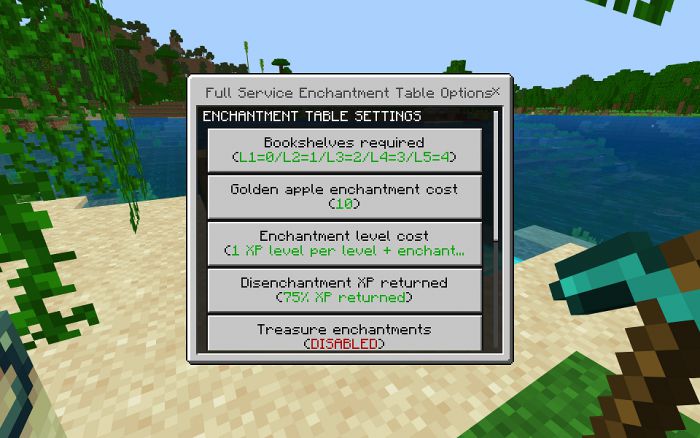
Added customizable game options:
- The following game options are now customizable from the menu:
- Bookshelves required
- Golden apple enchantment cost
- Enchantment level cost
- Disenchantment XP returned
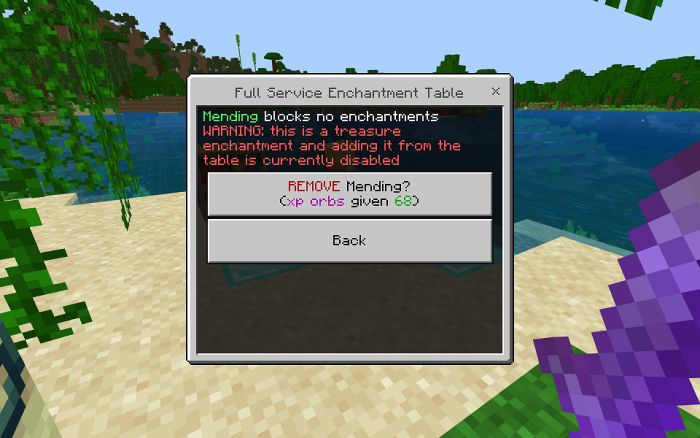
- (NEW)Treasure enchantments allowed (player is given a warning before removing a treasure enchantment)
- (NEW)Golden apple enchantments allowed
- (NEW)Converting XP to orbs allowed (supersedes the w/o mending option)
- (NEW)Converting XP to orbs without requiring the mending enchantment allowed
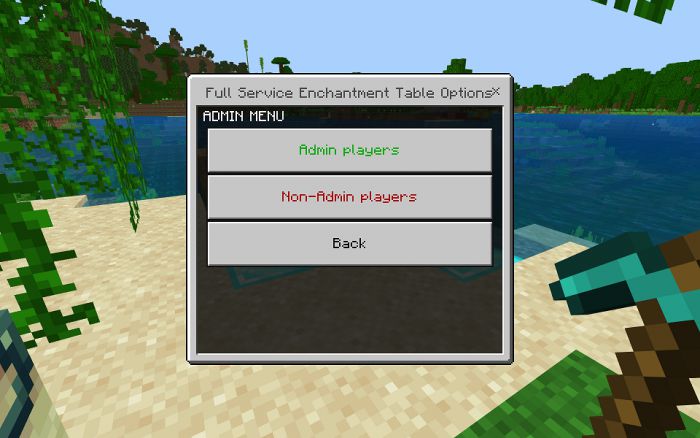
Added admin role for changing game options:
- In order to change any of the game options the player must be designated as an admin (“Player settings” options can be changed regardless). As the API currently does not give access to the player’s operator status, this has been implemented via an “admin” tag. Any player with this tag can change the game options at any time and can add or remove admin status from any other player. To make sure the default game options can be changed without needing a super-user or server commands, the first player to enter the world will get the admin tag assigned to them.
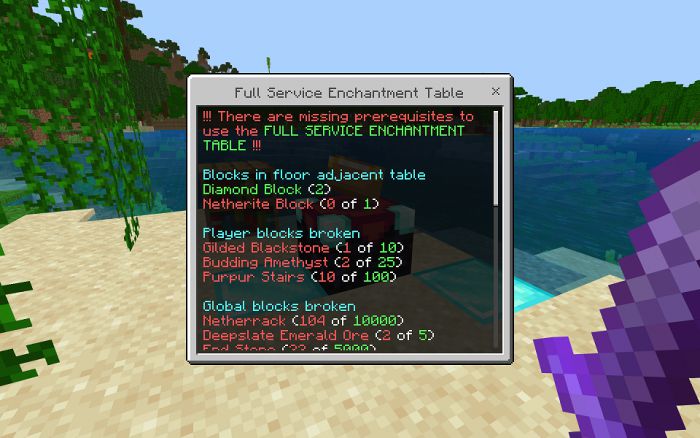
Added table prerequisite system:
- An OPTIONAL prerequisite system has been added, for players that want to work for the “Full-service enchantment table.” This includes options for each specific enchantment table, for each specific player, and for all players communally. These options are:
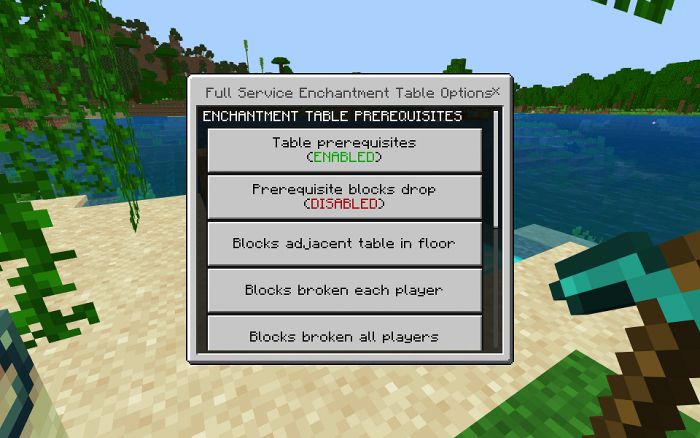
- Enabling/Disabling the table prerequisites (supersedes all other prerequisite options)
- Prerequisite blocks drop (If disabled — when a block is broken and it contributes to a prerequisite goal, the block is immediately removed. This prevents players from placing the block and breaking again for additional goal contribution.)
- Blocks adjacent table in the floor (table specific goal) (Similar to bookshelves, adds the requirement of additional blocks being near the enchantment table. These, however, must be on the floor(one y level below the table), and adjacent to the table. See the following picture for an example of two Diamond Blocks and one Netherite Block.)
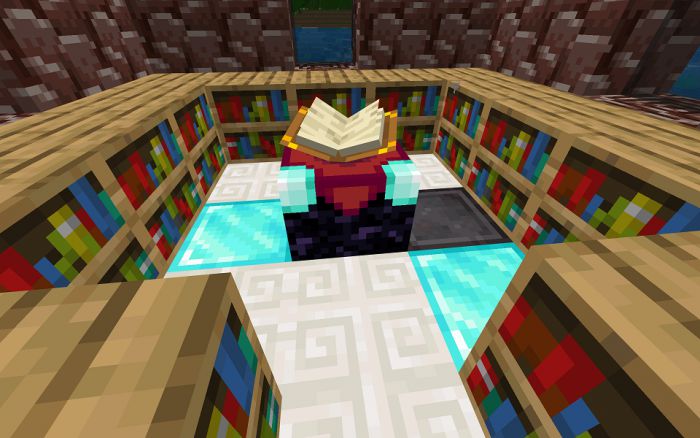
Available options are Diamond Blocks and Netherite Blocks, with a maximum total of 8.
- Blocks broke each player (player-specific goal)Available options are Gilded Blackstone, Budding Amethyst, and Purpur Stairs with a minimum of 0 to a maximum option of 1 million
- Blocks broke all players (all player’s communal goal)Available options are Netherrack, Deepslate Emerald Ore, and End Stone with a minimum of 0 to a maximum option of 1 million
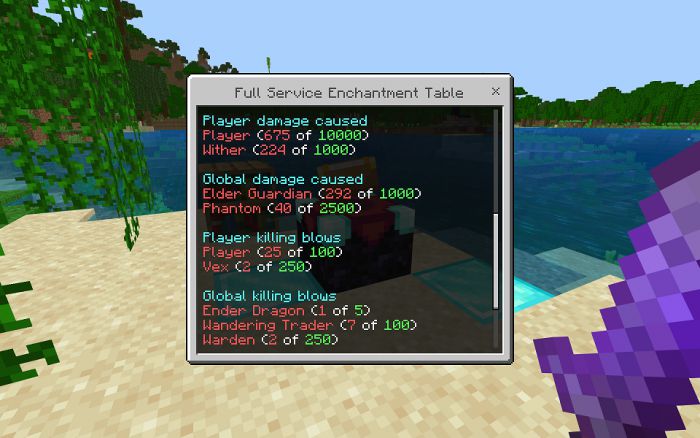
- Entity damage each player (player-specific goal)Available options are to other players and to Withers with a minimum of 0 to a maximum option of 1 million
- Entity damage all players (all player’s communal goal)Available options are to Elder Guardians and Phantoms with a minimum of 0 to a maximum option of 1 million
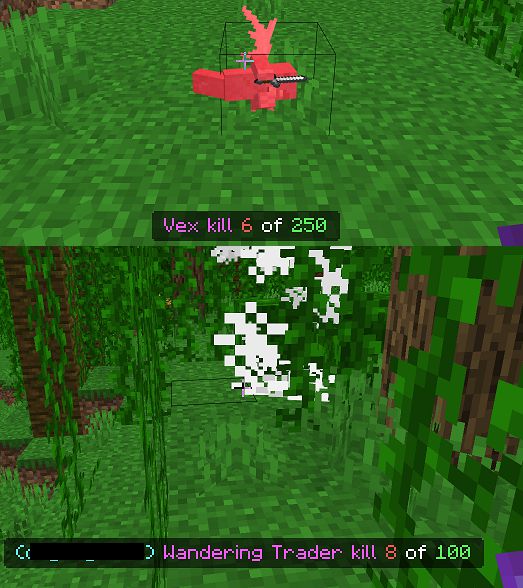
- Entity kills each player (player-specific goal) (only killing blows are counted)Available options are to other players and to Vexes with a minimum of 0 to a maximum option of 1 million
- Entity kill all players (all player’s communal goal) (only killing blows are counted)Available options are to Ender Dragons, Wandering Traders, and Wardens with a minimum of 0 to a maximum option of 1 million
Progress updates on both player and communal goals are displayed in the action bar, but these can also be hidden by each player through the “Player settings” menu option.
Added Watchdog Timeout catch:
- In 1.19.20 a watchdog timeout was added for addons, to stop them from crashing Minecraft if they took too long to perform something. However, this means that the worse your system is, the more likely it is to hit this because things may take longer than normal to complete. Specifically, this was causing some mobile users to not be able to run the pack at all as a single API call to run a command could take too long. The pack now attempts to catch this watchdog timeout and ignore it.
Reworked XP system for levels 8 and up:
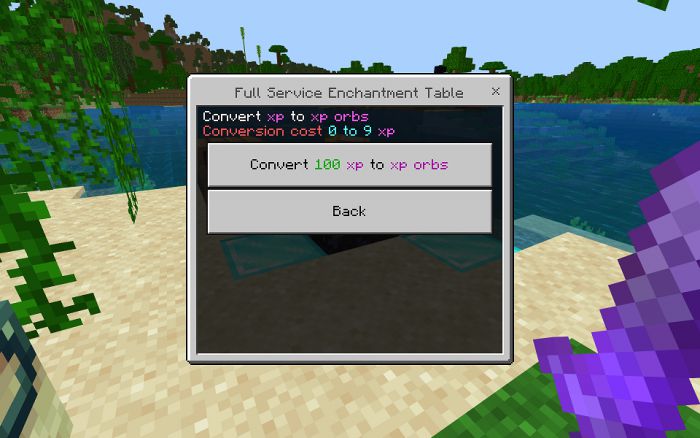
- Because there currently is no easy way to know how far into a level the player is, and you can only subtract full levels not single xp (you can add both single xp and levels), to calculate experience with 100% accuracy there was a lot of overhead calls/manipulation that had to take place … and this would get worse the higher the level of the player. To avoid this, the XP system was reworked for players level 8 and up, and while it is still very close to the actual values, but there is now a small amount of XP that may be lost when converting and there is no longer menu feedback on what the player’s level would be when potentially changing the current enchantment level to a different level.
Enchanted/Golden apples dis/enchanted in a stack:
- The restriction of enchanting Golden Apples to Enchanted Golden Apples and visa versa as a single item has been removed. Whatever the size of the apple stack is (1 to 64), that is used on the table, can now be converted.
Original Pack Info:
- The following information is for the original release of this addon pack. As such, if you are using the “Customize” version, many of the features are still as described but may now look different, be in a different location, or may not be available if they are disabled in the game configuration.
Features:
Add enchantments – Enchantments are added individually by spending experience levels.
Remove enchantments – Enchantments are removed individually and experience is awarded.
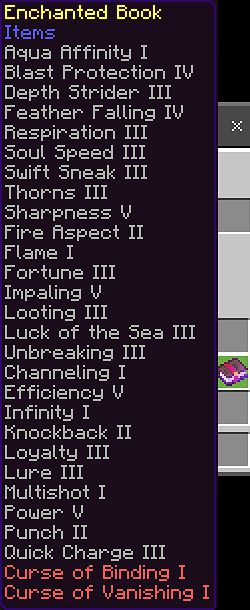
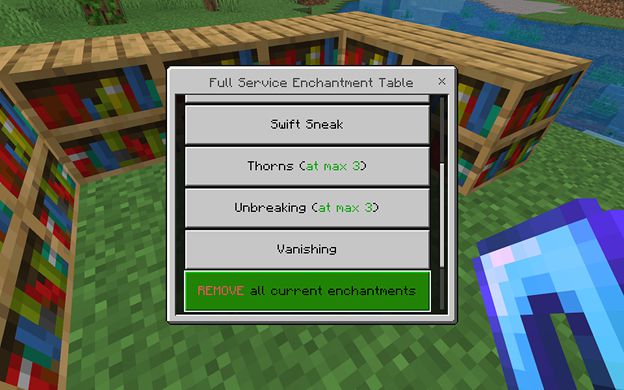
Treasure enchantments – The table is not limited to the standard table enchantments only, but any enchantment in the game can be added/removed. (Binding, Swift Sneak, Soul Speed, etc.)
Remove all enchantments – Similar to the grindstone, all enchantments can be removed at once, with experience awarded.
Review current enchantments – Any enchantment on the item can be reviewed to see if it is blocking another enchantment from being added.
Repair item – Experience can be used to repair the item, if the item has the mending enchantment.
Enchanted Golden Apples – A Golden Apple, plus experience levels, can be traded for an Enchanted Golden Apple. An Enchanted Golden Apple can also be downgraded for a Golden Apple and experience awarded.
Non-standard item enchantment – Other items that are usually only enchantable via an anvil can be enchanted. (Carved Pumpkin, mob heads, etc.)
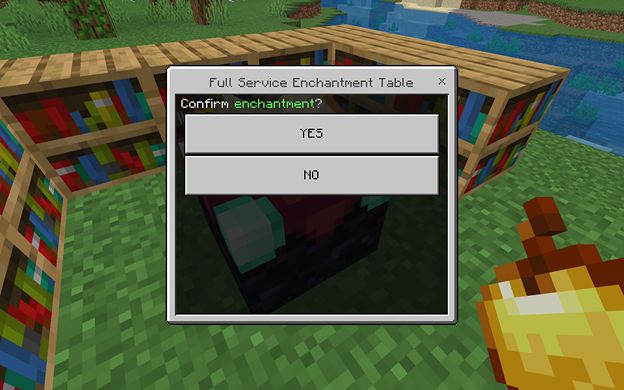
Player specific menu confirmation – The menu can be set to require an extra confirmation check before adding or removing enchantments to items.
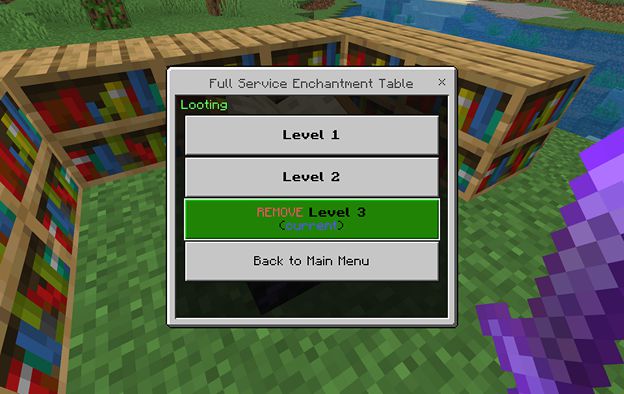
Add Enchantment:
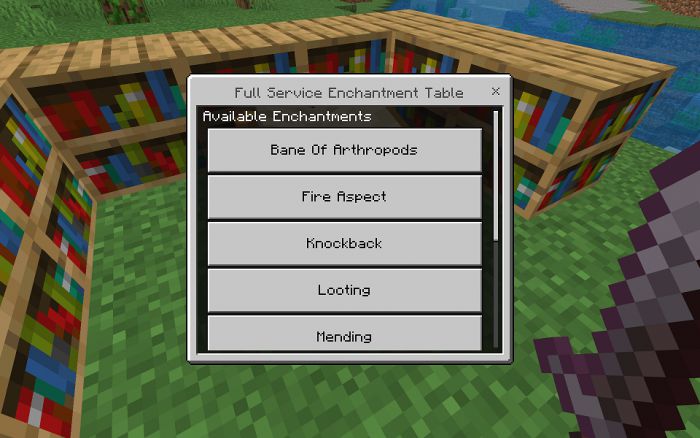
To add an enchantment, use the item on the enchantment table.
Scroll through the list of available enchantments for that item and select the enchantment you want to add.
Select the enchantment level you want from the list of choices.
Remove Enchantment:
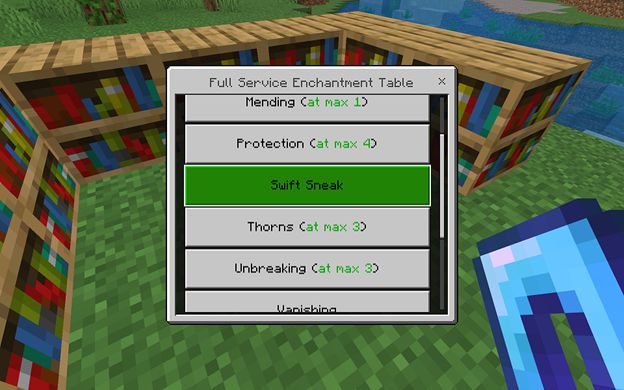
To remove an enchantment, use the item on the enchantment table.
Scroll through the list of available enchantments for that item and select the enchantment you want to remove.
Select the enchantment level you currently have from the list of choices.
Treasure Enchantments:
All treasure enchantments can be added (or removed) the same as all non-treasure enchantments.
Remove All Enchantments:
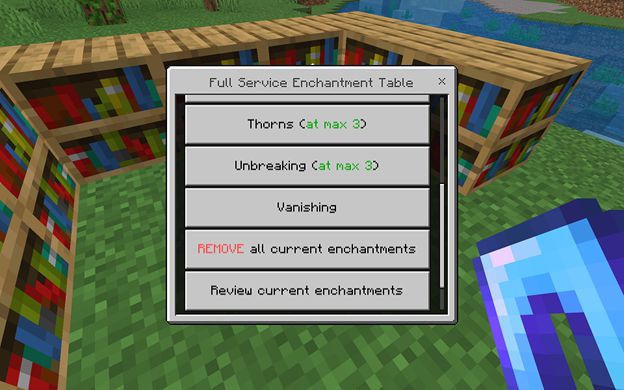
To remove all enchantments, use the item on the enchantment table.
Scroll down past the list of available enchantments for that item and select the “Remove all enchantments” option.
To ensure this is not accidentally selected, this option always requires confirmation before being performed.
Review Current Enchantments:
To review any enchantment on the item, use the item on the enchantment table.
Scroll down the list past until you see the “Review enchantments” option and select it.
Select the enchantment you want to review from the list of choices.
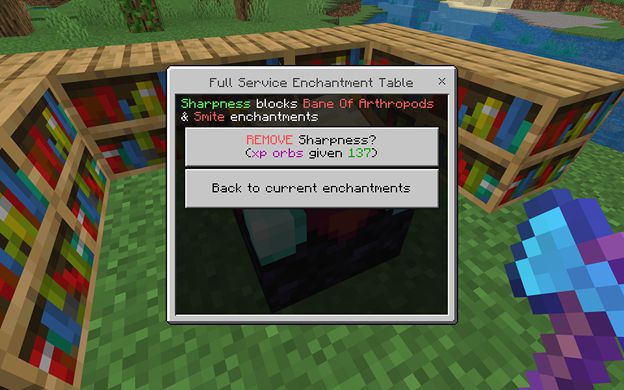
The final menu will give you a list of other enchantments that this enchantment is blocking and also gives the option of removing the enchantment.
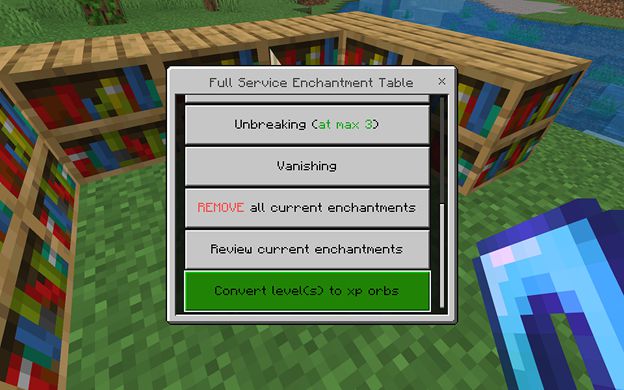
Repair Item:
- NOTE 1: The item must have the mending enchantment, or this option will not be shown.
- NOTE 2: The API does not currently allow access to the item’s durability component. So, for now, the player’s current experience is converted into XP Orbs, which are summoned by the player.
- NOTE 3: Since the XP Orbs are summoned into the world, these can be picked up by other players.
To repair an item, use the item on the enchantment table.
Scroll down the list past until you see the “Convert levels to XP orbs” option and select it.
Select the amount of XP you want to convert. (currently limited to 100 at a time, so as not to bog down the game)
Enchanted Golden Apples:
- To create an Enchanted Golden Apple, use a Golden Apple on the enchantment table.
- Visa versa, to disenchant it back to a Golden Apple, use the Enchanted Golden Apple on the enchantment table.
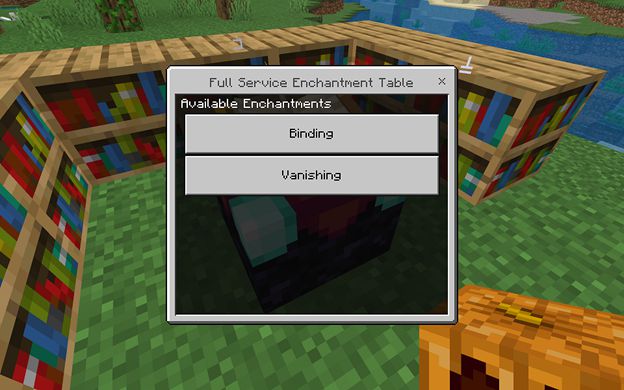
Non-standard item Enchantment:
NOTE 1: Non-standard items do not have many enchantments that can be applied.
To enchant a non-standard item, use it on the enchantment table the same as you would any other item.
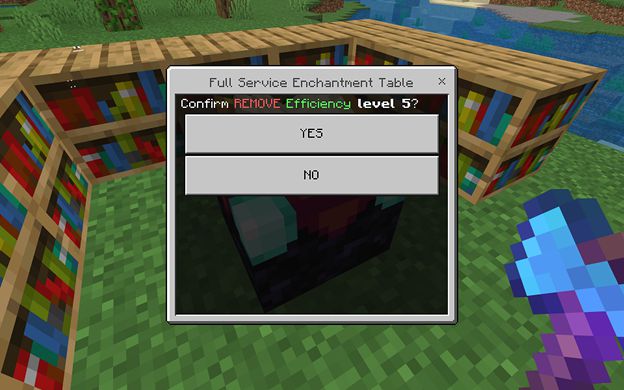
Player-Specific Menu Confirmation:
ATTENTION: This is not available in the “mobile” friendly versions of the pack.
- NOTE 1: To make sure the selected option is what was intended, the player can choice to enable a confirmation menu, which will require the player to confirm that they did indeed wish to add or remove an enchantment.
- NOTE 2: This is specific to each individual player, so each player must set this themselves if they want it on.
- NOTE 3: By default, this option is disabled.
- NOTE 4: By default, the enchantment table is full service, but each player can switch back and forth between it and the vanilla table.
To enable/disable the additional confirmation menu, the player must enter a command into the chat window.
To do this, first, open the chat window (the default is the “T” or “Enter” keys).
Then enter the following command exactly as it is shown below.
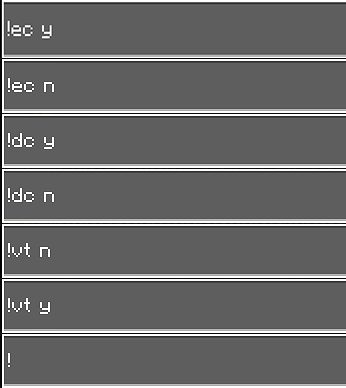
NOTE: These commands do not use the leading forward slash that vanilla commands do.
Enable Add Enchantment Confirmation Menu
- !ec y
Disable Add Enchantment Confirmation Menu
- !ec n
Enable Remove Enchantment Confirmation Menu
- !dc y
Disable Remove Enchantment Confirmation Menu
- !dc n
Enable Full-Service Enchantment Table
- !vt n
Enable Vanilla Enchantment Table
- !vt y

Check the current settings:
Installation Note:
- GameTest Framework must be enabled and, since this is a behavior pack, achievements cannot be earned with this addon.
- This pack uses only a single custom .js file. So, it is highly likely that it will work with other addons, as it does not override any vanilla behavior files (like player.json).
Pack variations:
- Creative – All enchanting options are available for free, but no XP points are returned when disenchanting.
- Cheap – All enchanting options are available for 1 XP level, 90% XP points are returned when disenchanting, and enchanting a Golden Apple costs 5 XP levels.
- Easy – All enchanting options are available for 1 XP level per specific enchantment level, 75% XP points are returned when disenchanting, and enchanting a Golden Apple costs 10 XP levels.
- Normal – All enchanting options are available for 1 XP level per specific enchantment level plus the level total of all other current enchantments on the item, 50% XP points are returned when disenchanting, enchanting a Golden Apple costs 25 XP levels, and each specific enchantment level becomes available for one bookshelf each. (i.e., level 1 requires no bookshelves, level 2 requires 1 bookshelf, level 3 requires 2 bookshelves, etc.)
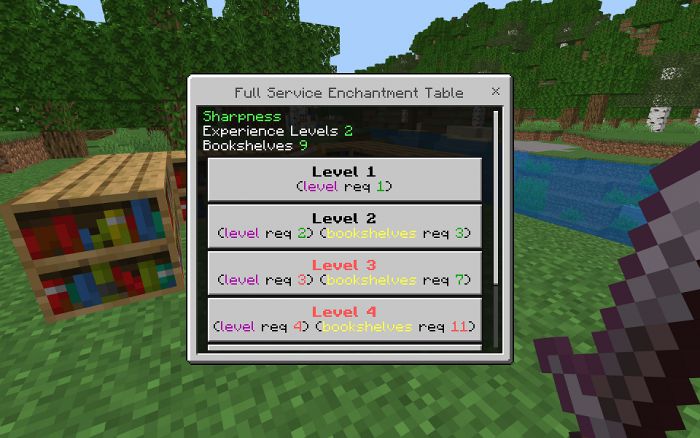
- Hard – All enchanting options are available for 1 XP level per specific enchantment level plus the level total of all other current enchantments on the item, 25% XP points are returned when disenchanting, enchanting a Golden Apple costs 50 XP levels, and each specific enchantment level becomes available for multiple bookshelves each. (i.e., level 1 requires no bookshelves, level 2 requires 3 bookshelves, level 3 requires 7 bookshelves, level 4 requires 11 bookshelves, and level 5 requires 15 bookshelves)
Full Service Enchanting Addon Download Links
For Minecraft PE/Bedrock 1.19
CUSTOMIZE.mcpack: Download from server 1 – Download from server 2
CUSTOMIZE.zip: Download from server 1 – Download from server 2
CHEAP_mobile.mcpack: Download from server 1 – Download from server 2
CHEAP_mobile.zip: Download from server 1 – Download from server 2
CREATIVE_Mobile.mcpack: Download from server 1 – Download from server 2
CREATIVE_Mobile.zip: Download from server 1 – Download from server 2
EASY_Mobile.mcpack : Download from server 1 – Download from server 2
EASY_Mobile.zip: Download from server 1 – Download from server 2
HARD_Mobile.mcpack: Download from server 1 – Download from server 2
HARD_Mobile.zip: Download from server 1 – Download from server 2
NORMAL_Mobile.mcpack: Download from server 1 – Download from server 2
NORMAL_Mobile.zip: Download from server 1 – Download from server 2
CHEAP.mcpack: Download from server 1 – Download from server 2
CHEAP.zip: Download from server 1 – Download from server 2
CREATIVE.mcpack: Download from server 1 – Download from server 2
CREATIVE.zip: Download from server 1 – Download from server 2
EASY.mcpack: Download from server 1 – Download from server 2
EASY.zip: Download from server 1 – Download from server 2
HARD.mcpack: Download from server 1 – Download from server 2
HARD.zip: Download from server 1 – Download from server 2
NORMAL.mcpack: Download from server 1 – Download from server 2
NORMAL.zip: Download from server 1 – Download from server 2
- Pack type: .mcaddon — behaviour and resource pack in one file
- Manifest requires Minecraft 1.19.22 or newer
- Ships one half — this pack asks for another pack that is not included
- Download link checked 17 Jun 2026 — working
- Mirrored on our own servers — the download does not depend on the original host
These come from our own check of the pack file, not from the source page.