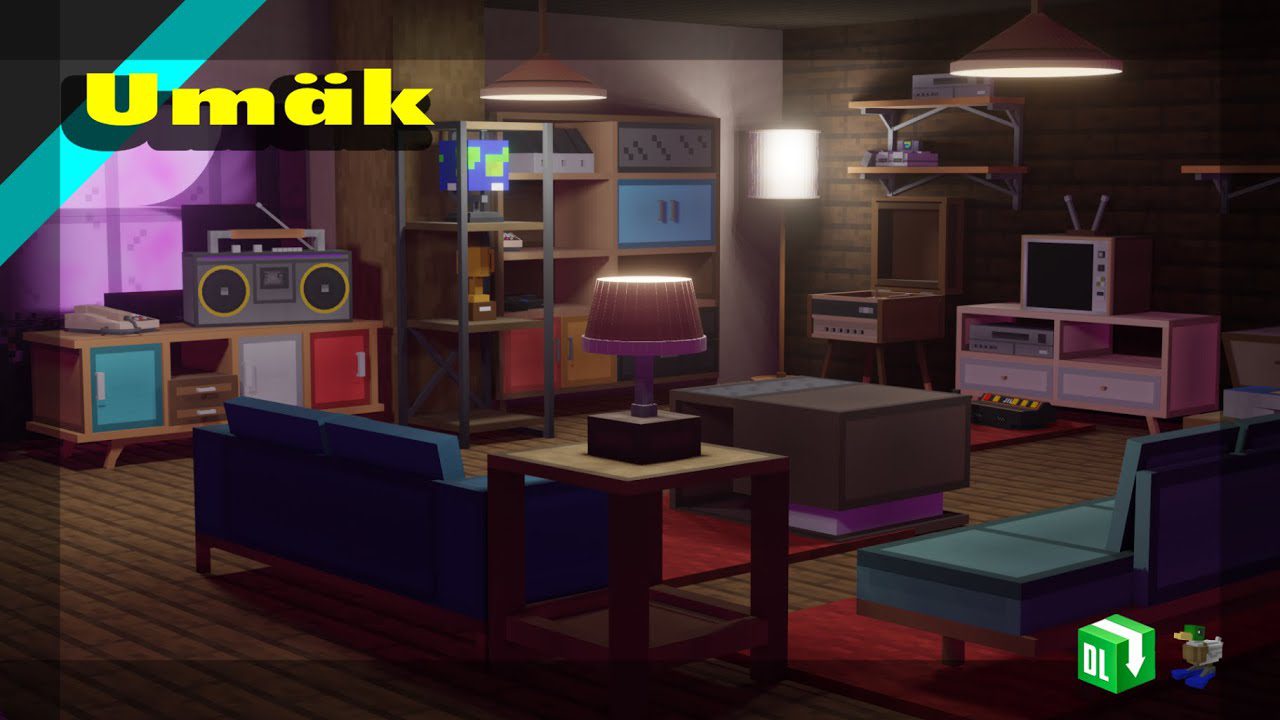
Umäk: Retro Furniture Addon (1.19) – MCPE/Bedrock Mod
After more than a year or so, Umäk is back. Umäk: Retro Furniture Addon comes this time with better textures and models, better functionality, is actually…
⬇ DownloadOpen in MCModsHubGet it on Google Play →After more than a year or so, Umäk is back. Umäk: Retro Furniture Addon comes this time with better textures and models, better functionality, is actually obtainable in survival, and just better optimized. And as for them being obtainable in survival, the author decided to make them possible by not your typical custom crafting recipes. Instead, he decided to add a more, dare to say, “interesting” way of getting them (mainly just because I’m too lazy to think of crafting recipes – a 3×3 grid doesn’t give you much room for creativity).
Features:
About Project
- Most of the furniture in this pack was originally made as props for me to make a render in the 3D software, Blender, as the developer has been trying to learn Blender lately. Thought they actually looked quite good so why not add them into MCPE as a pack? As for whether this addon will be updated, that depends on the demand as he prefers making car projects/addons as he just, like cars. Though if you’ll enjoy/actually like the concept of this pack then he’ll continue adding more stuff.
Addon details
- A block edition of this furniture pack is now available! Of course, however, since custom blocks are still a Minecraft Experimental Feature, the block version will require you to turn on certain Experimental Features in a world. (More about this will be explained further down in the “B) Block Version” section).
- For those who have a phobia of turning on experimental mode (like me), you can still get this furniture pack in entity form.
- Essentially there are 2 versions of this pack, both of which have their own advantages and disadvantages.
Preview of furniture
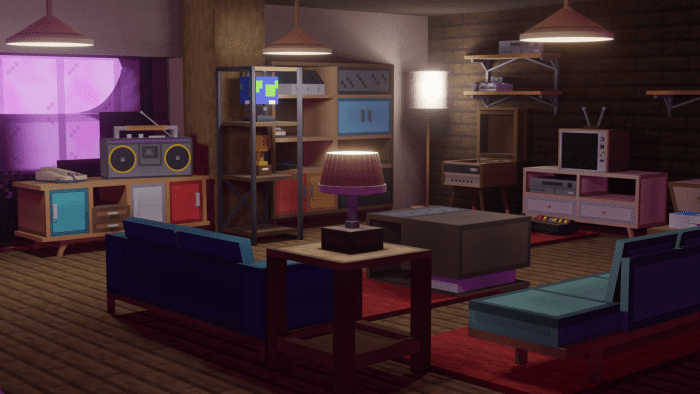
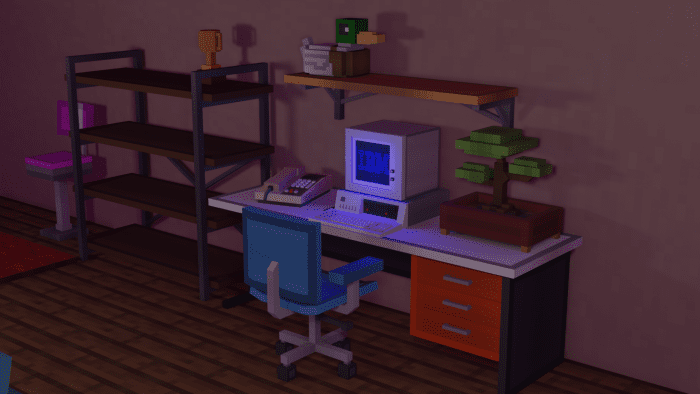
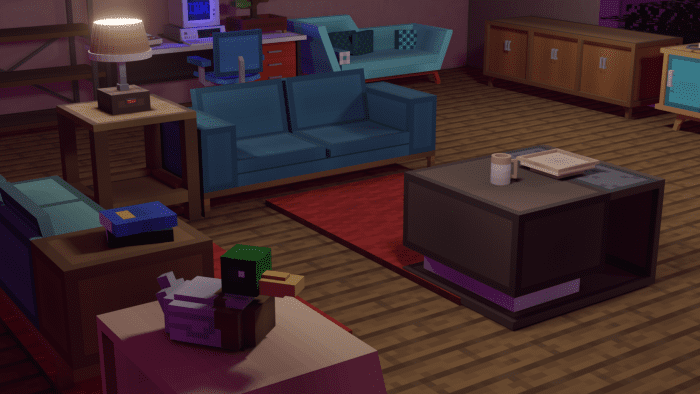
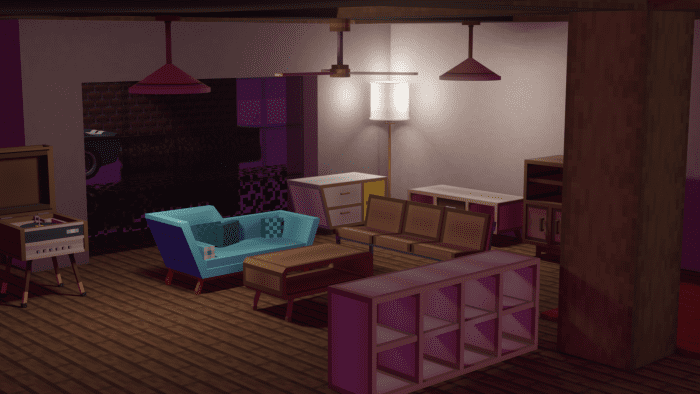
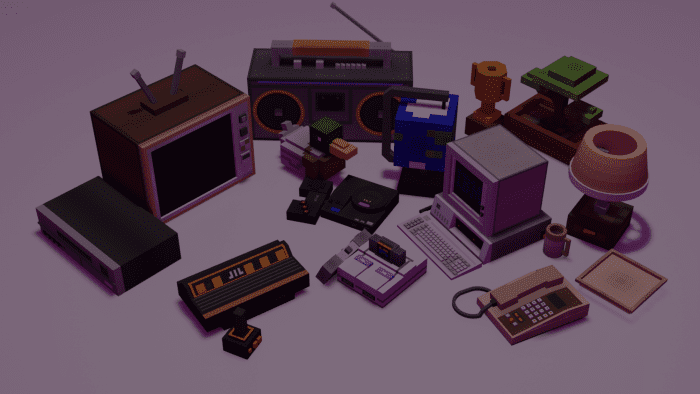
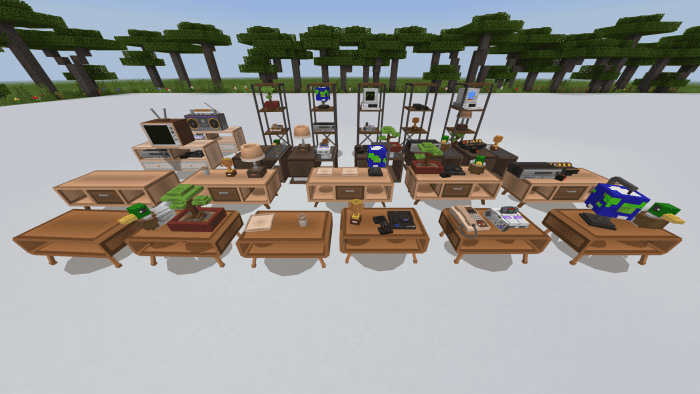
Here are a few pictures of the furniture and accessories set together, followed by a list of all the furniture and accessories.
Categories and list of included furniture pieces
List of Furniture (29 pieces)
Yes very creative with the names.
- -Cabinet 1
- -Cabinet 2
- -Chair 1
- -Chair 2
- -Chair 3
- -Coffeetable 1
- -Coffeetable 2
- -Coffeetable 3
- -Couch 1
- -Couch 2
- -Couch 3
- -Cubeshelf
- -Shelf 1
- -Shelf 2
- -Shelf 3
- -Standlamp
- -Table 1
- -TV Table Mini
- -TV Table Beeg
- -Vinyl Player
- -Single Wallshelf
- -Double Wallshelf
- -Retro Cabinet
- -Ceiling Lamp
- -Display Shelf
- -Officetable
- -Office chair
- -Ceiling Fan
- -Lamp Table
List of Accessories (15 pieces)
- -Atari Flashback 8 Console
- -SEGA Genesis Console
- -Super NES Console
- -VHS Player
- -TV!
- -Boombox
- -Globe (Cube?) Model
- -Trophy
- -Table Lamp
- -Telephone
- -IBM 5150 PC
- -WoodDuck Plush
- -Cup
- -Plate
- -Smol Plant
A. Entity Edition (Does not require Experimental Mode)
- This version contains a total of 45 pieces – (29 pieces of furniture, 15 accessories, and 1 machine).
- “Furniture” in this pack is basically all your couches, chairs, shelves, and other stuff you think of when hearing “furniture”.
- “Accessories” are items/static entities that can be placed on some furniture pieces like tables and shelves. Examples of accessories in this pack are TVs, PCs, game consoles, and many others. All the accessories are listed below in this article
- “Machine” is basically the piece/object you need to craft in order to get all the furniture and accessories if you are in survival. You can also use this as an alternative way of getting them in creative if you don’t wanna search for them in the Creative Menu. More about this is below.
- How to place accessories on furniture pieces (Only for Entity version)
It’s pretty simple.
Step 1: Find the furniture piece that you want to put an accessory on. (Note that only some furniture can hold accessories and not all accessories can be placed on a certain piece of furniture – you can’t put a TV on a coffee table; you can’t put a PC on a chair)
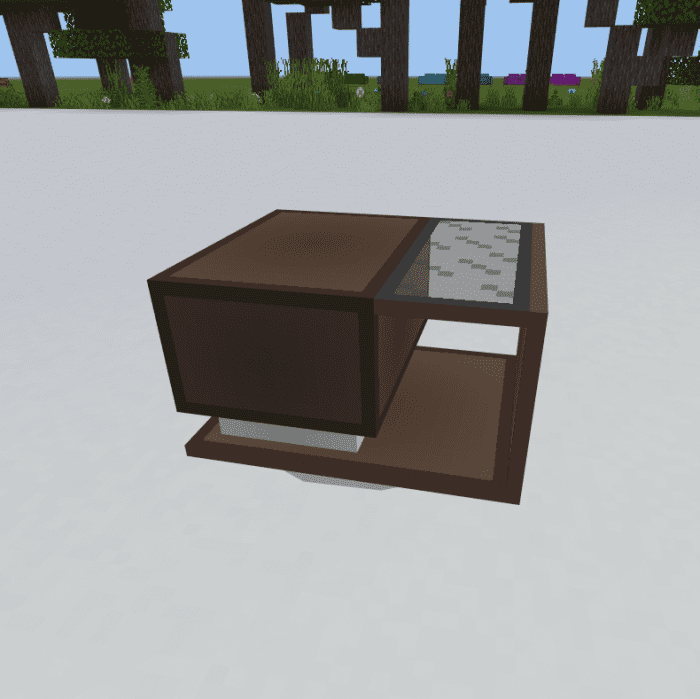
Step 2: Place the accessory on the ground, ideally in front of the furniture.
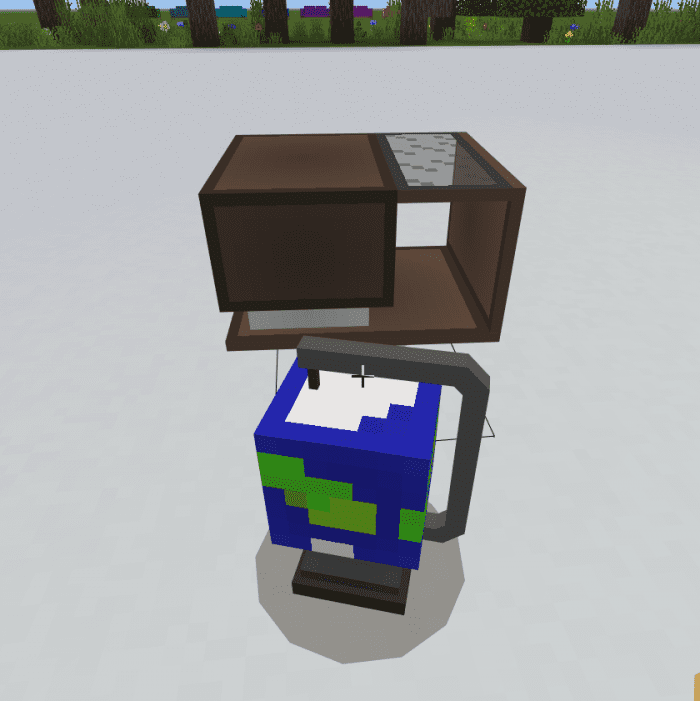
Step 3: Push the accessory towards the furniture piece and it should go on top of the furniture piece.
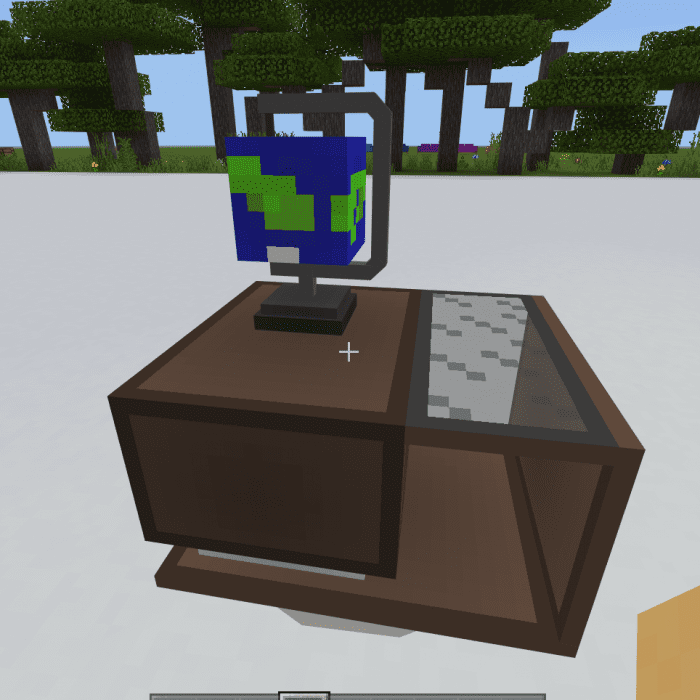
Here’s proof that it can be done with other certain furniture pieces.
How to color chairs (Only for Entity Version)
As of now, there are 2 chairs and 1 couch that can be colored into all 16 Minecraft colors. These are the chairs and couch that can be colored:
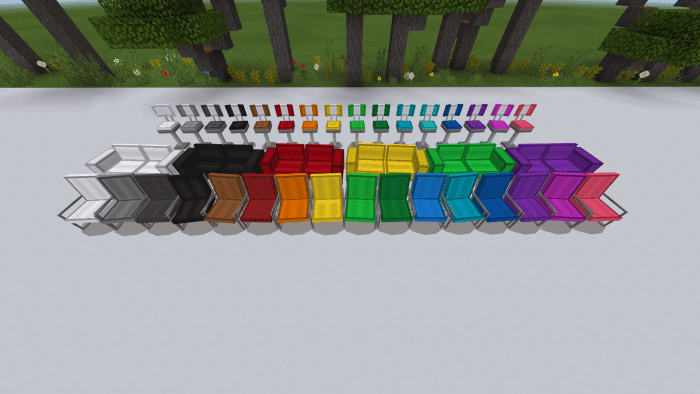
To color them, hold the Minecraft dye you want it to be colored and right-click/hold it. It’s basically like dyeing a sheep!
B. Block Edition (Requires Experimental Mode)
Essentially has all the furniture and accessory pieces in the Entity Version, except the ceiling fan (which will be added later with other new furniture pieces).
- All furniture and accessories (except WoodDuck Plush and Office Chair) are blocks.
- The chairs cannot be colored but instead are completely new blocks as a whole.
i.e. Chair 2 (Black), Chair 2 (Blue), …
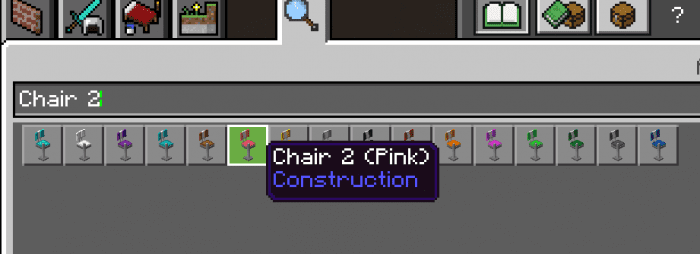
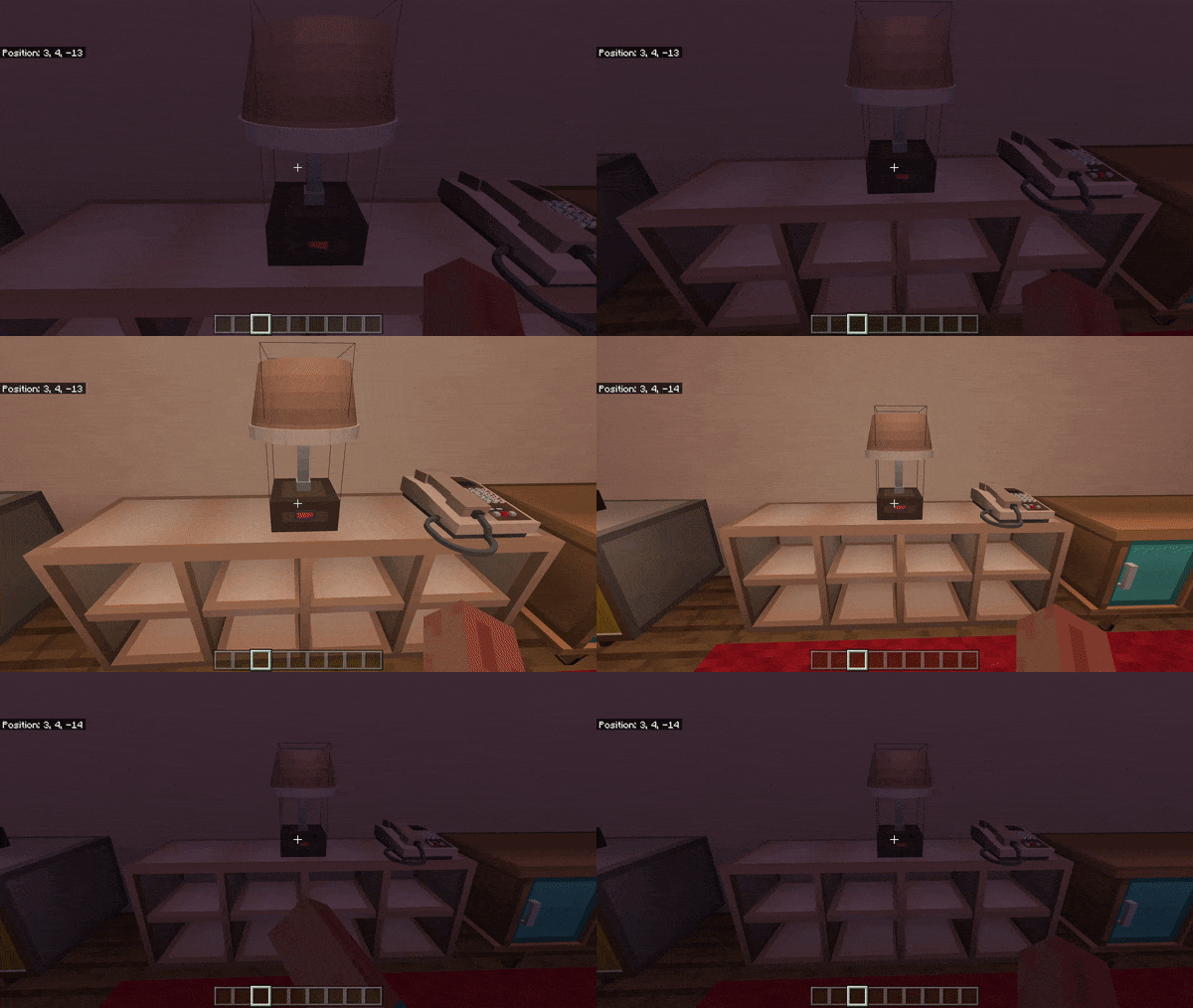
Table Lamps, Stand Lamps and Ceiling Lamps can be turned on and off. Right-click to turn it on and right-click again to turn it off.
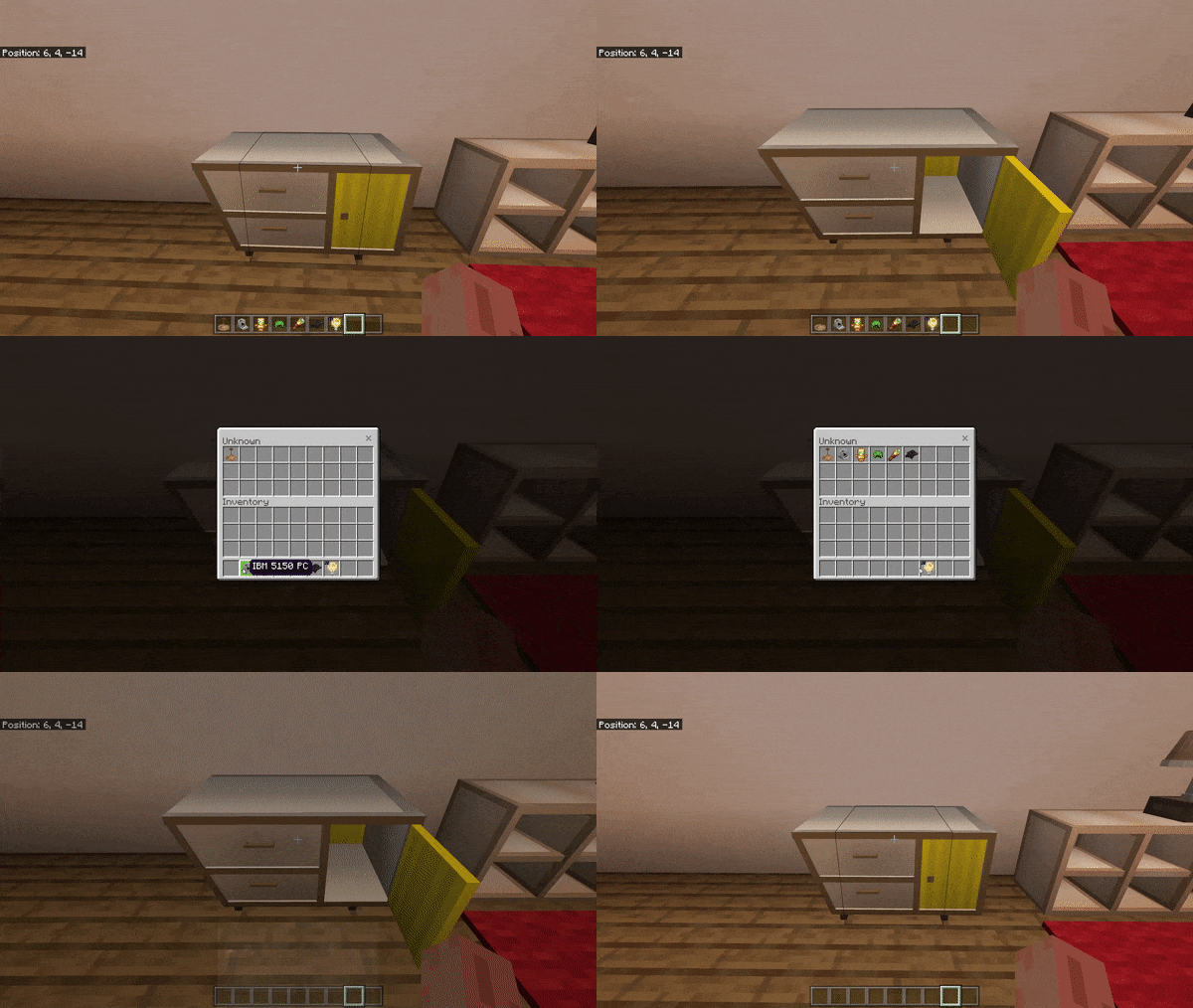
Most furniture pieces that seem to have some sort of cabinet section can be opened. Right-click to open the cabinet and right-click again to store items in it.
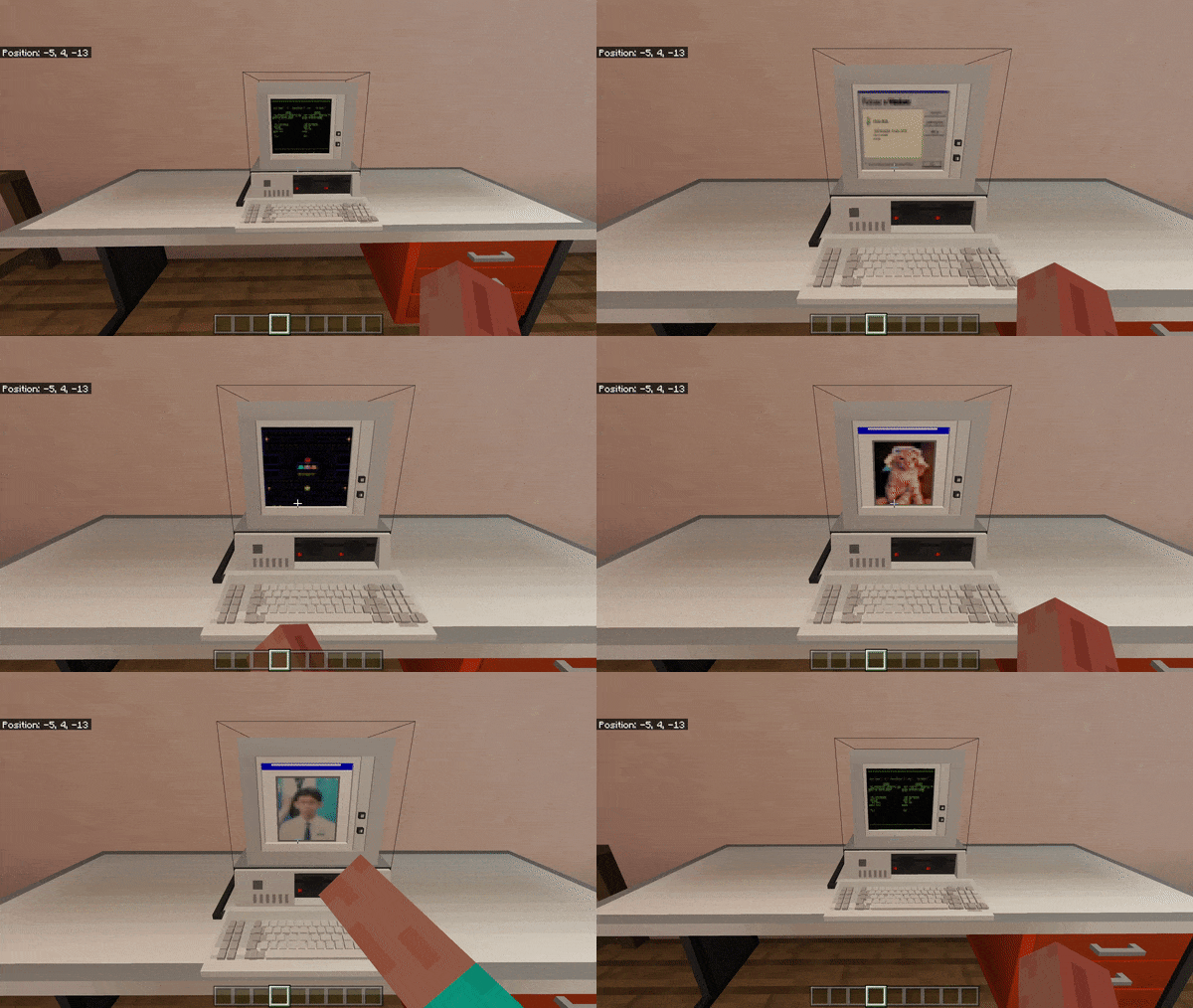
The IBM 5150 PC can be interacted with. Right-click to change screens.
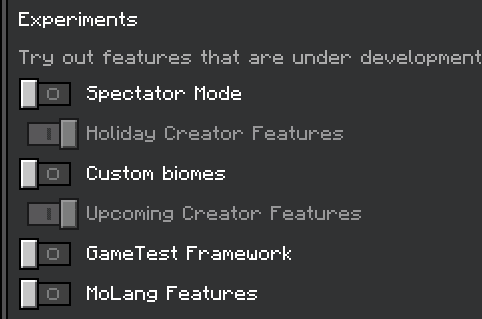
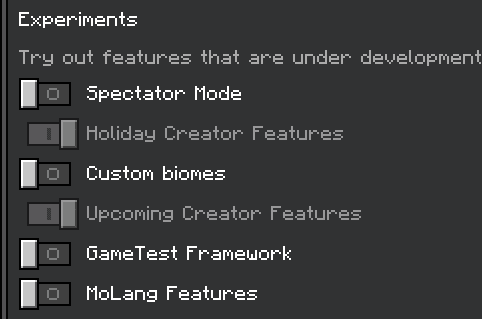
Requires Holiday Creator Features and Upcoming Creator Features to be turned on (Only for Block Version)
How to obtain them / How to get them in survival
Methods of Obtaining
Method 1 (Creative mode):
A. Entity Version
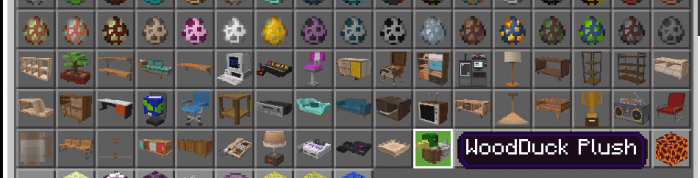
- Get their spawn eggs from the Creative Inventory. They are classified as spawn/mob eggs.
B. Block Version
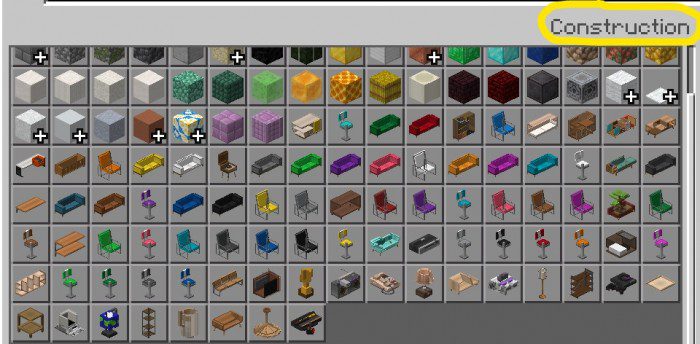
- Get the blocks from the Creative Inventory. They can be found in the “Construction” section of the Creative Inventory.
Method 2 (Survival/creative mode):
- As mentioned above, you can get them in survival. In order to do so, you need to get them using a “machine”. (Works for both Block and Entity Versions.)
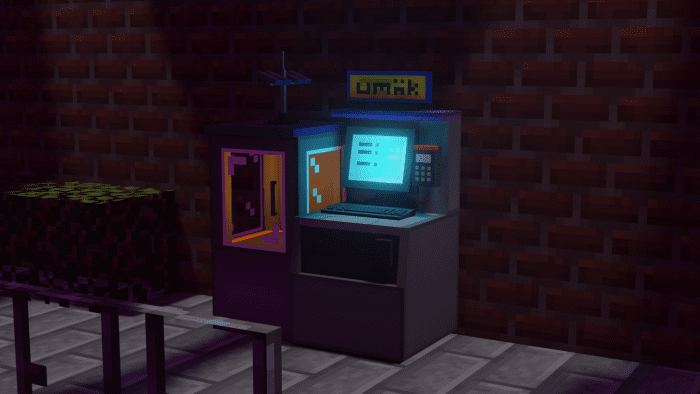
- Introducing UmäkMart! A revolutionary piece of technology that makes purchasing furniture and accessories easier than ever. In order to get your very own UmäkMart, you need to craft it first.
Here’s the crafting recipe:
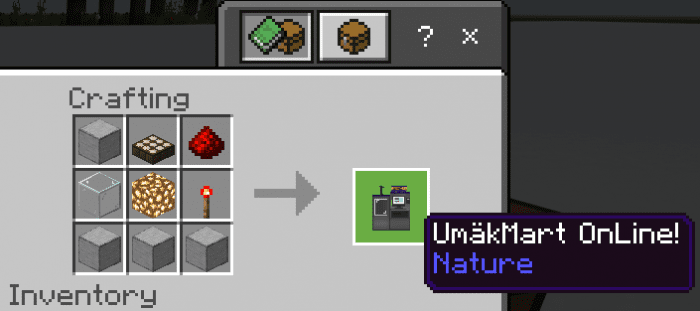
Once, you’ve crafted it, right-click/hold the keyboard to check out the catalog of furniture and accessories that you can buy.
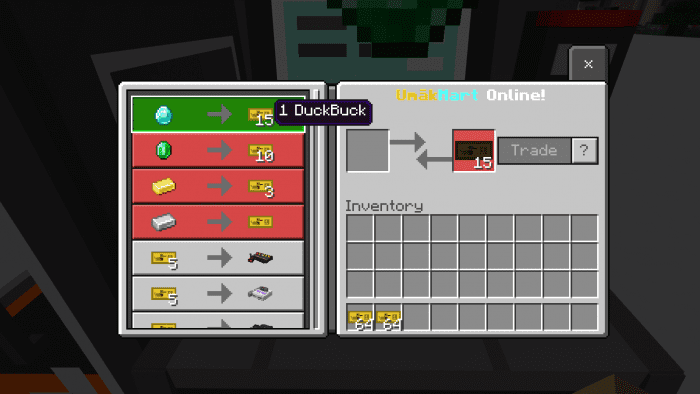
The currency used is “DuckBuck”. You can get them by converting emeralds, diamonds, gold, or iron.
You can also change the direction of where the UmäkMart is facing (either North, South, East, or West) by using any type of pickaxe.
Installation
How to get the pack to work (IMPORTANT) (Block Edition ONLY)
- 1. As of Minecraft update 1.19.0, this addon requires the Holiday Creator Features & Upcoming Creator Features (Experimental Mode) to be turned on in order to work! This requirement however will most likely not be required in upcoming updates by Mojang. Will update this post once the update comes.
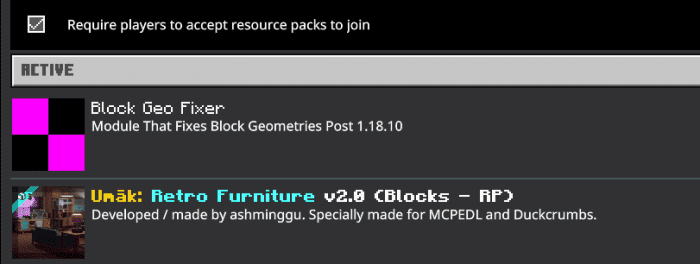
- 2. Due to Mojang being Mojang, custom blocks are a bit problematic nowadays. To ensure the pack works right, make sure to also apply the “Block Geo Fixer” module pack to your world. Make sure it is placed above the main resource pack in the addon order. The “Block Geo Fixer” module pack is already included in the download file .mcaddon. (For the Block version ONLY)
Umäk: Retro Furniture Addon Download Links
For Minecraft PE/Bedrock 1.19
Entity Edition: Download from Server 1
Blocks Edition: Download from Server 1
Block Geo Fixer Addon (Required for Blocks version)
- Pack type: .mcaddon — behaviour and resource pack in one file
- Manifest requires Minecraft 1.13.0 or newer
- Complete pack — everything it depends on is inside the file
- Download link checked 17 Jun 2026 — working
- Mirrored on our own servers — the download does not depend on the original host
These come from our own check of the pack file, not from the source page.