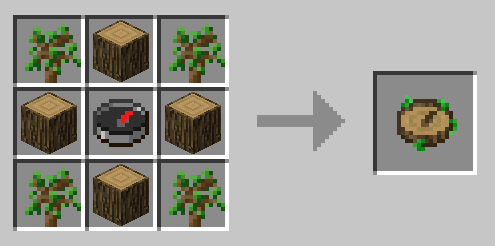
A compass that shows biomes, helping to locate biomes in Minecraft. Nature’s Compass Mod adds one compass that will point you to biomes. For example, if you need to find a snowy area but don’t know where the snowy biome is, simply use this compass, and it will guide you to the biome you are looking for. How to operate the compass: Holding the compass in your hand, press RMB (Right Mouse Button). A special menu will appear. It’s simple: find the biome you need, click on it, and then press the ‘Search’ button.
Features:
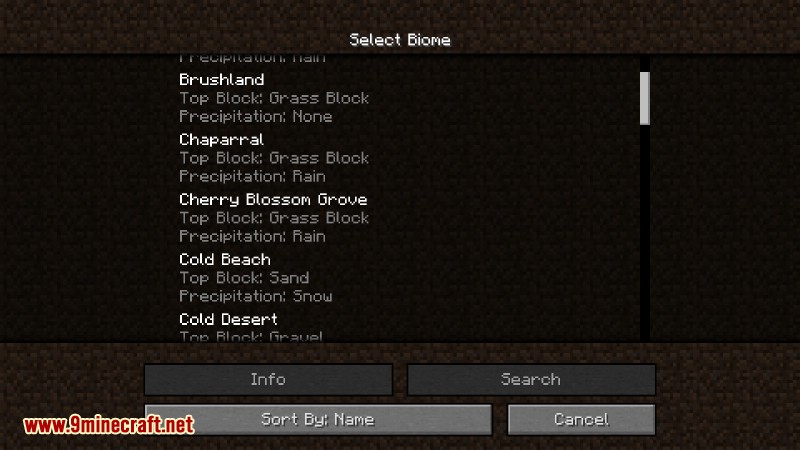
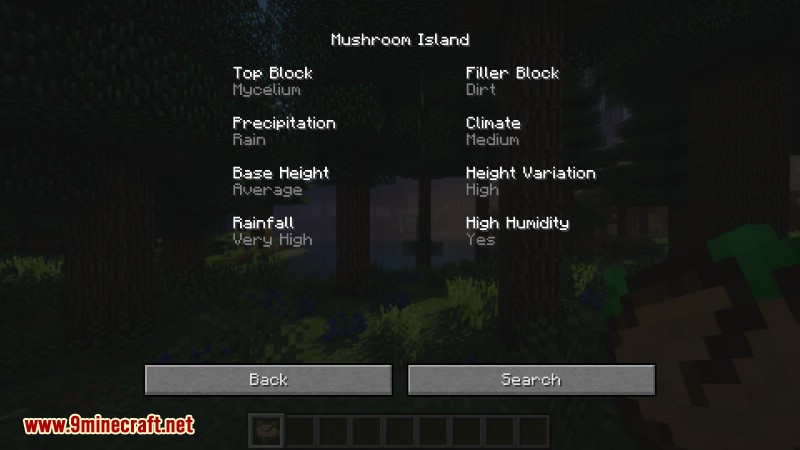
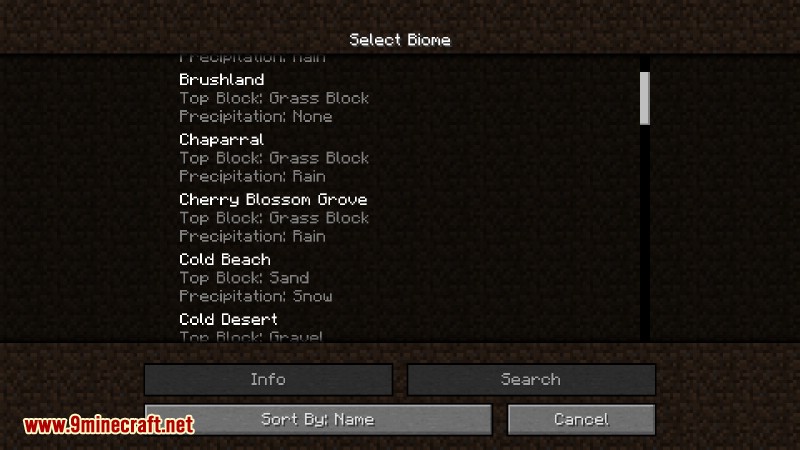
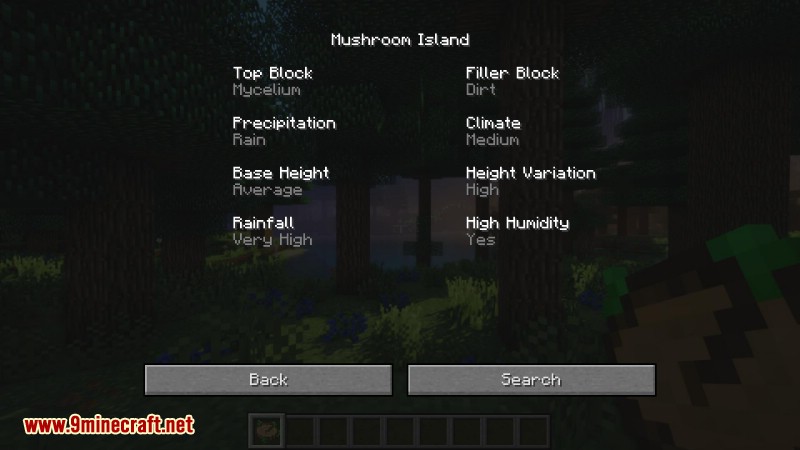
- Right-clicking with Nature’s Compass in hand will open the biome selection GUI, from which you can search for a biome or view information about it.
- Shift-right-clicking will reset the compass’s state.
- When the compass is not pointing at a biome, it will point at the world spawn.
- The compass supports all registered biomes, both vanilla and modded.
- Sample space and maximum search distance can be adjusted in the config file.
Screenshots:
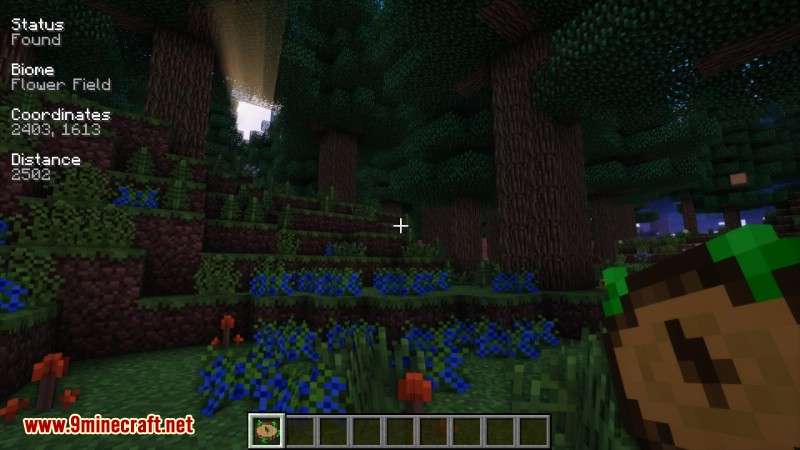
Information about a found biome is displayed on the HUD

The biome selection GUI
The biome information GUI
Crafting Recipes:
Saplings and logs use the ore dictionary.

Nature’s Compass Mod Download Links
- Edition: Minecraft Java
- File type: .jar
- Minecraft version listed: 1.20.1
- How to install: Install the matching mod loader (Forge, Fabric or NeoForge) for your Minecraft version. → Download the .jar. → Put it in the .minecraft/mods folder and launch that loader profile.
- Where to get it: Opens on the file's original source — not every file is mirrored on our own servers.
Install steps are the general flow for this file type — How to install Minecraft Java mods & modpacks walks through it step by step.
Nature's Compass Mod (26.2, 1.20.1) – Find Any Biome is a free Minecraft Java mod. Compatible with Minecraft 1.20.1. Download it and open it directly in the game.