Project Walker - Zombie Apocalypse
Bedrock add-on listed for Minecraft 1.21 (behavior + resource pack). File opened and checked on 1 Nov 2026; installs from the MC Bedrock Mods app on Android.
⬇ DownloadThe author built this one for Minecraft 1.21.70. On other versions it may install and then do nothing.


Step into a world reclaimed by nature and overrun by the undead. In Project Walker, survival hinges on your ability to scavenge for resources, fend off relentless zombies, and navigate abandoned structures teeming with danger. Crafted meticulously by Gabriel Aplok, this addon transforms Minecraft Bedrock into a gripping post-apocalyptic experience.
This add-on DOES NOT require experimental options. Please DO NOT mix it with other addons that modify "player.json" to prevent conflicts.
Key Features
- Immersive Survival Mechanics: Manage thirst, infection, bleeding, and broken limbs. Each ailment affects gameplay, requiring specific remedies like bandages, splints, or cure syringes.
- Diverse Arsenal: Equip yourself with a variety of firearms and melee weapons. Remember, gunfire attracts attention—use wisely.
- Dynamic Zombie Variants: Encounter zombies with varying behaviors—some crawl, others sprint. Adapt your strategies accordingly.
- Functional Vehicles: Find or craft vehicles to traverse the treacherous terrain. Use a Car Key in the saddle slot to operate.
- Protective Gear: Don armor to shield against attacks. Equip Night Vision Goggles for enhanced visibility in the dark.
- Custom Structures & Blocks: Explore new buildings and utilize unique blocks for crafting and decoration.
- Hostile NPCs: Beware of bandits and other survivors—they're not always friendly.
- Visual & Audio Enhancements: Enjoy stylized visuals, smooth animations, and immersive sound effects, including reverb and distant audio cues.
- Optimized Performance: Designed to run smoothly even on low-end devices.
Survival Systems
- Thirst: Monitor your hydration levels. Drink fluids or consume hydrating foods to prevent dehydration.
- Infection: Zombie attacks can infect you. Cure with a Cure Syringe or First Aid Kit.
- Bleeding: Sustained from projectile damage. Stop bleeding using Rags, Bandages, or a First Aid Kit.
- Broken Leg: Resulting from high falls. Treat with Morphine Syringes, Splints, or a First Aid Kit.
Development Team
- Gabriel Aplok: Lead Developer
- HSK: Former Developer (HSK Guns Addon)
- NekoZack: Help (DeadZone Addon)
- INISIANTENOOB: 3D Artist
- Bedrock Community: Documentation and Support
Important Notes
- Experimental Gameplay: You don't need experimental settings.
- Compatibility: Avoid using other addons that modify "player.json" to prevent conflicts.
- Known Issues: Scope, NVG, and crosshair may malfunction when riding entities like vehicles.
- Content Sharing: If showcasing this addon, use the official links provided. Do not redistribute or claim as your own.
Installation
Installing the addon is easy! First download the latest version that can run on your version of Minecraft. Extract the downloaded zip files, and you should have a file called "Project-Walker-BP.mcpack" and "Project-Walker-RP.mcpack". The next step depends on your device.
- On Windows just open the file with Minecraft.
- Android users need to use a third-party file explorer such as File Manager to open the file.
- iOS users should use Documents to open the file.
License
This addon is licensed under the CC BY-NC-ND 4.0 license. Here’s what you need to know:
- You CAN share the addon as long as you give proper credit.
- You CAN use it for personal, non-commercial purposes.
- You CAN'T modify the addon or use it commercially.
Videos of the addon are also allowed, but you must link to either this page or the one in MCPEDL for downloading. And remember. Plagiarism is still plagiarism.
Embark on a challenging journey in a world where every decision matters. Project Walker offers a fresh and intense survival experience for Minecraft Bedrock players seeking adventure beyond the ordinary.
- Edition: Minecraft Bedrock
- File type: .mcpack or .mcaddon
- Minecraft version listed: 1.21.70
- How to install: Download the .mcpack or .mcaddon file. → Open it — Minecraft imports it. → In your world: Behavior Packs → Available → Activate, then the same under Resource Packs.
- Where to get it: In MCModsHub, or directly above on this page.
Install steps are the general flow for this file type — How to install Minecraft Bedrock addons & mods walks through it step by step.
- Pack type: .mcaddon — behaviour and resource pack in one file
- Complete pack — everything it depends on is inside the file
- Download size: 25.5 MB
- Download link checked 5 Aug 2026 — working
These come from our own check of the pack file, not from the source page.
🧩 In these setups curated mod combos that play well together





📺 Bedrock videos for Project Walker - Zombie Apocalypse watch on YouTube ↗
🎬Made a video about Project Walker - Zombie Apocalypse? Feature it #1 here for free — put the mcmodshub.com link near the top of your description, or in a pinned comment.→


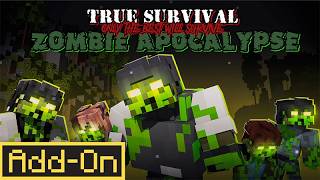
Related Bedrock mods
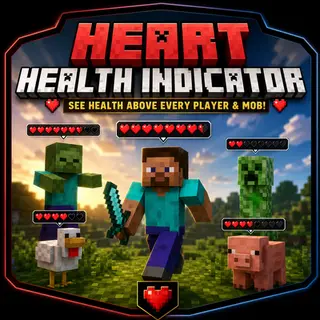
Heart stats
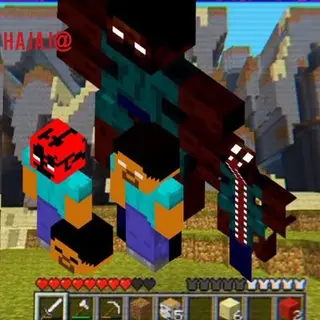
Curse of Herobrine Horror Bedrock Edition Horror Survival + Custom Mobs - Minecraft Addon Full Map
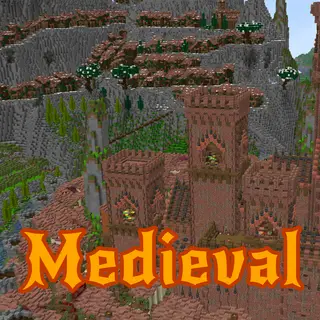
Medieval City between Mountains and Sea
Puppet Combo Killers Addon (1.20) – MCPE/Bedrock Mod
Jerry's Colonies | Build your Civilization