Durability Armor Viewer
Bedrock add-on listed for Minecraft 1.20–1.21 (behavior + resource pack). File opened and checked on 18 Oct 2026; installs from the MC Bedrock Mods app on Android.
I don't know my version
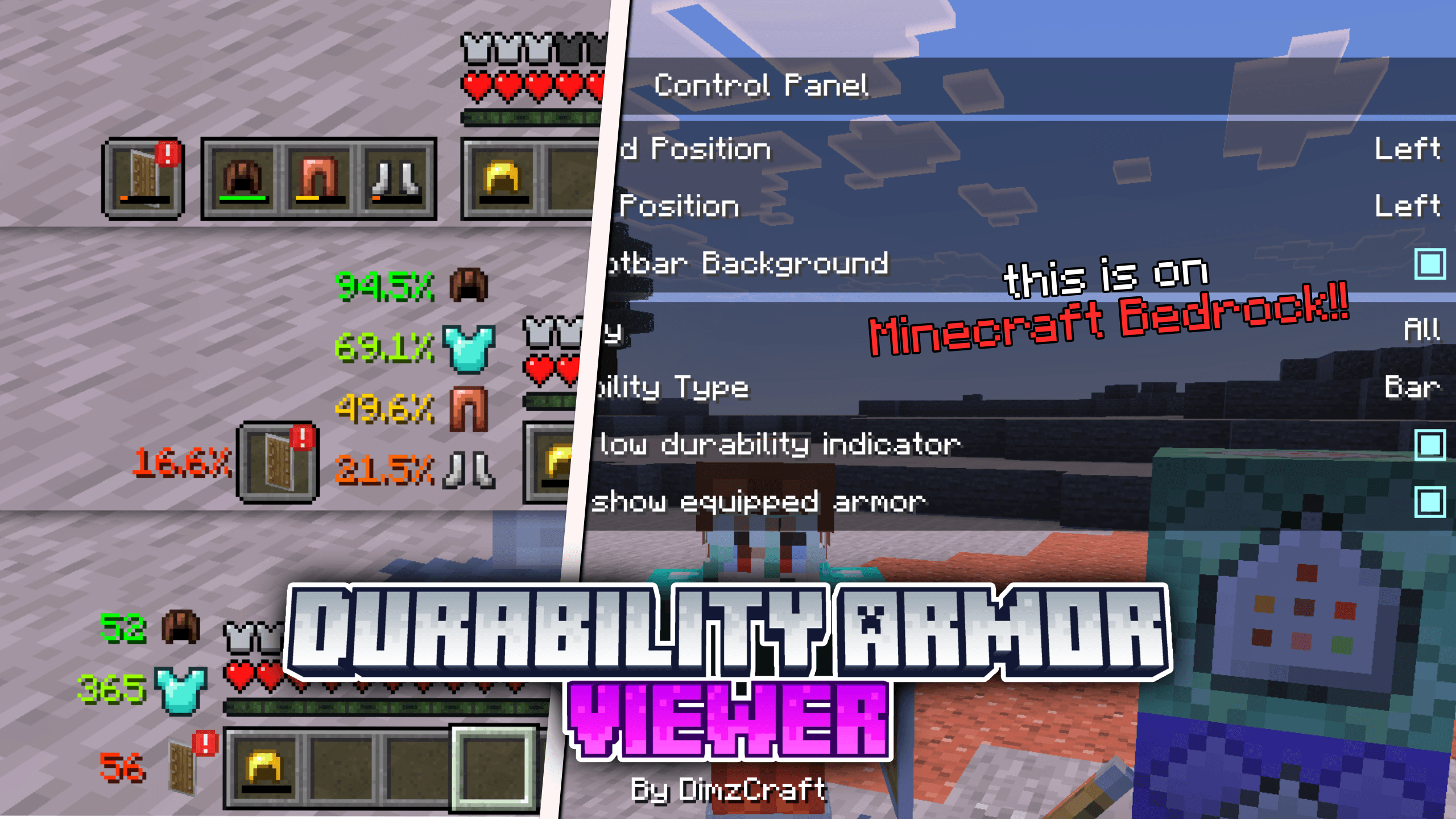
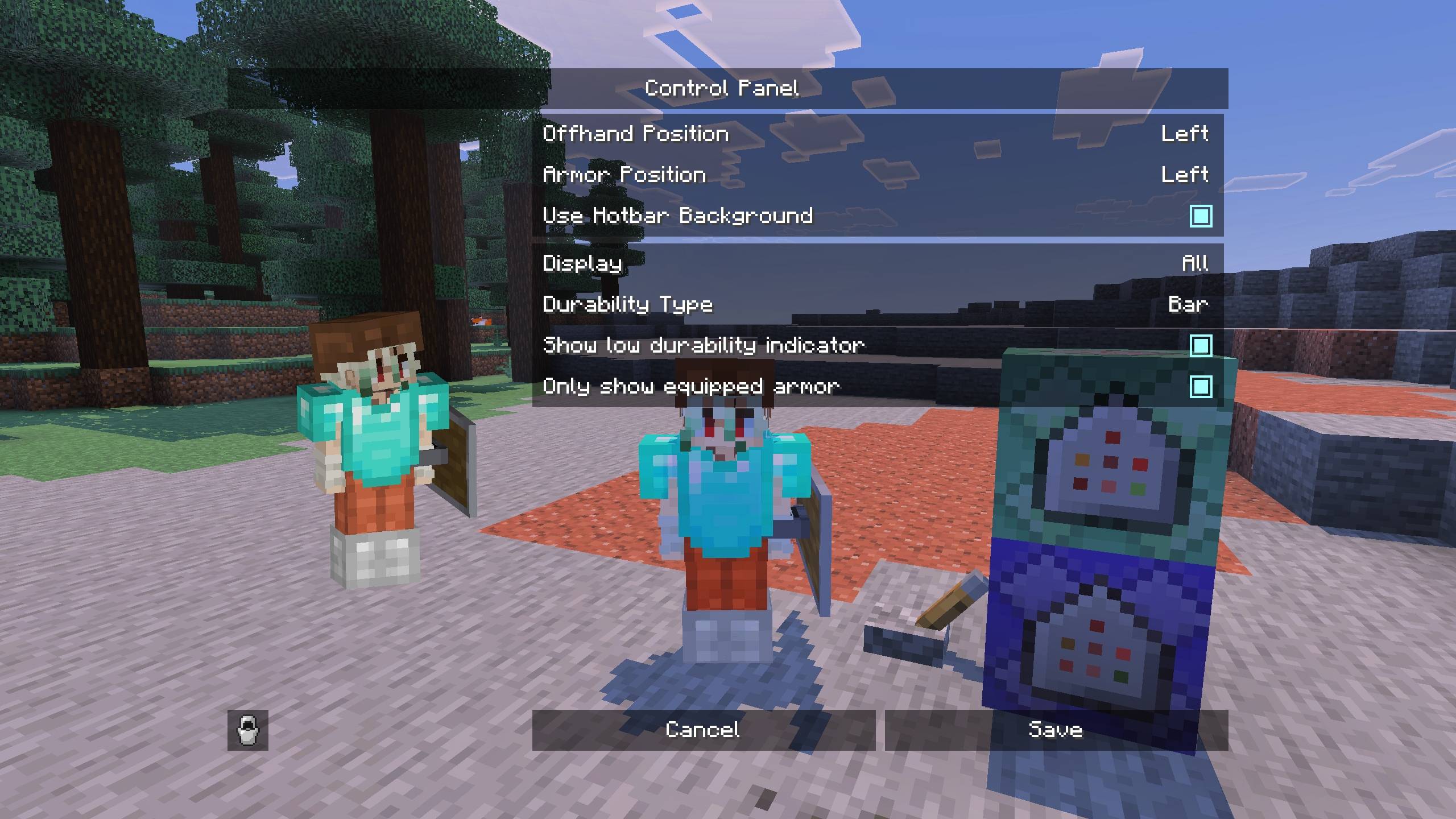
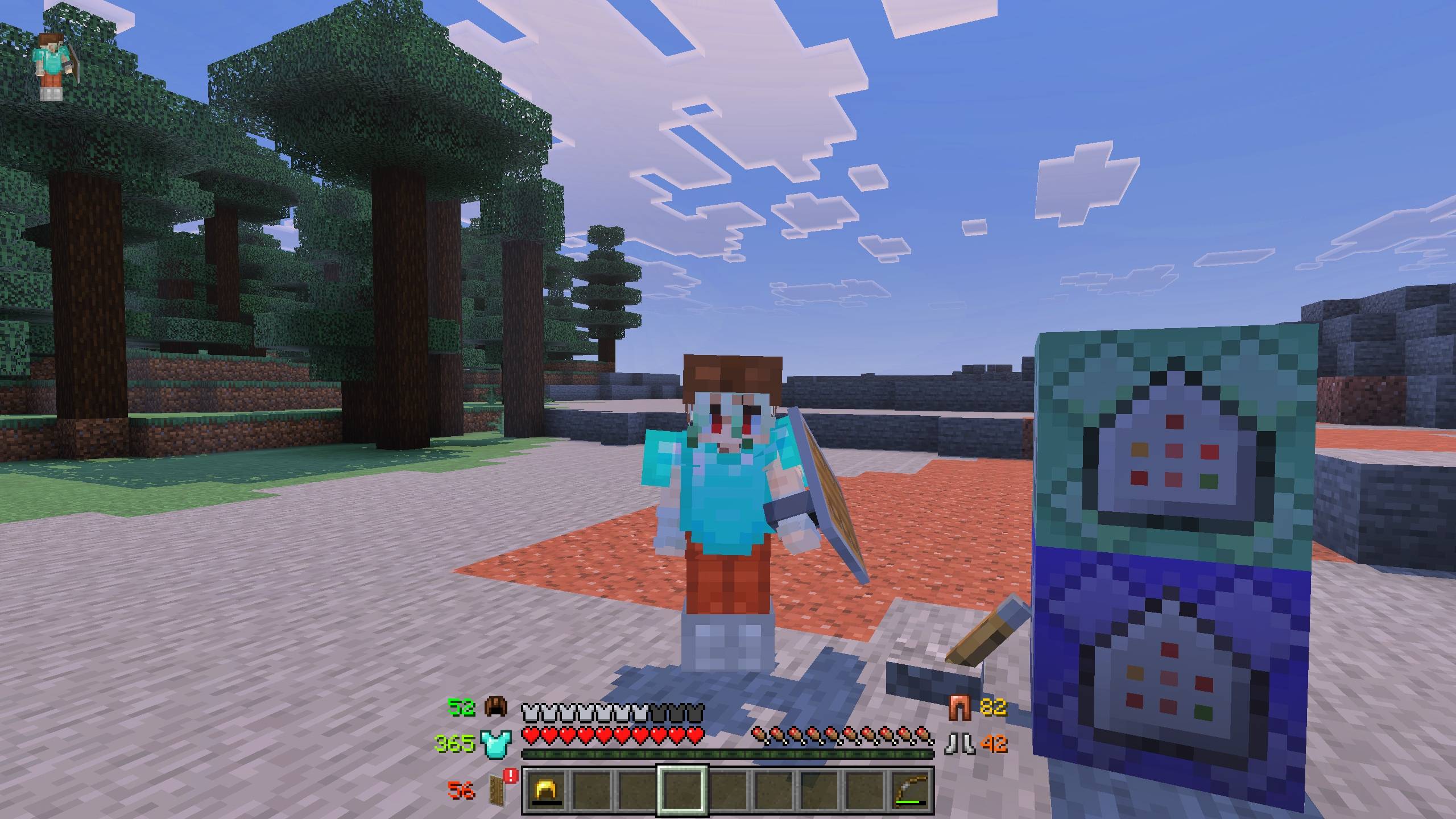
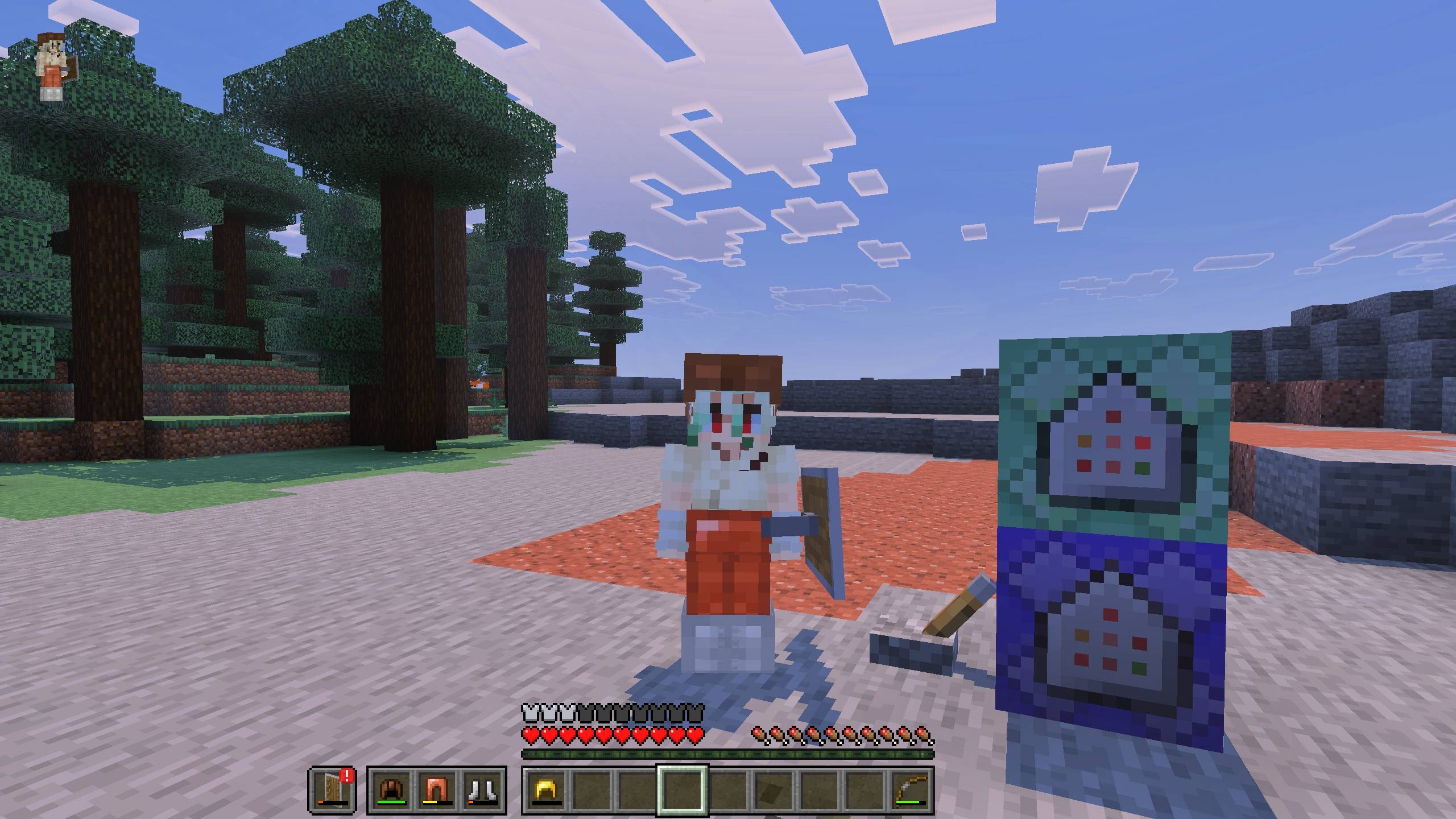
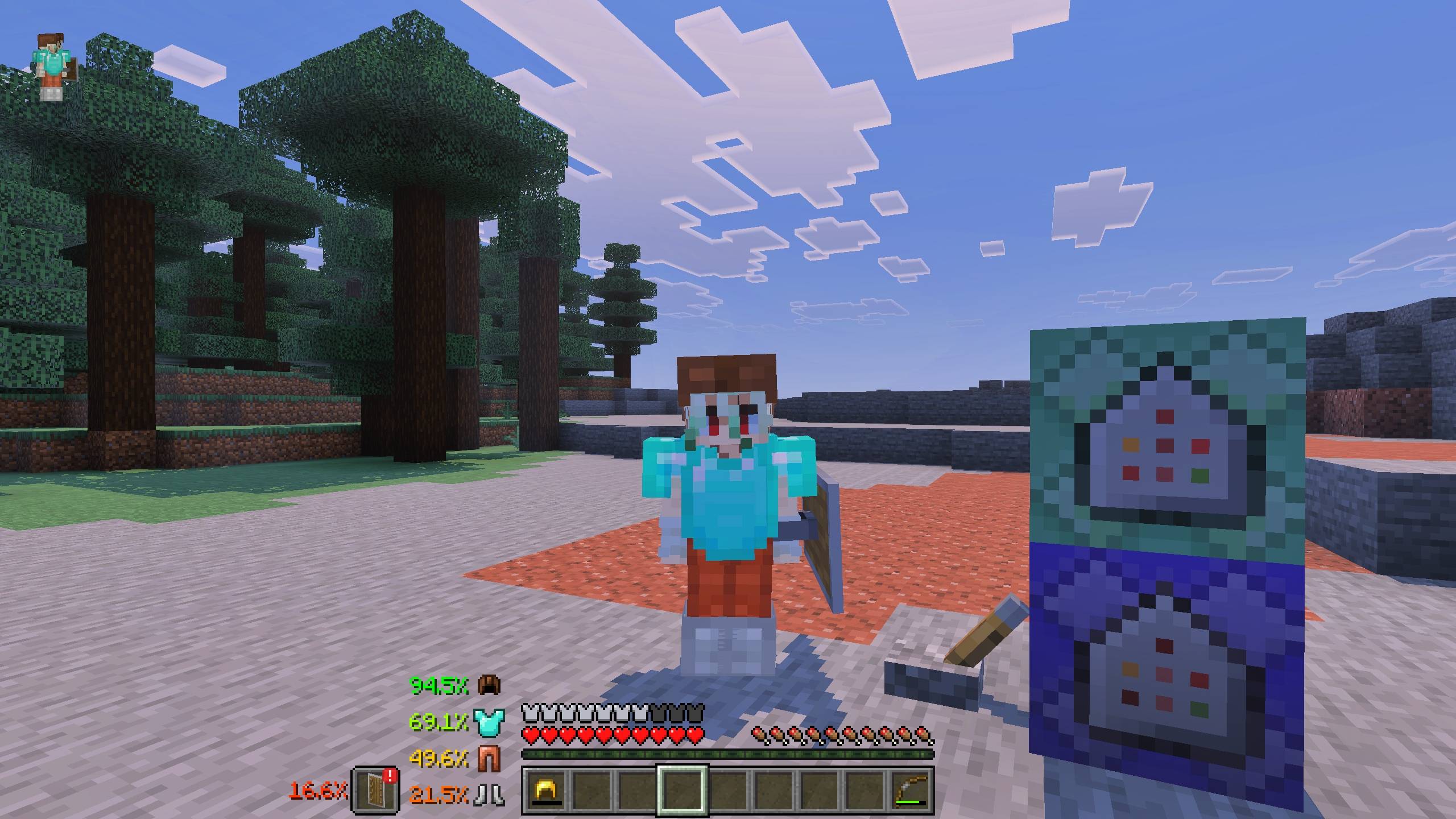


So yeah, this is DAV(I shortened it because the name is too long lol). With this addon, it allows you to see your armor and offhand on the HUD along with other info like durability or stack count. You can also customize it however you like, for example if you want offhand slot only, or armor only.
How do you use it? Yeah, it’s easy. You just install it and adjust the layout using subpacks. There are several types, like the default one, beside the hotbar, or the same style as the hotbar.
Note: this addon uses images instead of a renderer, so there is no enchant glint, no armor trim. Yeah, shikatanai, JSON UI is really limited. It also does not support custom armor unless it is added manually(read the tutorial below).
So, how do you add custom armor to this addon? Easy, you just need to follow these steps.
check identifier and texture path:
First, check your custom armor. If you are the addon creator, you probably already remember the identifier, so you can skip straight to the adding step. If not, just go in game, wear the armor, then type the command /setting, press the armor button, and write down the identifier.
add identifier and texture path:
You already know the identifier, right? Now let’s add it. Open the resource pack folderdav/ui/dimz_modules/durability_armor_viewer/item_id.json
Then just add code like this inside the list:"#example:dimz_helmet": "textures/items/example_helmet"
Then you can test it in game.
Or if you don’t want to bother using the steps above, you can request me to make this addon compatible with other custom armor addons, just chat me on Discord.
Required Dependencies(important!)
very necessary for the addon to work

Showcase Video
watch if you don't understand or want to know how it works!
Join Our Community
discussions, submit suggestions, report bugs and more
Discord Server | Telegram Group | Whatsapp Group(+62 only)
Reference: control panel | minecraft java settings ui, sodium
- Edition: Minecraft Bedrock
- File type: .mcpack or .mcaddon
- Minecraft versions listed: 1.21.120, 1.21.122, 1.21.121
- How to install: Download the .mcpack or .mcaddon file. → Open it — Minecraft imports it. → In your world: Behavior Packs → Available → Activate, then the same under Resource Packs.
- Where to get it: Opens on CurseForge — not every file is mirrored on our own servers.
Install steps are the general flow for this file type — How to install Minecraft Bedrock addons & mods walks through it step by step.
- Pack type: .mcaddon — behaviour and resource pack in one file
- Manifest requires Minecraft 1.21.100 or newer
- Complete pack — everything it depends on is inside the file
- Download size: 153 KB
- Download link checked 7 Oct 2026 — working
These come from our own check of the pack file, not from the source page.