Advanced Waypoints
Bedrock add-on listed for Minecraft 1.21–26.x (behavior + resource pack). File opened and checked on 22 Oct 2026; installs from the MC Bedrock Mods app on Android.
Have you ever gotten lost from your home in your world while exploring? Now your problems are over with this Waypoint addon, which will help you create…
⬇ Download on CurseForge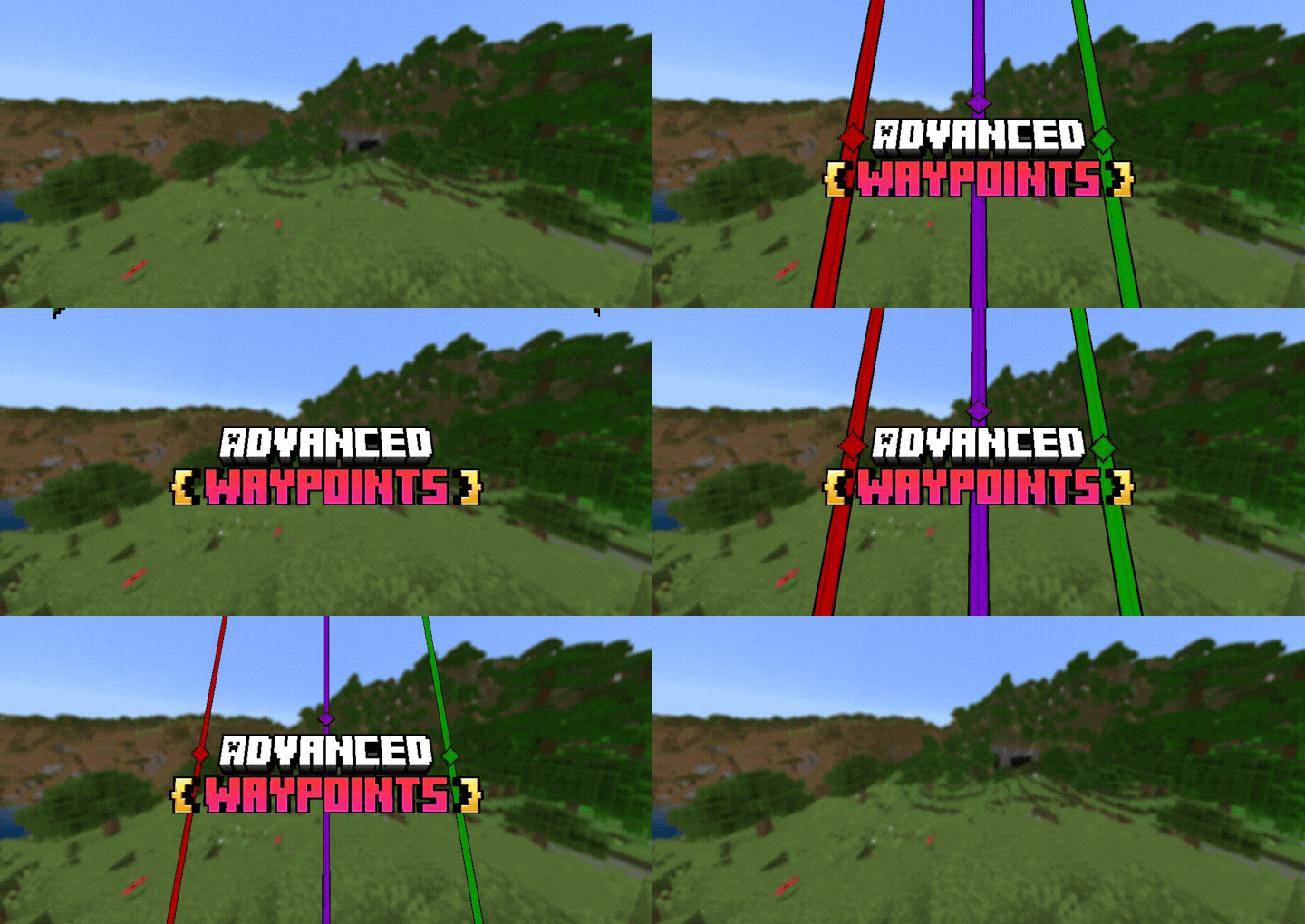
{ Advanced Waypoints }

- How to Get the Waypoints:
First you will have to create the Waypoints Item on the cartography table with 2 papers.


- Creating a Waypoint:
To create a Waypoint just go to the menu by clicking with the Waypoint Item in your hand or use the command "/waypoint"

Click on the "Create Point" button and give a name to the Waypoint, select the waypoint icon and color.
The position of the Waypoint will be your position at the moment you create it but if you want you can create a waypoint in specific position. Each dimension has its own list of Waypoints.

- Locator:
All waypoints are shown at the same time in your world.The display name is the first 13 letters of the entered name and the Max distance shown is 9,999,999 blocks.
They can be seen through walls:


- Death Point:
Did you die? Don't worry a waypoint will be create where you die:

It has a Death Counter :)
- Teleport:
The teleport button is only available when using the "Advanced Waypoint" item; it cannot be used with the normal item or via the command.
If you have some Xp, you can teleport between your waypoints.
1 Xp level for every 500 blocks of distance.

- Edit:
If you have created a waypoint with the wrong name, icon, color or position, go to the menu and click "Edit Point" select the desired waypoint to change it.


- Delete:
If you no longer want a Waypoint, just go to the menu and click on the "Delete Point" button and select the Waypoint you want to remove.


- Share:
If you have a Waypoint to share to your friend you can use this function, select the waypoint to share and after select the player to recive this waypoint:


- Options:
Go to the menu and click on the "Options" button, there you will see 2 options:

- General Settings:
In the general settings you can define:
- Show Name: Name will be shown in the Waypoints;
- Show Distance: Distance will be shown in the Waypoints;
- Show Position: Position on the Edit or Teleport screen;
- Create Death Point: Can create death points;
- Death Point Date: What date format appears in Death point.


- Recover Waypoints:
If a waypoint disappears or the name of the waypoint get wrong for some reason, just click on this option and all (visible) waypoints will reappear.
Some cases in which they may disappear are:
- Use /kill @e
- Commands:
- "/waypoint" used to open the waypoint menu;
- "/waypointconfig" used to enable the teleport and change the xp cost by distance (Only can used by the world owner or any one with /op).

- Other Infos:
- This addon is Achievements Friendly;
- This addon don't use Experimental;
- This addon don't use player.json;
- This addon is compatible with other addons.
- Edition: Minecraft Bedrock
- File type: .mcpack or .mcaddon
- Minecraft versions listed: 1.21.101, 1.21.100, 1.21.111
- How to install: Download the .mcpack or .mcaddon file. → Open it — Minecraft imports it. → In your world: Behavior Packs → Available → Activate, then the same under Resource Packs.
- Where to get it: Opens on CurseForge — not every file is mirrored on our own servers.
Install steps are the general flow for this file type — How to install Minecraft Bedrock addons & mods walks through it step by step.
- Pack type: .mcaddon — behaviour and resource pack in one file
- Manifest requires Minecraft 1.21.100 or newer
- Complete pack — everything it depends on is inside the file
- Download size: 90 KB
- Download link checked 5 Oct 2026 — working
These come from our own check of the pack file, not from the source page.