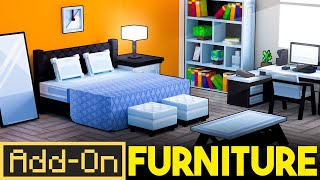
Home Electronics | Furniture Add-On
Home Electronics is an add-on that adds consoles, appliances, fans, retro decor, neon lights, TVs, monitors, etc. The Mod is a package of hundreds of…
⬇ Download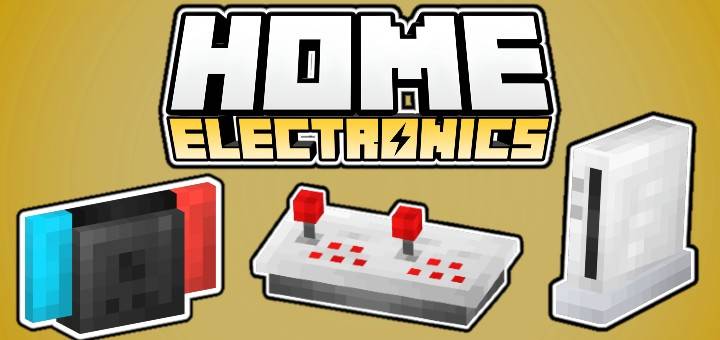
Home Electronics is an Add-On that adds furniture and functional appliances, including consoles, chairs, televisions, toasters, outlets, and much more!
🎮 Consoles: Interactive consoles with console controllers!
📺 TVs: Decorative televisions and monitors with great customization.
💡 Outlets: Decorative plugs and power strips for your homes.
🎹 Pianos: Decorative pianos to add elegance and style to your home.
💻 Computers: Decorative computers with an office style
📡 Antennas: Decorative antennas to complete your modern setup.
🕹 Retro Deco: Retro decorations like gamepads, joysticks, posters, display discs, etc.

CRAFTING
Creative:
To get the furniture in creative mode by typing "/give @p he:" in the chat, which will display a list of available furniture items for you to choose from, you can also purchase all the furniture in the creative mode menu, in the Items section.
Survival:
To create the furniture in survival mode, you will need clay balls and a stonecutter. You will need to place it in the stonecutter and select the furniture section you want to create. Once selected, you will see the list of furniture in that section.


Images


- Edition: Minecraft Bedrock
- File type: .mcpack or .mcaddon
- Minecraft versions listed: 1.21.81, 1.21.90, 1.21.80
- How to install: Download the .mcpack or .mcaddon file. → Open it — Minecraft imports it. → In your world: Behavior Packs → Available → Activate, then the same under Resource Packs.
- Where to get it: In MCModsHub, or directly above on this page.
Install steps are the general flow for this file type — How to install Minecraft Bedrock addons & mods walks through it step by step.
- Pack type: .mcaddon — behaviour and resource pack in one file
- Complete pack — everything it depends on is inside the file
- Download size: 3.6 MB
- Download link checked 18 Jun 2026 — working
These come from our own check of the pack file, not from the source page.