Avatar Addon OVERHAUL UPDATE!
Bedrock add-on listed for Minecraft 1.21–26.x (behavior + resource pack). Needs Beta APIs. File opened and checked on 18 Oct 2026; installs from the MC Bedrock Mods app on Android.
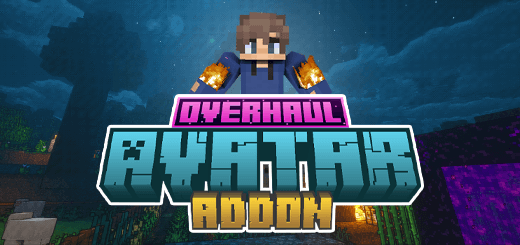
This addon adds the four nations bending styles from the show Avatar: The Last Airbender to Minecraft Bedrock Edition!
I don't know my version
Overview
This addon adds the four nations bending styles from the show Avatar: The Last Airbender to Minecraft Bedrock Edition! Avatar is a popular TV show set in a world in which some people–known as benders–can telekinetically manipulate one of the four elements—water, earth, fire or air—through ‘bending’ inspired by Chinese martial arts. This addon brings Avatar: The Last Airbender (sometimes abbreviated as ATLA and also known as Avatar: The Legend of Aang in some regions) to Minecraft Bedrock Edition! This addon is the result of over 2 years of continued development, and it’s just finished being fully overhauled! I’m proud to say this is the best ATLA addon you’re going to get for Bedrock, Join the discord for the SMP and Support!
Getting Started
When you spawn in, you should be prompted with a tutorial screen. If you don’t see this screen, the addon is not working, so refer to the troubleshooting section! After reading through the tutorial, the only thing you need to do to start bending is right clicking (or long pressing) on your ‘Bending Scroll’ item in your inventory. The scroll is your key to everything bending: selecting your element, configuring your moveset, and managing your abilities. The first option you'll be presented with is to choose your style! In some servers (if an admin has enabled the setting through the admin menu, more on that later) you cannot choose avatar, or bending choice may be random (and/or final). For the sake of this guide, we'll choose Air!
Choosing Slots
To wield your bending abilities, bind moves to your hotbar slots. When a move is bound to a slot, performing the associated action while that slot is active triggers the move. To bind a move, open your bending scroll and navigate to the "choose slots" page. When you open the interface, you'll see several tabs and columns to help you manage your setup. On the far-right tab, labeled "Choose Slots", you'll find a list corresponding to your hotbar slots (numbers 1 through 9). These are the slots where you can bind moves, allowing you to trigger specific actions in-game when those slots are selected or hovered over.
What are slots?
Slots represent the spaces in your hotbar that you can customize. Think of them as containers for the actions you want to use. Each slot can hold one move, which is an ability or action you can perform in the game. By assigning moves to these slots, you gain the ability to activate them by performing an action while the slot is selected.
- Choose a Slot: Start by selecting a hotbar slot in the far-right tab labeled "Choose Slots". This selection corresponds directly to the numbers 1–9 on your hotbar in the game. For example, if you select slot 1, the move you bind will be triggered whenever that slot is selected
- Select a Move: In the first column, titled "Choose Move", you'll see a list of available moves. Click on the move you want to assign to your selected slot
- Choose a Binding: The second column, titled "Choose Binding", lets you define the action that will trigger the selected move. This could be an interaction like right-clicking, sneaking, or another input of your choice. Once you've made your selections, your chosen move will be bound to the selected slot with the specified binding. This setup gives you the freedom to customize how you interact with the game to suit your playstyle.
To streamline your gameplay further, the mod offers a feature called Movesets. These are essentially presets that allow you to save and load your bindings with ease. For example, you might create one moveset for combat scenarios and another for exploration. To access this feature, simply click the "Movesets" button in the interface. From there, you can save your current bindings as a new moveset or load a previously saved one. This system is particularly useful for players who like to switch between different styles of play without the hassle of manually rebinding moves each time.

Skill Tree
The skill tree is a way to unlock new abilities and improve your bending skills. Each "skill" is a unique ability that you can unlock by spending XP. When you open the skill tree, you'll see an array of skills displayed—simply click on any skill to bring up a detailed description of what it offers. If the skill fits your strategy, click the confirm button to finalize your choice and unlock it. Be aware, however, that unlocking skills isn’t just about gaining power; it’s also about choosing your path carefully. Here’s an essential note: every skill has branching paths. When you choose a specific skill and commit to it, the alternate paths from that skill become locked, making it impossible to go back and pick them later. This means that your choices are meaningful and permanent, emphasizing strategy and careful planning as you progress. If you’re unsure or regret your decisions, don’t worry—you’re not stuck forever! The skill tree includes a "Reforge" option that allows you to reset all your choices and start fresh. To reset, simply click the Reforge Skill Tree button, and you’ll have the chance to rethink and rebuild your path from the ground up.
Bending Moves
As you start, you’ll have access to a single move, but by actively bending and landing hits on enemies, you can unlock more. Bending moves come in three main types: standard, charged, and toggle. Standard moves are straightforward—activate them with a simple action. Charged moves require you to hold the action, depleting your chi over time; the move’s power depends on how much chi you use before releasing. Toggle moves, on the other hand, stay active until you deactivate them by repeating the action. Keep in mind that toggle moves continuously consume chi while active, so use them wisely. Bending is fueled by chi, represented by a bar above your hunger gauge, so keeping an eye on it is crucial. In the HUD UI, you'll notice a sidebar (right side) that shows which moves are binded to which slots, as well as some text next to your slots, which displays the current move slot!
Focus & Overflow
When PVPing in this addon, these two are important concepts: focus is a measure of how many attacks you have in a row (and how much damage those hits dealt); and overflow is a state you can reach by maxing out your focus bar. Each successful hit (chained in a row, so without being hit yourself) builds up your focus bar. Once the bar is full, you’ll enter chi overflow, a temporary state that enhances your chi regeneration and increases your move damage. This is indicated by your bar being outlined in a gold color! This is an excellent opportunity to unleash devastating combos on your foes.
Elements
Overview
Airbenders are centered around avoiding and then countering with a powerful counterattack. It concentrates on speed and evasion, forgoing a strong offense for a greater defence. Your moves are super strong (although not exactly good for offence), but you have little health, so speed, evasion, and redirection are important.
Skill Tree
- Warrior's Spirit: Gain a permanent level of strength.
- Warrior's Spirit+: Increases your bending damage by 15%.
- Chi Infusion: Gain a permanent level of regeneration.
- Chi Infusion+: When below 40% health, chi regeneration is 100% faster.
- Bending Resistance: Damage taken from bending is reduced by 30%.
- Bending Resistance+: Damage taken from bending that does less than 2 hearts is completely negated.
- Twinkle Toes: All contact damage like magma is completely negated, and sculk sensors won't detect you.
- Double Jump: When you jump in the air, you can jump again to double jump.
- Wind Dash: After a double jump, you can sneak to dash forward 4 blocks quickly.
- Scorpion Strike: Unlocks the Scorpion Strike move, which shoots a curving air blast.
- Peaceful Presence: Hostile mobs will not attack you unless you attack them first.
- Air Cushion: All fall damage is completely negated.
- Air Puff: Unlocks the Air Puff move, which creates a continuous puff of air.
- Wall Shot: Unlocks the Wall Shot move, which shoots a focused shot of air that bounces off walls.
- Whirlwind Redirection: Passively redirects arrows near you to entities you look at. Pull a bow to see the aim indicator particles.
- Onion and Banana Juice: On a higher plane, troubles such as hunger no longer bother you.
- Airflow: Gain permanent levels of speed and jump boost.
- Air Spirit: Unlocks the Air Spirit move, which lets you enter your spirit form (spectator mode).
Moves
- Air Blast: Blasts a focused shot of air that does damage and knockback.
- Air Launch: Launch yourself into the air with a gust of wind - about 12 blocks!
- Air Rush: As long as you have chi, you can rush in any direction on a burst of air.
- Air Ball: Blasts a slow-moving ball of air that does high damage and explodes on impact.
- Air Leap: Leap forward with a burst of air, about 5 blocks forward. Using with an elytra will give you a boost.
- Air Shockwave: Charge up a shockwave of air that does damage and knockback in a large area, and shoots out 4 trailing blasts.
- Air Slam: Slam to the ground and create a shockwave burst of air, doing damage and knockback in a 7 block area.
- Air Scooter: Create a ball of air that you can ride around on. It's a bit slow, but it's fun!
- Wall Shot: Shoot a focused shot of air that bounces off walls! Each bounce increases the damage.
- Air Sniper: Shoot a focused shot of air that does high damage and knockback, but the damage starts at 0 and increases the farther the shot travels.
- Puff: Generate a continuous puff of air that pushes entities away from you. Great for crowd control!
- Vortex: Create a vortex of air that pulls entities towards the center, and lets you hover in the air.
- Tornado: Create a tornado of air that does damage and knockback in a 2 block area.
- Scorpion Strike: Shoot a curving air blast into the sky that comes back down, homing in on your enemies!
- Artillery: Shoot a blast of air with a slight curve and homing that does damage and knockback in a 3 block area.
- Air Pull: Pull entities towards you with a gust of air, with a range of around 32 blocks.
- Air Push: Push entities away from you with a gust of air, with a range of around 32 blocks.
- Air Spirit: Enter your spirit form (spectator mode) and fly around as a spirit. You can't interact with the world, but you can see everything! If you fly more than 32 blocks away from your body, you'll be teleported back to it. If you re-enter your body, you'll be brought back into your normal form. If somebody hits your body (your 'spirit marker') while you're in spirit form, you'll be brought back into your normal form.
Overview
Earth is the element of substance, while the people of the Earth Kingdom are diverse, strong, and enduring. The key to earthbending is utilizing neutral jing, which involves waiting and listening for the right moment to strike and, when that moment comes, acting decisively. In other words, earthbenders generally endure their enemies' attacks until the right opportunity to counterattack reveals itself.
Skill Tree
- Warrior's Spirit: Gain a permanent level of strength.
- Warrior's Spirit+: Increases your bending damage by 15%.
- Chi Infusion: Gain a permanent level of regeneration.
- Chi Infusion+: When below 40% health, chi regeneration is 100% faster.
- Bending Resistance: Damage taken from bending is reduced by 30%.
- Bending Resistance+: Damage taken from bending that does less than 2 hearts is completely negated.
- Natural Affinity: All contact damage like magma, blocks, and berry bushes is completely negated.
- Earth Rend: Unlocks the Earth Rend move, which creates a fissure in the earth.
- Fortunate Fists: Your bare fists now have fortune III.
- Metal Hook: Unlocks the Metal Hook move, which lets you grapple onto things! (6+ Combos)
- Seismic Sense: Unlocks the Seismic Sense move, which draws 'lines' to the closest 5 entities.
- Butter Barrage: Unlocks the Butter Barrage move, which summons 4 small blocks of earth that you can shoot.
- Vein Miner: When mining ores, you'll automatically mine the entire vein (with fortune).
- Magma Surge: Unlocks the Magma Surge move, which creates a shockwave of magma.
- Earth Headbutt: Unlocks the Earth Headbutt move, which lets you dash through walls and enemies.
- Earth Spike Line: Unlocks the Earth Spike Line move, which shoots a line of spikes in front of you.
- Earthquake: Unlocks the Earthquake move, which creates an aftershock of earth.
- Neutral Jing: For each successfully performed perfect block, you instantly refill some of your chi.
Moves
- Earth Hurl: Hurl a rock at your enemies, doing damage and knockback.
- Earth Shockwave: Slam the ground and create a shockwave of earth that does high damage in a 9 block area.
- Earth Wall: Create a wall of earth in front of you that blocks projectiles and entities.
- Earth Shield: Create a shield of earth around you that blocks projectiles and entities.
- Earth Top: Escape caves and other tight spaces by burrowing to the surface! Takes you to the highest block above you.
- Earth Big Spike: Create a large spike of earth that does damage and launches entities high into the air, or you if you're standing on it.
- Earth Pillar: Create a pillar of earth that does damage and knockback, or lifts you up if you're standing on it.
- Earth Search: Search the blocks under you (depth of 256) for any kind of ore, even not naturally occurring ones (diamond blocks, for example).
- Earth Rend: Create a fissure in the earth in front of your feet to trap opponents underground.
- Earth Spikes: Spread a wave of spikes directly in front of you, doing damage and stunning opponents.
- Earth Spike Line: Shoot a line of spikes far out in front of you, doing damage and stunning opponents.
- Earth Headbutt: Dash and smash through walls and enemies alike (headfirst)! Good for quick mining missions.
- Butter Barrage: Summon 4 small blocks of earth that you can shoot at your enemies by punching, doing damage and knockback.
- Metal Hook: Grapple onto blocks, entities, and players with a metal hook that you can shoot out of your hand. This move has a ton of combos and uses, so experiment with it! If you're in the air and hook an entity, it's pulled toward you and stalled in the air for a combo (punch it). If you hook down while in the air, you'll shoot to the ground and create a shockwave, which launches mobs into the air. If you then look up and grapple them, you'll pull yourself up towards them and stall in the air for another combo!
- Seismic Sense: See the world around you in a new way, by sensing the vibrations in the earth. This move draws colored lines to the closest 5 entities (in a 48 block radius) around you! The color of the line indicates the entity's type. Red is hostile, green is neutral, blue is items, players are orange, and the rest is yellow!
- Magma Surge: Create a shockwave of magma that rapidly expands outwards up to 9 blocks, dealing damage and knockback to entities in its path. It lasts for 3 seconds, and while charging it entities are pulled towards the center of the shockwave.
- Earthquake: Create an actual earthquake that does (minor) damage and knockback in a 20 block area, but serves to slow down (with Slowness II) and disorient your enemies. It lasts for as long as you have chi.
Overview
Water is the element of change. The people of the Water Tribes are capable of adapting to many things. Waterbending is the right element for you if you value utility and balance. It's not the best in any one specific category, but it's pretty good at everything.
Skill Tree
- Warrior's Spirit: Gain a permanent level of strength.
- Warrior's Spirit+: Increases your bending damage by 15%.
- Chi Infusion: Gain a permanent level of regeneration.
- Chi Infusion+: When below 40% health, chi regeneration is 100% faster.
- Bending Resistance: Damage taken from bending is reduced by 30%.
- Bending Resistance+: Damage taken from bending that does less than 2 hearts is completely negated.
- Icy Aura: All contact damage like magma, blocks, and berry bushes is completely negated.
- Water Jet Rush: After sprinting for a short time, you'll gain a speed boost depending on how long you sprinted.
- Vine Grapple: Unlocks the Vine Grapple move, which lets you grapple onto things!
- Vine Hook: Unlocks the Vine Hook move, which lets you pull and poison entities.
- Focused Healing: Unlocks the Focused Healing move, which heals you.
- Healing Cloud: Unlocks the Healing Cloud move, which creates a cloud of healing for you and your allies.
- Frost Breath: Unlocks the Frost Breath move, which freezes nearby opponents in place.
- Moisture Drain: Punching certain blocks will instantly refill your entire chibar, but will also destroy the block.
- Bloodbending: Unlocks the Bloodbending move, which lets you control entities when the moon is full.
- Hydroshock: Unlocks the Hydroshock move, which creates a shockwave of water, with damage scaling based on your remaining water.
- Fire Extinguisher: When you take fire damage, you'll be extinguished, and the fire will be put out.
- Waterwash: After avoiding damage for 5 seconds, you get 75% reduced damage for the next hit you take, consuming all of your remaining water.
Moves
- Torrent: Shoot a torrent of water at your enemies.
- Ice Big Spike: Create a spike of ice that does damage and launches entities high into the air, or you if you're standing on it.
- Tidal Slice: Slice through your enemies with a wave of water that does damage and a large pushback.
- Geyser: Launch yourself into the air with a geyser of water, about 10 blocks!
- Gush: Create a gush of water that locks onto the nearest entity and follows them, doing damage and knockback.
- Jetstream: Create a stream of water that pushes entities away from you, or if aimed at the ground, pushes you away from the stream.
- Frost Walker: Basically the frost walker enchantment, but in a move! Walk on water and freeze it as you go.
- Ice Throw: Form a block of ice that you can shoot at your enemies by punching it, doing damage and knockback.
- Ice Spikes: Create a wave of spikes directly in front of you, doing damage and stunning opponents.
- Ice Spike Line: Shoot a line of spikes far out in front of you, doing damage and stunning opponents.
- Splash: Form a charged splash of water that does damage and knockback in a 6-block area.
- Vine Grapple: Grapple onto blocks, entities, and players with a vine that you can shoot out of your hand. This move has a ton of combos and uses, so experiment with it! If you're in the air and grapple an entity, it's pulled towards you and stalled in the air for a combo (punch it). If you hook down while in the air, you'll shoot to the ground and create a shockwave, which launches.
- Vine Hook: Grab onto all nearby entities in a 32-block radius with a poisonous vine, doing damage and pulling them towards you.
- Focus Heal: Heal yourself for a small amount of health, and clear some negative status effects.
- Healing Cloud: Create a cloud of healing that heals you and your allies in a 16-block radius.
- Bloodbending: Control entities when the moon is full. You can move them around.
- Hydroshock: Converts all your remaining water into a shockwave that does huge damage and knockback in a 12-block area.
- Frost Breath: Freeze nearby opponents in place for 3 seconds with a blast of frosty air.
Overview
Fire is the element of power. The people of the Fire Nation have desire and will, and the energy and drive to achieve what they want. Firebending is the right element for you if you value high damage over defense. Firebending is very quick, and it's the undisputed king of damage.
Skill Tree
- Warrior's Spirit: Gain a permanent level of strength.
- Warrior's Spirit+: Increases your bending damage by 15%.
- Chi Infusion: Gain a permanent level of regeneration.
- Chi Infusion+: When below 40% health, chi regeneration is 100% faster.
- Bending Resistance: Damage taken from bending is reduced by 30%.
- Bending Resistance+: Damage taken from bending that does less than 2 hearts is completely negated.
- Hot Handed: If you right click any smeltable item, it will be smelted instantly.
- Fast Footed: Gain permanent levels of speed and jump boost.
- Death Slam: Unlocks the Death Slam move, which slams you to the ground and creates a shockwave of fire.
- Dragon of the West: Unlocks the Dragon of the West move, Iroh's signature move.
- Flame Aura: Unlocks the Flame Aura move, which allows you to spam mini fireballs.
- Firey Disposition: Gain a permanent level of fire resistance.
- Hot Blooded: Burn away all negative status effects.
- Lightning Sweep: Unlocks the Lightning Sweep move, which sweeps a wide area with lightning, stunning and damaging entities.
- Thunderclap: Unlocks the Thunderclap move, which creates a strong lightning bolt fit for royalty.
- Electroshock: Unlocks the Electroshock move, which creates a shockwave of electricity.
- Lightning Burst: Unlocks the Lightning Burst move, which creates a shotgun burst of lightning.
- Combustion Beam: Unlocks the Combustion Beam move. Charge up a beam like Sparky Sparky Boom Man!
Moves
- Flame Shot: Shoot a blast of fire at your enemies, doing damage and setting them on fire.
- Flame Wave: Create a wave of fire that does damage and sets enemies on fire in an 8-block area.
- Flash Fire: Dash forward and leave a trail of fire in your wake, damaging and knocking back enemies!
- Fire Leap: Leap forward with a burst of fire, about 5 blocks forward. Using with an elytra will give you a boost.
- Fire Boosters: Lets you fly by shooting out fire! If you ram into entities, it does damage.
- Fire Charge: Ignite your spirit mid-fight to gain a burst of extra health!
- Fire Spread: Spread a wave of fire directly in front of you, doing damage and setting enemies on fire.
- Fire Jump: Jump high into the air with a burst of fire, about 6 blocks!
- Fireball: Shoot a fireball like ghasts do, doing damage and setting enemies on fire.
- Bounce Blast: Shoot a blast of fire that bounces off walls! Each bounce increases the damage.
- Scorpion Sting: Shoot a curving fire shot into the sky that comes back down, homing in on your enemies in an arc pattern!
- Dragon Strike: Summon 3 trails of fire that converge on your target, doing damage and setting them on fire.
- Dragon of West: Iroh's signature move!
- Lightning Sweep: Shoot an arc of lightning directly forward, which will stun the first 3 entities it touches for 3 seconds.
- Lightning Burst: Shoot a burst of lightning that launches you backwards into the air, and does shotgun-style damage to entities in front of you.
- Electroshock: Create a shockwave of electricity that does damage and knockback in an 8-block area.
- Thunderclap: A powerful move meant for only the firebender royal family. Channel all your power into one super powerful bolt of lightning! It does a ton of damage and knockback, but takes a while to charge up. Its range is roughly 32 blocks.
- Death Slam: Slam to the ground and create a shockwave burst of fire, doing damage and knockback in a 4-block area.
- Combustion Beam: Charge up a beam of long-range explosive energy that explodes on impact and shoots instantly.
- Flame Aura: Create a continuous aura of fire around you that does damage to entities that get too close, and spams fireballs!
Overview
Nonbenders are people who are not born with the ability to bend an element. They are still capable of great things. Nonbenders can learn chi blocking, which is a technique that allows them to temporarily disable a bender's bending abilities.
Skill Tree
- Warrior's Spirit: Gain a permanent level of strength.
- Warrior's Spirit+: Increases your bending damage by 15%.
- Chi Infusion: Gain a permanent level of regeneration.
- Chi Infusion+: When below 40% health, chi regeneration is 100% faster.
- Bending Resistance: Damage taken from bending is reduced by 30%.
- Bending Resistance+: Damage taken from bending that does less than 2 hearts is completely negated.
- Light Footed: Treat and remove most negative status effects.
- Medicine: Treat and remove most negative status effects.
- Adrenaline: When below 40% health, you gain Strength II.
- Perseverance: When below 40% health, you gain Resistance II.
- Chi Blocking: Landing a consecutive 12-hit combo will disable your opponent's bending abilities for 5 seconds.
- Boomerang: Unlocks the Boomerang move, which lets you reflect bending damage back at opponents.
- Dash: Unlocks the Dash move, which lets you dash forward quickly.
- Truesight: Unlocks the Truesight move, which lets you see invisible entities.
- Sustenance: You will no longer lose hunger points.
- Endurance: You will no longer take fall damage.
- Rewind: Unlocks the Rewind move, which lets you rewind your position.
Moves
- Boomerang: While the move is active, all damage you receive from bending is reflected back to the entity that dealt it. The move lasts for 5 seconds and has a cooldown of 15 seconds.
- Dash: Quickly dash forward 5 blocks.
- Rewind: Rewind your position to where you were when you activated the move after 3 seconds, recovering all damage received in the meantime.
- Truesight: See invisible entities and players while the move is active.
Thank you!
This addon has been developed and updated over the last 2 years. In that time, it’s come so unbelievably far. Thank you to everyone who helped (and in some cases are still helping me) create this. Thank you to Theorist, R4isen, IBk, Flame, Deathbot, Zackeryruin, iHeroic, and so many more (especially patrons).
- Edition: Minecraft Bedrock
- File type: .mcpack or .mcaddon
- Minecraft versions listed: 26.0.02, 26.0, 26.3
- How to install: Download the .mcpack or .mcaddon file. → Open it — Minecraft imports it. → In your world: Behavior Packs → Available → Activate, then the same under Resource Packs.
- Where to get it: Opens on CurseForge — not every file is mirrored on our own servers.
Install steps are the general flow for this file type — How to install Minecraft Bedrock addons & mods walks through it step by step.
- Pack type: .mcaddon — behaviour and resource pack in one file
- Manifest requires Minecraft 1.21.50 or newer
- Needs Beta APIs switched on in the world settings
- Complete pack — everything it depends on is inside the file
- Download size: 3.8 MB
- Download link checked 5 Oct 2026 — working
These come from our own check of the pack file, not from the source page.



![SKILL TREES, NEW MOVES & PAI SHO?! | Minecraft Bedrock Edition [Avatar Addon]](https://i.ytimg.com/vi/9VyzSe-16ds/mqdefault.jpg)