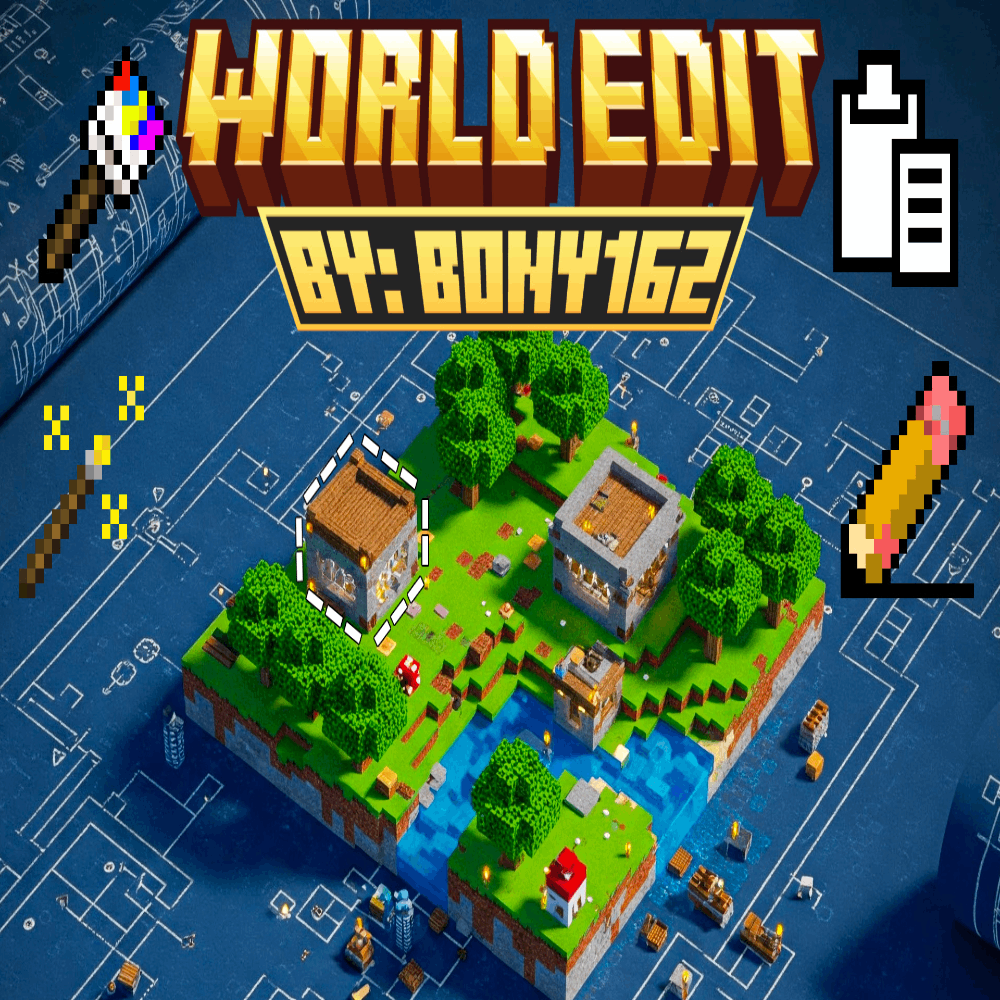
WorldEdit Addon
Tired of placing blocks one by one? This WorldEdit-style addon lets you shape terrain, paint blocks, copy-paste structures, and automate tasks with ease…
⬇ Download
(ENGLISH)
(SPANISH)
IMPORTANT:
- Does NOT require experimental features.
- Requires at least version 1.21.50+ or newer
- Download and activate both packs Behavior and Resource Packs.
Full Addon Guide: Master Your World!
Transform your Minecraft worlds with this powerful addon! For complete details, check out the included video and the in-addon guide book. (Creative Mode recommended).
Getting Started: Access tools via commands (e.g., /give @s bn:selection_wand) or creative inventory. Sneak + Use often reveals more options!
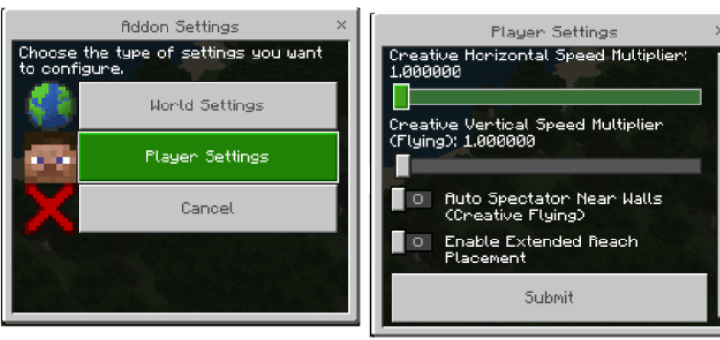
- Settings Tool (bn:bwe_settings): Your hub for addon customization. Adjust world settings (particles, undo limit, brush size) and player settings (creative flight speed, Auto Spectator).

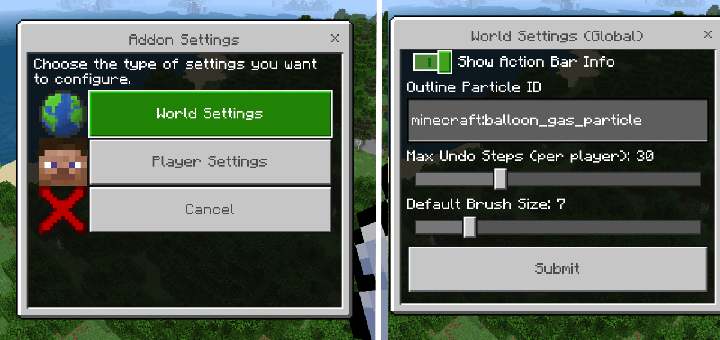
Selection & Basic Operations:
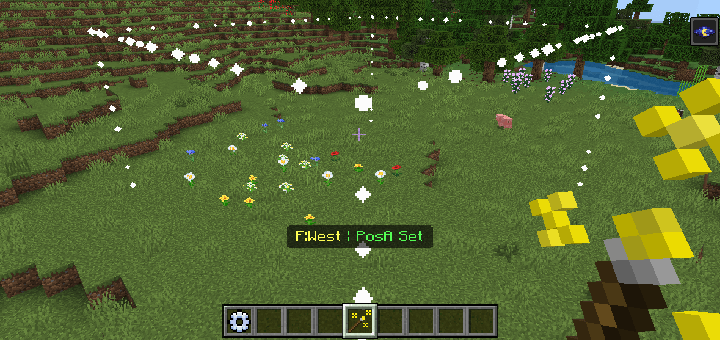
- 1. Selection Wand (bn:selection_wand): Define a 3D area (Pos A & Pos B) for editing. Sneak + Use to expand/contract, view info, or clear.

- 2. Clipboard Tools:
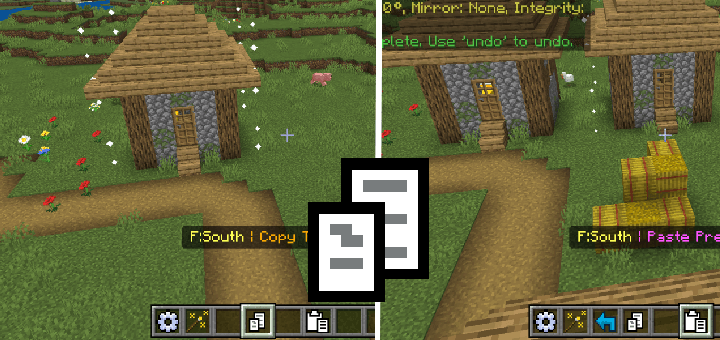
- Copy (bn:copy): Copies your selection (optionally with entities) to clipboard.
- Cut (bn:cut): Copies selection then removes original blocks.
- Paste (bn:paste): Pastes clipboard contents. Sneak + Use for advanced options like pasting at original location, entity control, integrity (ruined look), rotation, and mirroring.
- 3. History Tools:
- Undo (bn:undo): Reverts your last addon operation.
- Redo (bn:redo): Re-applies an undone operation.
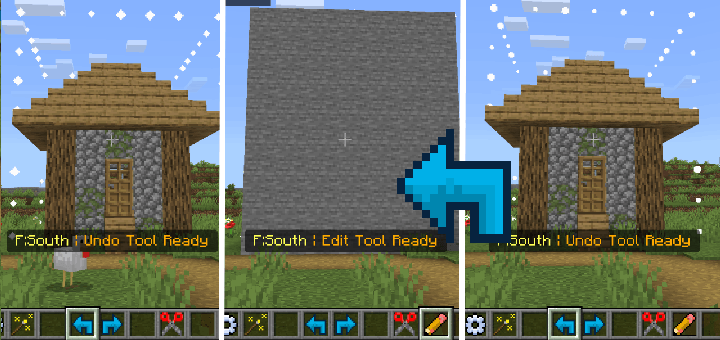
Understanding Material Input: Specify blocks as a single ID (e.g., stone) or a Weighted Block Mix (e.g., stone:5,dirt:1) for randomized, natural-looking placements.
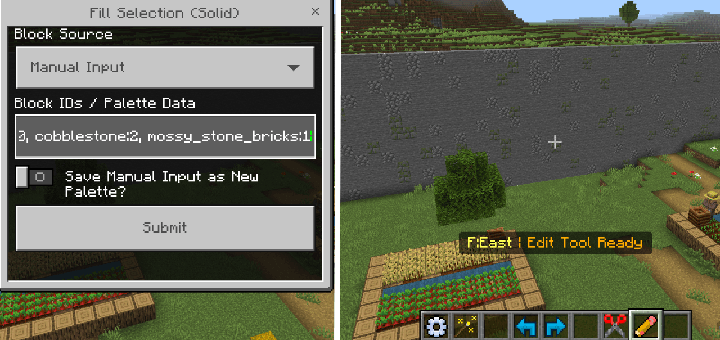
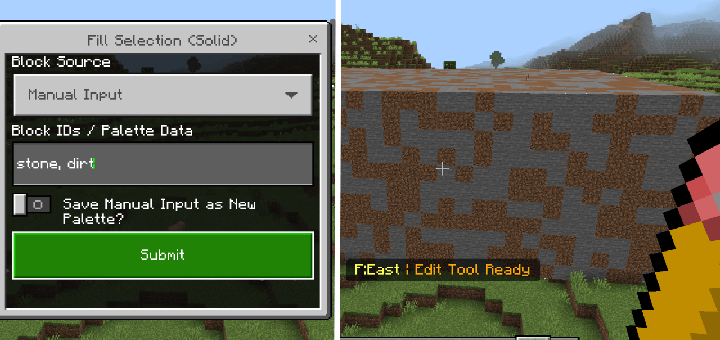
- 4. The Edit Tool (bn:edit): Opens a menu for various selection-based operations:
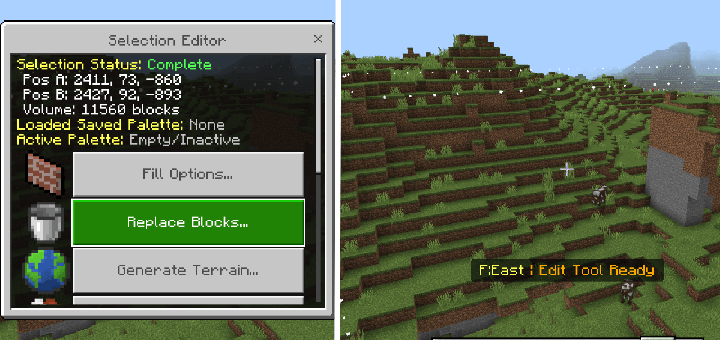
- Fill Options: Fill selection solid, hollow, as a frame, or just walls.
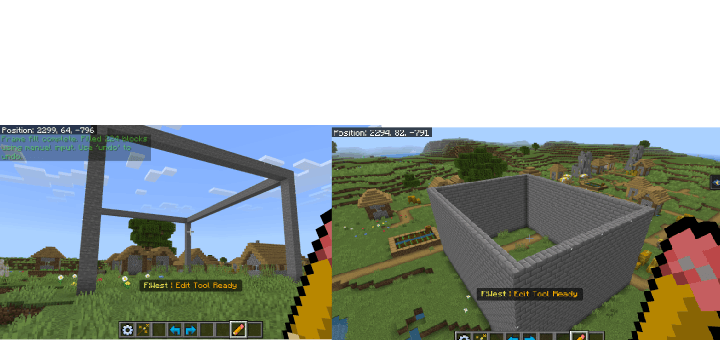
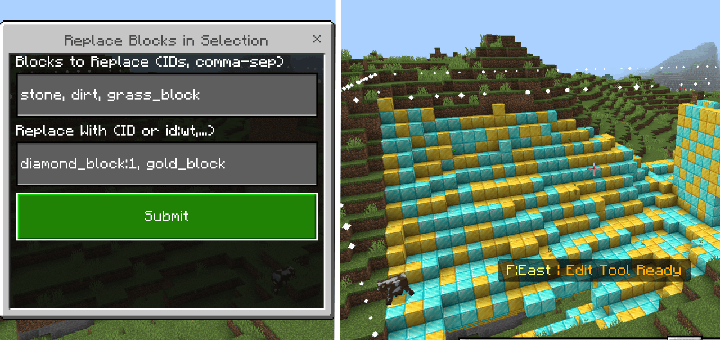
- Replace Blocks: Swap specific blocks within the selection.
-
-
-
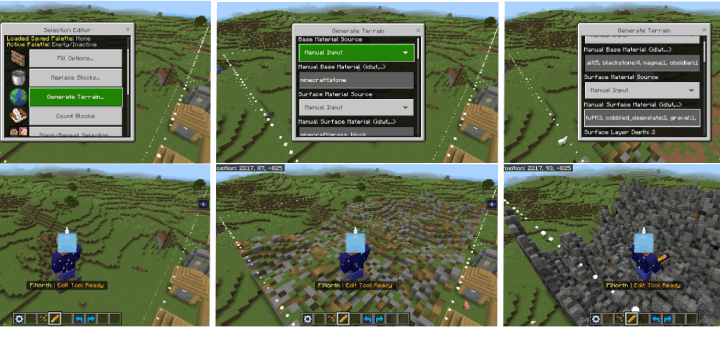
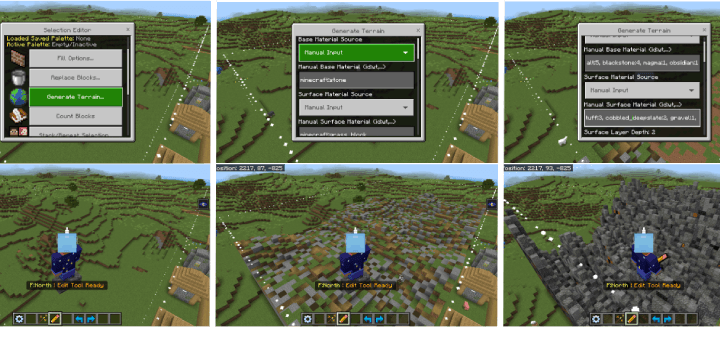
- Generate Terrain: Procedurally create landscapes (see Advanced Features).
-
- Count Blocks: Tallies block types in selection.
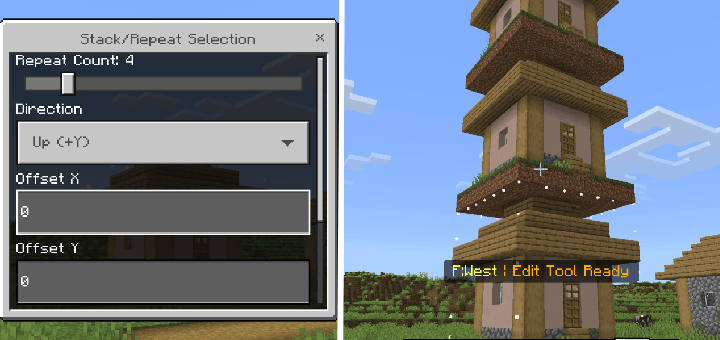
- Stack/Repeat Selection: Duplicate your selection multiple times in a chosen direction.
-
-
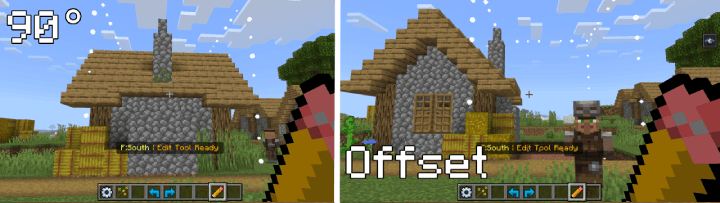
- Edit Selection In Place: Rotate, mirror, or offset blocks within the selection.
-
-
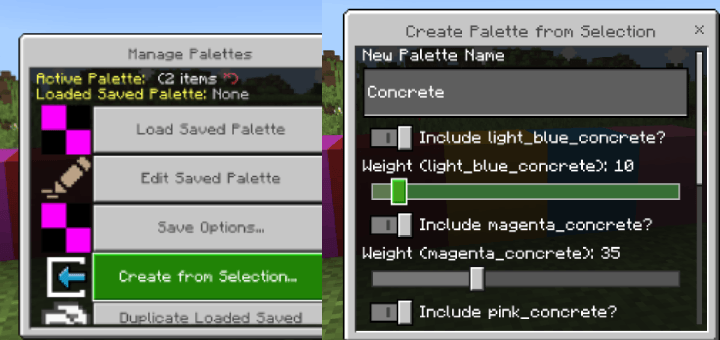
- Manage Palettes: Access the Palette System.
-
-
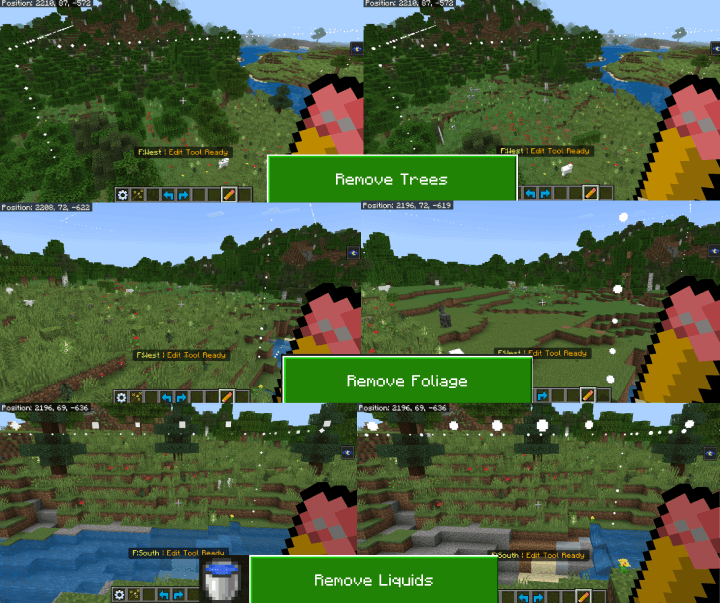
- Preset Actions: Quick actions like removing trees, liquids, or flattening terrain.
Creative Building & Landscaping: Brush Tools "Paint" blocks into the world. Sneak + Use any brush to change its settings (shape, size, material source - Manual, Active Palette, Saved Palette).
- 1. Regular Brush (bn:brush): Places blocks in various shapes (Sphere, Cube, Cylinder, etc.). Can be hollow or have soft/feathered edges.
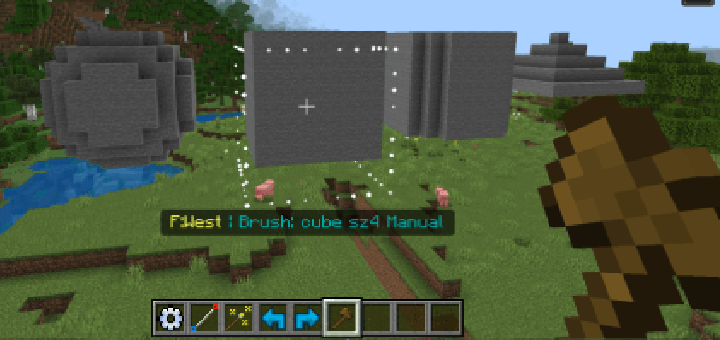
- 2. Paint Brush (bn:paint_brush): Replaces existing non-air blocks. Can use a mask to only paint over specific block types.
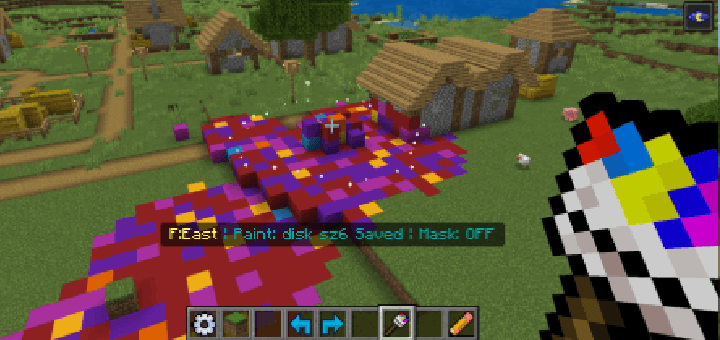
- Mask Picker Tool (bn:mask_picker): Quickly add/remove blocks to the Paint Brush mask.
- 3. Height Brush (bn:height_brush): Raises or lowers terrain within the brush shape.
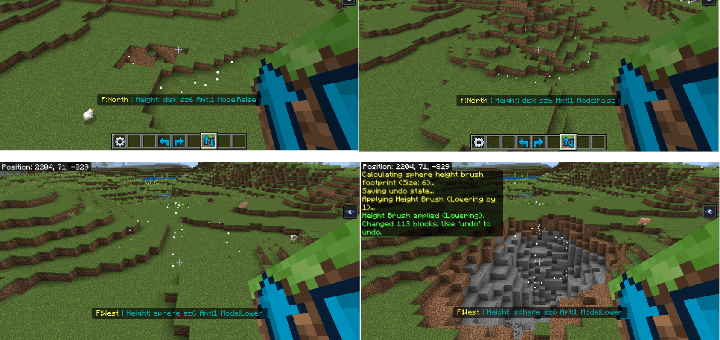
- 4. Foliage Brush (bn:foliage_brush): Scatters plants using presets or custom lists.
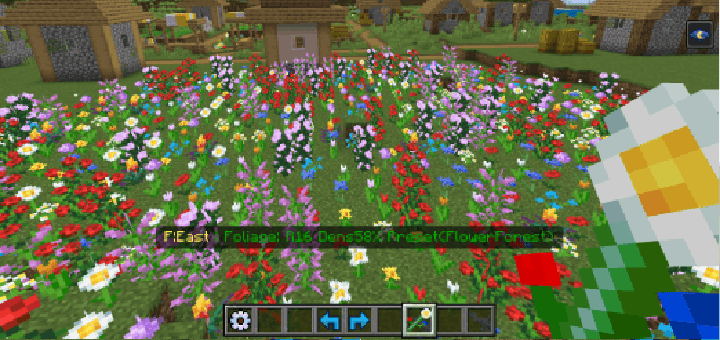
Detailing & Construction: Line & Path Tools
- 1. Line Tool (bn:line_tool): Draws a 1-block thick line between two set points using chosen materials.
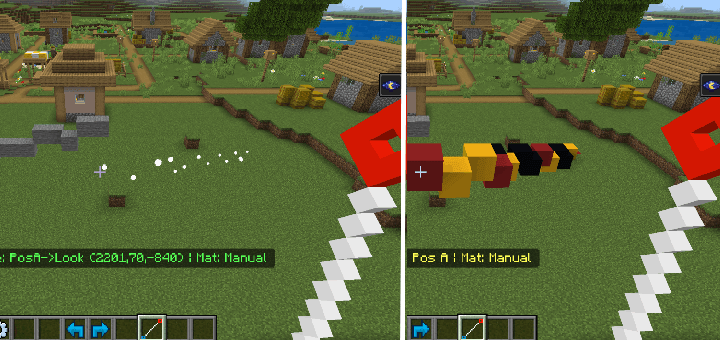
- 2. Path Tool (bn:path_tool): Create paths by connecting multiple points. Sneak + Use to finish path, set material, choose shape (Linear, Smooth, Bezier, Arc), adjust width, and manage points.
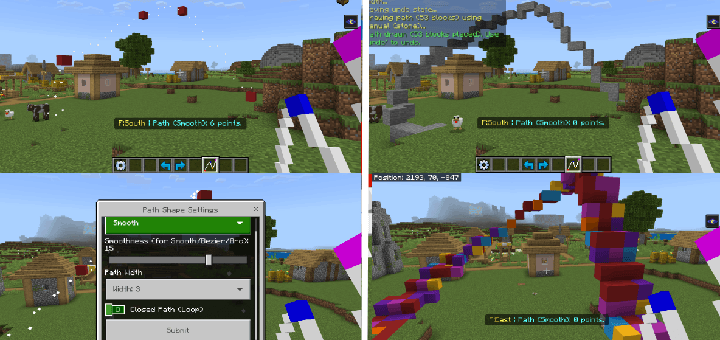
Advanced Features:
- 1. Terrain Generation (via Edit Tool): Procedurally generate landscapes within your selection using noise algorithms (Simplex, FBM, Worley). Customize base/surface materials, height, scale, seed, and advanced parameters like FBM octaves or Domain Warp for natural effects.
- 2. Palette System: Create and reuse collections of blocks (with weights).
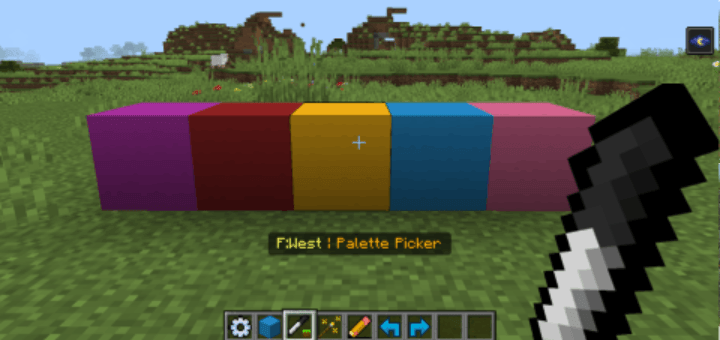
- Palette Picker Tool (bn:palette_picker): Add/remove blocks from your temporary "Active Palette."
- Active Palette: Your current working block mix, used by many tools.
- Manage Palettes (via Edit Tool): Load, edit, save, create, or delete permanent "Saved Palettes." Create palettes directly from a selection's contents.
Player Convenience:
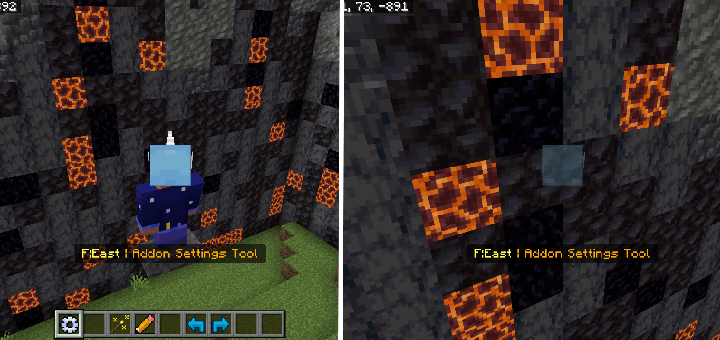
- Auto Spectator (via Settings Tool): If enabled in Creative flying, automatically switches you to Spectator mode when flying into walls to prevent getting stuck.
Experiment and use Undo/Redo freely! For an in-depth explanation of all features and settings, please consult the full in-addon guide book or the detailed video tutorial linked with this addon. Happy building!
World Forger
NOW AVAILABLE ON THE MINECRAFT MARKETPLACE!
NEW Tools & Features!
- Smooth Blend tool
- Shape Builder: Creates custom shapes with precise control.
- Loft Tool
- Structure Brush: Allows player to save and load structures.
- Improved terrain generation with presets and infinite size support.
- Gradients: Can now add gradients to your builds.
- Path Tool can now place blocks in a tube or wall shape.
- Block Fill: Allows the player to fill areas with any block just by placing it.
- Improved models and textures.
- Improved performance with large builds.
- Edition: Minecraft Bedrock
- File type: .mcpack or .mcaddon
- Minecraft versions listed: 1.21.130, 1.21.131, 1.21.132
- How to install: Download the .mcpack or .mcaddon file. → Open it — Minecraft imports it. → In your world: Behavior Packs → Available → Activate, then the same under Resource Packs.
- Where to get it: In MCModsHub, or directly above on this page.
Install steps are the general flow for this file type — How to install Minecraft Bedrock addons & mods walks through it step by step.
- Pack type: .mcaddon — behaviour and resource pack in one file
- Complete pack — everything it depends on is inside the file
- Download size: 15.4 MB
- Download link checked 18 Jun 2026 — working
These come from our own check of the pack file, not from the source page.