Connected Blocks
Bedrock add-on listed for Minecraft 1.21–26.x (behavior + resource pack). File opened and checked on 10 Sep 2026; installs from the MC Bedrock Mods app on Android.
I don't know my version
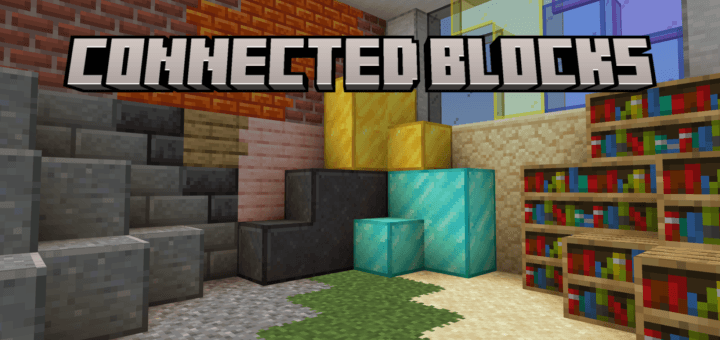
Connected Blocks is inspired by Optifine CTM that connects the borders of blocks.
You can craft a connected block by just putting the normal block to the crafting table:
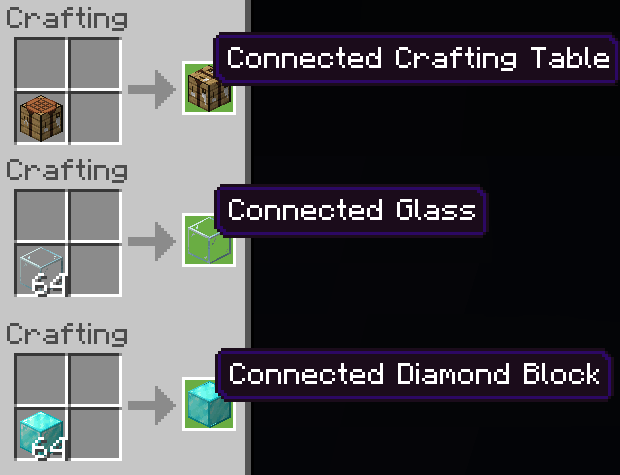
Connected Blocks
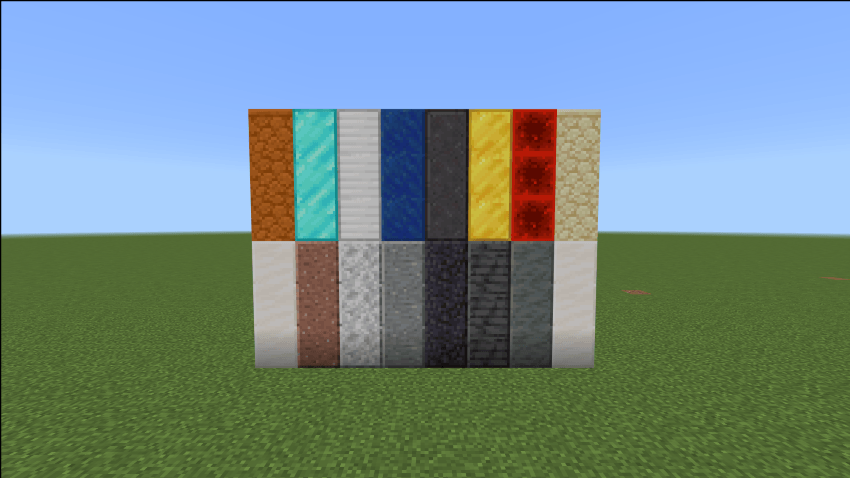
Connected Planks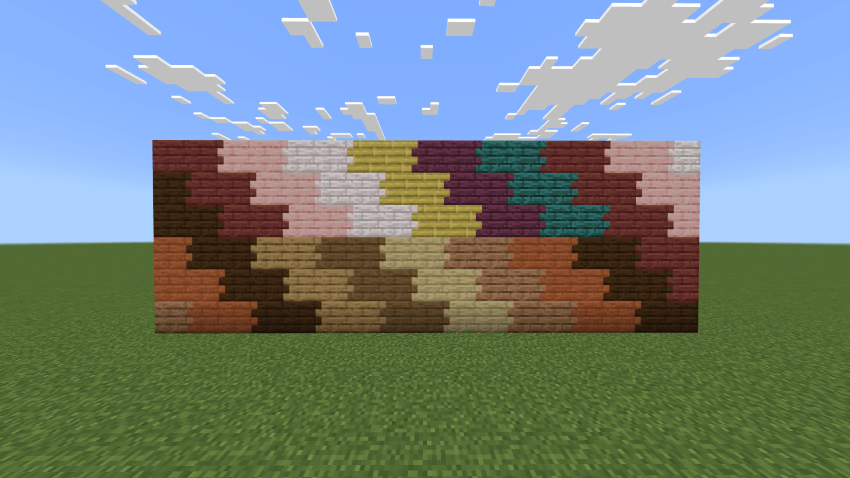
Connected Decorative Stones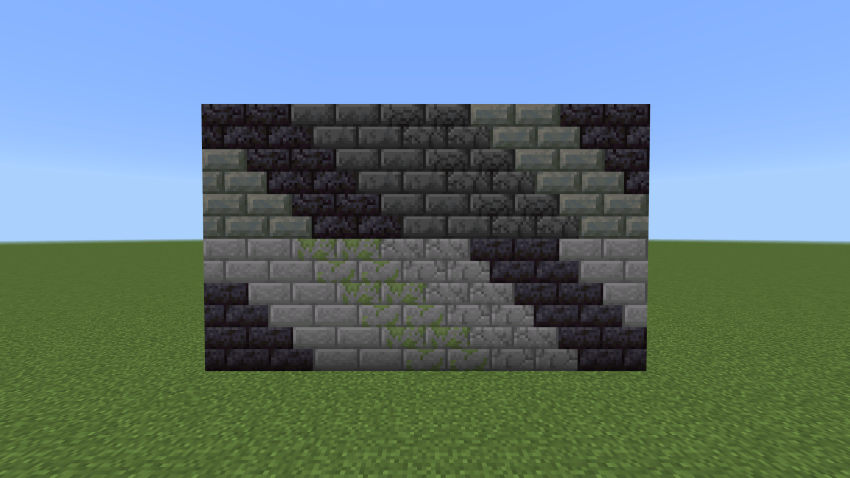
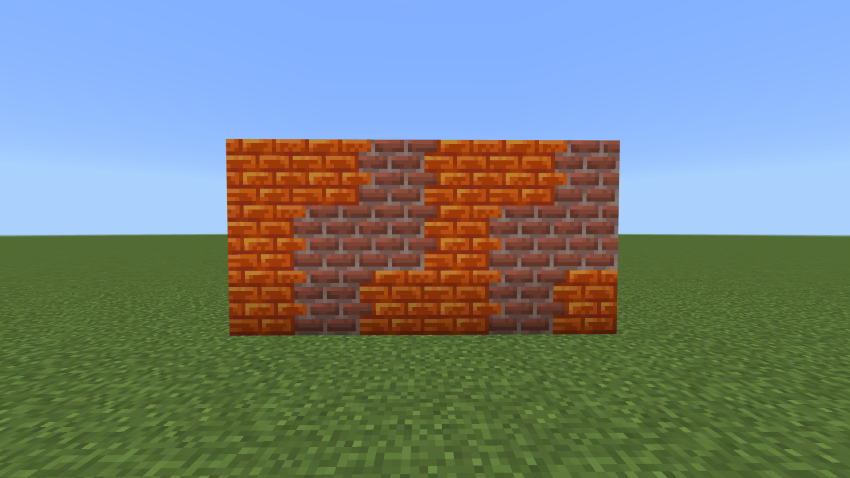
Connected Bricks and Resin Bricks
Connected Colored Glass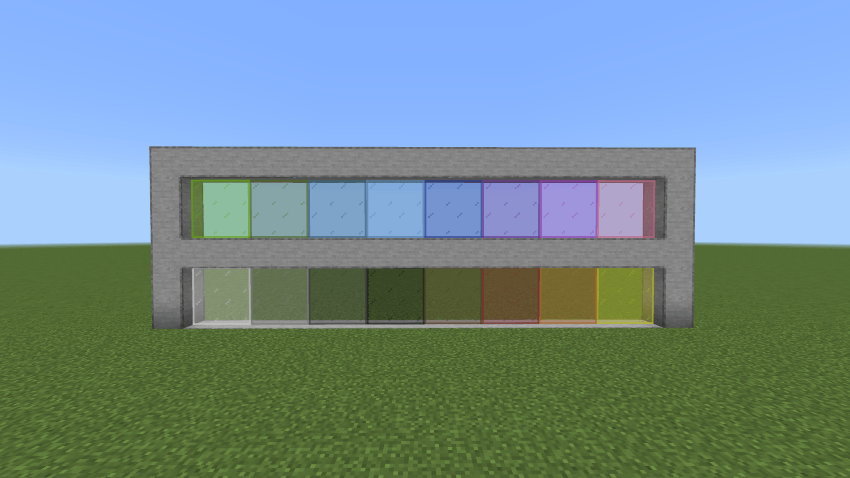
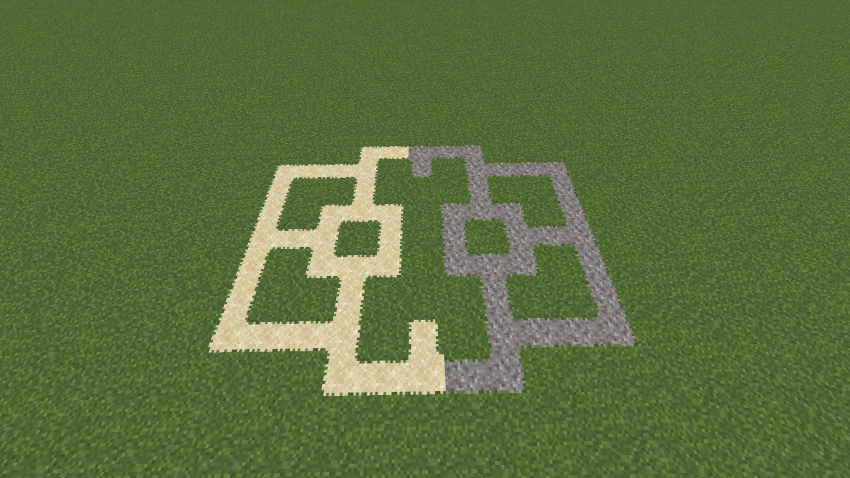
Gravel and Sand now connects to grass (Creative Mode only)
PREMIUM VERSION
Want to take Connected Blocks further?
The Premium Version adds features that go beyond simply connecting regular blocks.
Premium currently includes:
Connected Slabs
Get connected textures on slabs for cleaner floors, paths and detailed builds.
Conversion Wand
Automatically convert existing blocks in your world into their connected versions instead of crafting and replacing them manually.
More Premium Features Coming
Premium is continuously being expanded with new connected block types and building features.
[GET THE PREMIUM VERSION ON PATREON]
Your Patreon subscription helps support development and gives you access to the Premium Version.
2.4.5 VERSION UPDATE
Fixed console errors that pop up when loading up the world.
COMPATIBILITY
Connected Textures is also compatible with Easy Build Mod.
SUGGESTIONS & SUPPORT
Have a block you'd like to see connected?
Leave a suggestion in the comments or join the Discord server for updates, previews and announcements.
[JOIN THE DISCORD]
------ KNOWN BUGS ------
Can walk through glass panes that are connected on 3 sides and 4 sides.
Connected Gravel and Sand render issues
-----------------------------
WANT MORE?
The Free Version gives you the core Connected Blocks experience.
Premium gives you additional tools and features for builders who want more control over their builds.
Thank you for supporting Connected Blocks! ❤️
To Access the Premium Version of Connected Blocks
Visit this PATREON PAGE!
- Edition: Minecraft Bedrock
- File type: .mcpack or .mcaddon
- Minecraft versions listed: 26.0.02, 26.0, 26.3
- How to install: Download the .mcpack or .mcaddon file. → Open it — Minecraft imports it. → In your world: Behavior Packs → Available → Activate, then the same under Resource Packs.
- Where to get it: Opens on CurseForge — not every file is mirrored on our own servers.
Install steps are the general flow for this file type — How to install Minecraft Bedrock addons & mods walks through it step by step.
- Pack type: .mcaddon — behaviour and resource pack in one file
- Manifest requires Minecraft 1.21.90 or newer
- Complete pack — everything it depends on is inside the file
- Download size: 266 KB
- Download link checked 5 Oct 2026 — working
These come from our own check of the pack file, not from the source page.