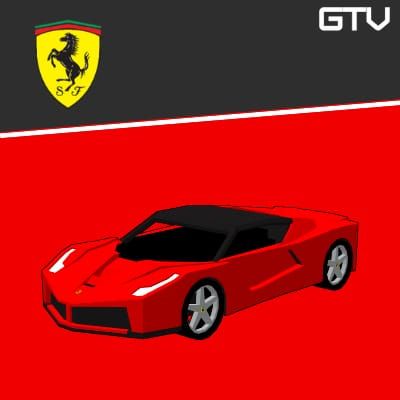
HomeBedrockAddonsGTV | FERRARI CARS
GTV | FERRARI CARS
AddonsBedrock

GTV | FERRARI CARS

by GTV · on CurseForge

🇮🇹 Ferrari Cars addon for Minecraft Bedrock: cars with emissive headlights, customizable colors, real fueling, progressive speed, speedometer…

Which Minecraft do you have?

Every version of the game needs its own build. Pick yours, then download — the wrong build installs fine and then does nothing in the game.

⬇ Download for 1.21.70–26.10⬇ Download for 1.21.30
I don't know my version
Open Minecraft and look at the bottom-left corner of the main screen — the version is printed there, like v1.26.30.
The game writes a 1. in front; the buttons above leave it off. v1.26.30 in the game is 26.30 here.
GTV | FERRARI CARS — screenshot 1

🏎️ The ultimate Ferrari experience in Minecraft Bedrock!

This additional content brings some of the most iconic and modern Ferrari models to the game, combining precise designs, realistic animations, and advanced gameplay mechanics for an immersive driving experience.


⚠️ ATTENTION!!!


This addon is an independent fan-made project created exclusively for use in Minecraft and intended solely for entertainment purposes.
It has no official connection, partnership, authorization, sponsorship, or endorsement from Ferrari or any other real-world automotive manufacturer, brand, or company.
All trade names, trademarks, and references mentioned belong to their respective owners and are used strictly for informational and descriptive purposes.


VEHICLES:


CRAFTINGS:


MECHANICS:


⚙️ SPEED: The addon features a smooth and progressive acceleration system, providing more realistic vehicle behavior and driving experience.

🔄 GEAR: Vehicles now feature a manual-style gear system. To shift gears, simply hit while mounted inside the vehicle.

📈 RPM: The speedometer now includes an RPM bar that simulates the engine’s revolutions for a more immersive driving experience.

🔧 ENGINE UPGRADE SYSTEM: Vehicles can be upgraded with different engine stages to improve overall performance. Each upgrade increases the car’s top speed and acceleration, allowing for faster and more powerful driving. Upgrades are applied using special engine items and can significantly change how each vehicle performs.

🔧 VEHICLE REMOVAL: Vehicles can now be despawned using the Wrench item.

🔊 SOUNDS: Vehicles now feature immersive sound effects.

🔑 IGNITION: Vehicles can only be started from inside the car using a key.

⛽ FUEL: Each vehicle can be powered by different fuel types: Coal (Combustion), Redstone (Electric) and Hybrid (Coal + Redstone). Fuel consumption is now based on both distance traveled and vehicle speed. The faster you drive, the more fuel the vehicle consumes.

📊 SPEEDOMETER: A functional speedometer shows your current speed in km/h, the RPM bar, and the remaining amount of fuel, allowing precise control while driving.

💡 LIGHT EMISSION: Vehicles now feature emissive lights that simulate real headlights. Players can turn the lights on and off while driving.

💥 MOB COLLISION: Vehicles can now hit mobs. Damage is based on the vehicle’s current speed — higher speed causes greater damage.

🎨 COLORS: Paint your car using any Minecraft dye.

🛍️ SHOP: Shop system using iron ingots + the required engine.


✨ SPECIAL ANIMATIONS:


🚘 FERRARI F8 SPIDER:
The Ferrari F8 Spider features an interactive convertible roof system. To open or close the roof, the player must crouch outside the vehicle while holding the key in hand.

💡 FERRARI F40:
The Ferrari F40 features functional pop-up headlights. When the vehicle lights are turned on, the headlights automatically raise. Turning the lights off will lower the headlights back into the bodywork.


HOW TO PLAY:


Fuel requirement: Before driving any vehicle, it must be fueled using coal or redstone.
How to refuel: Hold the fuel item in your hand and interact with the vehicle.
Refueling condition: The vehicle must be turned off before adding fuel.

Key requirement: After refueling, a key is required to operate the vehicle. Otherwise, the message "No Key" will be displayed.
Starting the vehicle: Hold the key in your hand and interact with the car. The "Start" option will appear.
Driving the vehicle: After starting the engine, remove the key from your hand and drive normally.
Gear shifting: To change gears, hit while mounted inside the vehicle.
Turning off the vehicle: To turn it off, hold the key again and interact with the car. The "Stop" option will be displayed.

Quick facts

Install steps are the general flow for this file type — How to install Minecraft Bedrock addons & mods walks through it step by step.

Verified by MCModsHub

These come from our own check of the pack file, not from the source page.

📺 Bedrock videos for GTV | FERRARI CARS watch on YouTube ↗

Minecraft but i can drive cars now! 🚗 | Minecraft car mod  #gamerworld #minecraftYouTubeMinecraft but i can drive cars now! 🚗 | Minecraft car mod #gamerworld #minecraftGAMERWORLDYou Can Get Cars in Minecraft!YouTubeYou Can Get Cars in Minecraft!The BreakdownTHE BEST CAR MOD EVER!!! #minecraft #gaming #cars #racingYouTubeTHE BEST CAR MOD EVER!!! #minecraft #gaming #cars #racingBanditHunter902Ferrari Car Add-on Minecraft Bedrock #minecraft #addonmcpe #addonminecraft #gaming #automobileYouTubeFerrari Car Add-on Minecraft Bedrock #minecraft #addonmcpe #addonminecraft #gaming #automobileTeam Infinite MindsCar Mod Minecraft Bedrock 1.20 | 87 Ferrari F40 [Remastered] | Mod MCPE ShowcaseYouTubeCar Mod Minecraft Bedrock 1.20 | 87 Ferrari F40 [Remastered] | Mod MCPE ShowcaseTHE KRUZZ
🎬Made a video about GTV | FERRARI CARS? Feature it #1 here for free — put the mcmodshub.com link near the top of your description, or in a pinned comment.

Explore more