Camouflage Door & Trapdoor
Bedrock add-on listed for Minecraft 1.21 (behavior + resource pack). File opened and checked on 18 Sep 2026; installs from the MC Bedrock Mods app on Android.
⬇ Download on CurseForge
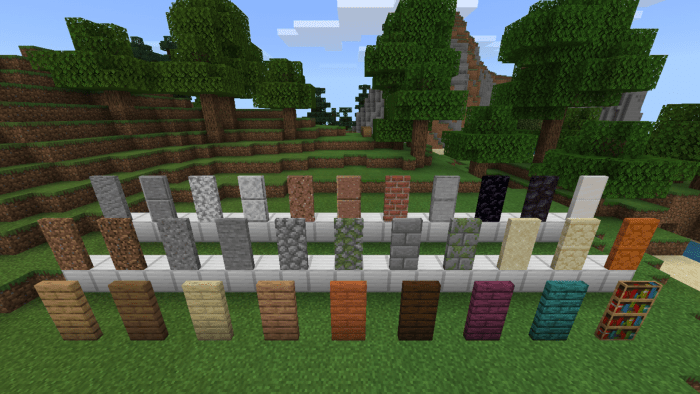
This add-on introduces a variety of custom doors and trapdoors using vanilla block textures, perfect for creating camouflage entrances. With these custom doors and trapdoors, you can easily design hidden rooms. Nearly all blocks can be used to craft doors, allowing you to conceal your base seamlessly in any environment.
Here are some of the camouflage doors and trapdoors included in this add-on.
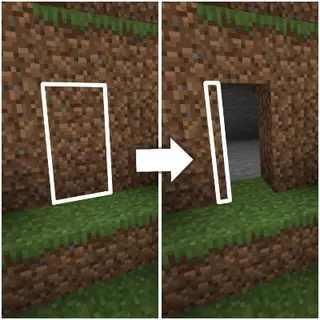
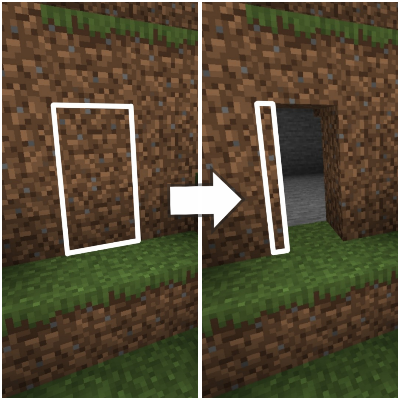
 An example of a dirt door being used as a secret entrance.

Crafting
To craft camouflage doors and trapdoors, you first need a Camouflage Door Crafter. This special block functions as a unique crafting table exclusively for creating various types of camouflage doors and trapdoors.
Here's how to craft the Camouflage Door Crafter: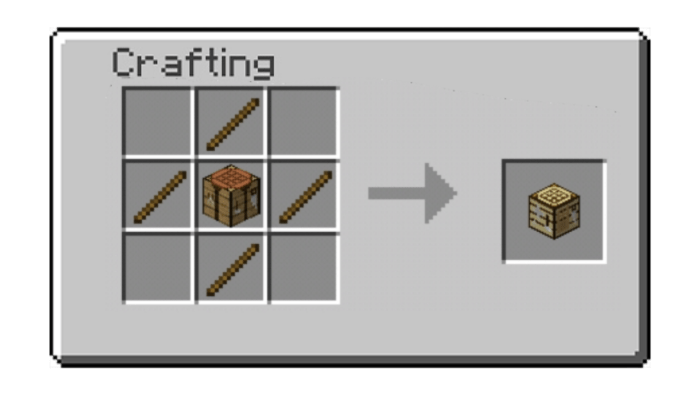 Use this crafting table to create doors and trapdoors with the same patterns as in vanilla Minecraft. Simply use the blocks of your choice to craft the desired doors. For example, use dirt to craft a Dirt Door, stone to craft a Stone Door, and so on.
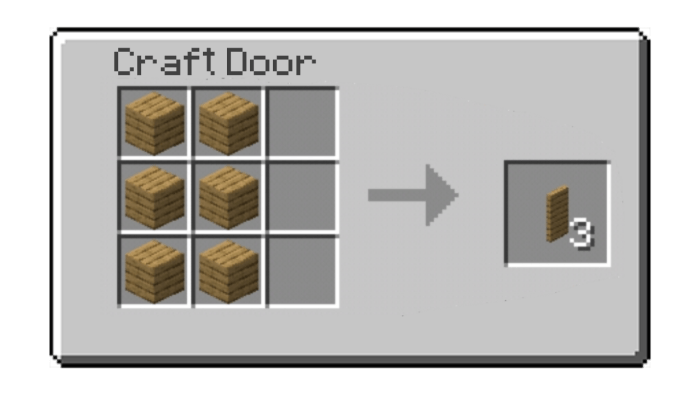
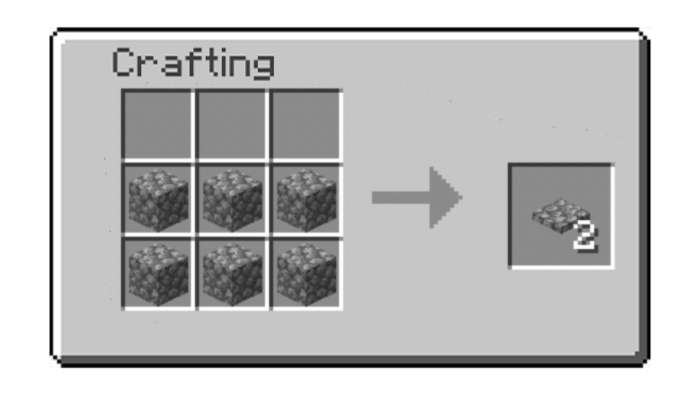
Changeable Texture
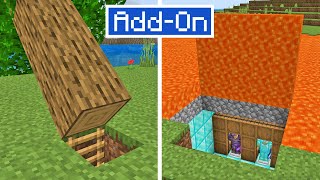
Some blocks, such as logs, pillars, and basalt, can be placed both horizontally and vertically. Consequently, doors made from these blocks feature both side and top textures, allowing you to choose the appropriate texture for different situations. By default, the door uses the side texture. To change it to the top texture, simply sneak while placing the door.
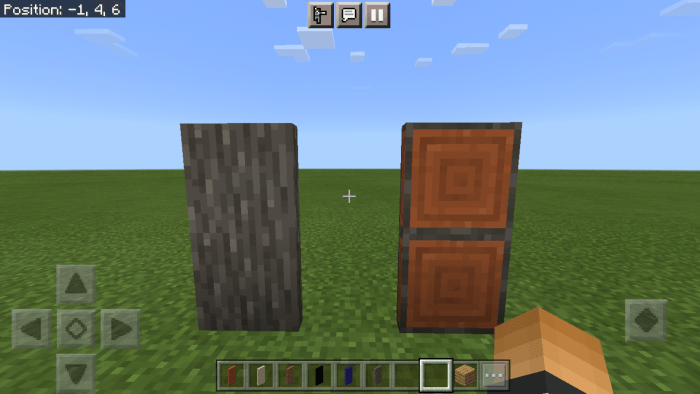
Both log doors shown above are made from acacia. The left one is placed normally, while the right one is placed while sneaking. Smooth Stone Door also have changeable texture.
Texture Pack Compatability
The add-on is compatible with other texture packs, meaning that camouflage doors and trapdoors will use the textures from the active texture pack. This ensures that camouflaging is maintained regardless of the texture pack you use.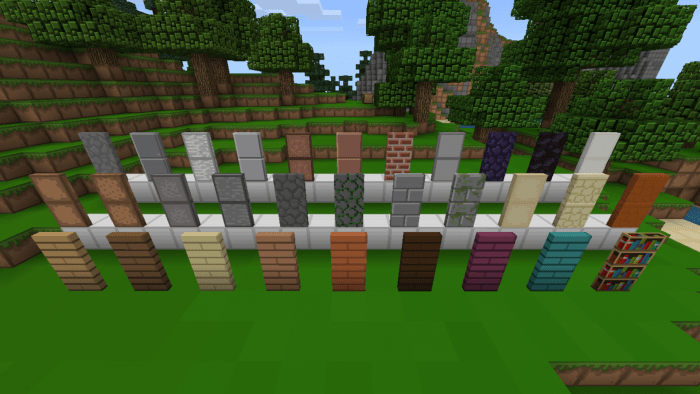
Watch Showcase
- Edition: Minecraft Bedrock
- File type: .mcpack or .mcaddon
- Minecraft versions listed: 1.21.20, 1.21.21
- How to install: Download the .mcpack or .mcaddon file. → Open it — Minecraft imports it. → In your world: Behavior Packs → Available → Activate, then the same under Resource Packs.
- Where to get it: Opens on CurseForge — not every file is mirrored on our own servers.
Install steps are the general flow for this file type — How to install Minecraft Bedrock addons & mods walks through it step by step.
- Pack type: .mcaddon — behaviour and resource pack in one file
- Manifest requires Minecraft 1.21.20 or newer
- Complete pack — everything it depends on is inside the file
- Download size: 742 KB
- Download link checked 5 Oct 2026 — working
These come from our own check of the pack file, not from the source page.