Hammer Time 2D
Bedrock add-on listed for Minecraft 1.21–26.x (behavior + resource pack). File opened and checked on 25 Oct 2026; installs from the MC Bedrock Mods app on Android.
This addon is based on the Minecraft Java mod with the same name, adding hammers that cut 3x3, swords that damage areas, axes that break wood by breaking…
⬇ Download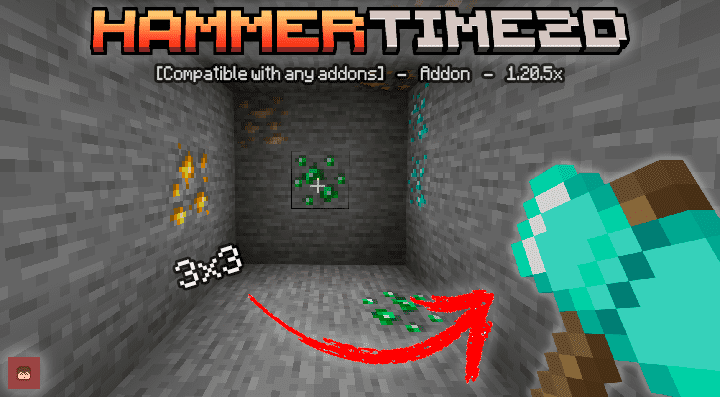
Join my Discord server 🚀
There you can request custom commissions, get VIP access, see exclusive addon progress, and stay updated with everything new before anyone else. Don’t miss out!
--- Compatible with any Addons || Realms!! || Action and Stuff ---
-This add-on does not disable achievements.-
-Not need any experimental games-
-DOES NOT USE PLAYER.JSON-
🌐 My Official Page

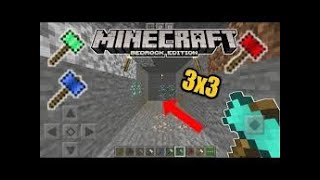
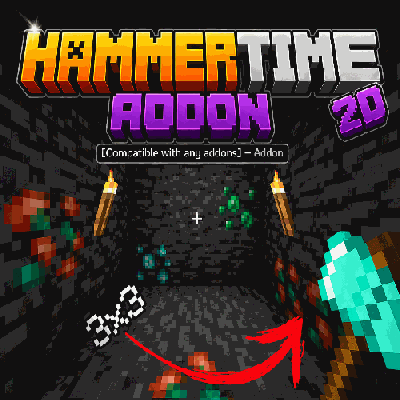
This addon is based on the Minecraft Java mod with the same name, adding hammers that cut 3x3, swords that damage areas, axes that break wood by breaking a block, and shovels that cut dirt 3x3, etc.
--Installation Guide--
You must download the Hammer Time 2d BP file for the addon's behavior, and then the Hammer Time 2d RP file for the addon's textures. These two files are required for the addon to work properly.
Update V2.2.3
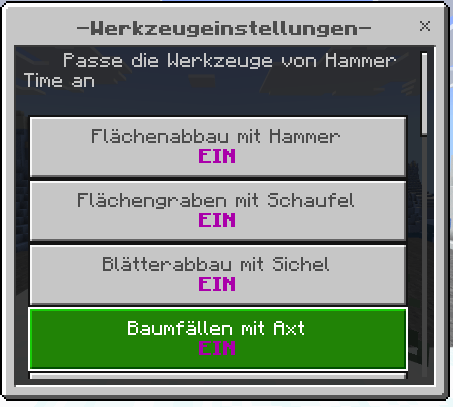
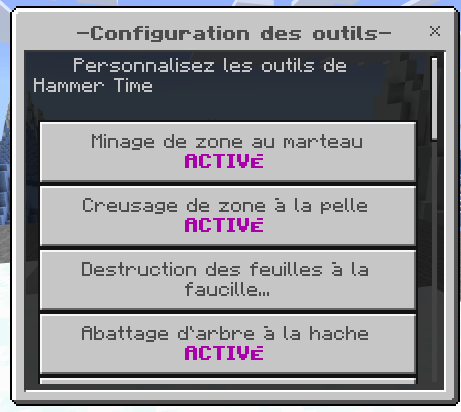
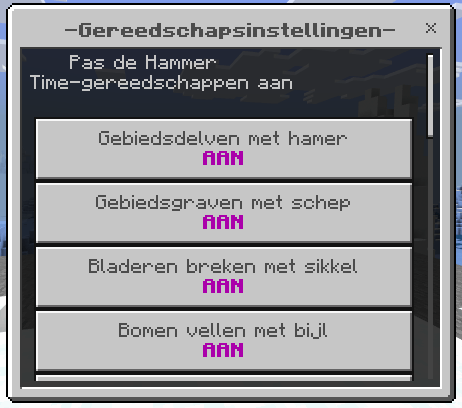
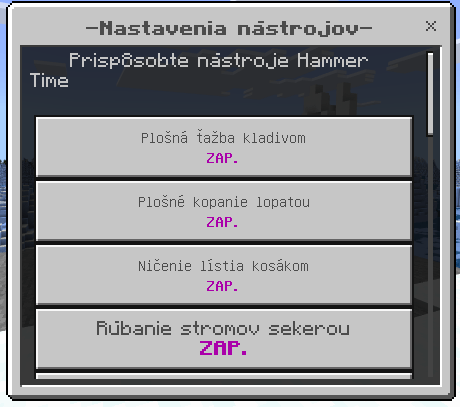
In this update, we've implemented translations for all languages available in the game, including items, categories, and the configuration book.
Update 2.2.2
In this update, a new option was added to the configuration book: Durability Cost. This option allows you to modify the amount of durability the item will lose when its ability is used.

Update 2.2.1
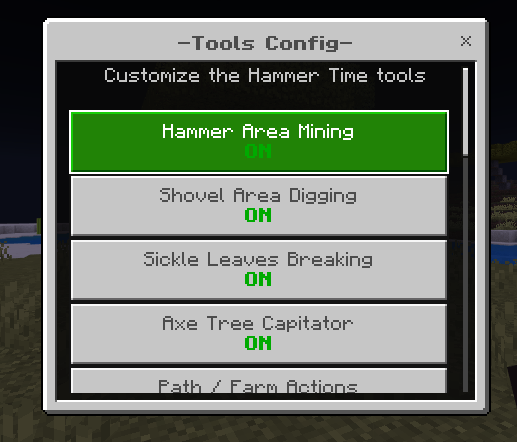
Hammer Time includes a Tools Config item that allows players to customize how the custom tools work directly in-game. With this menu, players can enable, disable, or adjust different features depending on their playstyle.
This system gives more control over area mining, digging, farming, tree cutting, drops, sounds, particles, durability, and knockback.
Configuration Options
Hammer Area Mining
Enables or disables the area mining ability for hammers. When enabled, hammers can break compatible blocks in a 3x3 or 5x5 area, depending on the selected Area Size. This makes mining stone, ores, and other compatible blocks much faster.
Shovel Area Digging
Enables or disables the area digging ability for great shovels. When enabled, shovels can dig multiple compatible blocks at once, making terraforming, clearing dirt, and working with ground blocks much easier.
Sickle Leaves Breaking
Enables or disables the area breaking ability for sickles. When enabled, sickles can break leaves in an area, making it faster to clear trees, bushes, and vegetation.
Axe Tree Capitator
Enables or disables the Tree Capitator feature for great axes. When enabled, axes can break connected logs from a tree at once. This is useful for cutting down trees faster without breaking each log manually.
Path / Farm Actions
Enables or disables special right-click tool actions. This includes turning grass or dirt into paths, converting ground blocks into farmland, and stripping logs with axes. When disabled, these special tool actions will not be applied.
Drops
Enables or disables block drops when using special area-breaking abilities. If enabled, affected blocks will drop items normally. If disabled, affected blocks will be removed without dropping items.
Actionbar Counter
Shows or hides an actionbar message that displays how many blocks were affected by the tool ability. This is useful if players want to see how many blocks were mined, dug, converted, or broken in one use.
Sounds
Enables or disables sound effects when using Hammer Time tool abilities. Players can turn this off if they prefer a cleaner or quieter experience.
Particles
Enables or disables particles when using Hammer Time tool abilities. This can be useful for visual feedback, but players can disable it if they want better performance or a cleaner screen.
Custom Durability
Enables or disables the custom durability system for Hammer Time tools. When enabled, tools lose durability when their custom abilities are used. When disabled, the custom durability system will not be applied.
Activation Mode
Changes when the custom tool abilities can be used.
- Not Sneaking: Tool abilities only work when the player is not sneaking.
- Sneaking Only: Tool abilities only work while the player is sneaking.
- Always: Tool abilities work both while sneaking and not sneaking.
Area Size
Changes the size of the area affected by hammers, shovels, sickles, and path/farm actions.
- 3x3: A smaller and more balanced area.
- 5x5: A larger area for faster clearing and bigger projects.
Area Block Limit: Sets the maximum number of blocks that can be affected by area tools in a single use. This helps balance the addon and can reduce lag, especially when using larger areas such as 5x5.
Tree Block Limit: Sets the maximum number of logs that can be broken by the Tree Capitator feature in a single use. This is useful for preventing very large trees from breaking too many blocks at once.
Great Sword Knockback Enables or disables the knockback effect applied by great swords when hitting entities. When enabled, great swords can push enemies back depending on the selected knockback power.
Knockback Power
Changes the strength of the great sword knockback.
- Low: A weaker knockback effect.
- Normal: A balanced knockback effect.
- High: A stronger knockback effect.
Reset Config: Resets all Tools Config options back to their default values. This is useful if players want to quickly restore the original Hammer Time configuration.
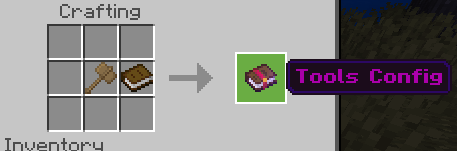
Recipe
A crafting recipe for the Tools Config book was also added in case you somehow lose the item, helping prevent possible issues.
Enchantment Compatibility
In this update, the use of experimental gameplay was removed, the JavaScript code for all tools was improved, and compatibility with enchantments for the hammer, such as:
- Fortune
- Silk Touch was added.
The functionality of the axe when breaking wood blocks was also improved. Below, I will show videos of the current functionality of the tools.
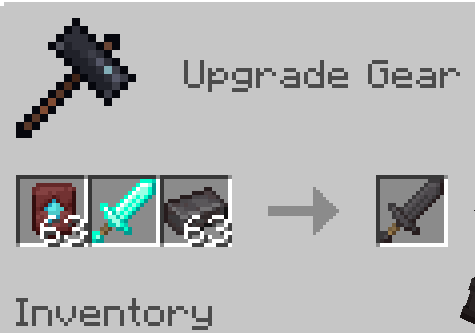
Netherite items are now crafted this way
-Function🔨
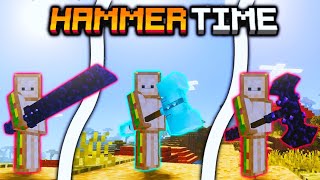
The Hammer time addon has a total of 5 new tools that will help you in your survival world, among them we have hammers, giant swords, giant axes, hoes and shovels, these new tools will help you break faster and efficiently the blocks you chop.
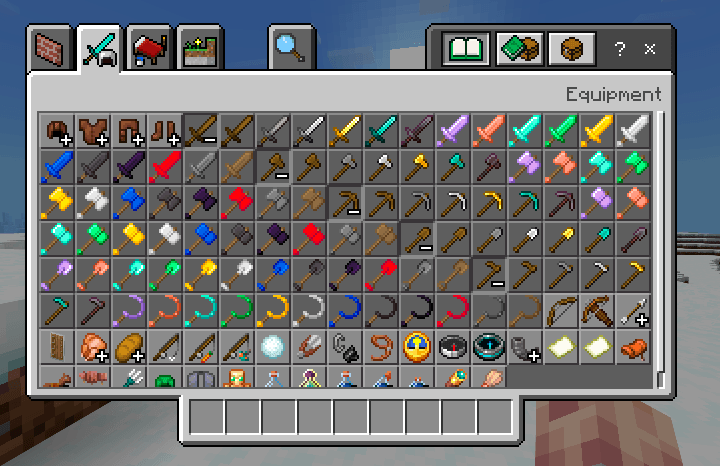
As I said, there are 5 new super tools that can be made of many types of materials, among them we have diamond, iron, obsidian, netherite, redstone, lapis lazuli, gold, wood, stone and emerald, each one varies in durability and speed to break. the blocks.
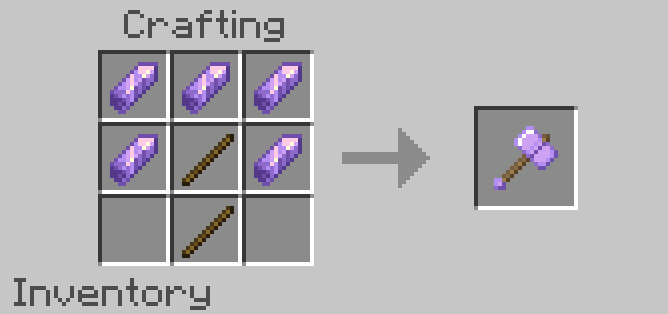
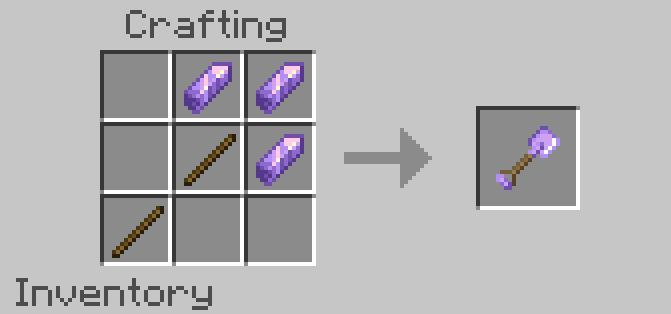
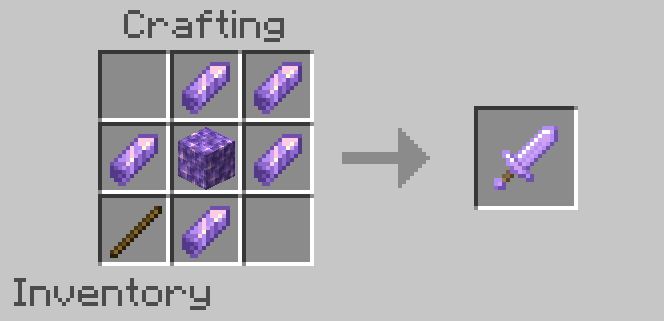
-Recipe example
this is just an example with a material for the rest of the materials the same format is used
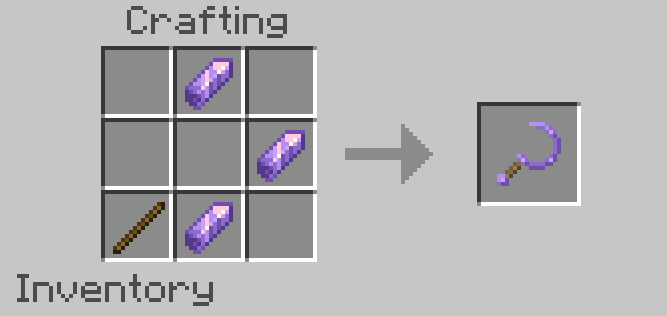
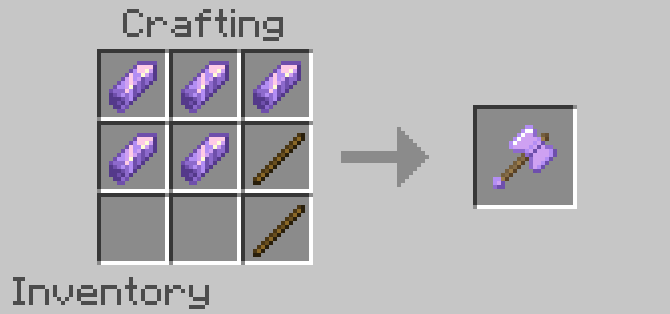
- Edition: Minecraft Bedrock
- File type: .mcpack or .mcaddon
- Minecraft versions listed: 1.21.132, 26.0.02, 26.0
- How to install: Download the .mcpack or .mcaddon file. → Open it — Minecraft imports it. → In your world: Behavior Packs → Available → Activate, then the same under Resource Packs.
- Where to get it: In MCModsHub, or directly above on this page.
Install steps are the general flow for this file type — How to install Minecraft Bedrock addons & mods walks through it step by step.
- Pack type: .mcaddon — behaviour and resource pack in one file
- Complete pack — everything it depends on is inside the file
- Download size: 133 KB
- Download link checked 16 Jul 2026 — working
These come from our own check of the pack file, not from the source page.