AppleSkin Bedrock (Unofficial Port)
Bedrock add-on listed for Minecraft 1.21 (behavior + resource pack). File opened and checked on 18 Oct 2026; installs from the MC Bedrock Mods app on Android.
⬇ Download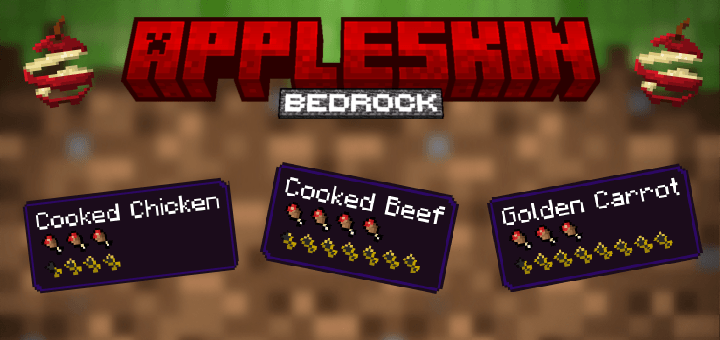
🍎AppleSkin Bedrock (Unofficial Port)🍎
Want to play with your friends? Add-ons do not work very well in Realms..., so why not rent a server from Bisect Hosting? Use my code 'Pupy200mine' to get 25% off—it also supports me, and I really appreciate it!
(Click Here!)

If you want to know how to create the server with addons I recommend you to see these instructions:
How to include add-ons in your server
AppleSkin Bedrock allows you to see the nutritional and saturation values for all types of foods, including those from other addons!
This is an unofficial port of the "Appleskin" mod made by squeek502
Mod License/Port Permission:
The mod is under public domain and contains the following:
"Anyone is free to copy, modify, publish, use, compile, sell, or distribute this software, either in source code form or as a compiled binary, for any purpose, commercial or non-commercial, and by any means."
What allows me to make this port
And that means that my addon will also be under public domain.
For the addon to work properly, move the resource pack to the top, as shown in the image below

Tested with the foods from:
Farmer's Delight Bedrock (Unofficial Port)
But it is compatible with all addons that add food!

This add-on does NOT require experimental options; you just need to have the latest version of Minecraft.
NEW: Saturation and exhaustion bar

Fully functional and compatible with any food add-on
(Note: if another add-on modifies the UI, it may stop working)
◆ Do you want to use my code to make your own addon? Go ahead!
I'd be Very grateful if you give credits :)
◆ Something is not working correctly but you think you have done everything right?
Fill out this form and submit the bug report: Submit Bug Report - PUPY200MINE´S ADD-ONS (weebly.com)
;)
- Edition: Minecraft Bedrock
- File type: .mcpack or .mcaddon
- Minecraft versions listed: 1.21.81, 1.21.90, 1.21.101
- How to install: Download the .mcpack or .mcaddon file. → Open it — Minecraft imports it. → In your world: Behavior Packs → Available → Activate, then the same under Resource Packs.
- Where to get it: In MCModsHub, or directly above on this page.
Install steps are the general flow for this file type — How to install Minecraft Bedrock addons & mods walks through it step by step.
- Pack type: .mcaddon — behaviour and resource pack in one file
- Complete pack — everything it depends on is inside the file
- Download size: 55 KB
- Download link checked 18 Jun 2026 — working
These come from our own check of the pack file, not from the source page.