AddonsBedrock
FurniDeco: Remake (Stable)
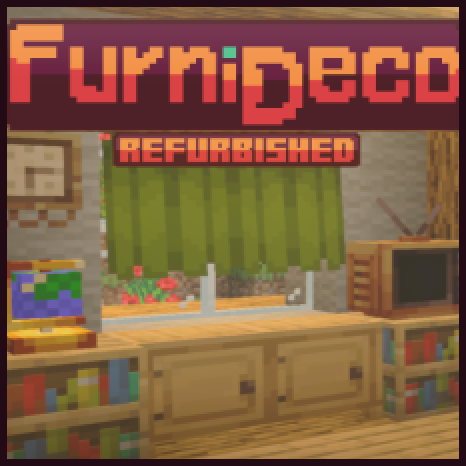
27 new pieces of furniture that are both functional and visually appealing, seamlessly blending into the vanilla style. Offering over 100 distinct…
I don't know my version
Open Minecraft and look at the bottom-left corner of the main screen — the version is printed there, like v1.26.30.
The game writes a 1. in front; the buttons above leave it off. v1.26.30 in the game is 26.30 here.
Features
- 💺 27 Unique pieces of furniture & decorations, up to 100+ variants.
- 🎨 Fully customizable.
- 🎮 Interactive and functional.
- 🍦 Fits with the Minecraft Vanilla feel.
- 🪓 Craft-able in survival mode.
- 🧊 Uses blocks.
Changes
- 📌Fixed Marketplace skins disappearing.
- 📌Fixed all carpentry table recipes.
- 📌Fixed all original bugs.
- 📌Fixed ceiling fan not turning off.
- 📌Changed grandfather clock model, texture and sound.
- 📌Changed paint brush texture.
- 📌Changed lamp model and texture.
- 📌Improved general furniture connectivity.
- 📌Improved fire pit's fire.
- 📌Improved cabinets hitbox.
- 📌Added missing wooden variants for every wooden furniture.
- 📌Added television capability to be turned on and off.
- 📌Added television sound effects.
- 📌Added dynamic to the radio aerial.
- 📌Added torchflower flower pot's variant.
- 📌Added connectivity for curtains.
- 📌Added music to the radio.
- 📌Added ticking sounds for the clock.
- 📌Added new particle effects.
- 📌Added Spanish translation.
- 📌Added globe.
- 📌Added mailbox.
- 📌Updated to the latest version.
- 📌Total code refactor.
- 📌Improved performance due to optimized code.
<figure class="image"> </figure> <figure class="image">
 </figure> <figure class="image">
 </figure> <figure class="image">
 </figure> <figure class="image">
 </figure> <figure class="image">
 </figure>
Video showing the Mailbox: https://imgur.com/a/Vh3FtfX
This project is a modern remake of FurniDeco, initially created by Arexon.
Quick facts
- Edition: Minecraft Bedrock
- File type: .mcpack or .mcaddon
- Minecraft versions listed: 1.21.50, 1.21.43, 1.21.41
- How to install: Download the .mcpack or .mcaddon file. → Open it — Minecraft imports it. → In your world: Behavior Packs → Available → Activate, then the same under Resource Packs.
- Where to get it: Opens on CurseForge — not every file is mirrored on our own servers.
Install steps are the general flow for this file type — How to install Minecraft Bedrock addons & mods walks through it step by step.
Verified by MCModsHub
- Pack type: .mcaddon — behaviour and resource pack in one file
- Manifest requires Minecraft 1.21.0 or newer
- Complete pack — everything it depends on is inside the file
- Download size: 1.0 MB
- Download link checked 15 Sept 2026 — working
These come from our own check of the pack file, not from the source page.