![TC VeinGlow – RGB Ultimate VeinMiner,TreeCapitator, Ore Excavation & 45+ Mining Modes [Achievement friendly]](https://files.mcmodshub.com/img/curseforge/64777.png)
TC VeinGlow – RGB Ultimate VeinMiner,TreeCapitator, Ore Excavation & 45+ Mining Modes [Achievement friendly]
Bedrock add-on listed for Minecraft 1.21–26.x (behavior + resource pack). File opened and checked on 3 Oct 2026; installs from the MC Bedrock Mods app on Android.
[AF] VeinGlow: Tree ,Leaf Capitator, Vein Miner, Ore Excavation, RGB outlines, 45+ modes (Vein V1–V3, tunneling, 3x3/5x5, stairs, patterns), passive…
I don't know my version
![TC VeinGlow – RGB Ultimate VeinMiner,TreeCapitator, Ore Excavation & 45+ Mining Modes [Achievement friendly] — screenshot 1](https://files.mcmodshub.com/img/curseforge/64777_s3112430.gif)
![TC VeinGlow – RGB Ultimate VeinMiner,TreeCapitator, Ore Excavation & 45+ Mining Modes [Achievement friendly] — screenshot 2](https://files.mcmodshub.com/img/curseforge/64777_s3112431.png)
![TC VeinGlow – RGB Ultimate VeinMiner,TreeCapitator, Ore Excavation & 45+ Mining Modes [Achievement friendly] — screenshot 3](https://files.mcmodshub.com/img/curseforge/64777_s3112432.gif)
![TC VeinGlow – RGB Ultimate VeinMiner,TreeCapitator, Ore Excavation & 45+ Mining Modes [Achievement friendly] — screenshot 4](https://files.mcmodshub.com/img/curseforge/64777_s3112433.gif)
![TC VeinGlow – RGB Ultimate VeinMiner,TreeCapitator, Ore Excavation & 45+ Mining Modes [Achievement friendly] — screenshot 5](https://files.mcmodshub.com/img/curseforge/64777_s3112434.gif)
![TC VeinGlow – RGB Ultimate VeinMiner,TreeCapitator, Ore Excavation & 45+ Mining Modes [Achievement friendly] — screenshot 6](https://files.mcmodshub.com/img/curseforge/64777_s3112435.gif)
![TC VeinGlow – RGB Ultimate VeinMiner,TreeCapitator, Ore Excavation & 45+ Mining Modes [Achievement friendly] — screenshot 7](https://files.mcmodshub.com/img/curseforge/64777_s3112436.gif)
![TC VeinGlow – RGB Ultimate VeinMiner,TreeCapitator, Ore Excavation & 45+ Mining Modes [Achievement friendly] — screenshot 8](https://files.mcmodshub.com/img/curseforge/64777_s3112437.png)
TC VeinGlow
Vein Mining Reinvented — Survival-Friendly, Visual, and Fully Configurable
What Is New in v2.6.0
|
| |
|
|
Mining VFX — Watch Directly
|
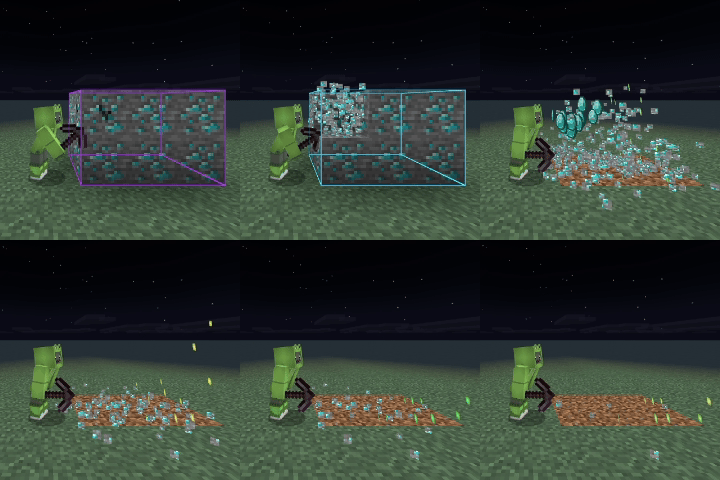
VFX Showcase I
|
VFX Showcase II
|
|
VFX Showcase III
|
VFX Showcase IV
|
Version Compatibility
| Release | Minecraft Bedrock |
|---|---|
| Current Release v2.5.0 | 1.21.30+ |
| v2.1.1–v2.4.1 | 1.21.0+ |
| v2.0.0 | 1.20.80+ |
 |
 |
Core Pattern Arsenal
|
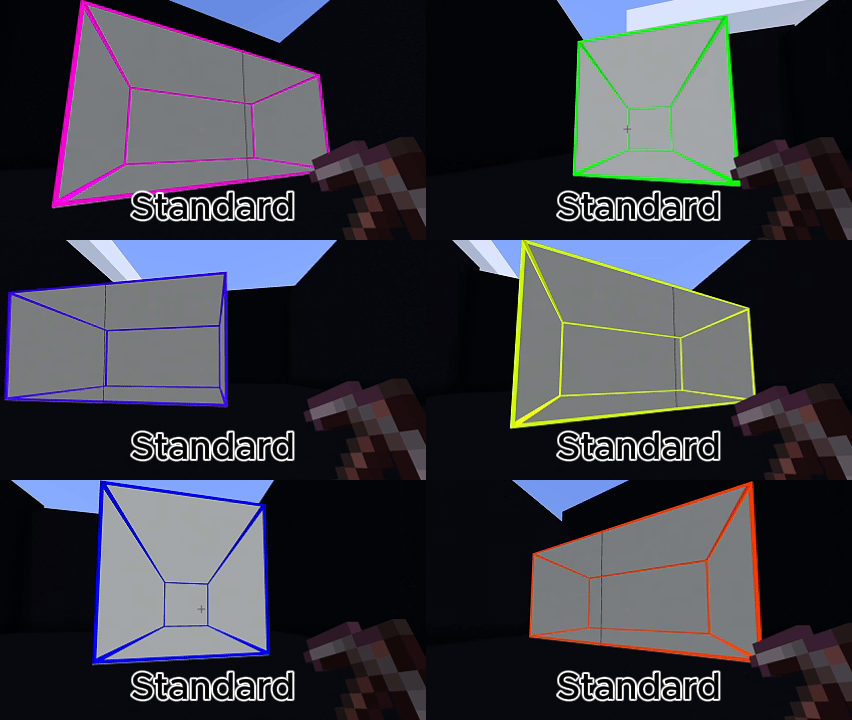
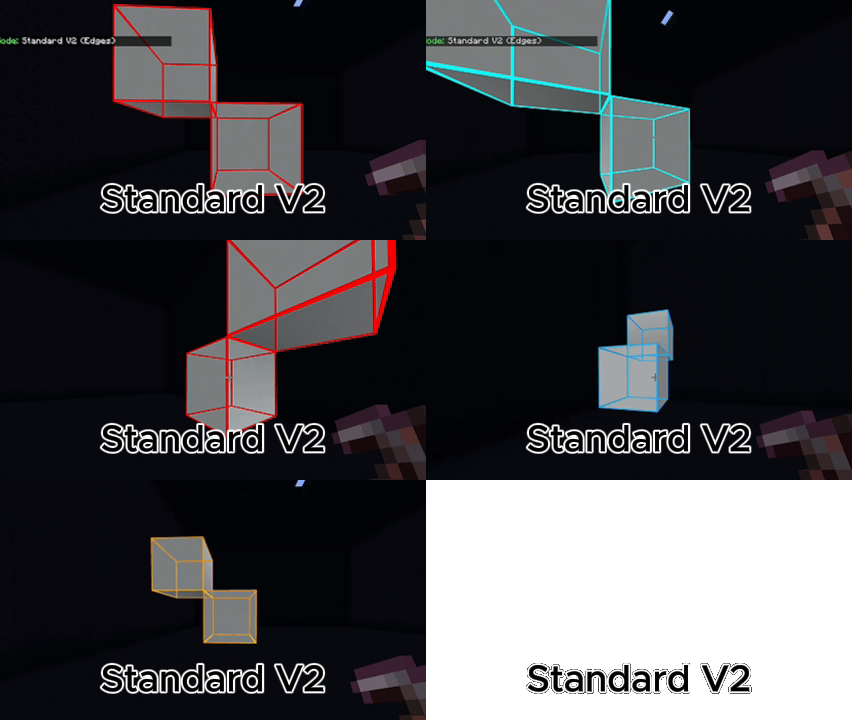
Connected Mining
Standard: shared faces. |
Tunnels
Line, 1x2, 2x1, 2x2, 3x3, diagonal, arc, zigzag, and strip-mining layouts. |
|
Heavy Excavation
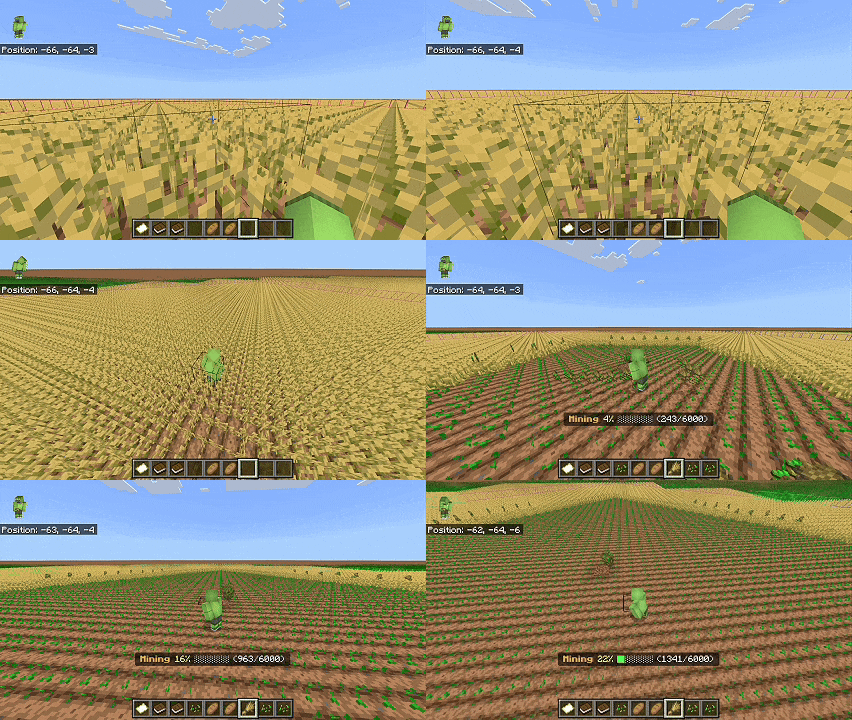
3x3 Hammer, 5x5 Sledge, 3x3x3 and 5x5x5 excavators, Room Clearer, Moat, Trench, and Farm Grid. |
Geometry
Circle, Sphere, Dome, Hollow Cube, Hollow Cylinder, Frame, Cone, Plus, Star, Heart, and Checkerboard. |
|
Advanced Patterns
Spiral Outward, Branch Mining, Maze, Random Chaos, and Quarry-style excavation. |
Vertical Mining
Stairway Up, Stairway Down, diagonal stairways, and Spiral Staircase. |
 |
 |
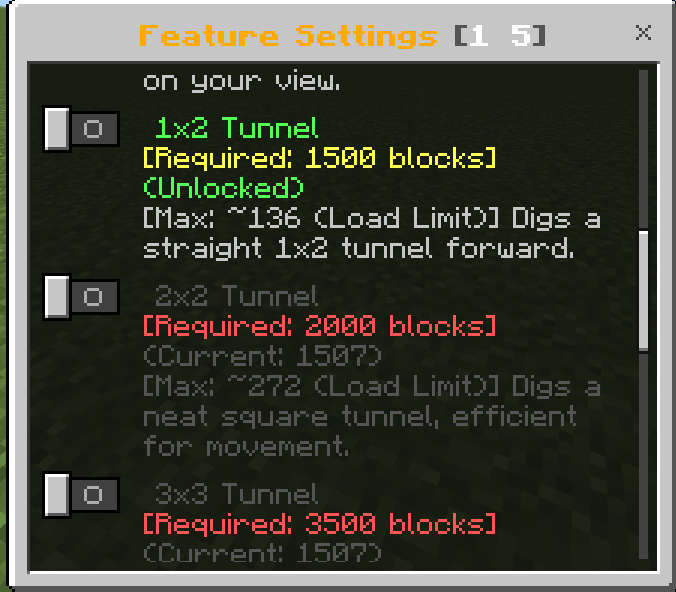
Optional Unlock Progression
Administrators can enable milestone progression for advanced patterns. If Unlock Mode is disabled, progression restrictions are not applied.
 |
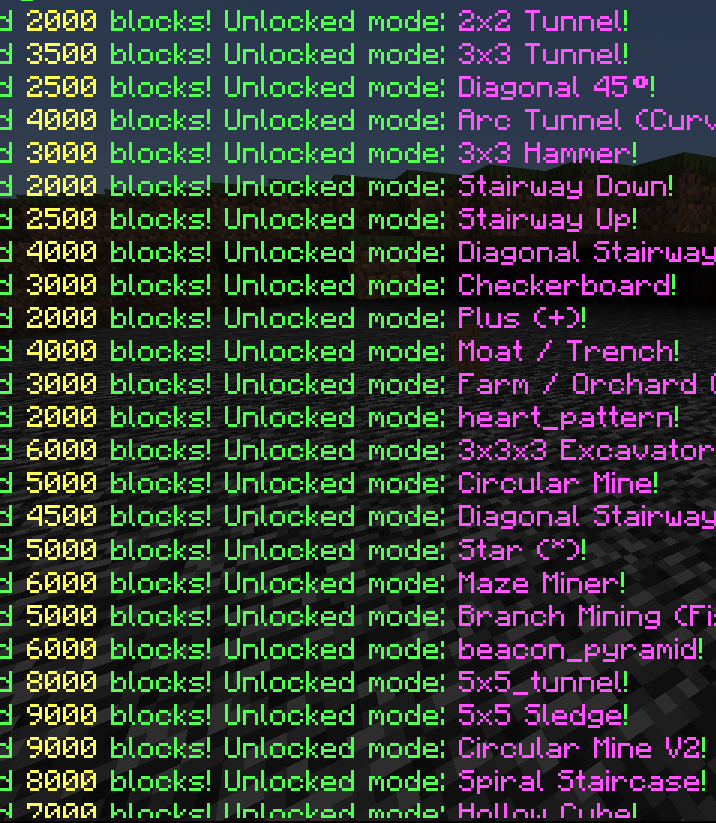 |
Progression Preview Gallery
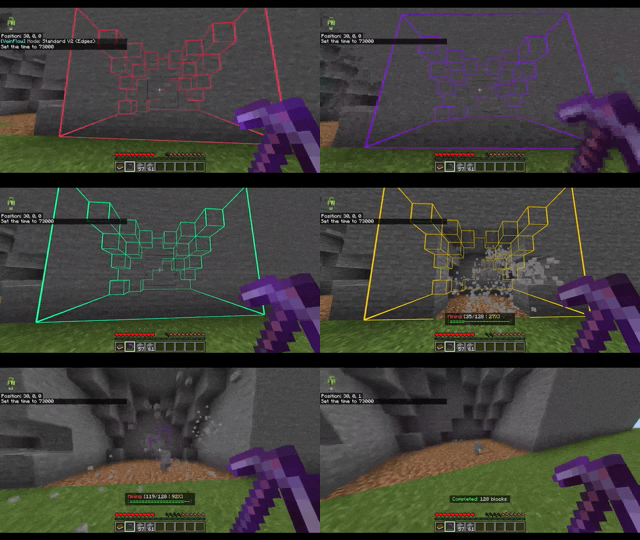 |
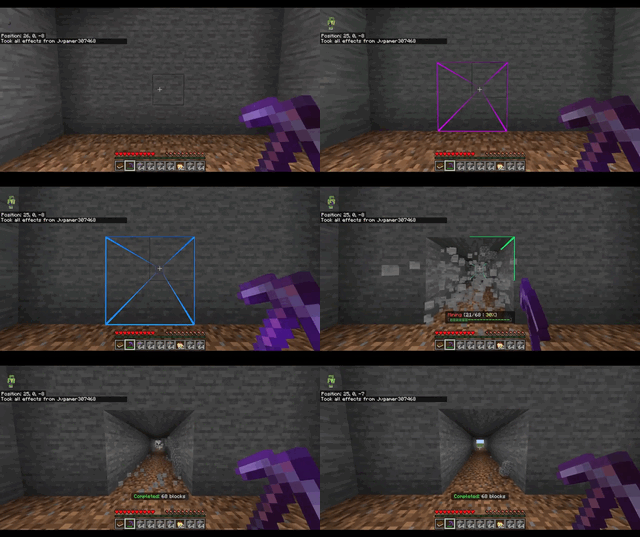 |
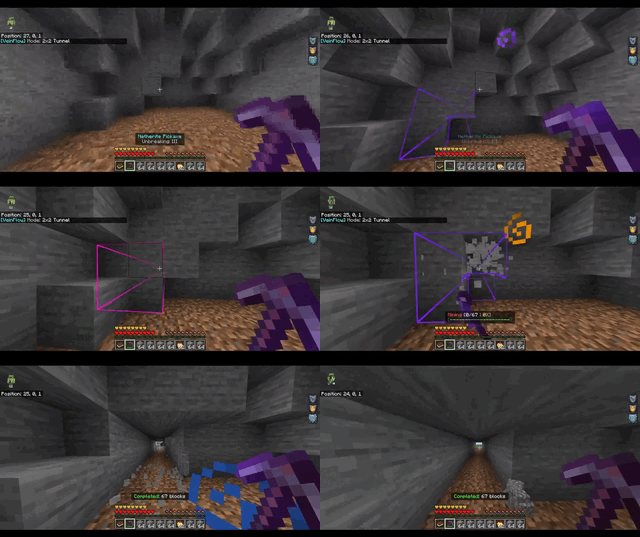 |
Smart Automation
| Tree Capitator Break logs, process leaves, and replant saplings. |
Automated Farm Harvest mature crops and replant compatible seeds. |
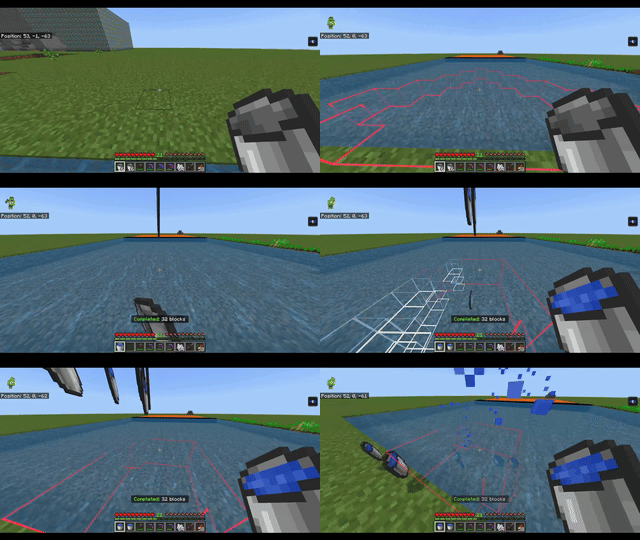
| Liquid Collector Collect water or lava with available empty buckets. |
Vein Hoe & Shovel Till soil or create paths using selected patterns. |
| Auto Torch & Safe Tunnel Light dark tunnels and reduce liquid or falling-block hazards. |
Tool Protection Stop at low durability and switch to a hotbar replacement. |
| Sweep Vein Trigger supported vein behavior from sword sweeping. |
Double Door Synchronize adjacent compatible doors. |
 |
 |
Visual System — Precision Overlays & 3D VFX
- Entity-based block previews display the mining selection before destruction.
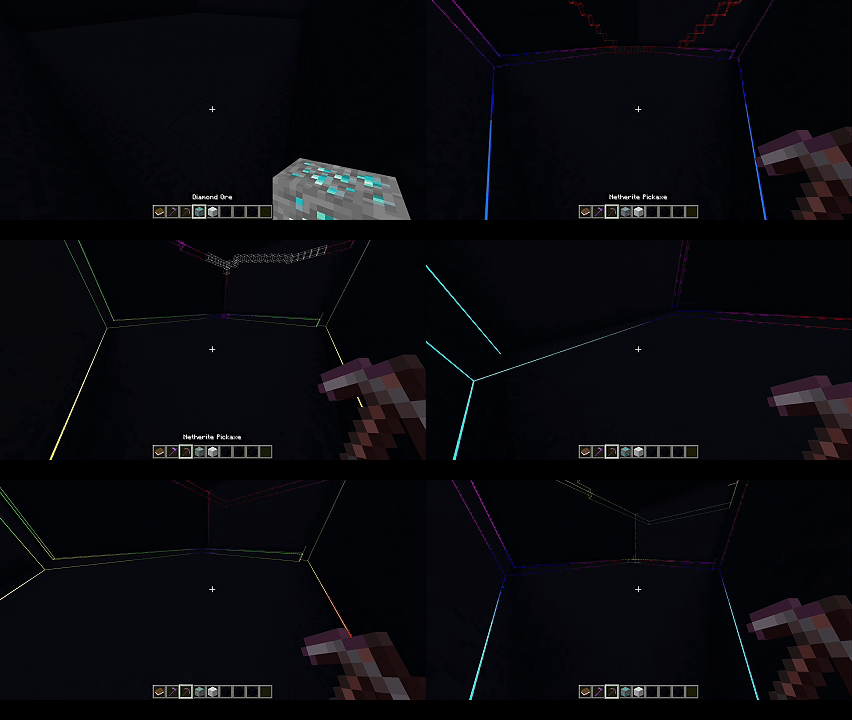
- Multiple outline styles: Box, Wireframe, Scan, Bold, and corner-focused variants.
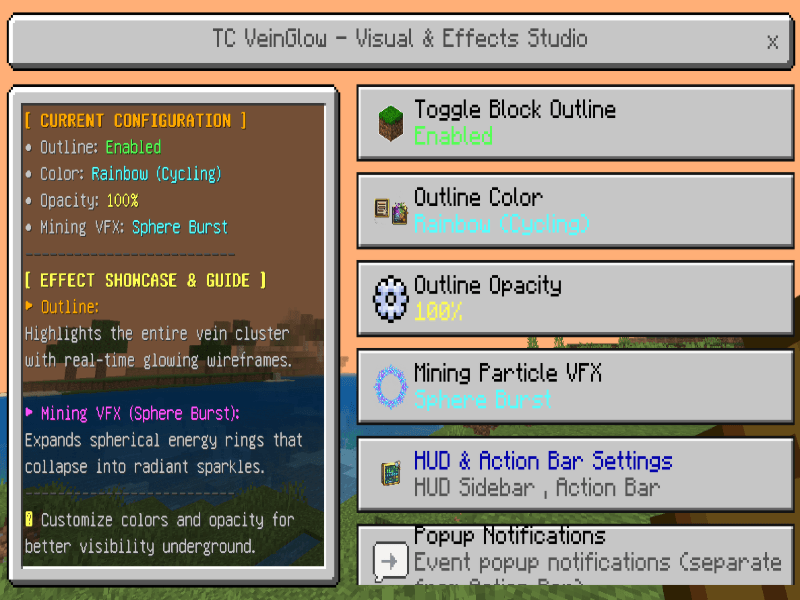
- Sixteen color presets, including animated rainbow color.
- Action-bar counters show the active pattern and current mining progress.
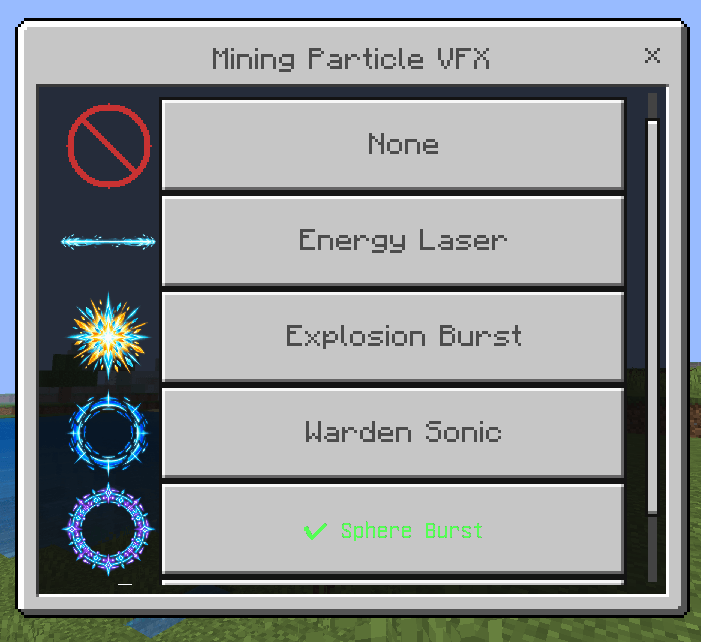
- Custom Laser, Warden, Explosion, and Sphere Burst effects combine models, animation, and particles.
|
Target Outlining
 |
Dynamic Colors
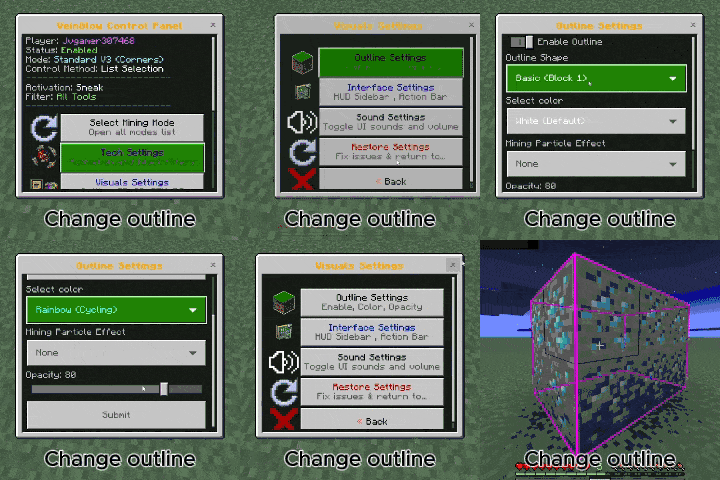 |
How to Use
|
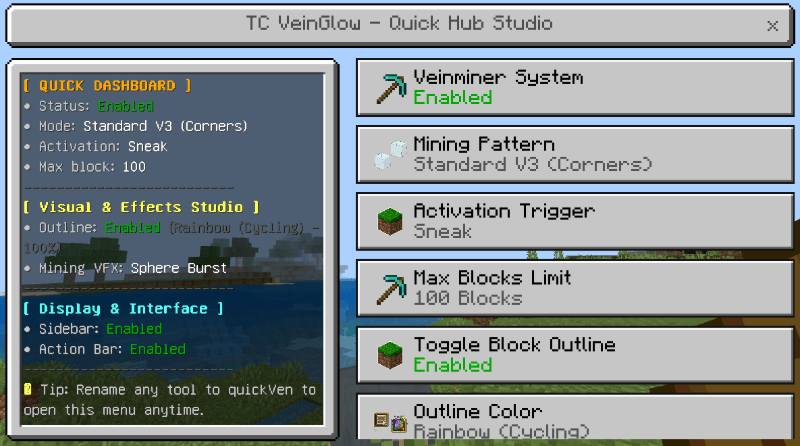
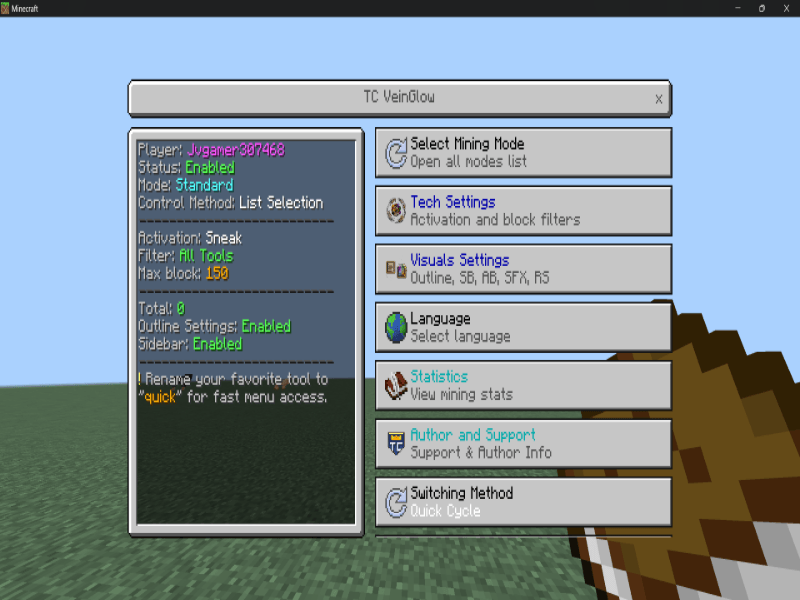
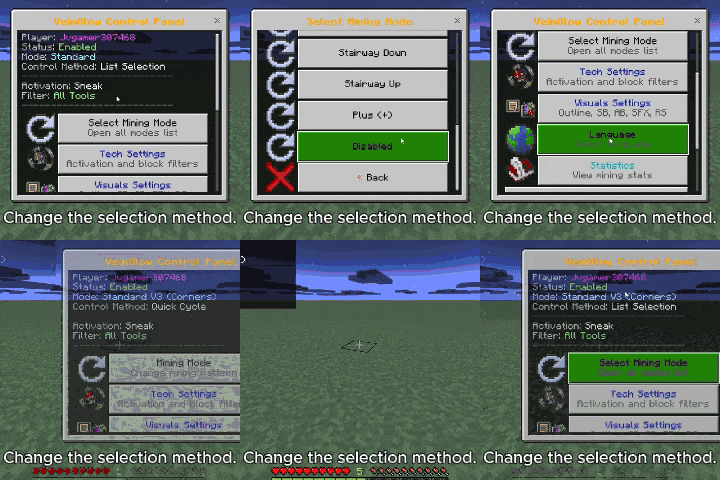
Main Control Panel
Activate both packs, complete onboarding, then use the supplied VeinGlow book to open the main dashboard and configure mining. 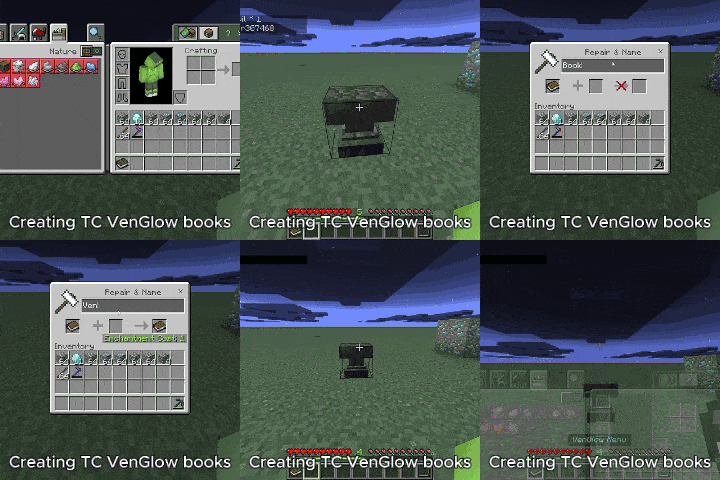 |
Quick In-Hand Menu
Rename a tool to VenFlow or Quick. Sneak or use the configured interaction method while holding it. 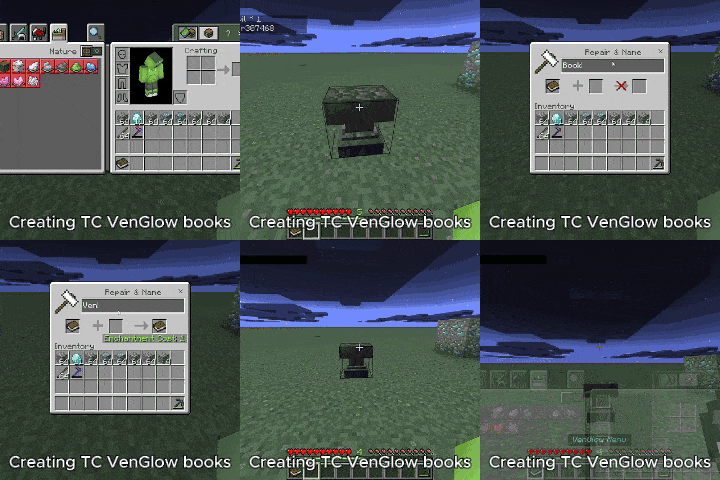 |
Critical Safety Rules
- Sneak activation: prevents unintended large mining operations when enabled.
- Immediate cancellation: releasing the configured activation stops the current session.
- Vanilla checks: tool tier, durability, hunger or XP cost, block filters, and maximum limits remain enforced.
- Tool protection: mining can stop before a tool breaks.
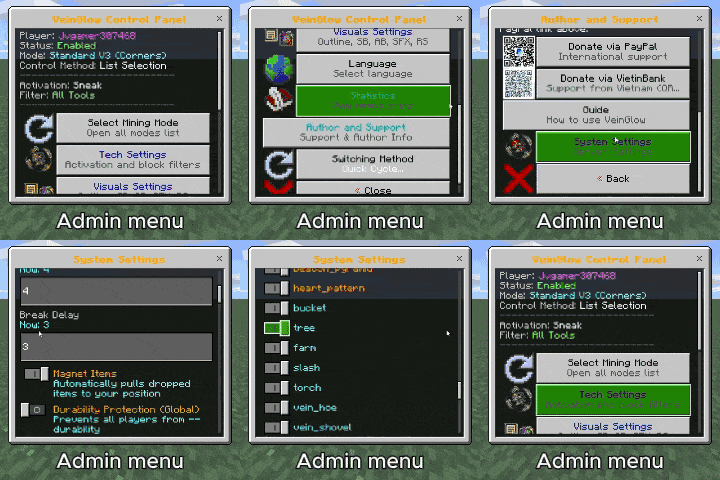
Configuration & Administration
- Configure maximum blocks, mining delay, durability threshold, hunger or XP cost, and item magnet behavior.
- Enable or disable patterns, passive abilities, preview systems, and individual particles.
- Set block filters for each supported tool category.
- Settings are stored per world and per player where appropriate.
Admin Menu Preview
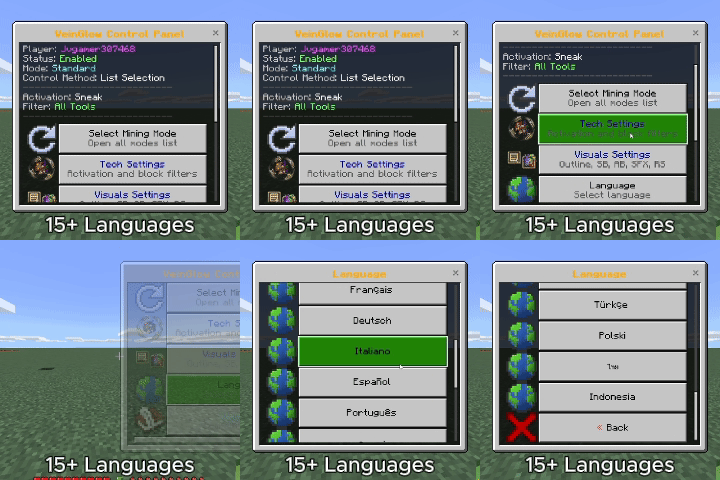
15 Languages
English, Vietnamese, Chinese, Japanese, Korean, French, German, Italian, Spanish, Portuguese, Russian, Turkish, Polish, Thai, and Indonesian.
Installation
- Download and open the TC VeinGlow `.mcaddon` file.
- Wait for Minecraft to import both packs.
- Activate the Behavior Pack and Resource Pack on the same world.
- Enter the world and follow the onboarding instructions.
No separate Experimental or Beta API toggle is required.
Support & Community
| Ko-fi https://ko-fi.com/toancao |
YouTube https://www.youtube.com/@toancaomc |
| Discord https://discord.gg/9rch87H9yM |
CurseForge https://www.curseforge.com/members/toancao/projects |
- Edition: Minecraft Bedrock
- File type: .mcpack or .mcaddon
- Minecraft versions listed: 1.21.130, 1.21.131, 1.21.132
- How to install: Download the .mcpack or .mcaddon file. → Open it — Minecraft imports it. → In your world: Behavior Packs → Available → Activate, then the same under Resource Packs.
- Where to get it: In MCModsHub, or directly above on this page.
Install steps are the general flow for this file type — How to install Minecraft Bedrock addons & mods walks through it step by step.
- Pack type: .mcaddon — behaviour and resource pack in one file
- Complete pack — everything it depends on is inside the file
- Download size: 6.0 MB
- Download link checked 18 Jun 2026 — working
These come from our own check of the pack file, not from the source page.