Custom OP Pickaxes
Bedrock add-on listed for Minecraft 1.21–26.x (behavior + resource pack). File opened and checked on 19 Sep 2026; installs from the MC Bedrock Mods app on Android.
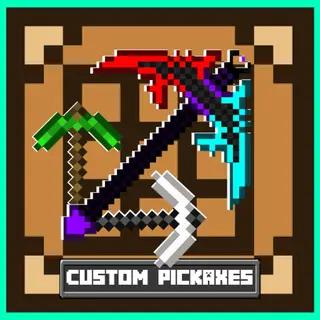
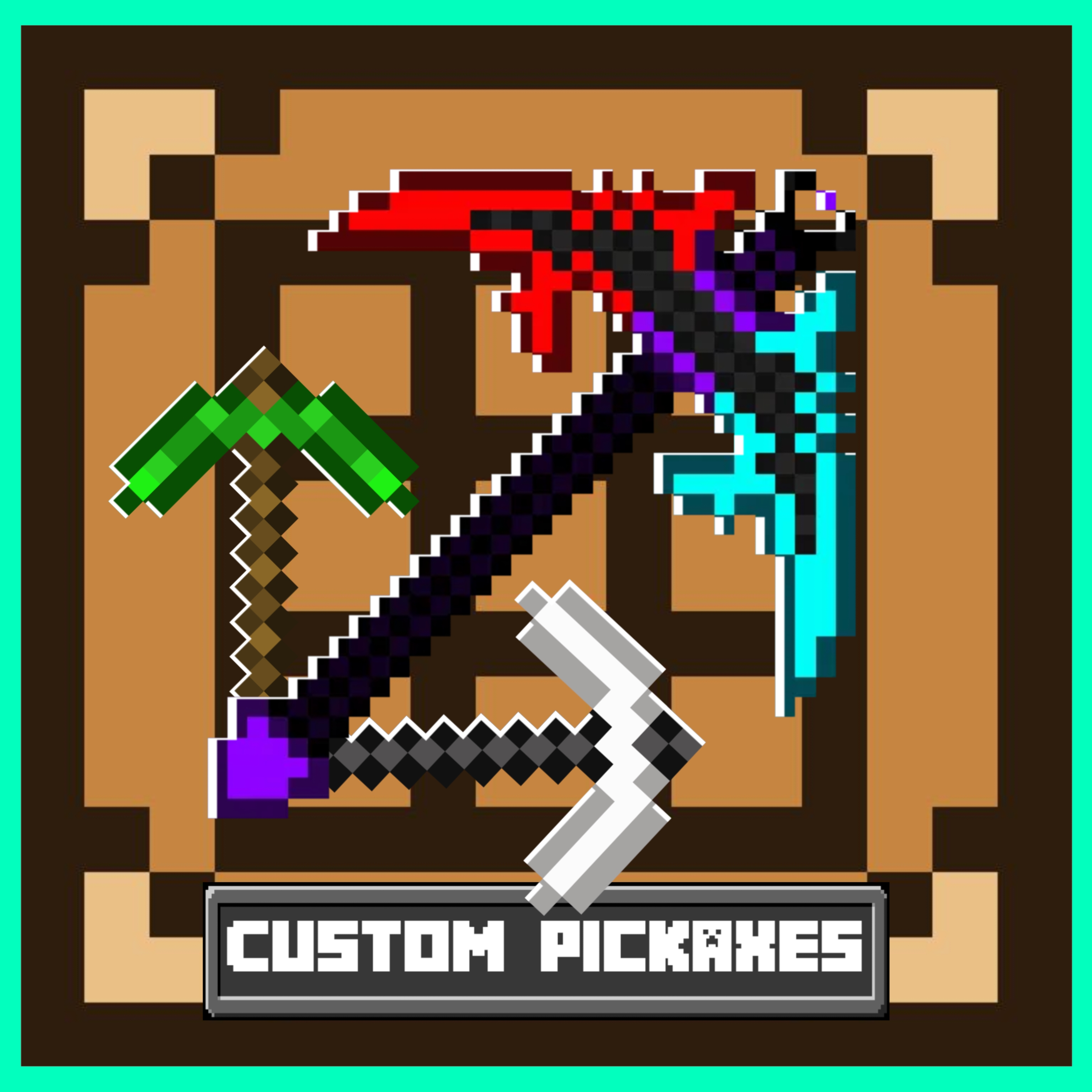
In This Mod, There Are 5 Pickaxes. Each One Is Unique. They Have Super Abilities And With That Abilities It's Super Easy To Beat The Game!
I don't know my version
Minecraft, But There Are Custom OP Pickaxes!
This mod adds custom super pickaxes into Minecraft.
There are total 5 overpowered (OP) pickaxes, and each pickaxe has its own unique ability.
These pickaxes are not normal tools — they give OP powers, make mining easier, survival faster, and gameplay more fun.
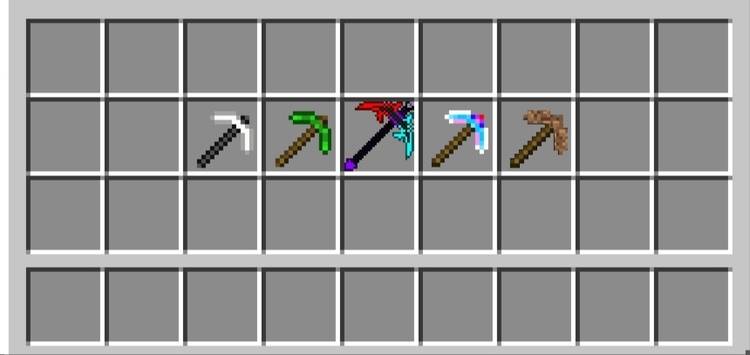
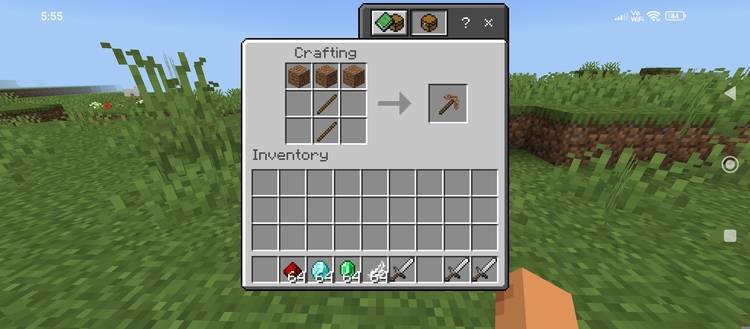
1. Dirt Pickaxe
Ability :
Gives 8 bread when mining or even while holding it.
Converts stone, deepslate, and other underground hard materials into haybales.
Recipe :
3 Dirt at the top
2 Sticks in the center
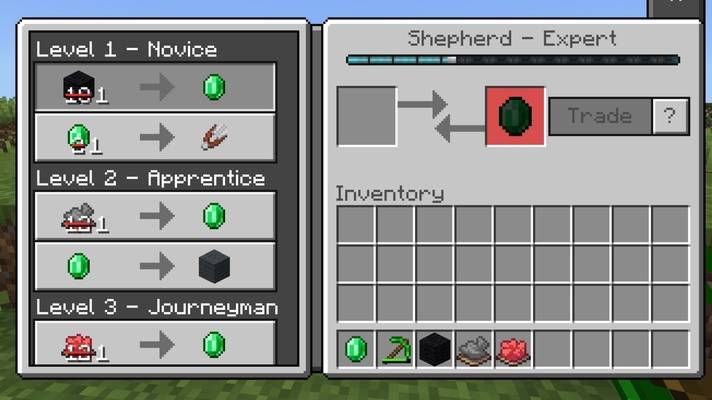
2. Emerald Pickaxe
Ability :
All villager trades become extremely cheap.
For 1–5 emeralds, you can trade for anything the villager offers.
You also get emeralds while holding or mining with this pickaxe.
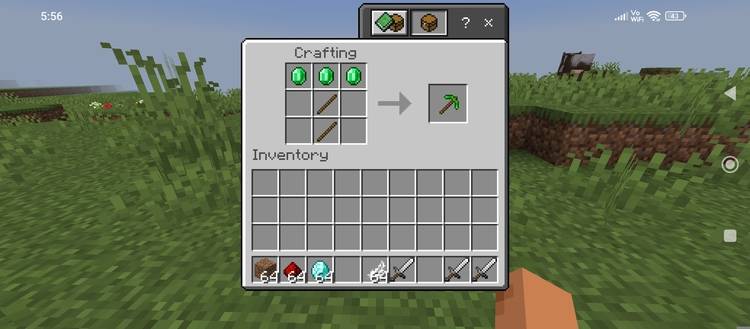
Recipe :
3 Emeralds at the top
2 Sticks in the center
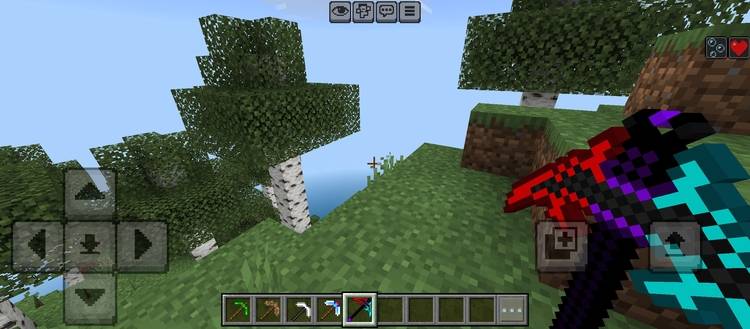
3. Sword Pickaxe (Most Deadliest Pickaxe)
Ability :
Deals 75 damage.
Mines stone and deepslate easily.
Gives Water Breathing and Regeneration while holding it.
Recipe :
3 Iron Swords at the top
2 Sticks in the cente
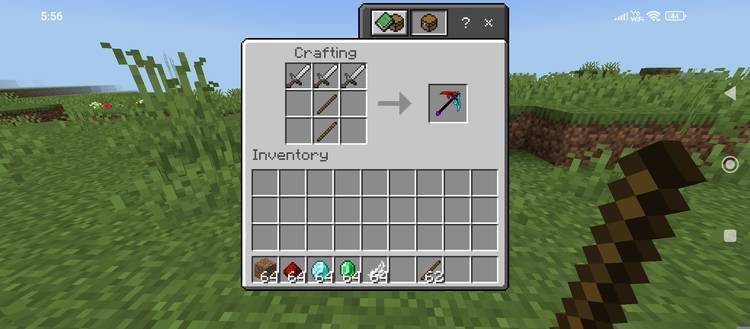 r
r
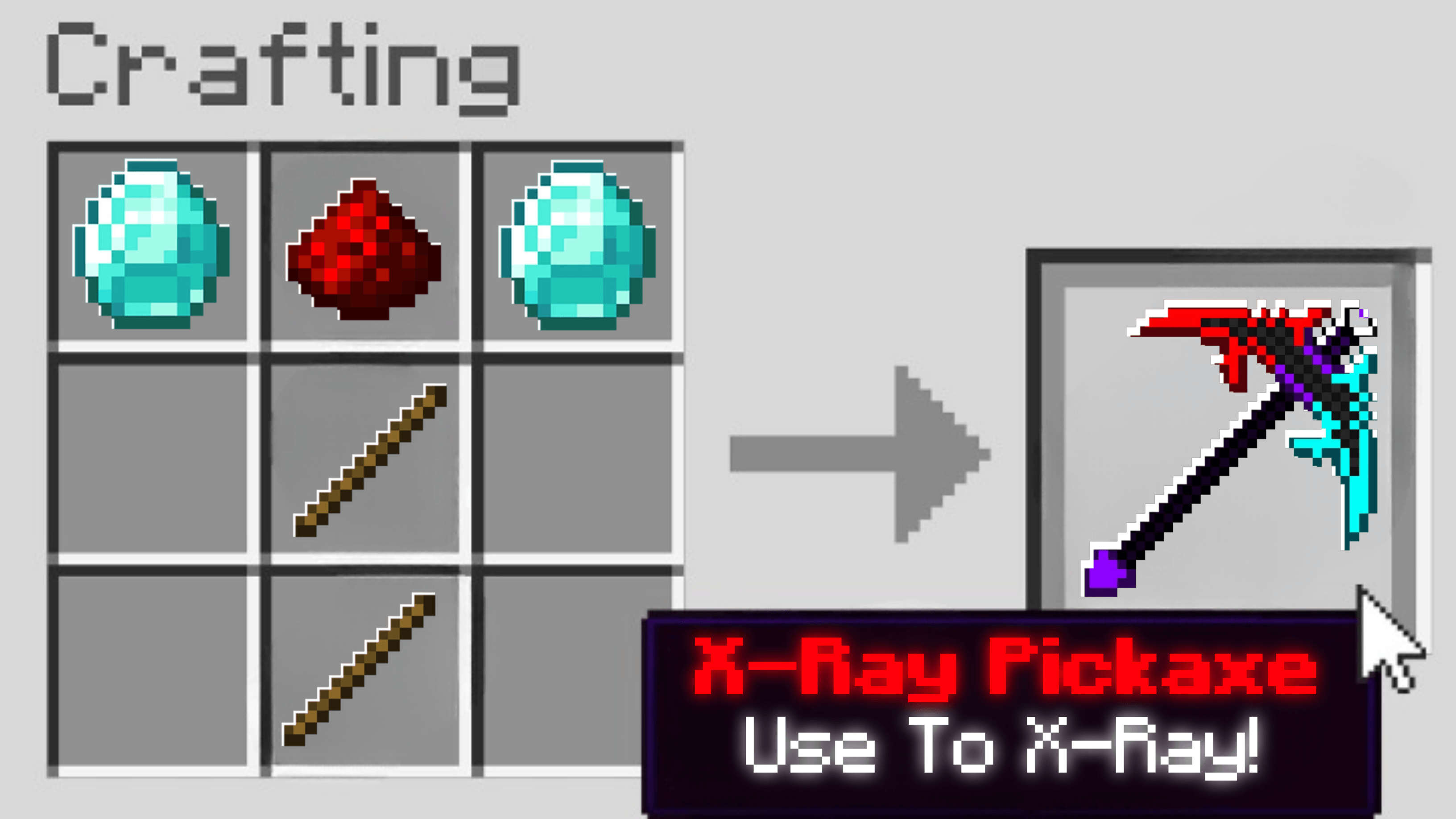
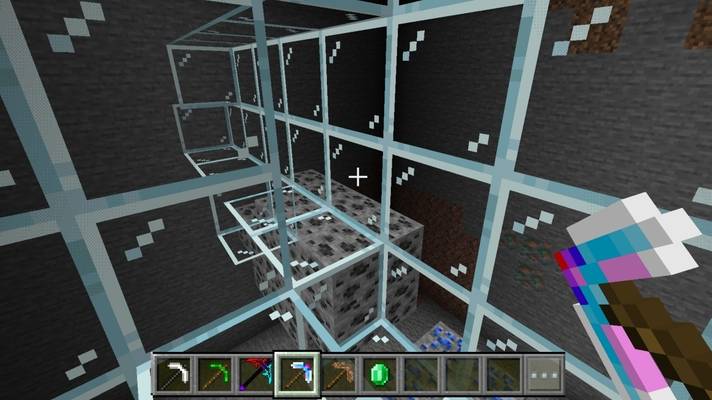
4. X-Ray Pickaxe
Ability :
Turns stone, deepslate, and all underground hard materials into glass.
Makes all ores clearly visible.
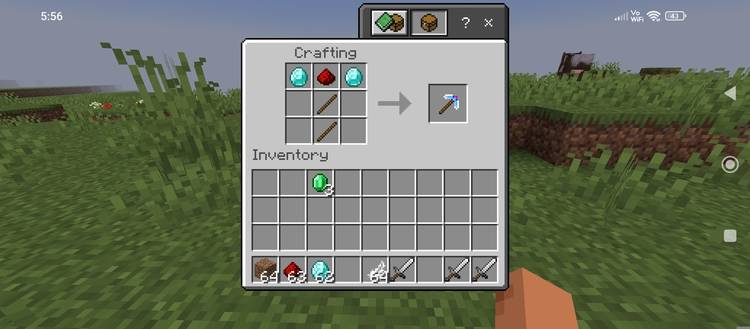
Recipe :
Diamond on the left
Redstone in the middle
Diamond on the right
2 Sticks in the center
5. Flying Pickaxe
Ability :
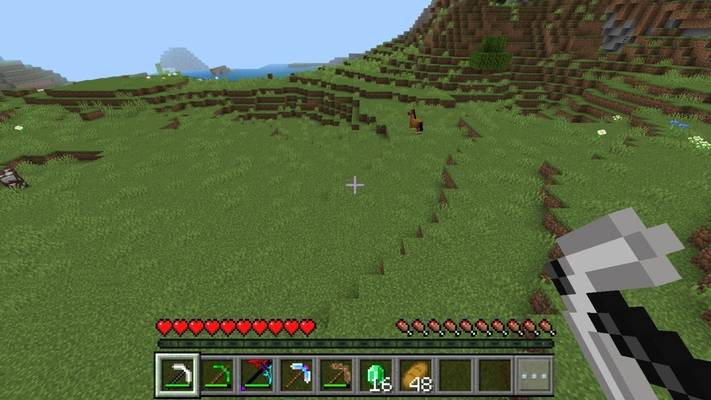
Allows the player to fly.
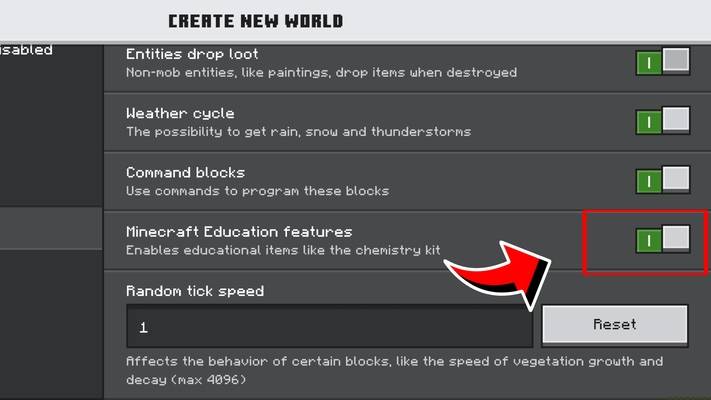
Works in Education / experimental gameplay.
Recipe :
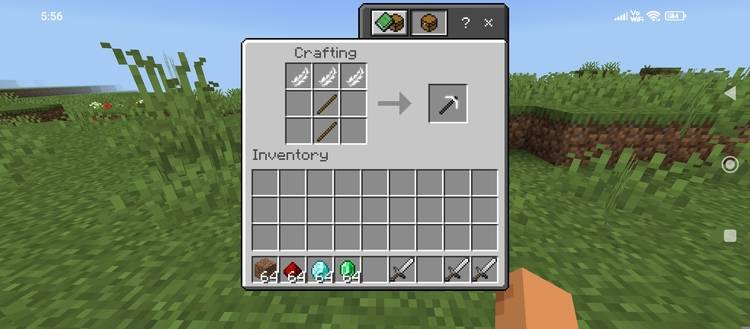
3 Feathers at the top
2 Sticks in the center
These custom super pickaxes are extremely overpowered and designed to make gameplay faster, easier, and more fun. Each pickaxe has a unique ability that completely changes how you play.Enjoy!
- Edition: Minecraft Bedrock
- File type: .mcpack or .mcaddon
- Minecraft versions listed: 26.40, 1.21.130
- How to install: Download the .mcpack or .mcaddon file. → Open it — Minecraft imports it. → In your world: Behavior Packs → Available → Activate, then the same under Resource Packs.
- Where to get it: In MCModsHub, or directly above on this page.
Install steps are the general flow for this file type — How to install Minecraft Bedrock addons & mods walks through it step by step.
- Pack type: .mcaddon — behaviour and resource pack in one file
- Complete pack — everything it depends on is inside the file
- Download size: 114 KB
- Download link checked 18 Jun 2026 — working
These come from our own check of the pack file, not from the source page.