Fans and Grinders
I don't know my version
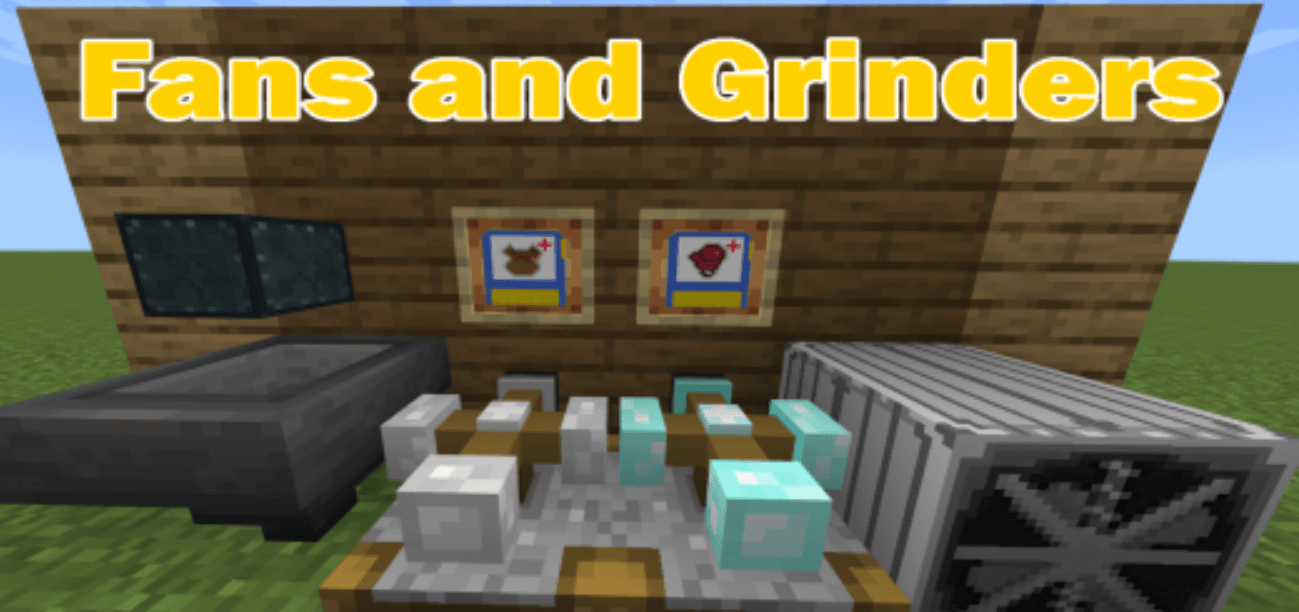
Do you want to easily farm mobs for their experience and items but you don't want to stand there hitting them all the time? This addon adds new blocks that will make it easy to farm mobs!
With this addon you can push mobs using the fan and damage them using the grinders. The grinder has 3 types the Iron, Diamond, and Ender, Each type has increasing damage.
Grinder Blocks:
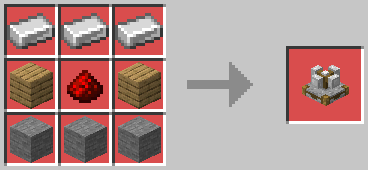
Iron Grinder:
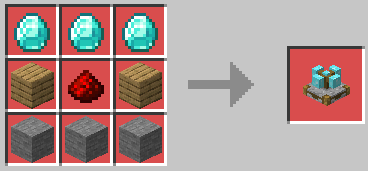
Diamond Grinder:
Ender Grinder:
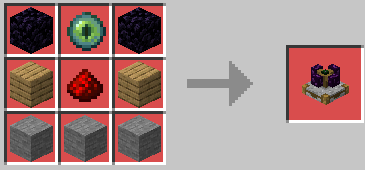
How does Grinders work?
- Place Grinder Block.
- Interact with the block using a lever to turn it on.
3. The block will damage all entities sorrounding it.
The grinders needs atleast 1 block of space above it (air block), if there is a block above it when you place it, it will break.
Grinder Damage Range:
The range is 1 block sorrounding it.
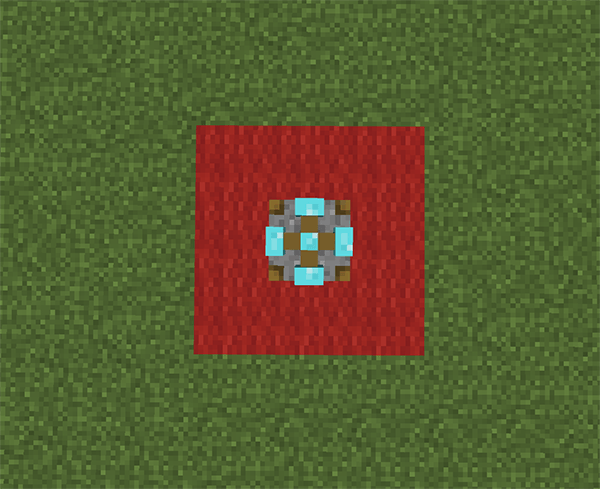
Upgrade Chip Items:
These items are use to upgrade the grinder blocks. You can increase their damage or increase loot drops. You can only install 1 chip per grinder block.
- Craft an upgrade chip.
- Interact with the grinder block while holding the upgrade chip.
- Once upgraded you will see a particle coming off the block.
- You can retrieve the chip by breaking the grinder block.
Looting Chip:
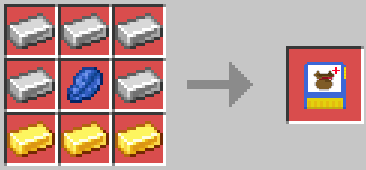
Power Chip:
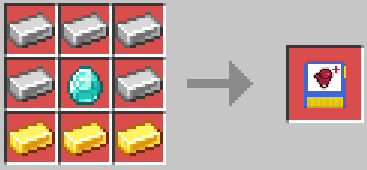
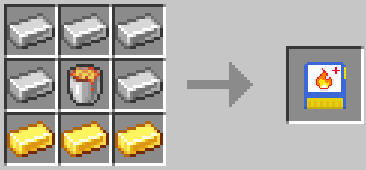
Burn Chip:
Grinders will emit particles depending on the upgrade chip installed:
(Grinder with looting chip installed)
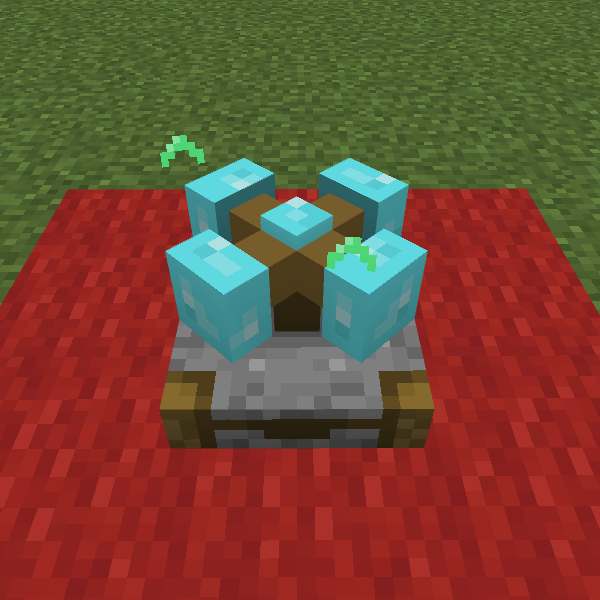
Suction Hopper Block:
Suction hopper blocks absorbs all items in its sorroundings 5 block radius or 10 block radius. They are customizable. There two types of suction hoppers, small and large.
- Craft the suction hopper and place them
- You can open their inventory by interacting with the top of the suction hopper.
- You can customize their settings by interacting with the size of of the suction hopper
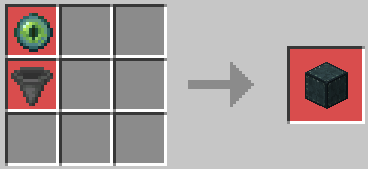
Small Suction Hopper:
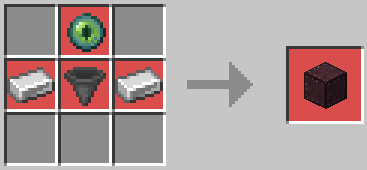
Large Suction Hopper:
Suction Hopper Setting Screen:
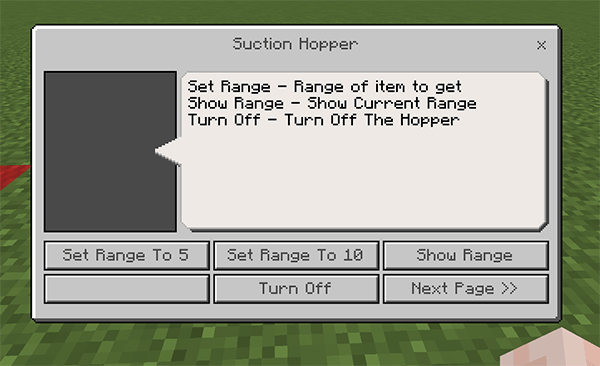
The Fans:
The fans are used to pushed any entities including the player.
- Craft the fan blade and use it to craft the fan block
- Place the fan block
3. Use redstone to power the fan
Fan Blade:
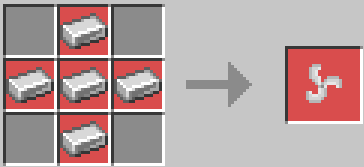
Fan Block:
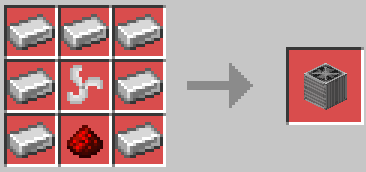
Fan Demonstration Video:
(Version 1 Addon Demonstration)
Note:
- This addon uses entities so be careful of using /kill command as it will break some of the blocks.
- If you experienced any bug visit my discord and submit a bug report https://discord.gg/DZ7Q2ugEeg
- Edition: Minecraft Bedrock
- File type: .mcpack or .mcaddon
- Minecraft versions listed: 1.21.111, 1.21.101, 1.21.100
- How to install: Download the .mcpack or .mcaddon file. → Open it — Minecraft imports it. → In your world: Behavior Packs → Available → Activate, then the same under Resource Packs.
- Where to get it: Opens on CurseForge — not every file is mirrored on our own servers.
Install steps are the general flow for this file type — How to install Minecraft Bedrock addons & mods walks through it step by step.
- Pack type: .mcaddon — behaviour and resource pack in one file
- Manifest requires Minecraft 1.21.100 or newer
- Complete pack — everything it depends on is inside the file
- Download size: 337 KB
- Download link checked 15 Sept 2026 — working
These come from our own check of the pack file, not from the source page.