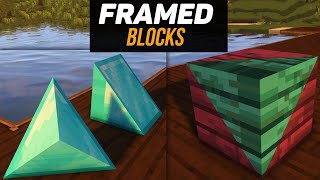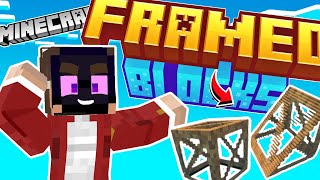
There are now 300 textures that can be applied to 12 Framed Blocks.
(that's almost all of Minecraft's full block textures)
REQUIREMENTS: Enable "Upcoming Creator Features" in the world's experiments section for the multi-collision to work.
All blocks are texture pack compatible, so you can use whatever texture you wish and the framed textures will look what you want it to be!
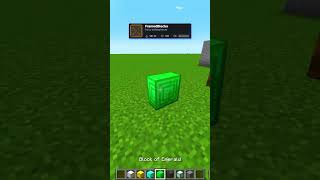
To apply a texture, just interact with the block in hand you want to apply the texture of!
You will get back the block used when you break or replace the texture.
Framed Blocks:
- Tall Wedge
- Tall Corner Wedge
- Medium Wedge
- Medium Corner Wedge
- Small Wedge
- Small Corner Wedge
- Slabs
- Stairs
- Panel
- Pillar
- Corner Pillar
- Half Slabs
(Note: You can use any planks, including custom woods if it has the tag of "minecraft:planks")
The Framed Blocks add-on allows for you to expand your building capabilities by increasing your pallet and shape possibilities to have your builds look more exquisite than ever!
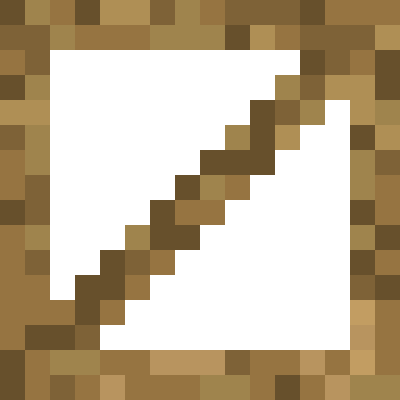
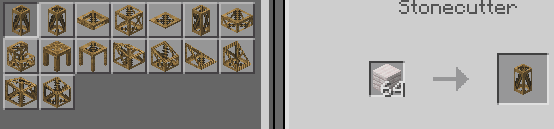
All blocks are crafted in the Stonecutter using any planks, including custom woods with the tag "minecraft:planks"
Older versions have been archived
NOTICE:
Before the full release, there are bound to be removals of some blocks and changes to how they function
- Edition: Minecraft Bedrock
- File type: .mcpack or .mcaddon
- Minecraft versions listed: 1.21.131, 1.21.132
- How to install: Download the .mcpack or .mcaddon file. → Open it — Minecraft imports it. → In your world: Behavior Packs → Available → Activate, then the same under Resource Packs.
- Where to get it: In MCModsHub, or directly above on this page.
Install steps are the general flow for this file type — How to install Minecraft Bedrock addons & mods walks through it step by step.
- Pack type: .mcaddon — behaviour and resource pack in one file
- Complete pack — everything it depends on is inside the file
- Download size: 1.2 MB
- Download link checked 18 Jun 2026 — working
These come from our own check of the pack file, not from the source page.