KENAR's Dynamic Lights
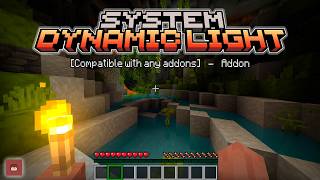
Tired of placing torches? With this Add-on, you'll have Dynamic Lighting just like OptiFine from Minecraft Java, but in Bedrock.
⬇ Download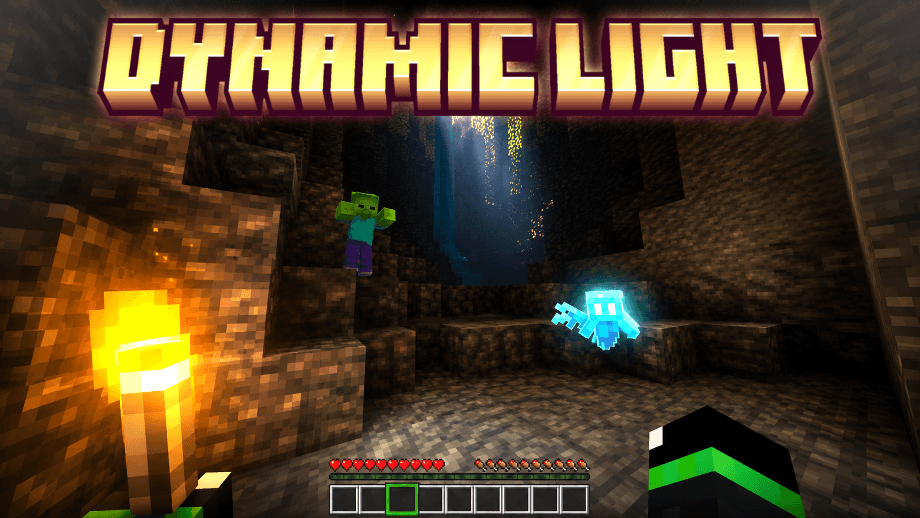
✅ Main Features
Are you tired of wasting your materials to constantly craft torches every time you go into a cave looking for valuable ores? With this Add-on, that problem will be a thing of the past.
This Add-on adds dynamic lighting to Minecraft Bedrock, juts like you're using OptiFine in Minecraft Java. Entities (such as Blazes, Glow Squids, or the Allay) can also naturally emit dynamic light.
- Item Swapping: Easily swap items to the Off-hand slot in just a moment.
- Dynamic Lighting: More than 40 vanilla items can emit dynamic lighting while held in your hand. Many other entities can also emit dynamic light, even while burning alive.
- Performance Mode: Includes a special setting designed to improve performance on low-end devices.
- Compatibility: Fully compatible with any Add-on or Texture Pack.
▶️ KENAR's Dynamic Lighting Review
🖼️ Screenshots


🗃️ Installation Notes
To enjoy this add-on comfortably, make sure you have correctly downloaded the following files in their corresponding versions:
- Dynamic Lights [Bp].mcpack
- Dynamic Lights [Rp].mcpack
Both files are required for the add-on to function correctly. (One handles all behaviors and scripts, while the other provides the textures, so be sure to download both)
⚙️ Experimental settings
This add-on does not require any experimental settings to be enabled. You can enjoy all of its content without disabling achievements in your world.
- Edition: Minecraft Bedrock
- File type: .mcpack or .mcaddon
- Minecraft versions listed: 1.21.100, 1.21.120, 1.21.130
- How to install: Download the .mcpack or .mcaddon file. → Open it — Minecraft imports it. → In your world: Behavior Packs → Available → Activate, then the same under Resource Packs.
- Where to get it: In MCModsHub, or directly above on this page.
Install steps are the general flow for this file type — How to install Minecraft Bedrock addons & mods walks through it step by step.
- Pack type: .mcaddon — behaviour and resource pack in one file
- Complete pack — everything it depends on is inside the file
- Download size: 165 KB
- Download link checked 18 Jun 2026 — working
These come from our own check of the pack file, not from the source page.