version 5.0
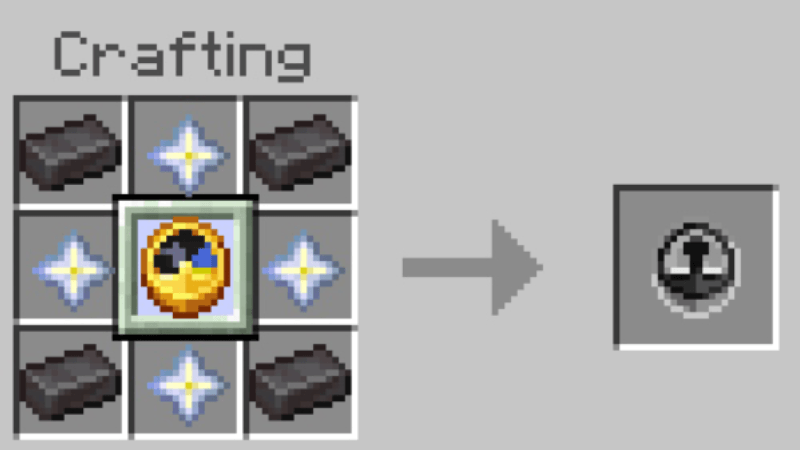
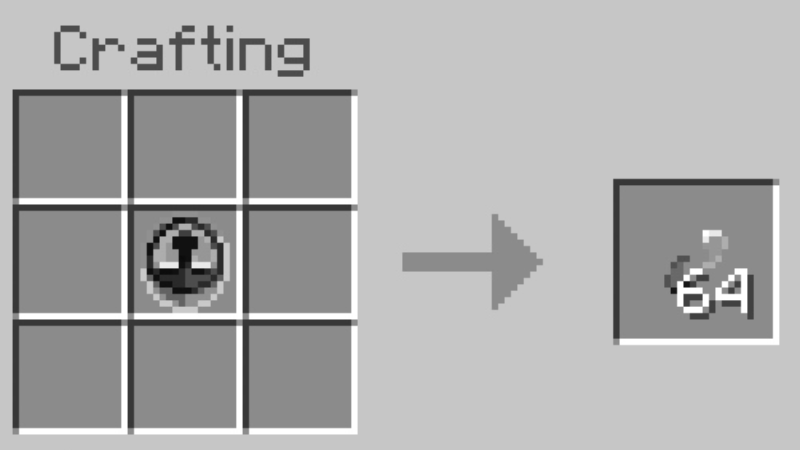
After successfully crafting the Time Stop item, you can extract it to make a Temporal Fragment.
(The 64 items that looks like the number 69 is a Temporal Fragment, which can be used to craft a Quantum Bomb.)
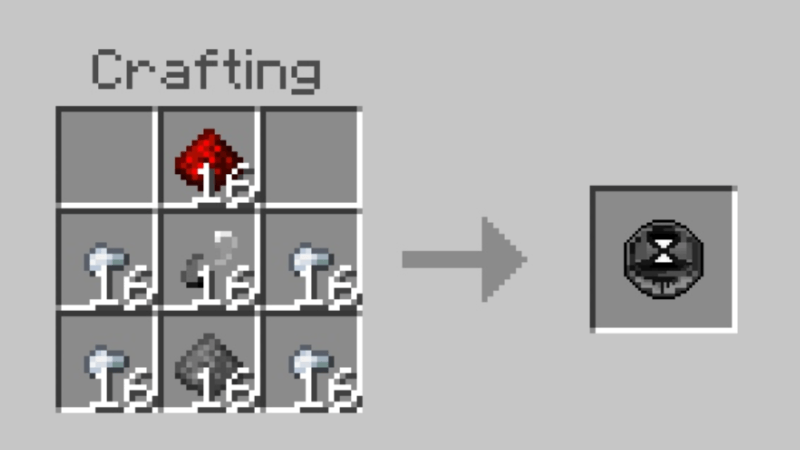
(Unlike the Time Stop item, the Quantum Bomb works like a grenade but can freeze entities or items within a radius of 4–5 blocks.)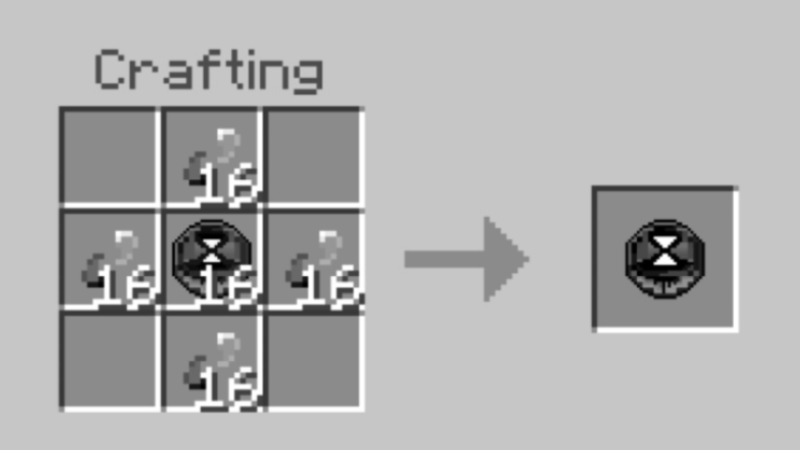
you can upgrade quantum bomb lv 1 to quantum bomb lv 2 by using this recipes
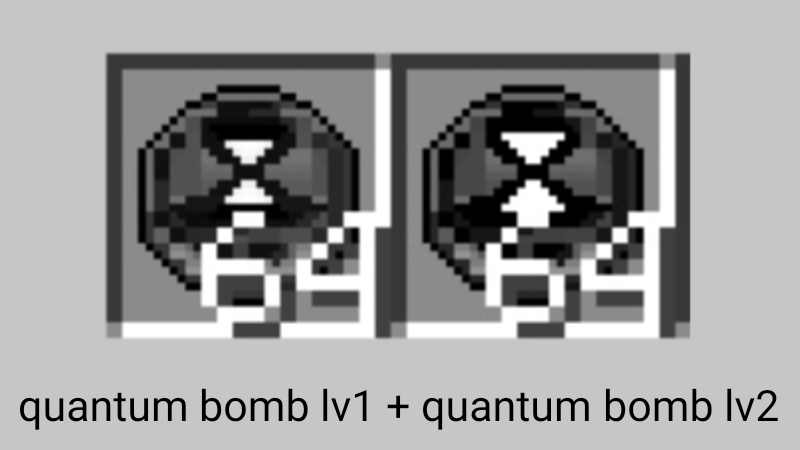
did you notice the different?
another update informations:
-
Anyone holding the Time Stop item will be immune to the time stop effect, so you can stop other players if they don’t have the time stop immunity.
-
The Quantum Bomb is also immune to time stop effects.
-
The daylight cycle will also stop in version 5.0.
version 3.0
version 1.0
Freeze time in Minecraft Bedrock! With the Time Stop Addon, mobs, arrows, and even water stop in place. Take control of time—pause the world, escape danger, or pull off epic tricks before resuming the chaos!
- Edition: Minecraft Bedrock
- File type: .mcpack or .mcaddon
- Minecraft versions listed: 26.20, 26.30, 26.3
- How to install: Download the .mcpack or .mcaddon file. → Open it — Minecraft imports it. → In your world: Behavior Packs → Available → Activate, then the same under Resource Packs.
- Where to get it: In MCModsHub, or directly above on this page.
Install steps are the general flow for this file type — How to install Minecraft Bedrock addons & mods walks through it step by step.
- Pack type: .mcaddon — behaviour and resource pack in one file
- Complete pack — everything it depends on is inside the file
- Download size: 45 KB
- Download link checked 18 Jun 2026 — working
These come from our own check of the pack file, not from the source page.


