Admin Tools (Achievement Friendly)
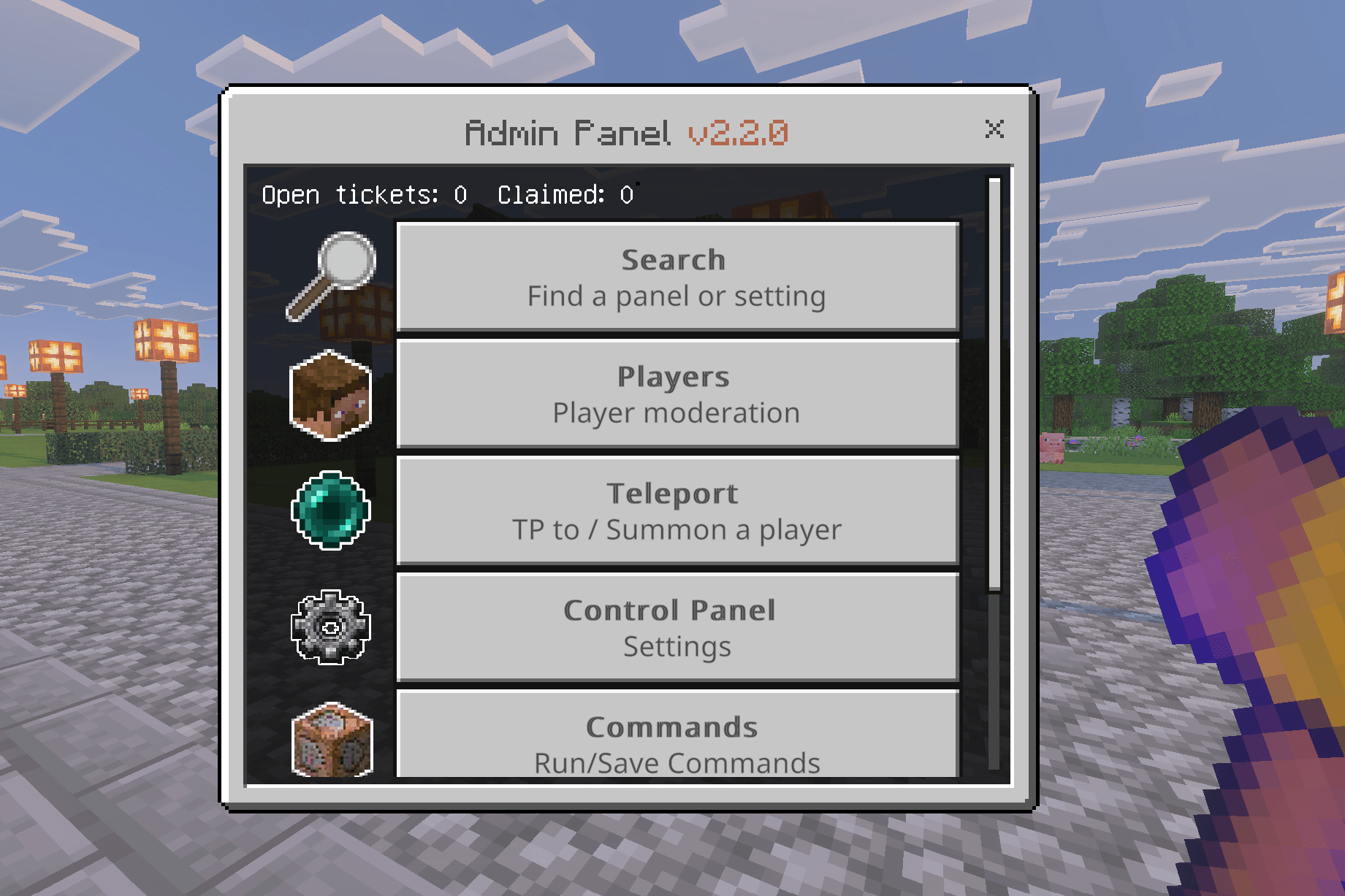
(Version 2.2.0) Admin Tools gives players a way to submit tickets, claim and protect land, manage homes, and access server features, all from a simple…
⬇ Download on CurseForge
JM Admin Tools v2.2
Admin Tools is a Minecraft Bedrock addon that gives server admins a complete in-game UI for player moderation, ticketing, teleportation, land claims, and server management.
Built for servers, realms, and shared worlds. Admins get a full toolkit through the Admin Tool item, players get a simple menu for tickets, homes, and teleports, and anyone can claim and protect their land with the Claim Tool. Everything is configurable in-game, no config files or command knowledge needed.
Version 2.3 beta out now! Adds translations and some new features/improvements. See the file's changelog for full details.
Achievement Friendly! No Experimental Features needed!
Watch the Admin Tools v2.2 Showcase Video:
What's New in v2.2?
- Kits — Build item bundles from your own inventory and hand them out as automatic starter kits or claimable kits, with access limited by role, rank, or playtime. Every kit also has ready-made commands to give or claim it from chat, NPCs, or command blocks.
- Gravestones — When you die, your items go into a protected grave at the spot instead of scattering. Walk up and interact to grab them back. Graves can't be broken and survive restarts. On by default.
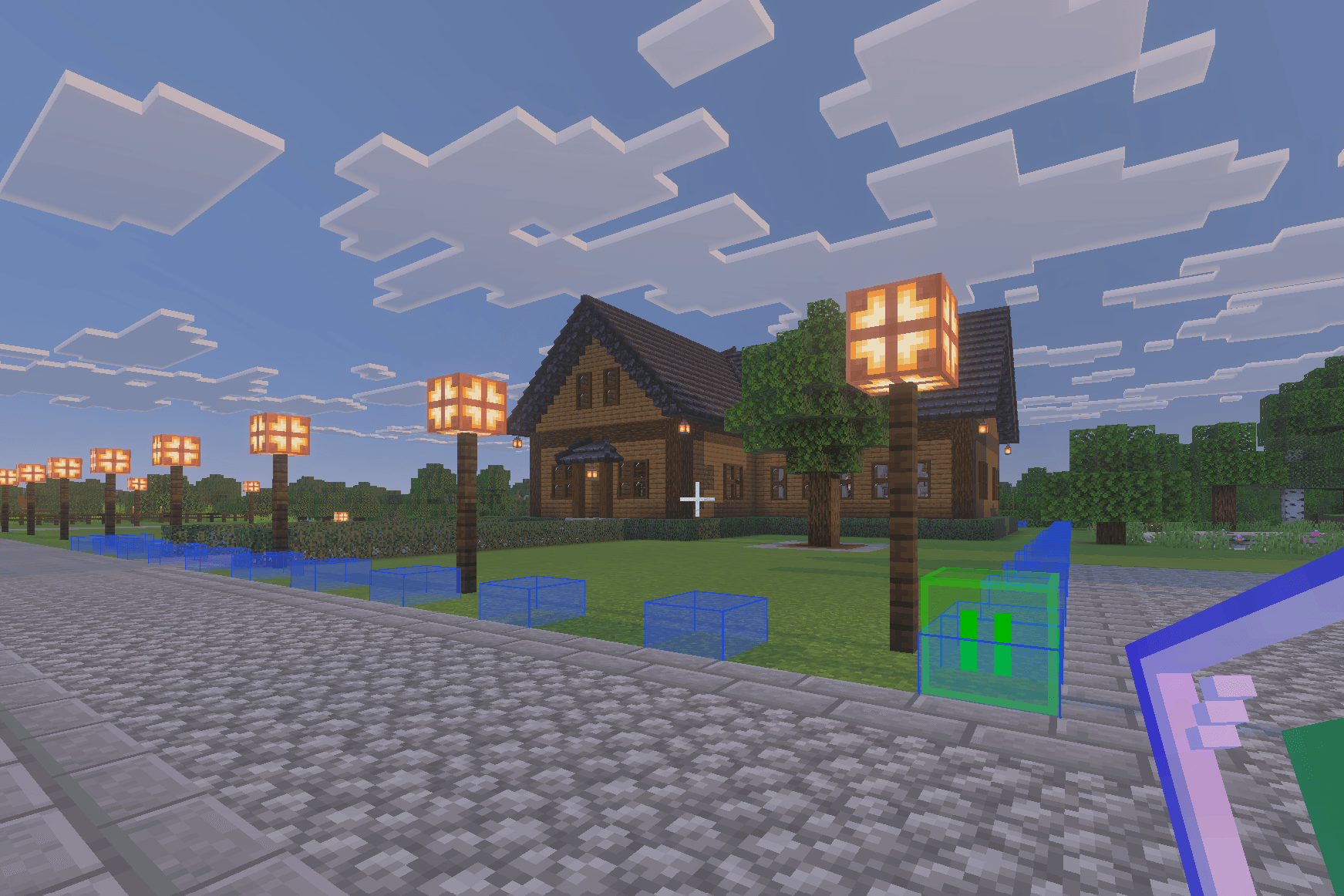
- Live Claim Preview — Setting up a claim is now something you can see. A live, color-coded outline draws the box you're selecting and snaps to the block you're aiming at, so you know exactly what will happen (new claim, sub-claim, overwrite, or blocked) before you commit. The action bar spells out the size and result. On by default.
- Owner-Only Claims (Server Owner only) — Fully private claims that even other admins and mods can't enter, build in, view, edit, expand, or delete.
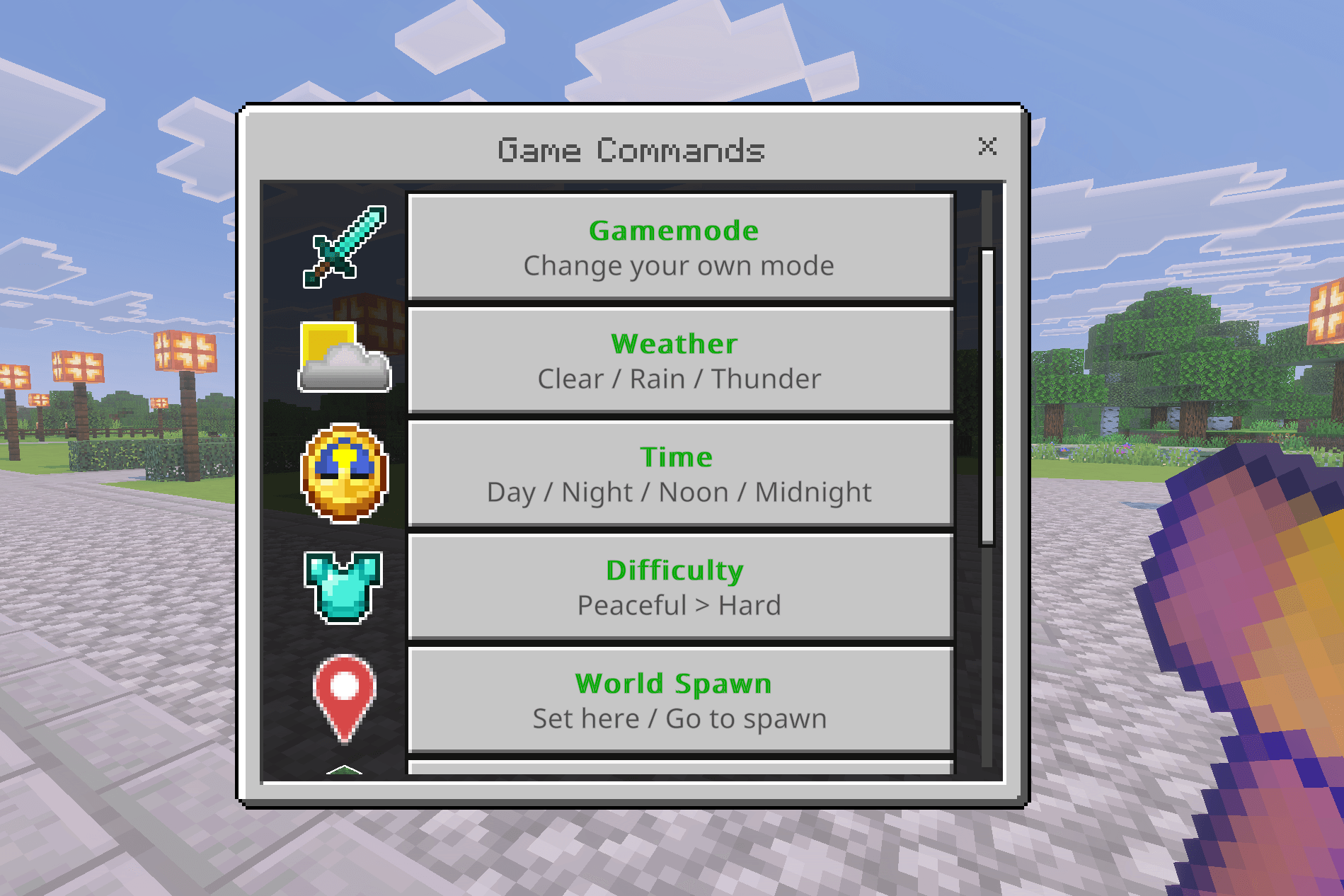
- Game Commands — A no-typing menu in the Commands panel for weather, time, difficulty, world spawn, game rules, and clearing dropped items, plus a one-tap gamemode switch. It only shows the options you're allowed to use.
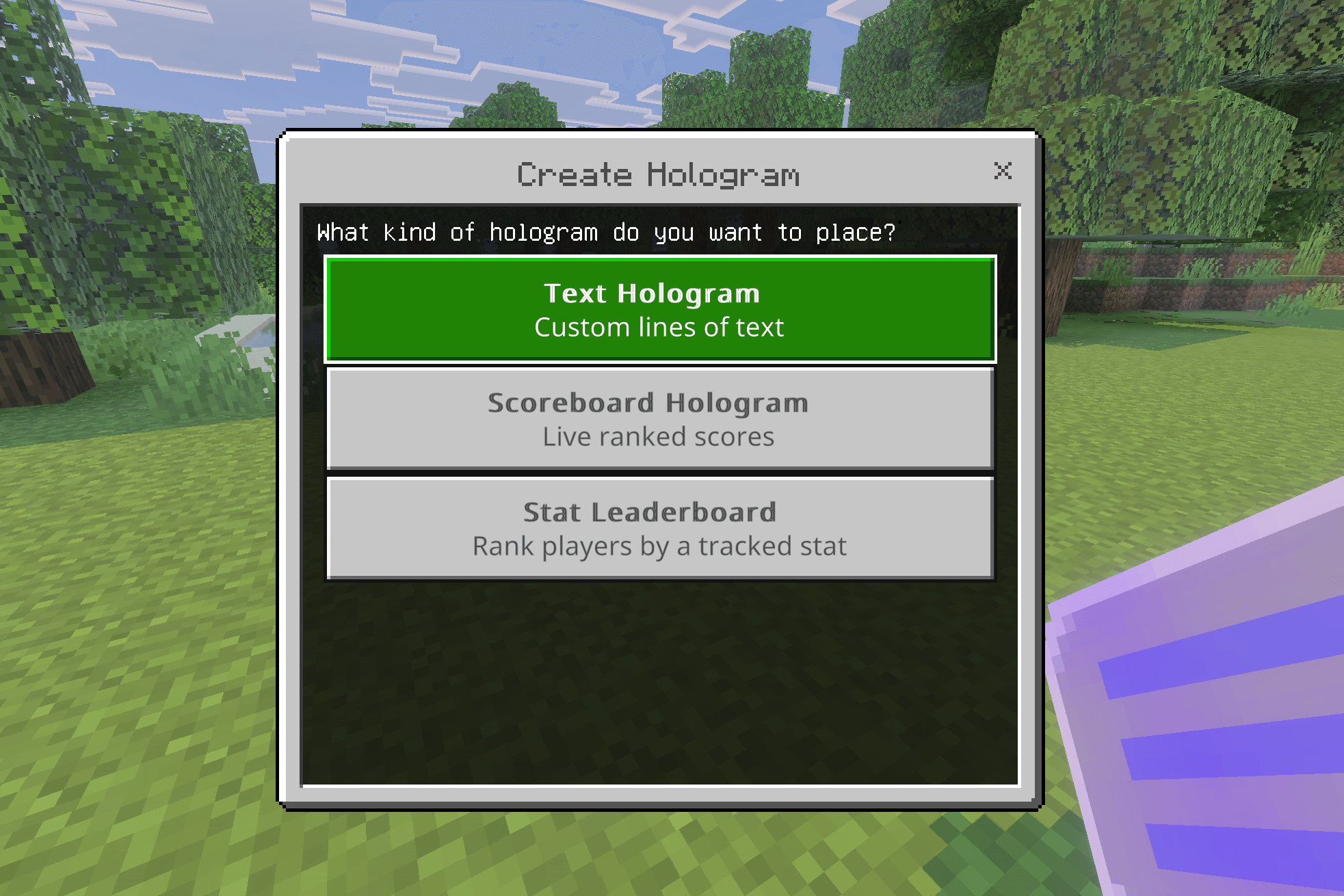
- Hologram Leaderboards — Holograms can now display a live scoreboard objective, or rank players by stats the addon already tracks (playtime, kills, deaths, blocks mined/placed, distance) with no scoreboard setup. Both refresh on their own about every 10 seconds.
- Admin Privileges (Server Owner only) — Control what your admins can do, the same way Mod Privileges works, with global and per-admin settings.
- Custom Claim Notifications — Write your own "entered claim" and "left claim" messages with placeholders and color codes, choose where they show (action bar, title, or chat), and let claim owners set a per-claim welcome message.
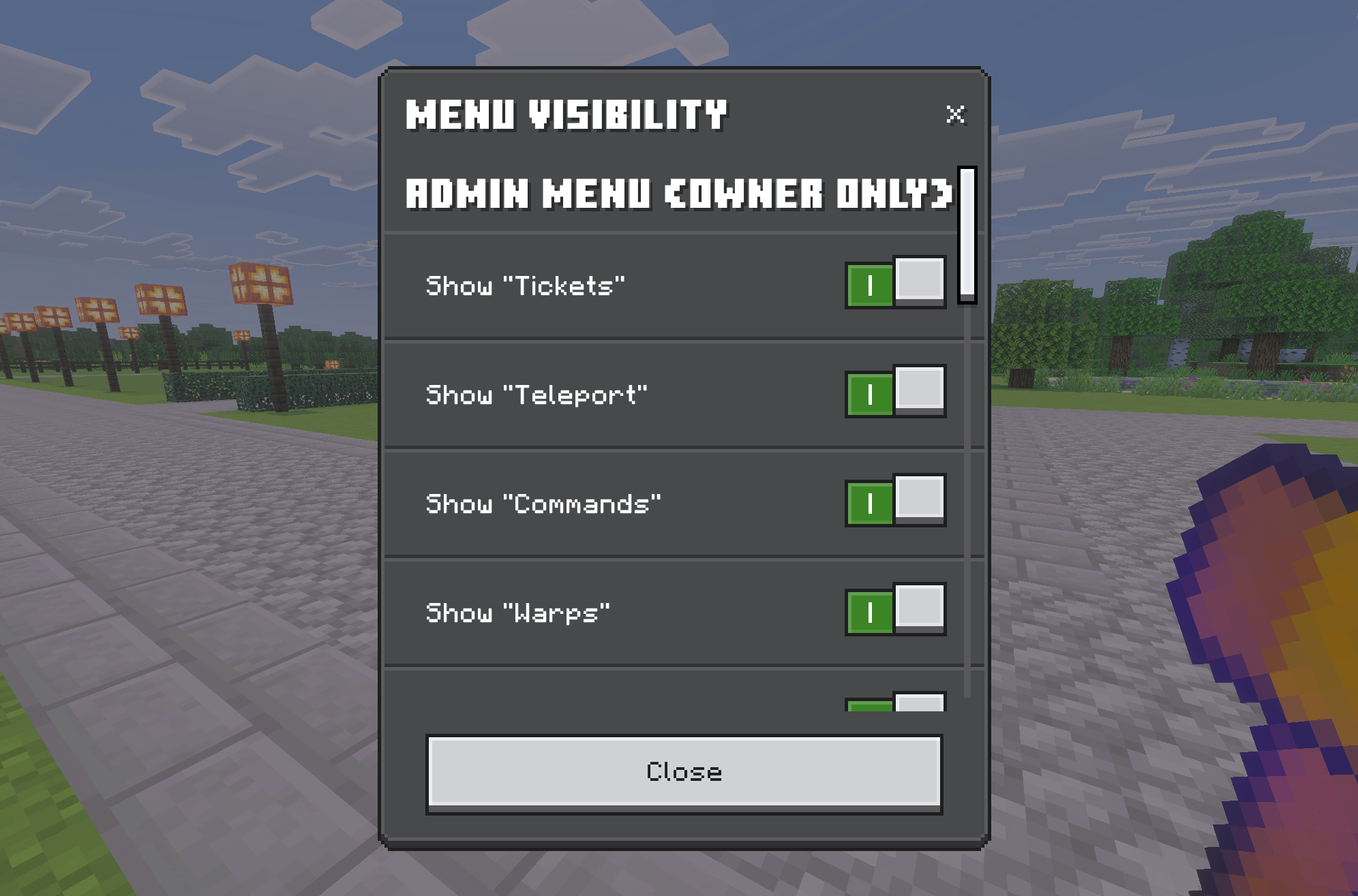
- Menu Visibility — One place to show or hide what appears in the Player and Admin menus, kept in sync with each feature's own toggle.
- Editable Ender Chest — The inventory viewer's Ender Chest is now a live, editable view, so you can take or remove items just like the main inventory.
- Owner Reset Commands (Server Owner only) — Script-event commands to clear one player's claims, clear every claim, or reset all settings to defaults without touching your data, each with a confirmation guard.
- Smarter Search — Hundreds of new keywords and a cleaner results screen, so searches that used to come up empty now land on the right screen.
See the changelog for the complete list of changes.
Updating an existing world? A few defaults changed (Gravestones is on, changing gamemode and editing kits are now staff privileges that default off). See the "Before you update" and "Moved" sections of the changelog.
If you have questions, suggestions, or feedback visit the Discord: https://discord.gg/ZsrM5HqHdS
For detailed info please visit my support site: https://jmaddons.support
Features
Moderation & Staff Tools
- Ticket System — Players can submit support tickets that move through Open, Claimed, Resolved, and Closed states. Admins can reply with notes, teleport to the ticket location, and filter by status.
- Player Moderation — Warn, freeze, kick, temp ban, perm ban, and unban players (including offline bans). Full punishment history is attached to every profile. Staff are alerted when a player's warnings pass the configured threshold. Many more actions can be found in the addon.
- Warn Appeals — Players can appeal warnings directly from their menu.
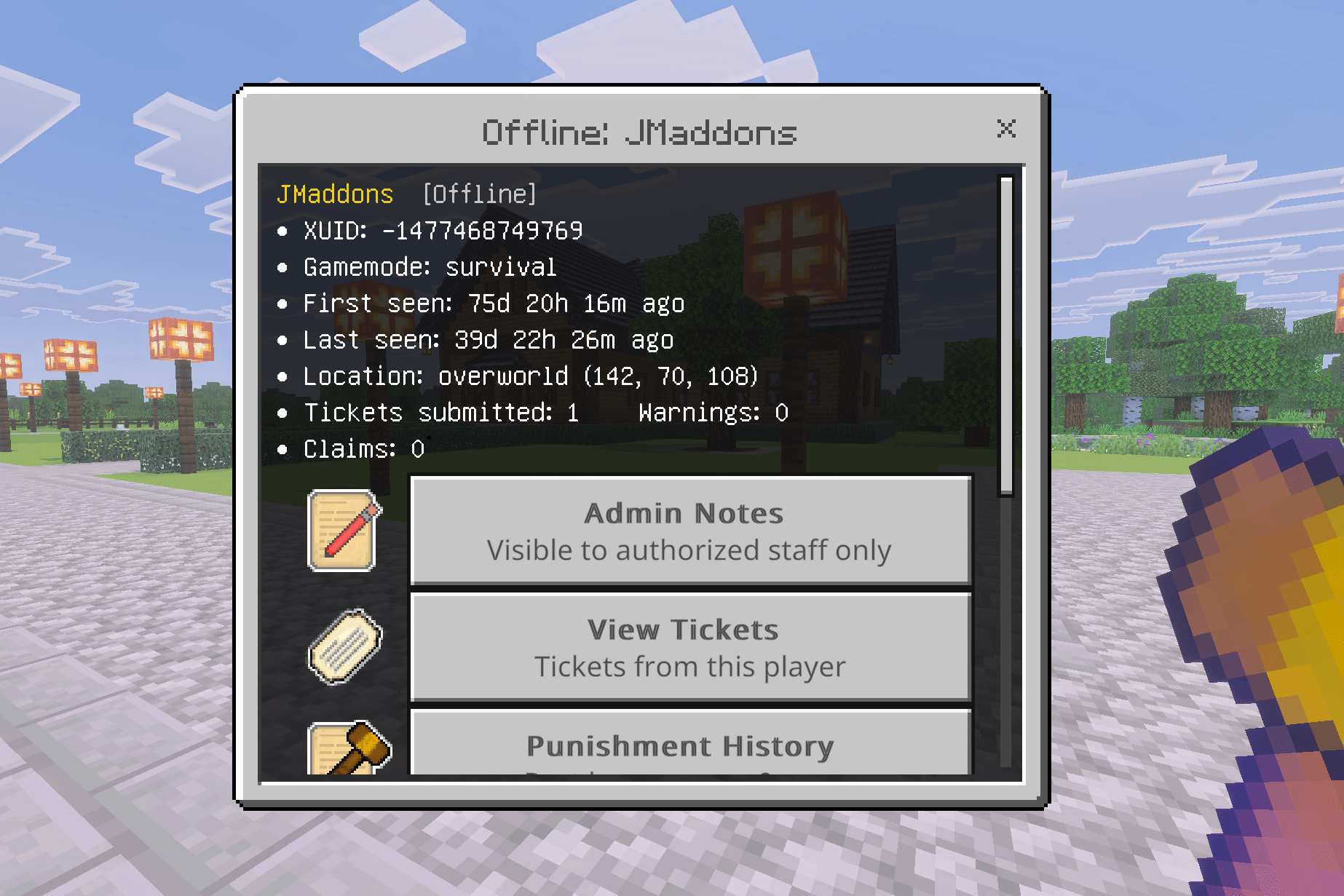
- Player Profiles — View punishment history, spy session logs, admin notes, and active warnings for online or offline players.
- Inventory and Ender Chest Viewer (Improved in v2.2) — Inspect any player's hotbar, armor, and ender chest from the admin panel. The Ender Chest is now a live, editable view, so staff can take or remove items just like the main inventory.
- Spy Camera — Observe a player silently in real time. Look to orbit, walk to adjust distance, crouch or jump to stop. Uses spectator mode for consistent behavior across clients, including Realms.
- Game Commands (New in v2.2) — A no-typing menu for weather, time, difficulty, world spawn, game rules, and clearing dropped items, plus a one-tap self gamemode switch. It only shows the options the staff member is allowed to use, controlled by two new privileges.
- Admin Log — All moderation actions recorded with timestamps and staff names, including PvP kills. Bracketed timestamps and color-coded source tags, with a single Filters modal covering player name, action type, and source.
- Commands Panel (Improved in v2.2) — Save and run custom slash commands per admin, with one-time and repeating scheduled commands. Repeats now fire reliably down to 0.5s, you pick "run forever," a set number of times, or a total runtime, and a Quick Run button fires a one-off without saving.
- Permission Tiers (Improved in v2.2) — Owner, Admin, and Moderator roles with scoped access. Both Mod Privileges and the new Admin Privileges are configurable globally and can be overridden per individual staff member, all under Control Panel → Staff & Permissions.
- Rank System — A full rank database with bulk assign/remove, playtime-based auto-promotion, per-staff custom tag options, a live tag preview, and persistent storage across sessions.
Claims System
- Land Claims (Expanded in v2.2) — Full claim system with nested claims, trusted members, rank access, co-owners, and detailed protection toggles. v2.2 adds a live color-coded selection preview, Server-Owner-only private claims, in-place editing of a member's role and access duration, and a clearer "what will this do" readout before you confirm.
- Claim Notifications (New in v2.2) — Customize the messages players see entering and leaving claims, with placeholders, color codes, a choice of action bar / title / chat, and an anti-spam delay. Claim owners can also set a per-claim welcome message.
Player Features
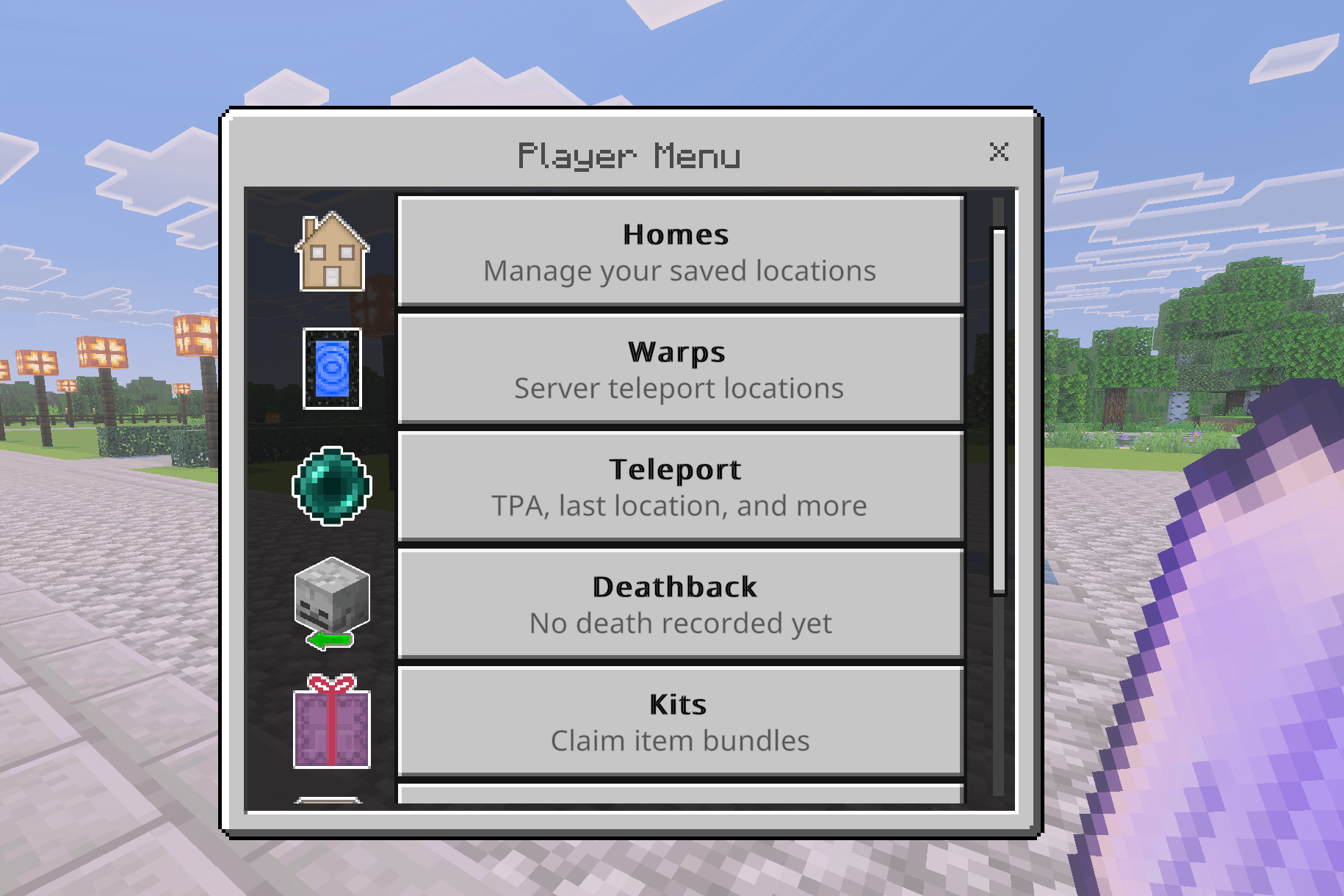
- Kits (New in v2.2) — Staff build item bundles from their own inventory and deliver them as automatic starter kits or claimable kits (once-only or on a cooldown). Access can be limited to everyone, staff, admins, mods, a specific rank, or a minimum playtime. Each kit also has copy-ready commands to give or claim it from chat, NPCs, or command blocks.
- Gravestones (New in v2.2) — On death, items go into a protected grave at the spot instead of scattering. The owner or staff recover them by interacting. Graves are indestructible and persist across restarts. On by default; toggle it under Deathback settings.
- Homes (Improved in v2.2) — Players save personal home locations and teleport back with a configurable delay, plus an "Update Home" button to move a saved home to your current spot. Staff can now view and teleport to a player's homes while they're offline, and the per-player cap can be raised up to 50.
- Warps (Improved in v2.2) — Admins create server-wide warp points with three visibility tiers (Public, Staff-only, and the new Admin-only). Warps can be pinned and reordered, icons indicate the destination dimension, and teleports to locked dimensions are blocked. The limit was raised to 50, with paged lists.
- TPA — Players send and accept teleport requests (shown as "Teleport" in the Player menu) with a Last Location button. Requests expire after 60 seconds and both players must stay still during the countdown. Admins can disable it. Mounts and nearby parrots are carried along.
- Deathback — Return to your last death location, with an unsafe-spot warning. Tools-on-death is a three-option setting: never given, always given, or given only if the tool was held at death.
- Player Statistics — Per-player stats tracked automatically and visible in their profile: playtime, mob kills, player kills, deaths, blocks mined, blocks placed, and distance traveled. These can also drive hologram leaderboards.
Server Management
- Server Lock and Whitelist — Restrict who can join. Whitelist mode allows only approved players to connect.
- Dimension Locks — Block access to the Nether or End with instant toggles or scheduled countdowns. Players inside a locked dimension are sent to spawn.
- Broadcasts — Send one-time multi-line announcements or schedule recurring broadcasts at custom intervals (up to 5 active), with a live preview and color codes.
- AFK Detection — Configurable idle detection with a warning timer and auto-kick. Staff can be exempted globally. AFK players see cycling subtitle reminders until they move.
- Item Watch (Improved in v2.2) — Auto-remove banned items or alert admins when tracked items exceed a threshold, split into clear Banned Items, Tracked Items, and Item Watch Log sections so staff can review flagged events that happened while offline.
- Storage Health Monitoring (Improved in v2.2) — Admins receive automatic alerts on join when tickets, claims, logs, or the player registry approach capacity, and a dedicated panel reports the whole pack's real footprint on demand. Capacity was raised to 1500 players and 9000 claims.
Utilities & Items
- Elevator Block — Craftable elevator pads. Jump or sneak on a pad to teleport up or down to the next pad in the stack, up to 128 blocks apart. The recipe is available in-game through the Info menus.
- Holograms (Improved in v2.2) — Place floating displays using the Hologram Tool. Choose Text, a live Scoreboard leaderboard, or a Stat Leaderboard that ranks players by tracked stats with no scoreboard setup; the leaderboards refresh on their own about every 10 seconds. Up to 10 lines, 60 characters per line, with color and style codes, and a per-world limit of 100.
- Chest Sorter — A craftable utility item available to all players. Interact with any vanilla or copper chest to sort its contents alphabetically in place. The crafting recipe is available in-game through the Info menus.
Interface & Accessibility
- Menu Visibility (New in v2.2) — One screen (Control Panel → Menu Visibility) to show or hide Player Menu features (Homes, Teleport, Warps, Kits, Tickets, and more) and optional top-level admin buttons. Each feature's own toggle stays in sync.
- Menu Customization — Admins can customize which buttons appear on their own Admin Tool main page and promote sub-menu items to shortcuts.
- Live, Reactive Menus (Improved in v2.2) — Editing screens update as you change them. Previews for rank tags, broadcasts, holograms, and claim messages re-render as you type, invalid input is shown right on the screen, and backing out only asks to confirm if you actually changed something.
- Search (Improved in v2.2) — Keyword search across the admin panel and Info pages with fuzzy matching and "Did you mean…?" suggestions. Hundreds of new keywords and a cleaner results screen with icons and grouped results.
- Simpler Color Codes (New in v2.2) — Use "&" in place of "§" for color codes in addon menus, covering every Bedrock color including the material colors.
- In-Game Documentation — Both the Admin Tool and Player Tool feature expanded info hubs broken down into categories covering roles, moderation, server controls, land claims, holograms, teleportation, kits, and more. Everything you need to know is accessible without leaving the game.
How to Install
- Download the
.mcaddonfile. - Open it — Minecraft will launch and import both packs automatically.
- Create or open a world and go to Add-Ons.
- Enable both the Admin Tools behavior pack and resource pack.
- Load in and open the Admin Tool — granted automatically to operators on first join. The first admin to open the tool becomes the Owner (changeable with commands).
- Use the Player Tool for the player-facing menu.
- Craft the Claim Wand and Claim Viewer to start creating land claims.
Requirements
Requires Minecraft Bedrock 1.26.30+
For questions, suggestions, or feedback visit the Discord: https://discord.gg/ZsrM5HqHdS
Support site: https://jmaddons.support
- Edition: Minecraft Bedrock
- File type: .mcpack or .mcaddon
- Minecraft versions listed: 26.30, 26.10, 26.11
- How to install: Download the .mcpack or .mcaddon file. → Open it — Minecraft imports it. → In your world: Behavior Packs → Available → Activate, then the same under Resource Packs.
- Where to get it: Opens on CurseForge — not every file is mirrored on our own servers.
Install steps are the general flow for this file type — How to install Minecraft Bedrock addons & mods walks through it step by step.
- Pack type: .mcaddon — behaviour and resource pack in one file
- Manifest requires Minecraft 1.26.30 or newer
- Complete pack — everything it depends on is inside the file
- Download size: 1.4 MB
- Download link checked 15 Sept 2026 — working
These come from our own check of the pack file, not from the source page.