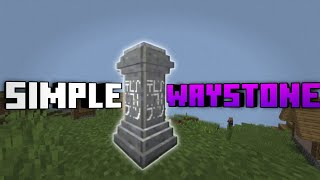
Simple Waystone Addon
I don't know my version
This addon's aim is for fast travelling purposes from one location to another.
How it works:
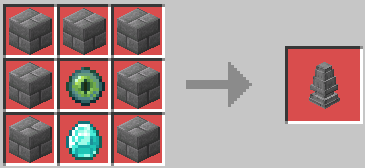
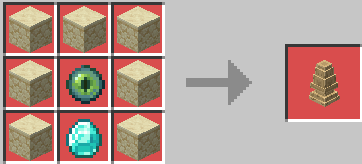
- Craft the waystone block, you will see the crafting recipe in the recipe book inside the crafting table.
- Place the block
- Interact with the block to see the waystone naming UI.
- Interact with the block again to register the waystone and to see the waypoint list.
- Pick a waypoint to teleport to it if you have the right level requirement.
Crafting Recipes:
Waystone Blocks
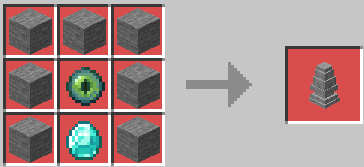
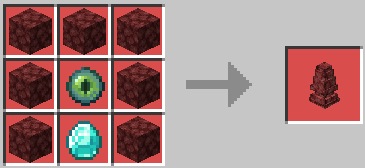
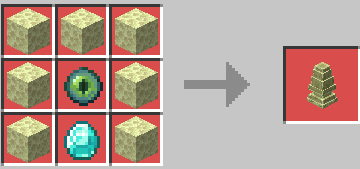
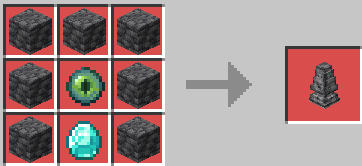
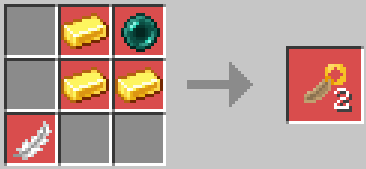
Gate Tokens
What the naming UI looks like:
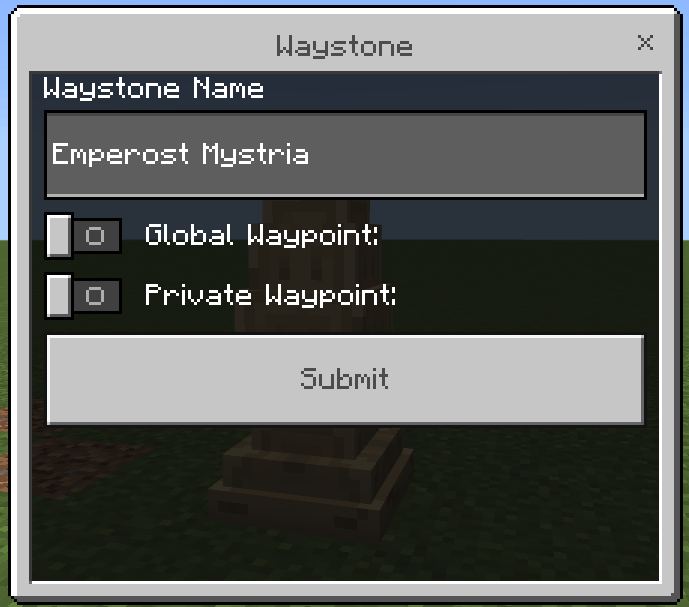
There will be a pre-filled name when you interact with the newly placed waystone, you can change it if you want.
What the waypoint list looks like:
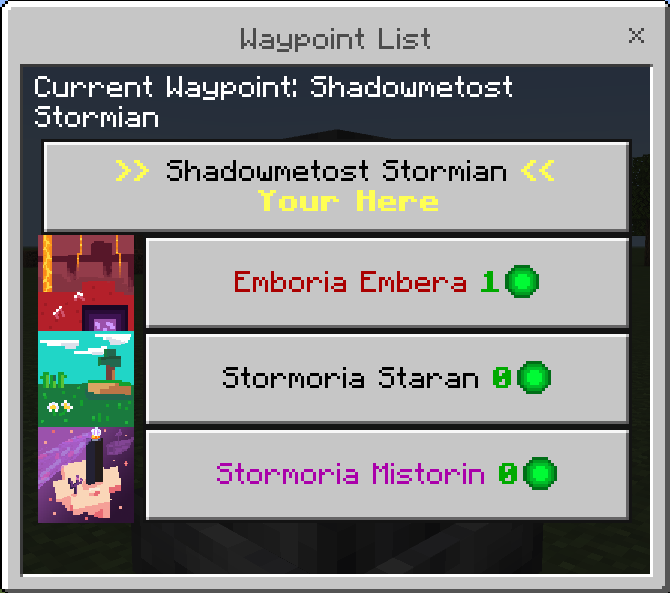
The list will show the current name of the waystone you are using and other waypoints you have registered. Beside the names is the level requirement.
There are also commands you can use to clear all the waypoint and to see all the waypoints in the world and the waypoints you have registered.
Player Commands:
- /scriptevent sw:delete - delete all waypoints
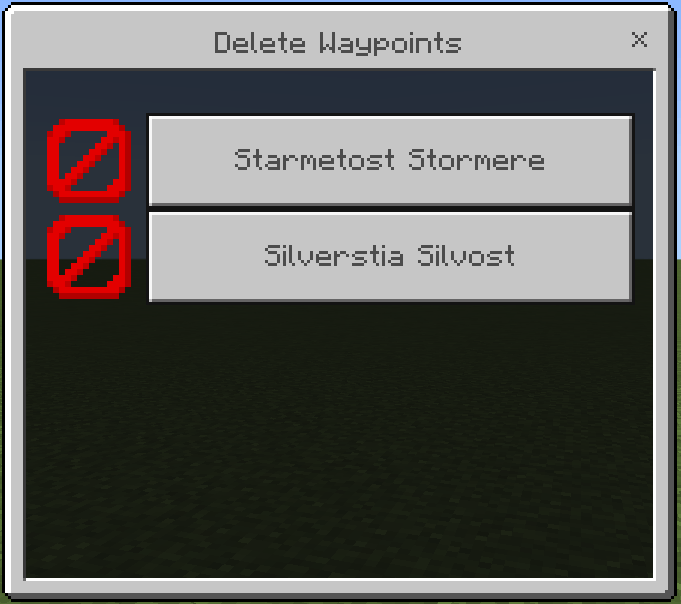
- /scriptevent sw:remove - delete specific waypoints
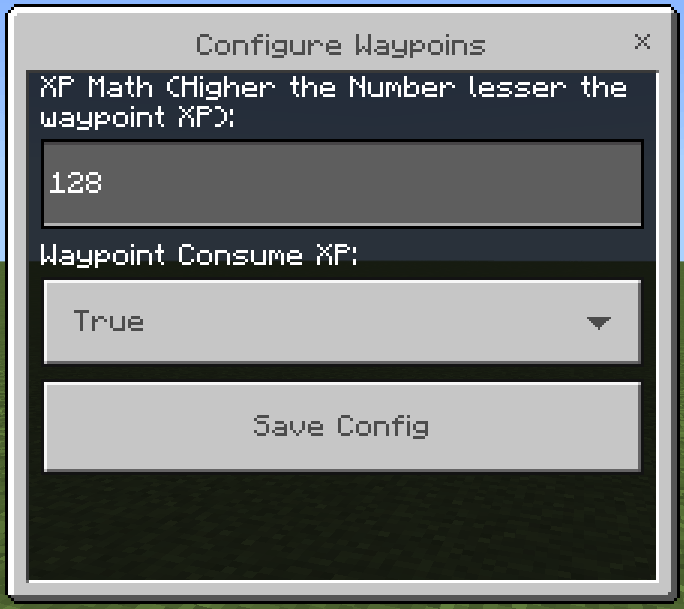
- /scriptevent sw:config - opens waystone config UI to edit XP settings
- /scriptevent sw:configreset - reset waystone config
- /scriptevent sw:diagnostic <world | me> - for testing purposes
(/scriptevent sw:config) Config UI:
(/scriptevent sw:remove) Remove UI:
Server Console Commands:
- scriptevent sw:delete <player name> - Deletes player waystones.
- scriptevent sw:configreset - Reset waypoint configuration.
- scriptevent sw:config <amountxp | consumexp> <value> - Edit waypoint configuration.
- scriptevent sw:diagnose <world | player name> - shows total bits occupied.
- scriptevent sw:sudo <player name> <waypoint command> - Run waypoint command as the player.
My Discord (Report Bugs/Problem Here):
Reminder:
- You are not allowed to repost this resource/addon.
- You are not allowed to create your own download link.
- Feel free to make videos just credit.
- Edition: Minecraft Bedrock
- File type: .mcpack or .mcaddon
- Minecraft versions listed: 1.21.130, 1.21.30, 1.21.50
- How to install: Download the .mcpack or .mcaddon file. → Open it — Minecraft imports it. → In your world: Behavior Packs → Available → Activate, then the same under Resource Packs.
- Where to get it: Opens on CurseForge — not every file is mirrored on our own servers.
Install steps are the general flow for this file type — How to install Minecraft Bedrock addons & mods walks through it step by step.
- Pack type: .mcaddon — behaviour and resource pack in one file
- Manifest requires Minecraft 1.21.130 or newer
- Complete pack — everything it depends on is inside the file
- Download size: 156 KB
- Download link checked 15 Sept 2026 — working
These come from our own check of the pack file, not from the source page.