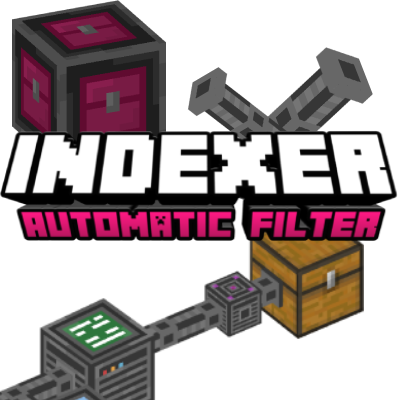

The Indexer Add-on allows you to organize your chests effortlessly and locate any item instantly without the need for complex Redstone circuits or hoppers. This add-on introduces pipes that link all your chests and containers together, centralizing your storage into a single Indexer Manager.
The Indexer system is easy to set up and very intuitive. First, place the Indexer Controller (the system's CPU);
every pipe in your network must be connected to this controller by at least one line. From there, it’s as simple as laying down pipes and attaching containers—whether they're chests, barrels, or furnaces.
To link a container to a pipe, just use a Connector block. The top of the connector will turn pink if it's connected and black if it’s disconnected

Next, there are two interfaces:
The Block Indexer Dropbox (input interface) is a block connected to the system via pipes. When you click it while holding an item, you can store any amount of that item into the chests, and they will be sorted automatically. If you click it with an empty hand, you can deposit your entire inventory, excluding armor slots.
The Block Indexer Manager (output interface) is a block connected to the system via pipes. Clicking it opens a UI that displays a complete list of all items stored in your chests. This interface allows you to search for specific items by name or sort them by quantity or alphabetical order.

This system is a game-changer for keeping your inventory organized and ensuring your items are always within reach.
Technical Limitations: The system can only access chests or containers located within loaded chunks.

Indexer Manager Interface:
This UI displays a comprehensive, indexed list of every item stored across your connected chests.
To keep your inventory precise, enchanted items will only stack if they share the exact same enchantments; otherwise, they are listed separately.
You can easily inspect the specific details of any enchanted tool or book by hovering your cursor over the item to reveal its full enchantment list.

Downloads | Official Site
- Edition: Minecraft Bedrock
- File type: .mcpack or .mcaddon
- Minecraft versions listed: 1.21.101, 1.21.111, 1.21.114
- How to install: Download the .mcpack or .mcaddon file. → Open it — Minecraft imports it. → In your world: Behavior Packs → Available → Activate, then the same under Resource Packs.
- Where to get it: In MCModsHub, or directly above on this page.
Install steps are the general flow for this file type — How to install Minecraft Bedrock addons & mods walks through it step by step.
- Pack type: .mcaddon — behaviour and resource pack in one file
- Manifest requires Minecraft 1.21.0 or newer
- Complete pack — everything it depends on is inside the file
- Download size: 1.4 MB
- Download link checked 18 Jun 2026 — working
These come from our own check of the pack file, not from the source page.
