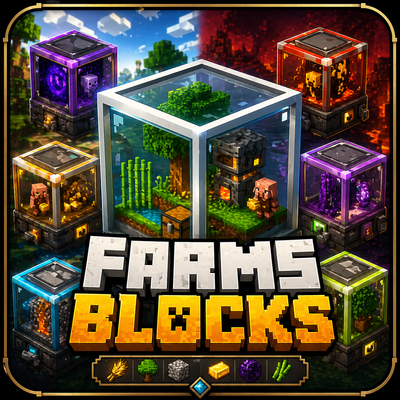
FarmsInBlocks
Compact 3D farm blocks that automatically generate resources using fuel, upgrades, and smart automation systems.
I don't know my version


FarmsInBlocks brings a new way to automate resource generation in Minecraft Bedrock using compact and fully functional 3D farm blocks.
Each farm is contained inside a glass cube, featuring a miniature version of the real structure, making your base look clean, modern, and highly efficient.
⚙️ CORE FEATURES
• Fully automated farms
• Fuel-based system for progression
• Upgrade system for higher efficiency
• Smart item output (works with hoppers and chests)
• Persistent data (farms keep their configuration)
🧊 3D FARM SYSTEM
All farms are designed as detailed mini-builds inside a transparent block, allowing you to visually see what each farm does.
🌍 MOBTRAP SYSTEM
Overworld MobTrap:
• Generates general mob drops
• Can be upgraded using mob heads
Nether MobTrap:
• Fully customizable drops
• Supports Blaze Rods, Ghast Tears, Wither Skeleton Skulls, Magma Cream, and more
End MobTrap:
• Generates End-related items
• Supports Ender Pearls and Shulker Shells
🌱 AVAILABLE FARMS
• Sugar Cane Farm
• Tree Farm (based on inserted saplings)
• Cobblestone Farm
• Piglin Farm (uses gold for bartering)
• Food Farm
• Sculk Farm
• Chorus Fruit Farm
• Iron Farm
• Gold Farm
🔥 PROGRESSION SYSTEM
All farms require fuel to operate and can be upgraded to improve production speed and efficiency.
🔑 FARM CONFIGURATION
Use the Farm Key to:
• Configure farms
• Set drop types
• Apply upgrades
📦 AUTOMATION
All farms automatically output items to:
• Chests
• Hoppers
🚧 WORK IN PROGRESS
More features coming soon:
• Villager Trading Farm
• Improved UI system
• More upgrade tiers
• New farm types
🎨 VISUAL DESIGN
Each farm is designed with a unique 3D model, creating a “mini world inside a block” experience.
Perfect for players who enjoy automation, optimization, and clean base design.
- Edition: Minecraft Bedrock
- File type: .mcpack or .mcaddon
- Minecraft versions listed: 26.30, 26.20, 26.10
- How to install: Download the .mcpack or .mcaddon file. → Open it — Minecraft imports it. → In your world: Behavior Packs → Available → Activate, then the same under Resource Packs.
- Where to get it: Opens on CurseForge — not every file is mirrored on our own servers.
Install steps are the general flow for this file type — How to install Minecraft Bedrock addons & mods walks through it step by step.
- Pack type: .mcaddon — behaviour and resource pack in one file
- Manifest requires Minecraft 1.21.100 or newer
- Complete pack — everything it depends on is inside the file
- Download size: 6.3 MB
- Download link checked 25 Aug 2026 — working
These come from our own check of the pack file, not from the source page.