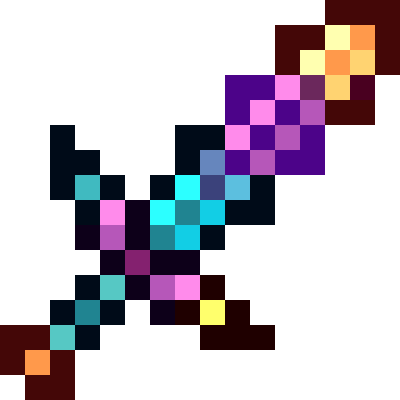
Skilled Items Deluxe
Skilled Items Deluxe is a completely redone and improved version of another addon that I published on mcpedl called "skilled items", but it is much better…
⬇ Download on CurseForge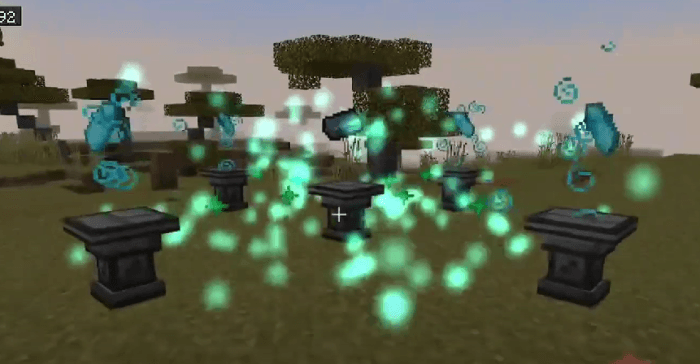
🛠️ Useful Tips
== Pattern Creation ==
Using Pattern Create table, you can select the type of design for your pattern. To use this table:
- Place a blue pencil in the top left slot
- Place an empty pattern in any of the 6 middle slots
- The drawing will be automatically created
📦 Patterns
Iron/Gold/Diamond Plate
Obtained by clicking on an ore-related block with any hammer.
Example: Click on an iron block with any hammer to get an iron plate.
Steel Shard
Created by smelting an iron plate in a furnace or blast furnace.
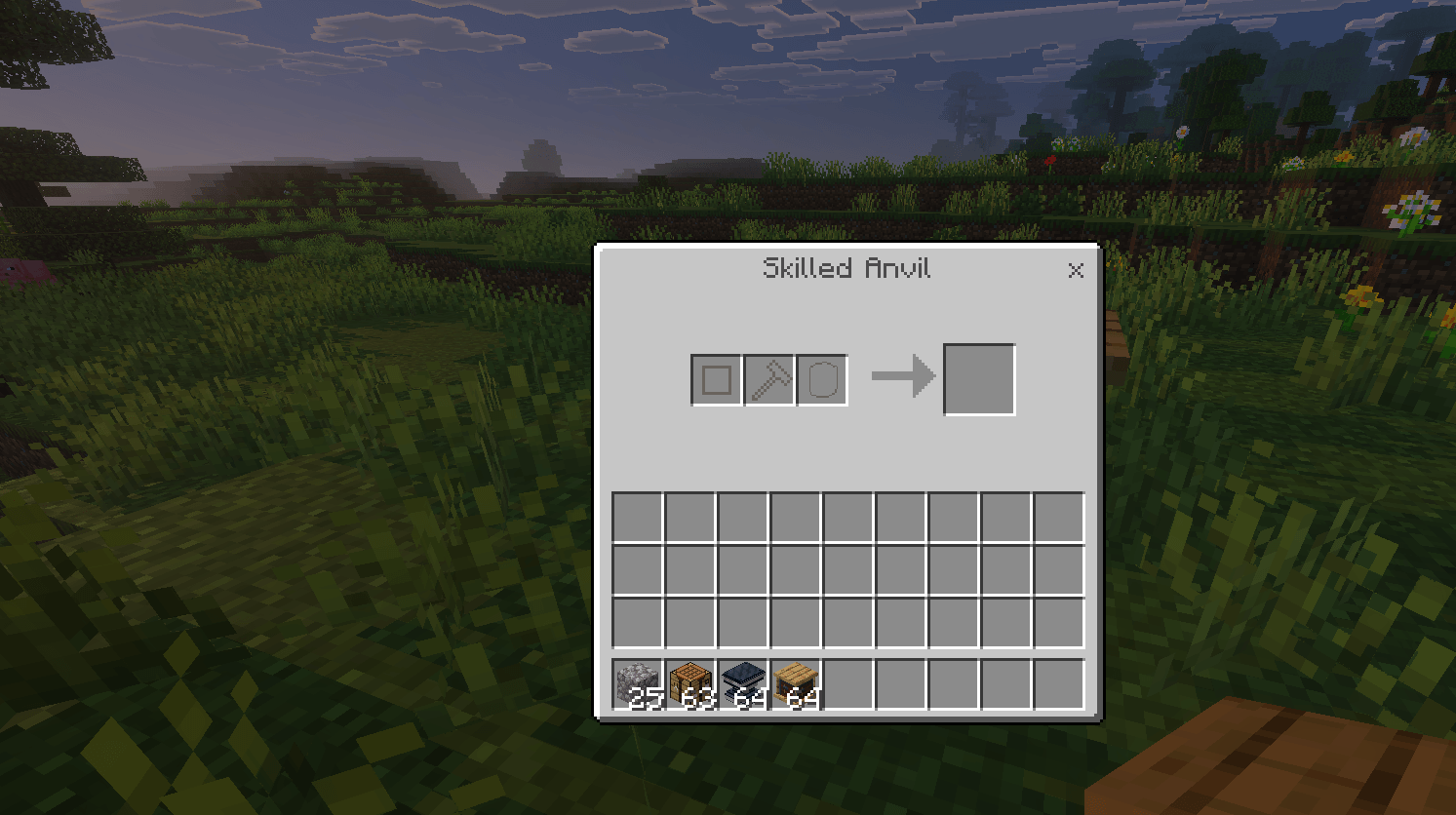
Skilled Anvil
This table allows blade creation:
- First slot: Ore plate determines blade material
- Third slot: Pattern design determines blade type
- Middle slot: Any hammer (material doesn't need to match blade)
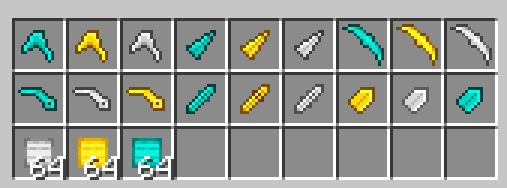
🔪 Blades
== Rituals ==
- Place a pedestal on the ground
- Count 3 blocks in each direction and place another pedestal (2-block gap between pedestals)
- Required items:
- Center pedestal: Deepsteel Ingot
- Other pedestals: Crystals corresponding to desired steel type
Crystals (all craftable):
- Illuminatic Crystal
- Magmatic Crystal
- Endynium Crystal
Steels (obtained from rituals):
- Illuminatic Steel
- Magmatic Steel
- Endynium Steel
Note: Up to 3 different items can be obtained depending on crystal used
📁 CATEGORIES
MAIN CATEGORY
- HAMMERS
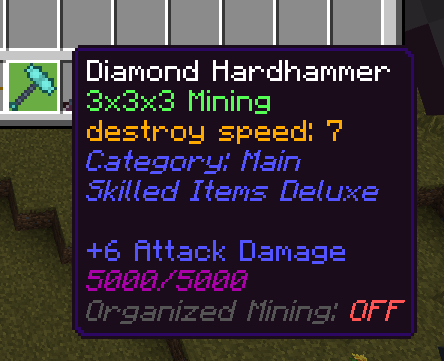
- HARDHAMMERS
- DRILLS
- HEAVYAXES
- HEAVYPICKAXES
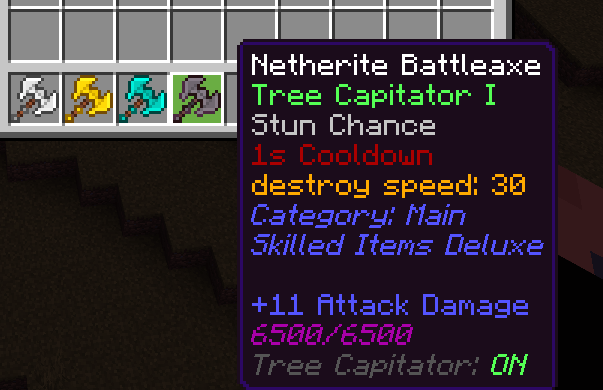
- BATTLEAXES
- SCYTHES
- SHARPSWORDS
- SLASHSWORDS
- LONGSHOVELS
- HEAVYPAXELS
⭐ SPECIAL CATEGORY
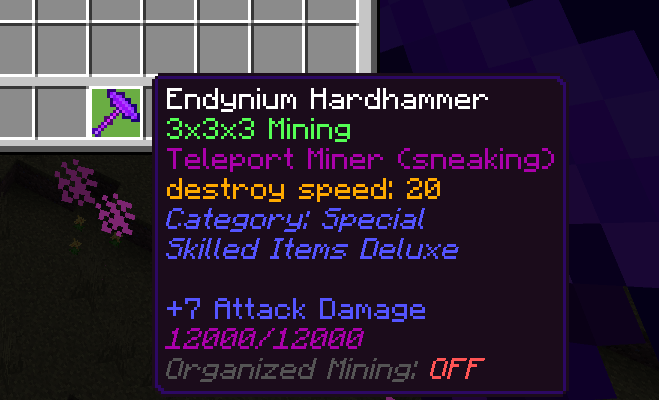
- Endynium Hardhammer
- Endynium Sword
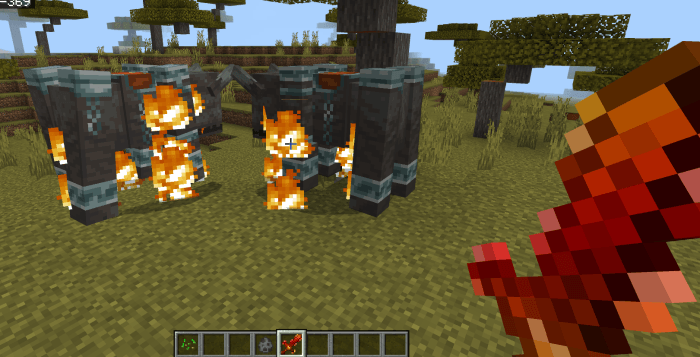
- Magmatic Sword
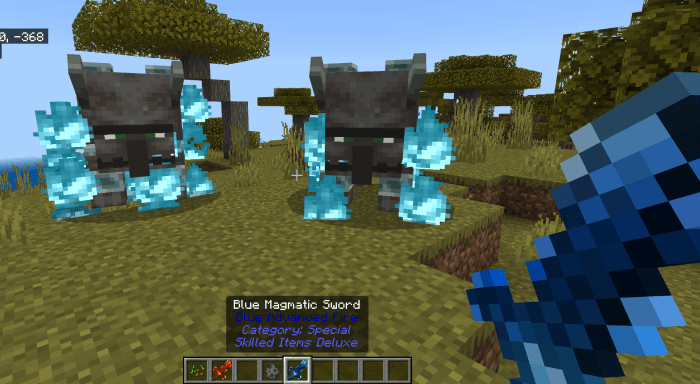
- Blue Magmatic Sword
- Illuminatic Pickaxe
- Illuminatic Battleaxe
🎒 SKILLED CATEGORY
- Skilled Slashsword
- Skilled Breaker
- Skilled Bow
🎒 UTILITY CATEGORY
| Item | Description |
|---|---|
| Magnet | Pulls all nearby items (20-block radius) when held in mainhand or offhand |
| Slime Boots | Super jump and fall damage immunity |
| Purple Slime Boots | Enhanced version of Slime Boots |
| Slime SlingShot | Launches player in opposite direction of where they're facing |
| Purple Slime SlingShot | Enhanced version of Slime SlingShot |
| Fly Artifact | Allows flight when held. Controls: JUMP=up, SNEAK=down, RIGHT CLICK=forward |
Block Finders:
- Sneak + use item on any block to mark it as target
- Subsequent uses will highlight all matching blocks within radius
- Highlights last 7 seconds
- Red number shows distance from center coordinate
Available versions:
- Basic: 8×8×8 radius
- Gold: 12×12×12
- Diamond: 16×16×16
- Netherite: 20×20×20
? Skills Info ?
Combat Skills
| Skill | Effect |
|---|---|
| Bleeding (I & II) | Target bleeds for 10 seconds, taking periodic damage |
| Advanced Fire | Custom fire effect dealing 2 damage/sec for 5 seconds |
| Blue Advanced Fire | Soul Valley-themed blue fire dealing 3 damage/sec for 5 seconds |
| Stun Chance | 25% chance to immobilize and weaken target for 2 seconds on hit |
| Lightning Wave | Summons 4 lightning strikes near hit entity |
| Teleport Hit | Teleports to and attacks targeted entity |
Mining Skills
| Skill | Effect |
|---|---|
| Vein Fortune I | 3× ore multiplier with Vein Mining |
| Vein Fortune X | 10× ore multiplier with Vein Mining |
| Drill Mining | Enables efficient "+" shaped mining pattern |
| Organized Mining | Hammers only break blocks matching the first broken block |
| Tree Capitator | Automatically breaks entire trees |
| Teleport Miner | (Endynium Hardhammer) Sneak + mine to teleport to mined block |
| Vacuum Destroyer | Mass-destroys all matching blocks (targeted mining without item drops) |
Movement Skills
| Skill | Effect |
|---|---|
| Teleport Skill | Teleports player in facing direction (enables survival flight) |
ℹ️ Info: To toggle activatable skills, sneak + right-click on any block while holding the item.
- Edition: Minecraft Bedrock
- File type: .mcpack or .mcaddon
- Minecraft versions listed: 1.21.30, 1.21.50, 1.21.81
- How to install: Download the .mcpack or .mcaddon file. → Open it — Minecraft imports it. → In your world: Behavior Packs → Available → Activate, then the same under Resource Packs.
- Where to get it: Opens on CurseForge — not every file is mirrored on our own servers.
Install steps are the general flow for this file type — How to install Minecraft Bedrock addons & mods walks through it step by step.
- Pack type: .mcaddon — behaviour and resource pack in one file
- Manifest requires Minecraft 1.20.30 or newer
- Complete pack — everything it depends on is inside the file
- Download size: 648 KB
- Download link checked 15 Sept 2026 — working
These come from our own check of the pack file, not from the source page.