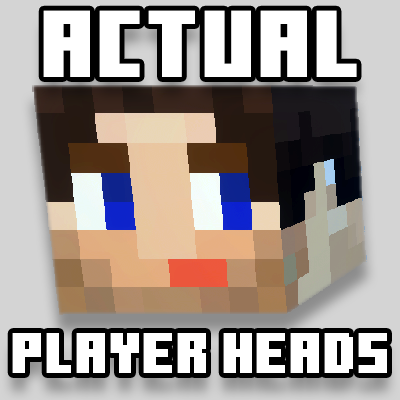
Actual Player Heads
Bedrock add-on listed for Minecraft 1.21–26.x (behavior + resource pack). File opened and checked on 20 Oct 2026; installs from the MC Bedrock Mods app on Android.
YOUR FRIENDS' HEADS. ON YOUR WALL. IN 3D. Real heads from Bedrock characters and Java skins: place them, wear them, and claim them as trophies tagged with…
I don't know my version
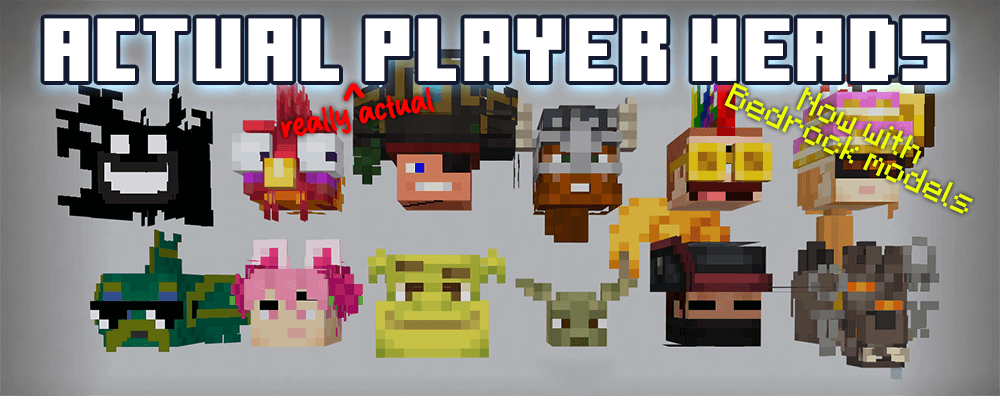
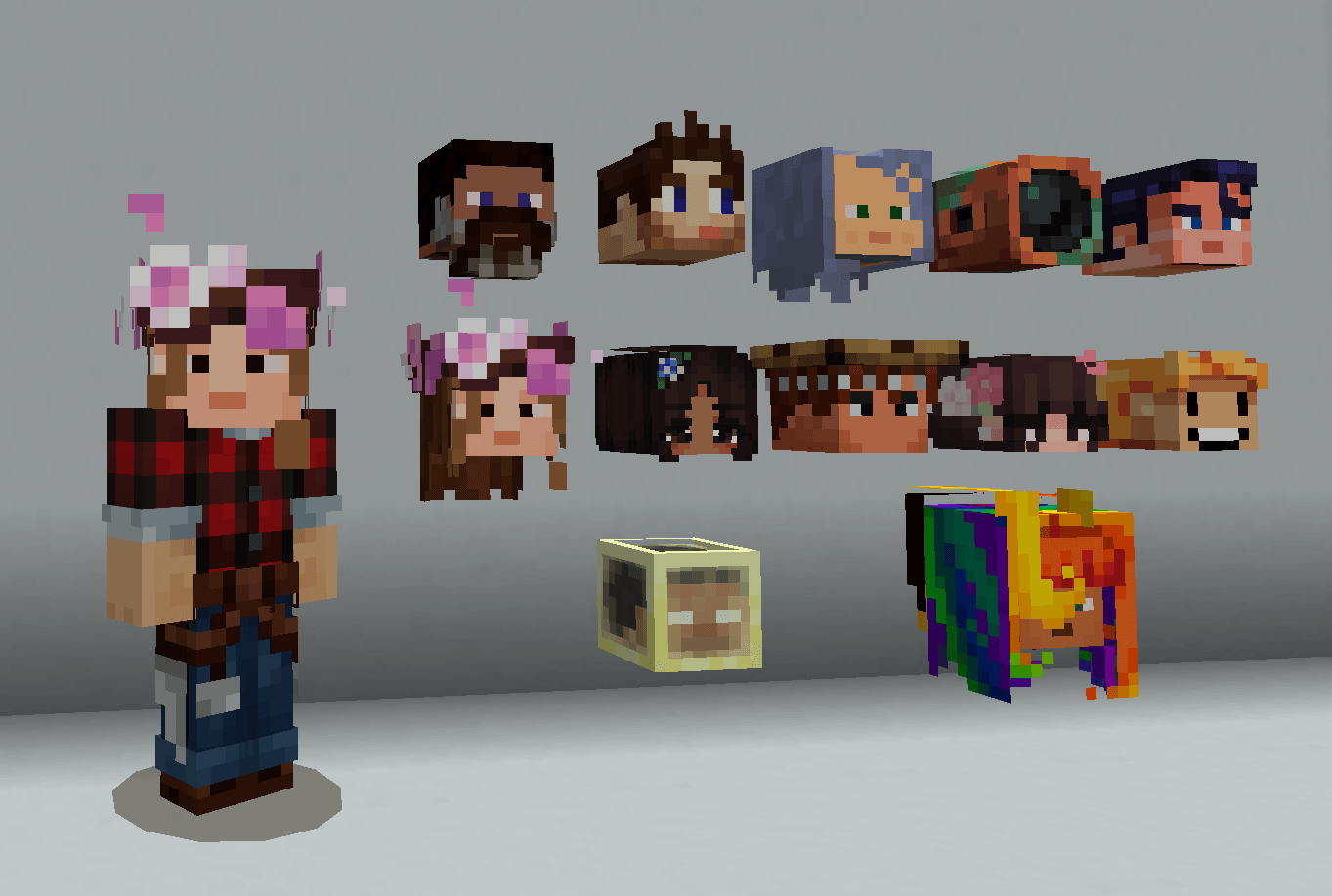
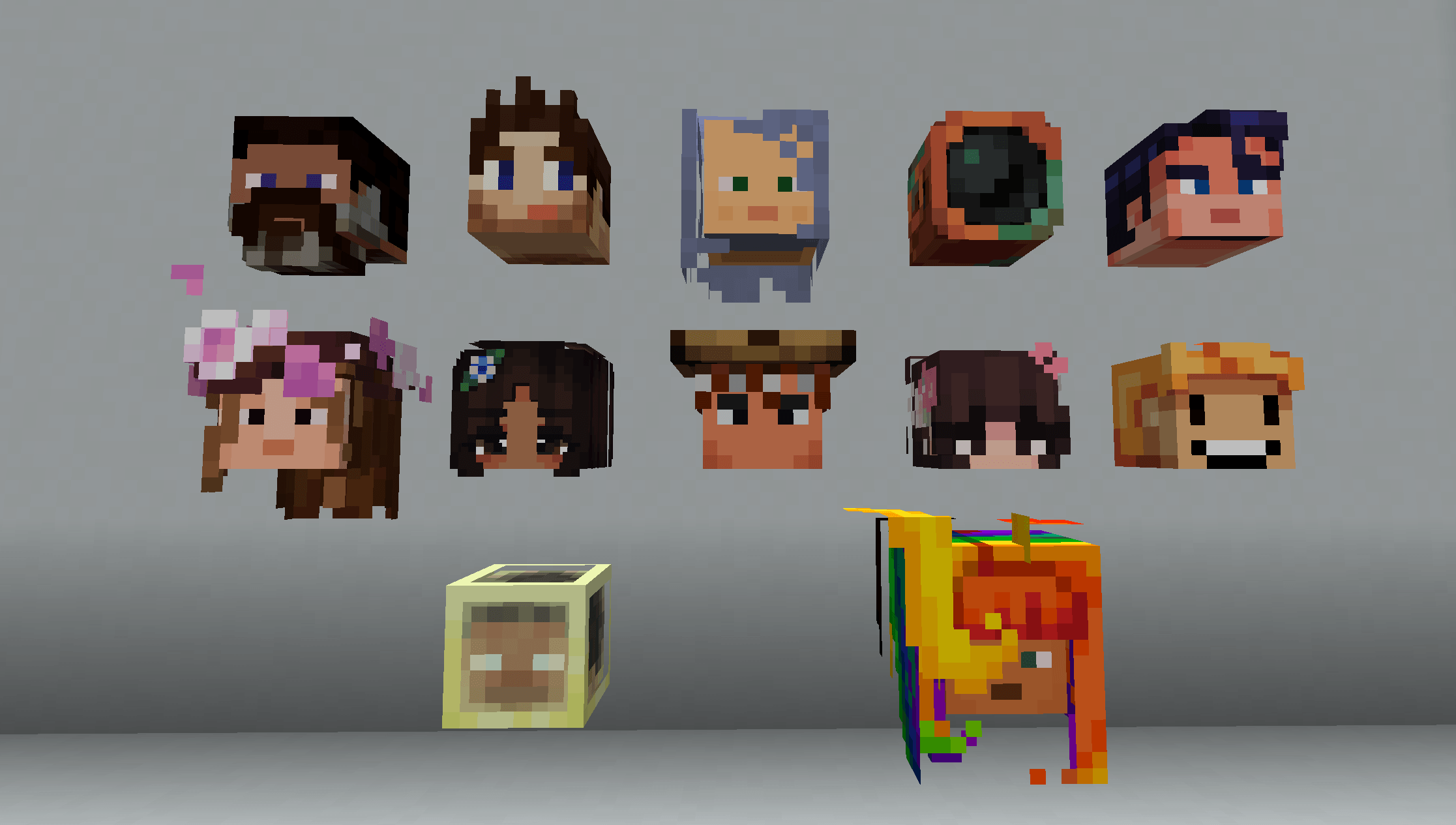
🏁 ACTUAL PLAYER HEADS 3.3.0 — EVERY HEAD TELLS A STORY 🏁
STRAP IN. BUCKLE UP. CLUTCH YOUR FAVOURITE GAMERTAG TIGHT.
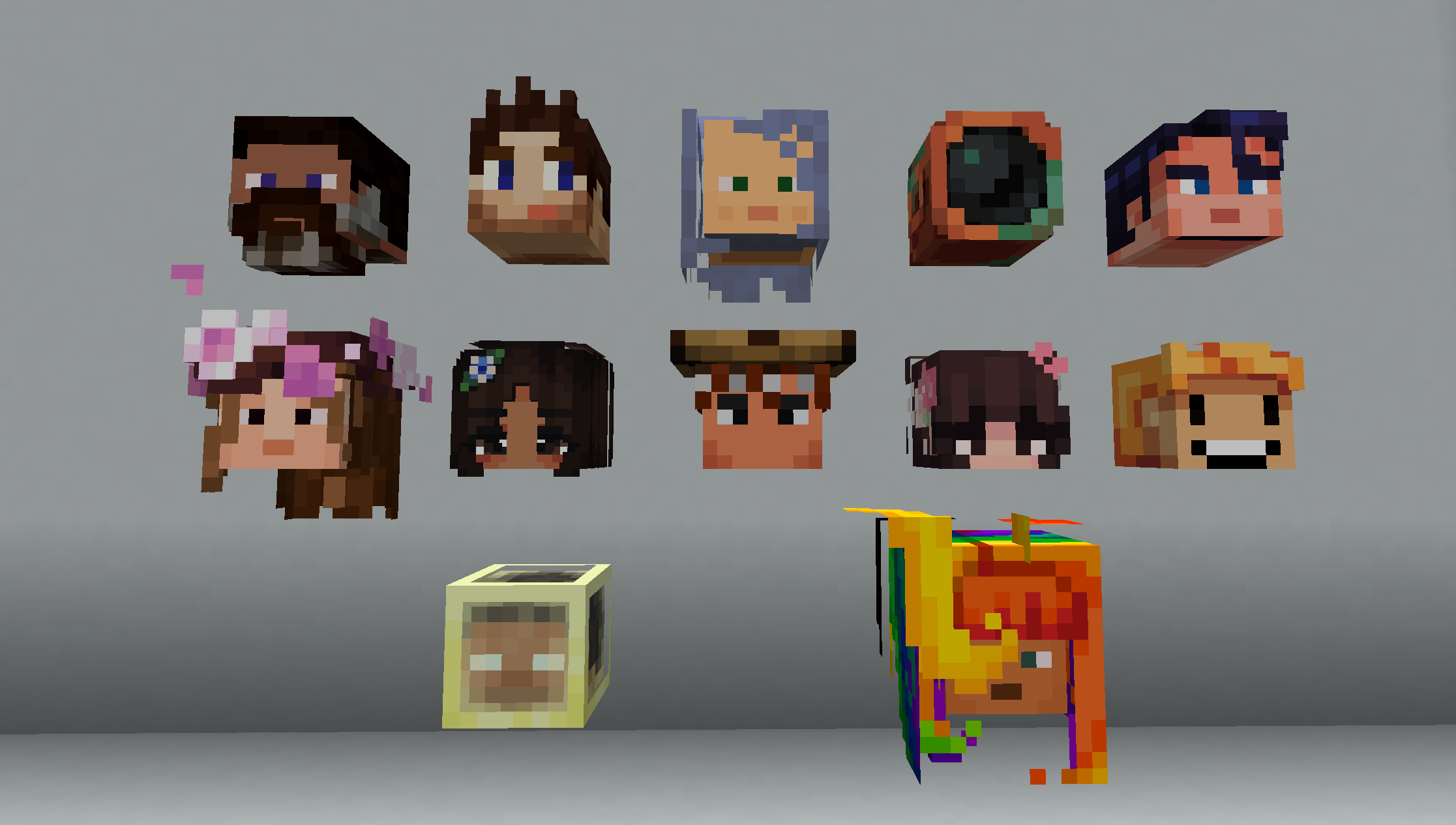
Your friends. Your enemies. Your favourite YouTubers. ALL HERE. ALL REAL. ALL ON YOUR WALL. Real 3D heads, built from their actual Character Creator characters and Java skins, that you can place, wear, and claim as loot when you take someone down.
And as of 3.3.0, every head remembers how it got there.
🔥 NEW IN 3.3.0 🔥
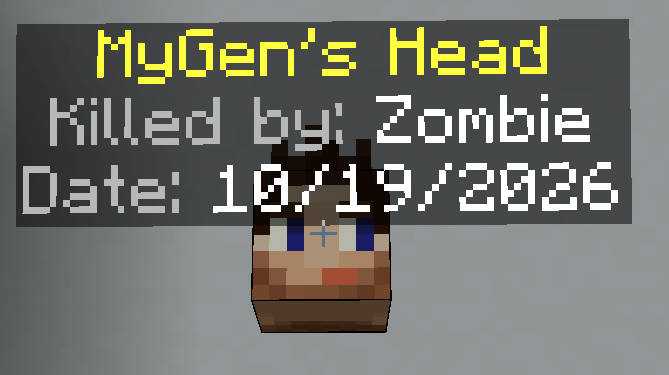
💀 EVERY DEATH GETS A STORY 💀
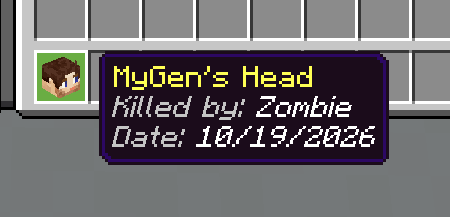
Heads used to remember one thing: which player took you out. Die to anything else and your head dropped with nothing but a date. Tragic. Unremarkable. A wasted trophy.
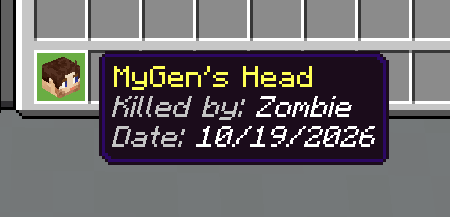
Not any more. Your head now records exactly what got you:
- Killed by: Creeper — the classic
- Killed by: Wither Skeleton — arrows count, so does the mob that fired them
- Killed by: Gerald — if the zombie had a name tag, it gets the credit. Gerald is very proud
- Cause: Lava — no killer? You still get how it happened. Fall damage, drowning, the void, a falling anvil, a cactus. All of it, on the record, forever
🔍 LOOK AT A HEAD. KNOW WHOSE IT IS. 🔍
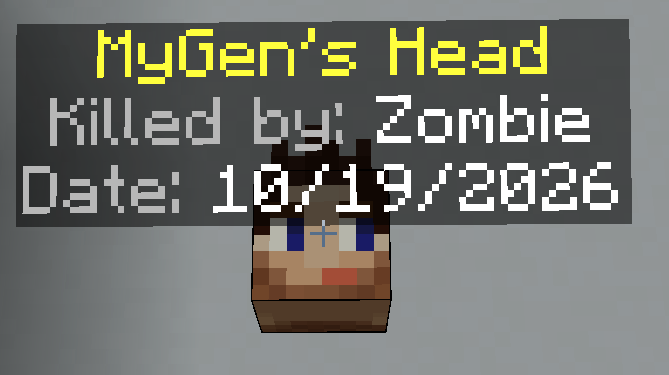
A wall of fifty heads is a wonderful thing until someone asks "who's that one?" Now you just look at it. A label appears above the head with whose it is, and for a trophy, who claimed it and when. Look away and it's gone.
Only you see your label, so ten people admiring the trophy wall at once don't fill it with floating text.
🎃 ENDERMEN LEAVE YOU ALONE 🎃
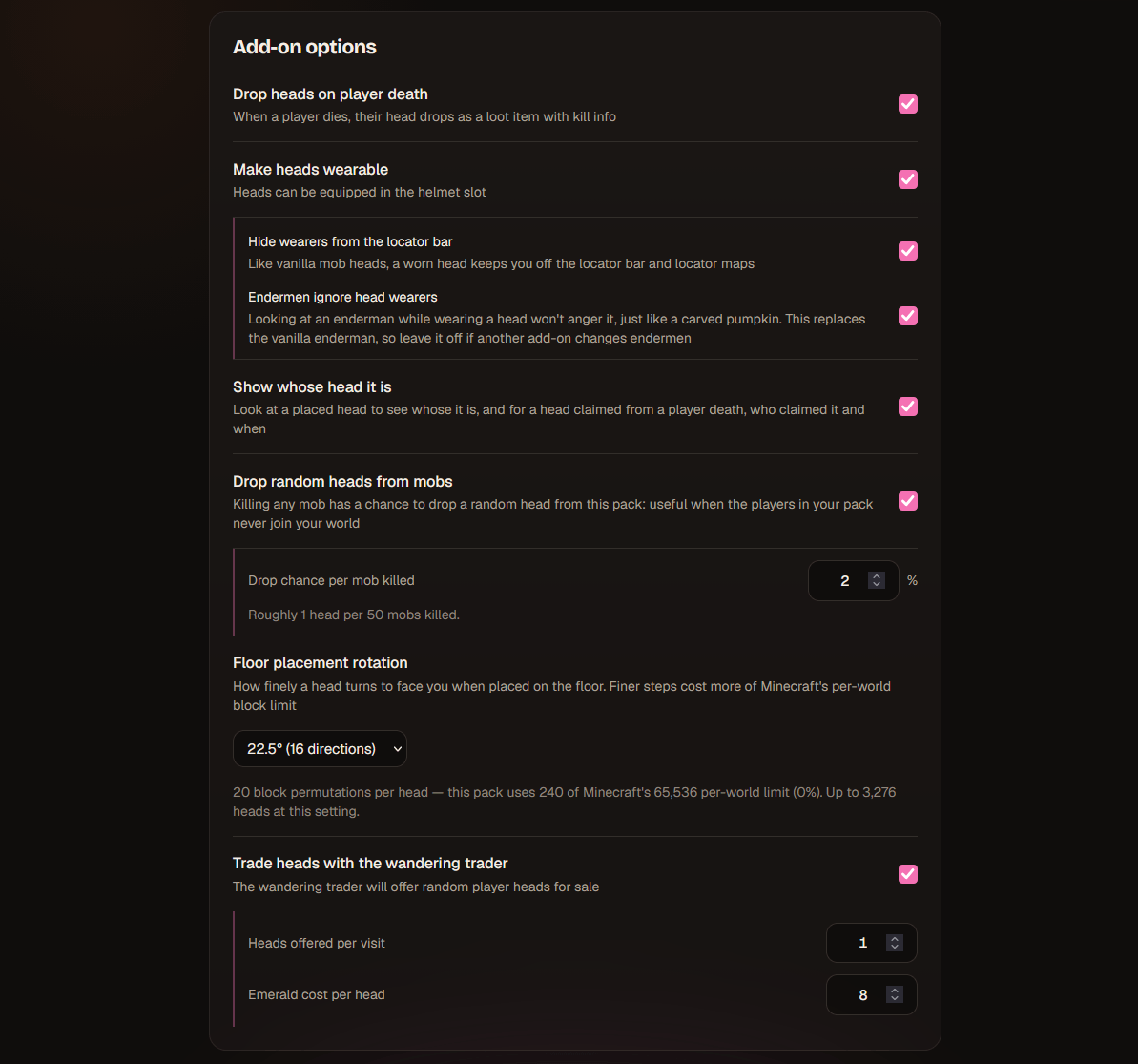
Carved pumpkins have always let you stare an enderman in the eye and live. Now your mate's face does too. Switch on Endermen ignore head wearers in the generator and a worn head works exactly like a pumpkin, minus the orange screen.
It's off by default, because it works by replacing the vanilla enderman: if another add-on in your world changes endermen, leave this one off.
🧭 OFF THE LOCATOR BAR 🧭
Wear a head and you disappear from the locator bar and locator maps, just like wearing a vanilla mob head. Perfect for sneaking up on someone wearing the face of the last person you sneaked up on. On by default, and you can switch it off.
🔧 AND WE FIXED 🔧
- Heads broken in creative could pass their "Killed by" tag on to the next head placed in the same spot. Not any more.
- A plain head could pick up another head's "Killed by" tag if you'd just tried to place a tagged one. Receipts are now non-transferable.
- Random mob drops now come only from actual mobs. No more heads from armour stands, boats or minecarts.
- Re-uploading a pack to the site now remembers your mob drop settings.
Already got a pack? Upload it to the site and download it again. Heads already on your walls keep their tags.
🏆 WHAT IT DOES 🏆
- PLACE IT — mount heads as decorative blocks on floors and walls. They turn to face you when placed, as finely as you like. Explosion-proof, because creepers have done enough damage to your collection already
- WEAR IT — stick a head in your helmet slot and walk around wearing your friend's face. Assert dominance
- LOOT IT — when a player whose head is in the pack dies, their head drops, tagged with what got them and when. Bragging rights: permanent
- TRADE IT — the wandering trader turns up with a briefcase full of heads for emeralds. How he got them? Between him and his god
- FARM IT — turn on mob drops and every creeper, zombie and skeleton becomes a lottery ticket, at odds you choose. The wandering trader considers this undercutting and is furious
- STACK IT — to 64, like vanilla heads. Trophies keep their tags, so those stay separate. The receipts are the whole point
🧬 HEADS THAT ACTUALLY LOOK LIKE THE PERSON 🧬
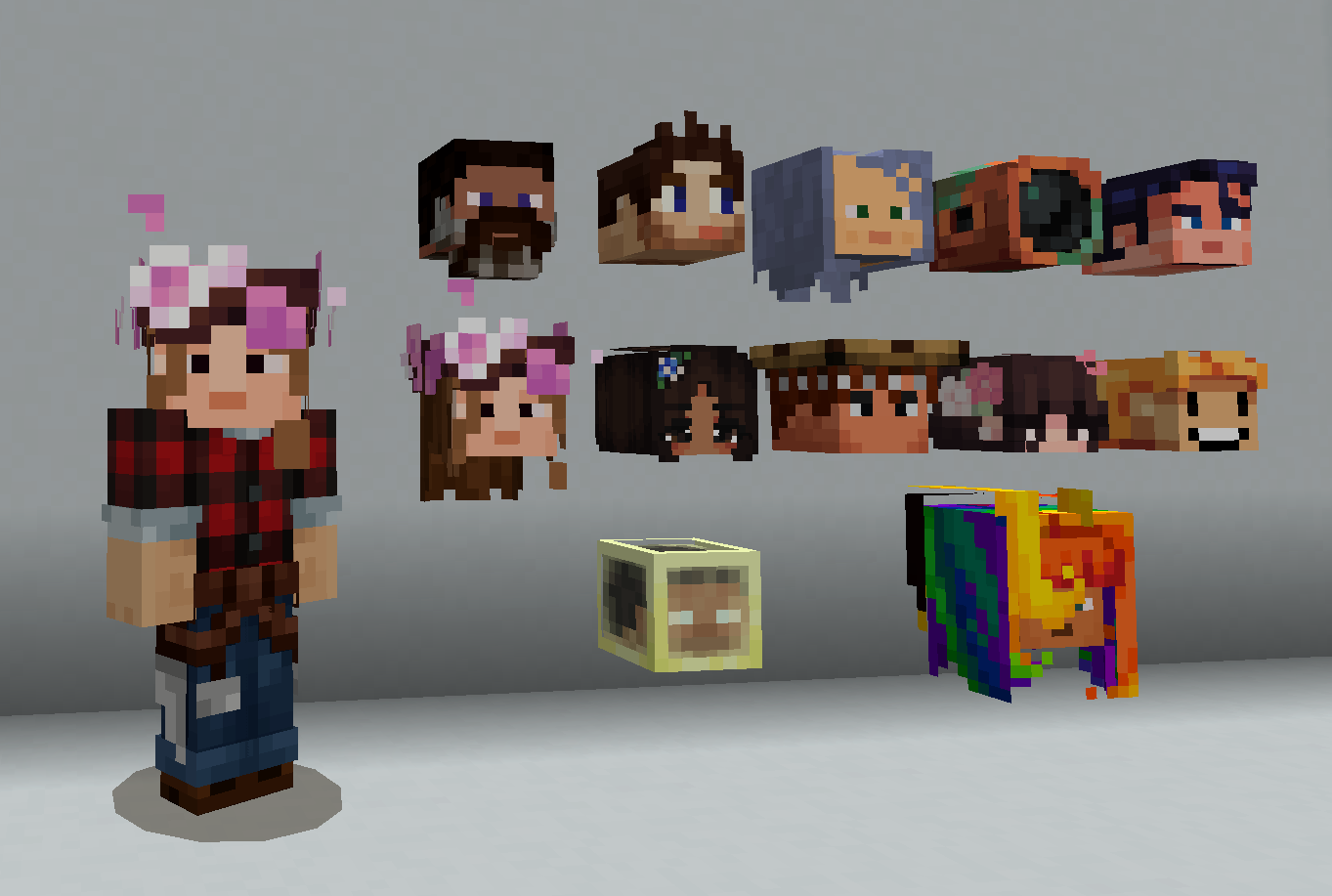
For Bedrock players we build their actual Character Creator character in 3D: hats sit on heads, and horns, ears, ponytails, sunglasses, antlers and enormous anime hair all land exactly where they should. If it's on their character, IT'S ON THE BLOCK.
Java players come straight from their skin. A Bedrock character, a Java streamer and a PNG someone sent you in Discord can all go in the same pack, side by side. Peace in our time.
📦 UP TO A THOUSAND HEADS 📦
Build the entire server roster. Your whole Discord. Every YouTuber you've ever watched, their mums, and that one guy from the SMP nobody likes. Up to 1,000 heads in one pack, comfortably inside Minecraft's per-world block limit, and the generator shows you exactly how much of it your pack uses.
💻 HOW TO USE — THE GENERATOR 💻
Head to playerheads.mygen.co.uk:
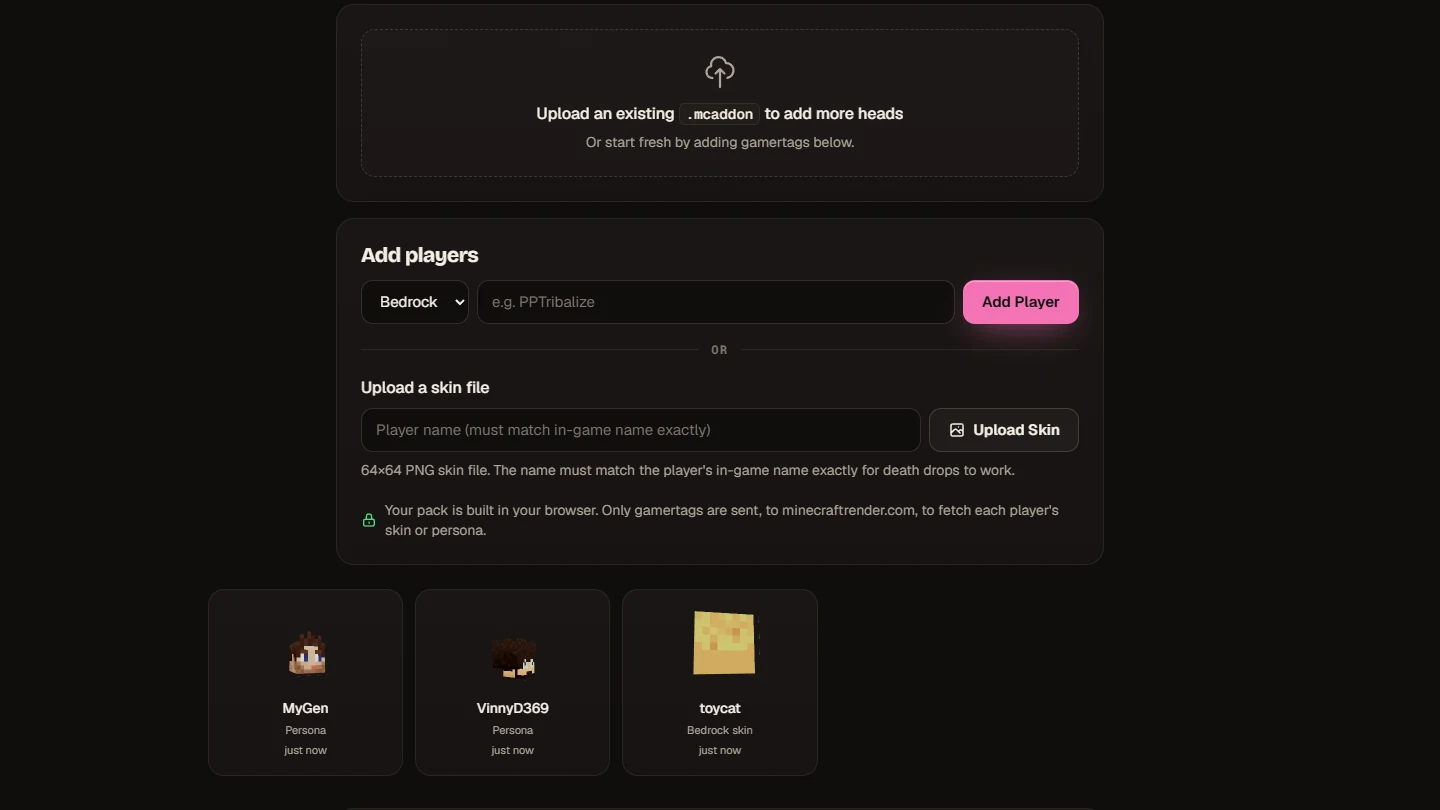
- PICK A PLATFORM — Bedrock or Java
- TYPE A GAMERTAG — any spelling, any capitalisation, we'll fix it
- WATCH IT SPIN — 3D preview in your browser, drag it around, check it before you commit
- TOGGLE FEATURES — death drops, mob drops, wearing, the locator bar, endermen, head labels, the wandering trader, how finely heads turn. All optional. Your addon, your rules
- HIT DOWNLOAD —
.mcaddonin your hands, ready to rumble
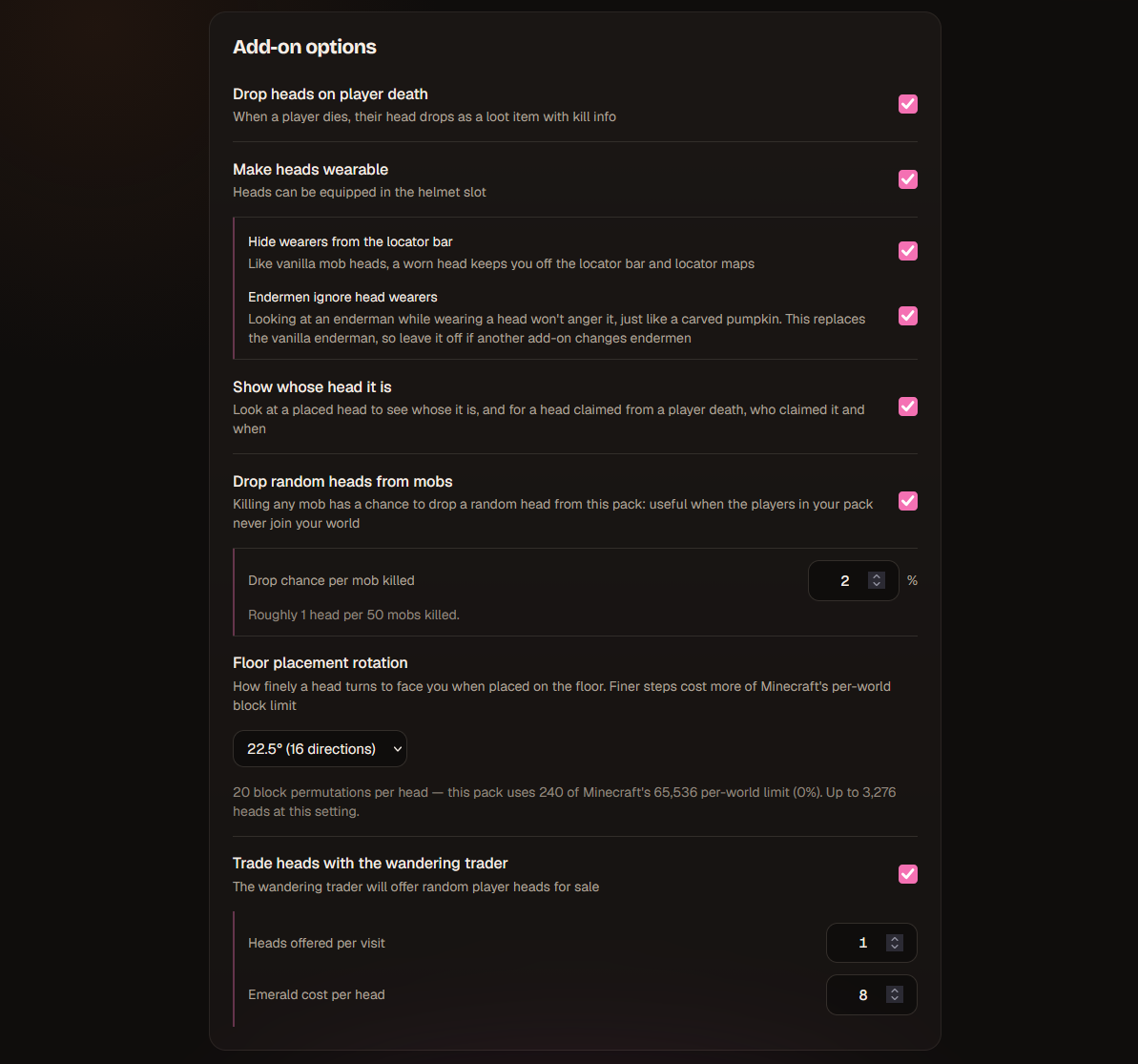
No coding. No file editing. No "minecraft dev setup" tutorials. GAMERTAGS IN, ADDON OUT.
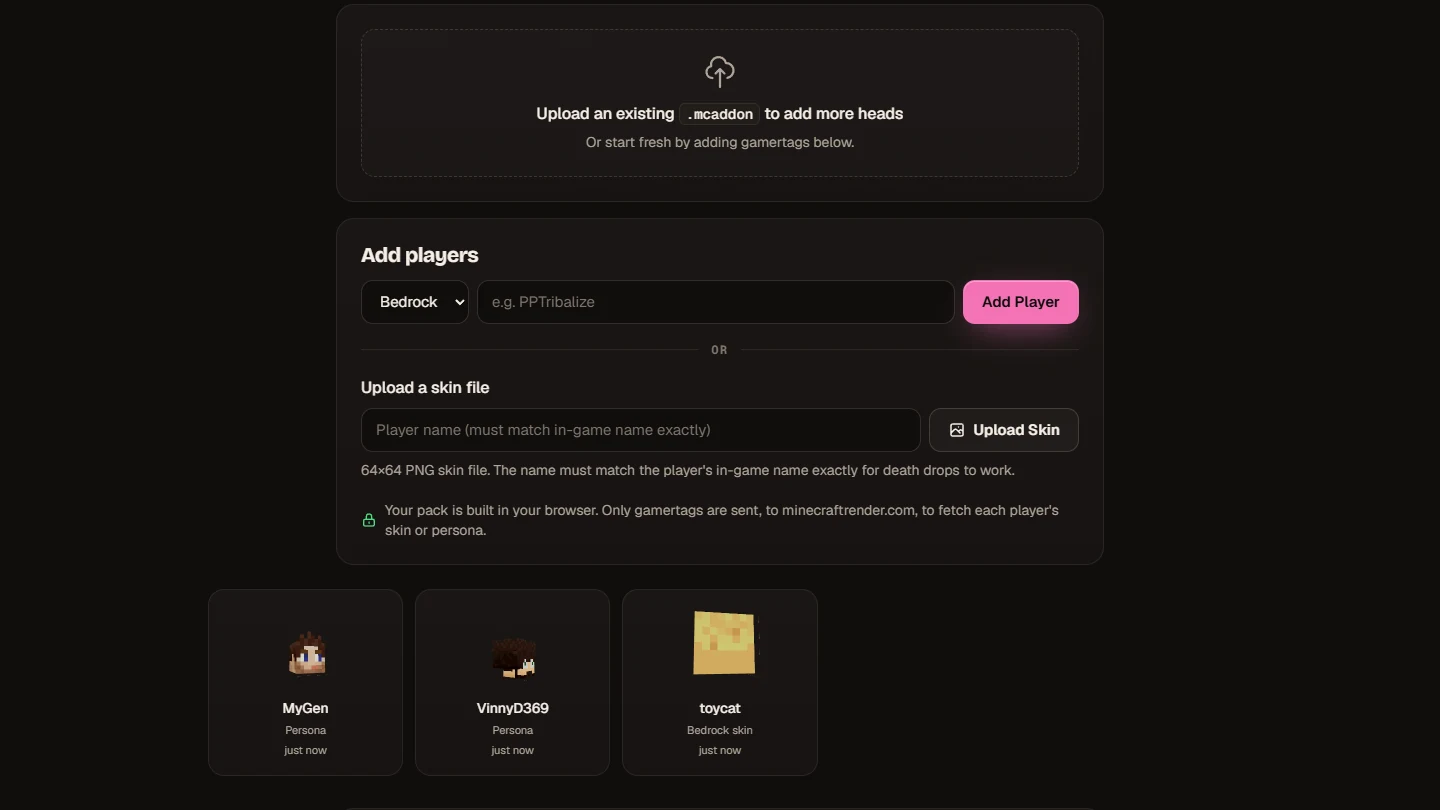
Already got a pack?
Upload it back to the site. Add heads. Remove heads. Re-download. Your settings come back with it, and the pack stays the same pack as far as Minecraft is concerned, so it just updates. Packs from 2.x upgrade every Bedrock head to full 3D in one click.
📥 INSTALLATION 📥
- Download the
.mcaddon(sample pack below, or build your own) - Open it — Minecraft imports it automatically
- Create or edit a world, go to Behavior Packs, and turn on Actual Player Heads
- The Resource Pack switches itself on with it
- Go. Get. Heads.
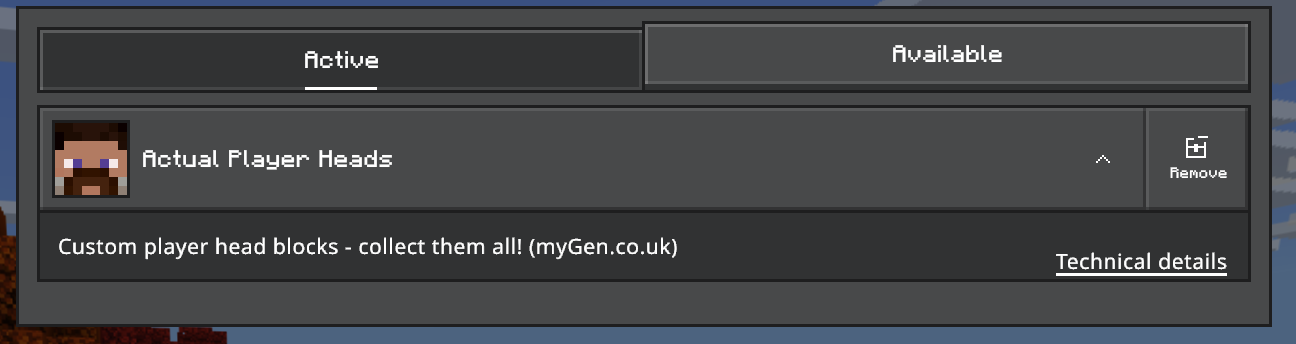
Needs Minecraft Bedrock 1.26.50 or newer. No experimental toggles required, so your achievements are safe. Works on Realms and servers.
🎨 IF A HEAD CAN'T BE FOUND 🎨
- Getting a plain cube instead of a proper 3D head? That player is wearing a Classic Skin rather than a Character Creator character. One trip to the Dressing Room to pick a character sorts it out.
- Bedrock player we can't find at all? Some Bedrock accounts are only visible to us once they've joined a cross-play server. Point them at BedrockGo.com — one join and they're sorted.
- Java players come straight from Mojang, so if they've got an account, we've got their skin.
- Nobody can find them? Upload their skin file directly on the site. Type their exact in-game name, drop the PNG in, done. Works for literally anyone.
🎯 WHY DO WE DO THIS? 🎯
Because your friends deserve to be on your wall, in 3D, with their weird hair and their cursed Character Creator outfits, forever preserved in pixel-perfect glory. And now everyone will know exactly how they got there.
Made by MyGen Gaming — with coffee and questionable amounts of caffeine.
Thanks to PPTribalize for the inspiration that started this whole beautiful mess.
Several players were harmed in the testing of this update, by creepers, lava, fall damage and one very determined zombie called Gerald. All of it is now on the record.
- Edition: Minecraft Bedrock
- File type: .mcpack or .mcaddon
- Minecraft versions listed: 26.50, 26.10, 26.11
- How to install: Download the .mcpack or .mcaddon file. → Open it — Minecraft imports it. → In your world: Behavior Packs → Available → Activate, then the same under Resource Packs.
- Where to get it: Opens on CurseForge — not every file is mirrored on our own servers.
Install steps are the general flow for this file type — How to install Minecraft Bedrock addons & mods walks through it step by step.
- Pack type: .mcaddon — behaviour and resource pack in one file
- Manifest requires Minecraft 1.26.10 or newer
- Complete pack — everything it depends on is inside the file
- Download size: 426 KB
- Download link checked 26 Oct 2026 — working
These come from our own check of the pack file, not from the source page.