![Shadow Vein Miner [ Achievements Friendly ]](https://files.mcmodshub.com/img/curseforge/65656.png)
AddonsBedrock
Shadow Vein Miner [ Achievements Friendly ]
Bedrock add-on listed for Minecraft 1.21–26.x (behavior + resource pack). File opened and checked on 21 Sep 2026; installs from the MC Bedrock Mods app on Android.
I don't know my version
Open Minecraft and look at the bottom-left corner of the main screen — the version is printed there, like v1.26.30.
The game writes a 1. in front; the buttons above leave it off. v1.26.30 in the game is 26.30 here.
![Shadow Vein Miner [ Achievements Friendly ] — screenshot 1](https://files.mcmodshub.com/img/curseforge/65656_s3099108.png)
(no player.json)
(no experimental)
(achievement friendly)
(join discord for feedback)
![Shadow Vein Miner [ Achievements Friendly ] — Minecraft Bedrock addon, screenshot 1](https://media.forgecdn.net/attachments/description/null/description_f858615e-d3e8-41af-b208-48643663e653.png)
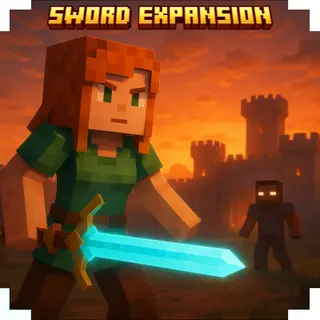
Disclaimer: the images used are only to give a visualization of what it feels like to use this add-on.
What does this add-on do?
Shadow Vein Miner lets you mine ores faster.
Just break one ore, and the others will break instantly.
gives you the shadow ability
Quick facts
- Edition: Minecraft Bedrock
- File type: .mcpack or .mcaddon
- Minecraft versions listed: 26.50, 26.30, 26.10
- How to install: Download the .mcpack or .mcaddon file. → Open it — Minecraft imports it. → In your world: Behavior Packs → Available → Activate, then the same under Resource Packs.
- Where to get it: In MCModsHub, or directly above on this page.
Install steps are the general flow for this file type — How to install Minecraft Bedrock addons & mods walks through it step by step.
File checked by MCModsHub
- Pack type: .mcaddon — behaviour and resource pack in one file
- Complete pack — everything it depends on is inside the file
- Download size: 662 KB
- Download link checked 18 Jun 2026 — working
These come from our own check of the pack file, not from the source page.