Wan's Dynamic Pathways
Bedrock add-on listed for Minecraft 26.x (behavior + resource pack). File opened and checked on 26 Sep 2026; installs from the MC Bedrock Mods app on Android.
⬇ Download on CurseForgeThe author built this one for Minecraft 26.20. On other versions it may install and then do nothing.
✅ Compatibility
Achievements stay enabled in your worlds — the addon is fully compatible!
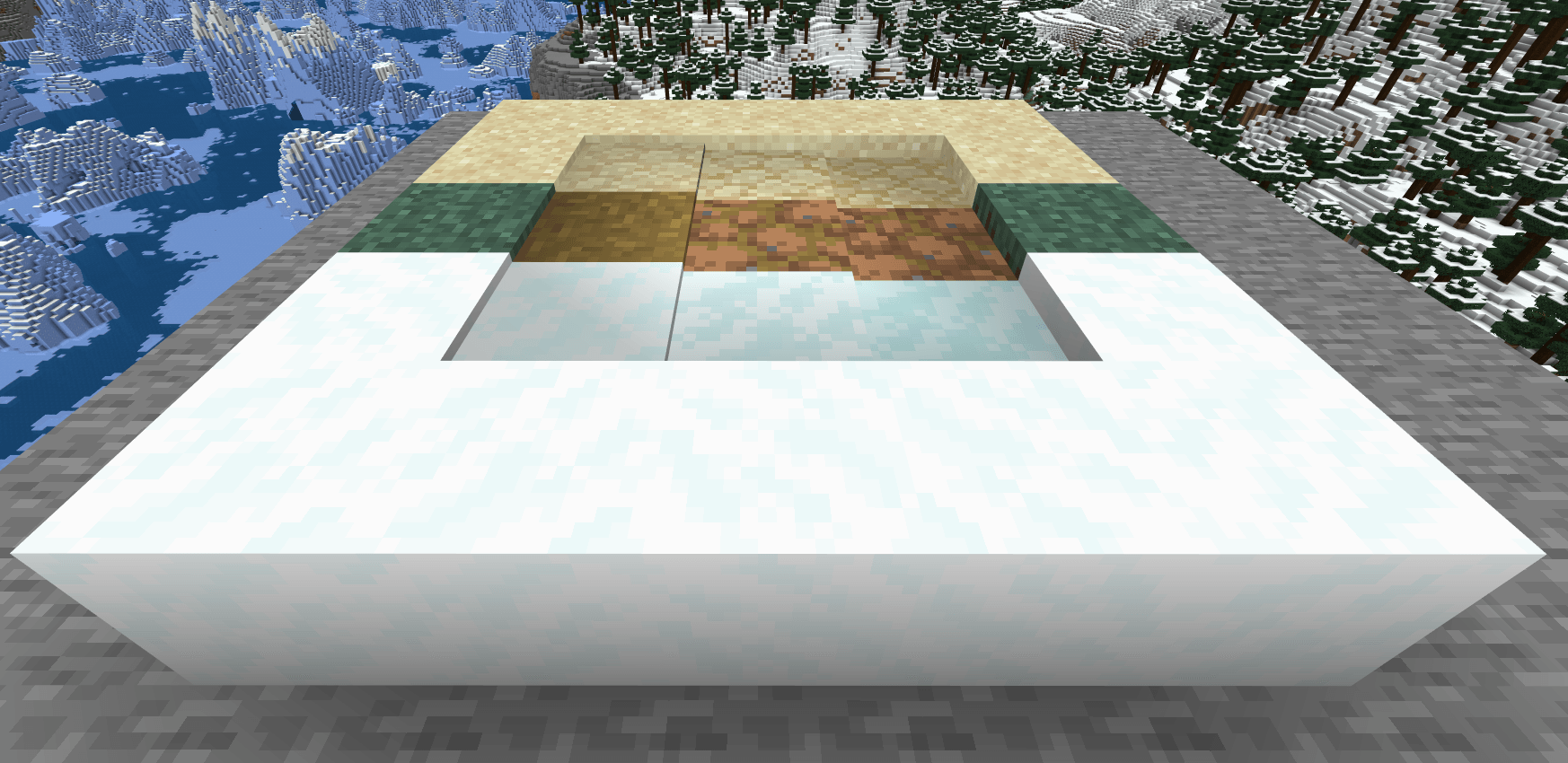
Watch your worlds remember your footsteps. Living, breathing paths that form through play.
🌱 What is Dynamic Pathways?
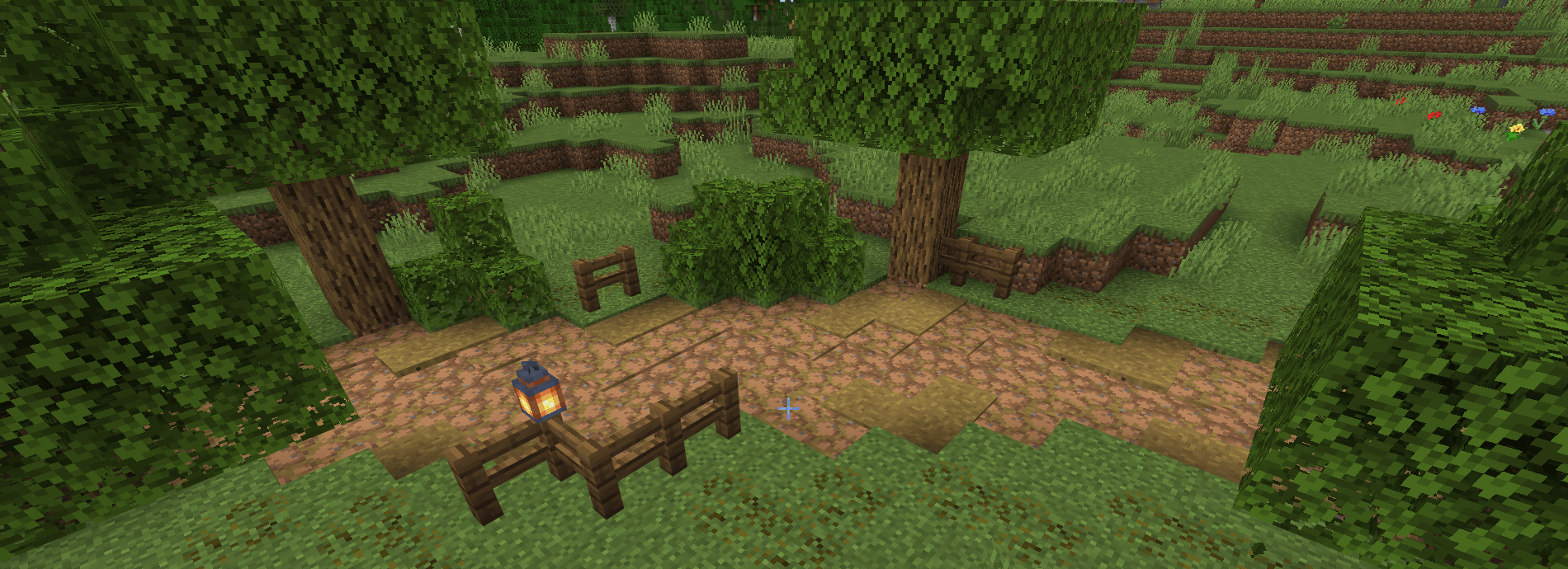
Dynamic Pathways is a Minecraft Bedrock addon that brings your world to life by tracking where players walk. The more you travel a route, the more it shows grass wears thin and turns to dirt, sand compacts under repeated steps, and snow flattens into hard-packed trails.
Leave a path unused, and nature reclaims it. Grass grows back. Snow drifts return. Every world becomes a story of how it's lived in.
✨ Key Features
- 🥾 Organic Path Formation: Walk, sprint, or jump-sprint to wear down terrain. Different actions wear blocks at different rates, just like real footpaths.
- 🌍 Three Full Wear Chains: Grass, sand, and snow each have their own multi-stage progression with unique textures, sounds, and behaviors.
- 🌿 Side Wear for Grass: Beyond the main path, edges show subtle wear too. The result feels alive: well-trodden grass adjacent to packed dirt.
- 🔄 Natural Regeneration: Stop walking, and the world heals itself. Worn paths gradually return to their original state when left undisturbed.
- Shovel & Bone Meal Control: Use a shovel to manually wear blocks down, or bone meal to restore grass paths. Build the trail you want.
- ⚙️ Built for Multiplayer: Smart memory management keeps your server running smoothly, even with dozens of players forging trails across the world.
🗺️ How It Works
Every step you take is registered. Walking adds light wear; sprinting wears blocks faster; jump-sprinting wears both the takeoff block and the landing block exactly like real trails forming through fields.
When wear builds up enough on a block, it advances to the next stage:
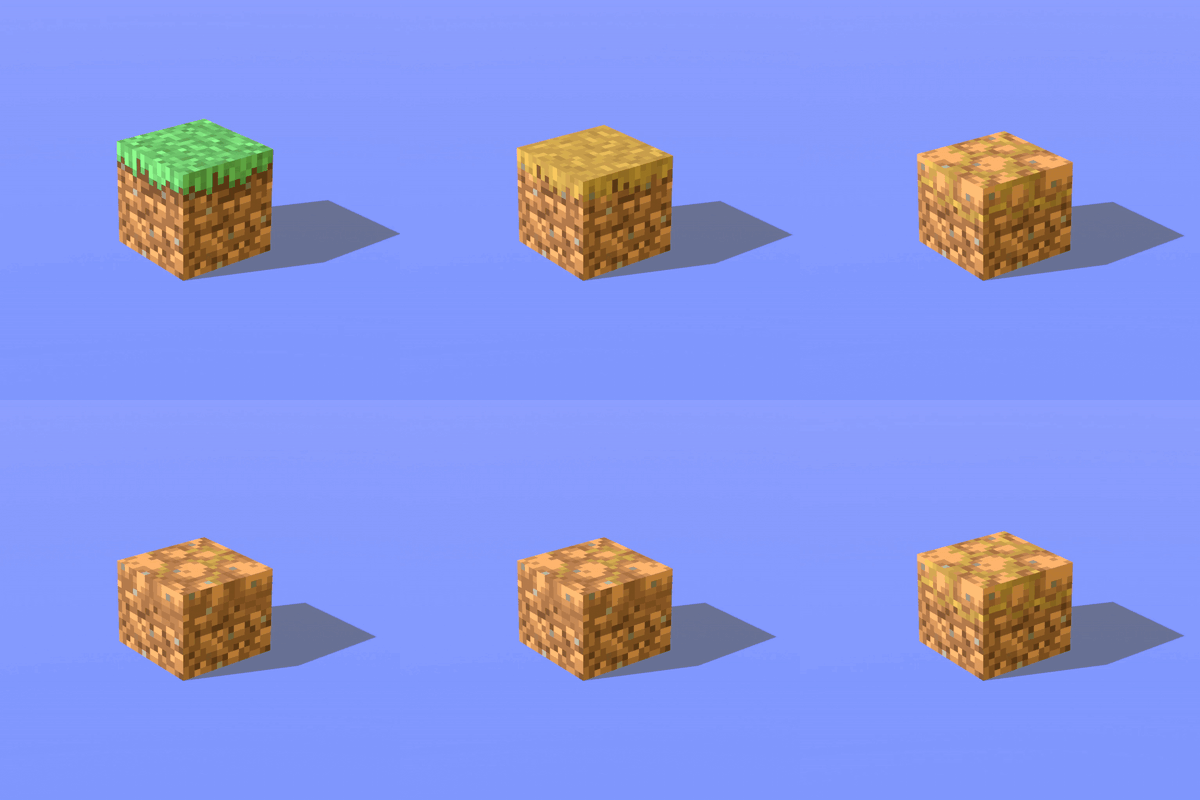
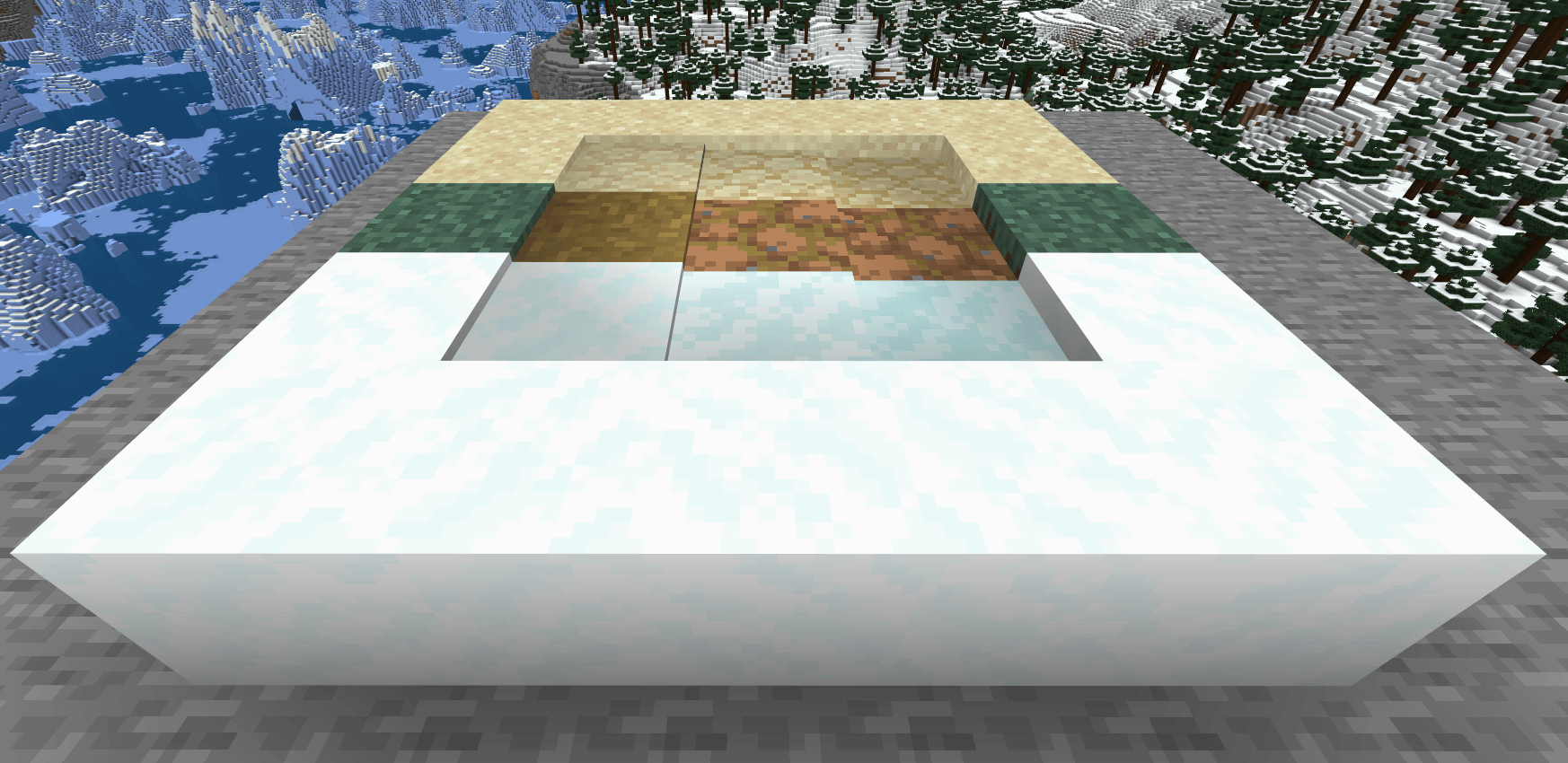
Grass Block -> Grass Path -> Worn Grass -> Packed Earth
The same logic applies to sand and snow chains. Connected path blocks reinforce each other adjacent worn blocks wear faster, so trails form along natural routes.
When no one walks the path for a few minutes, it begins to regenerate, regressing one stage at a time until grass grows back.
📦 Supported Terrain
| Chain | Stages |
|---|---|
| Grass | Grass Block -> Grass Path -> Worn Grass -> Packed Earth |
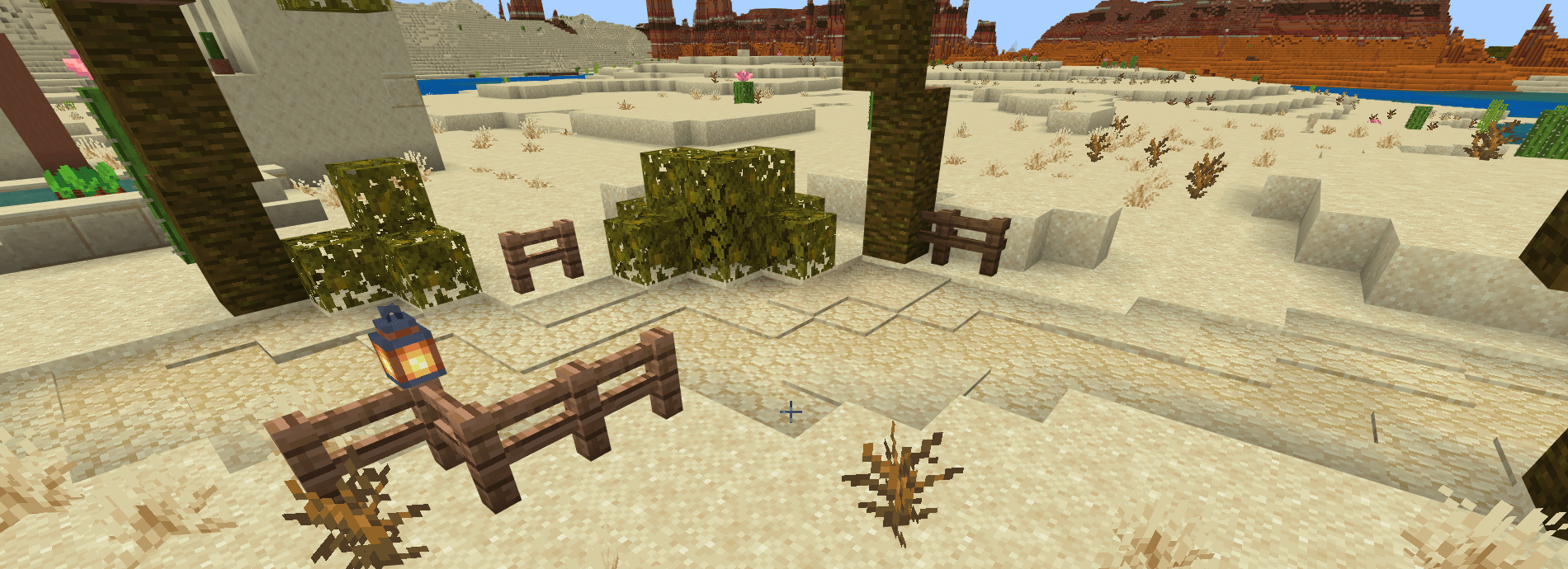
| Sand | Sand -> Sand Path -> Worn Sand -> Packed Sand |
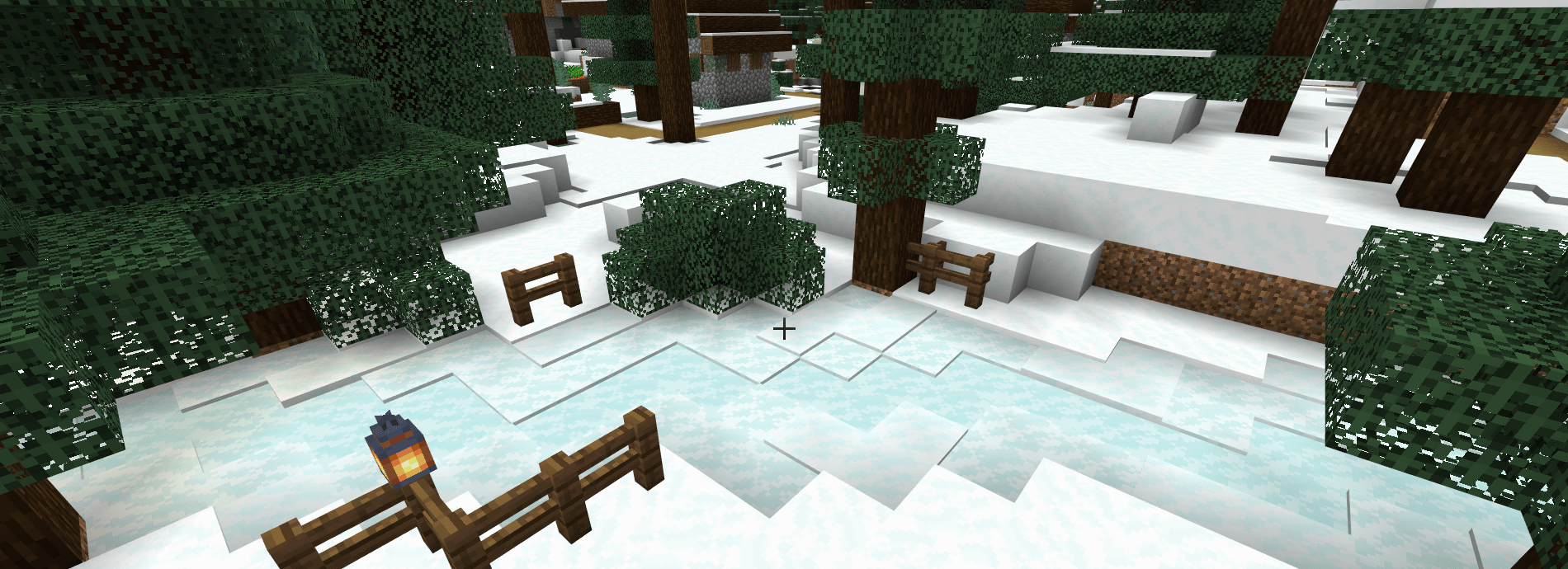
| Snow | Snow -> Snow Path -> Worn Snow -> Packed Snow |
Compatible terrain: grass blocks, dirt, mycelium, podzol, rooted dirt, coarse dirt (grass chain), sand, snow layers.
GRASS: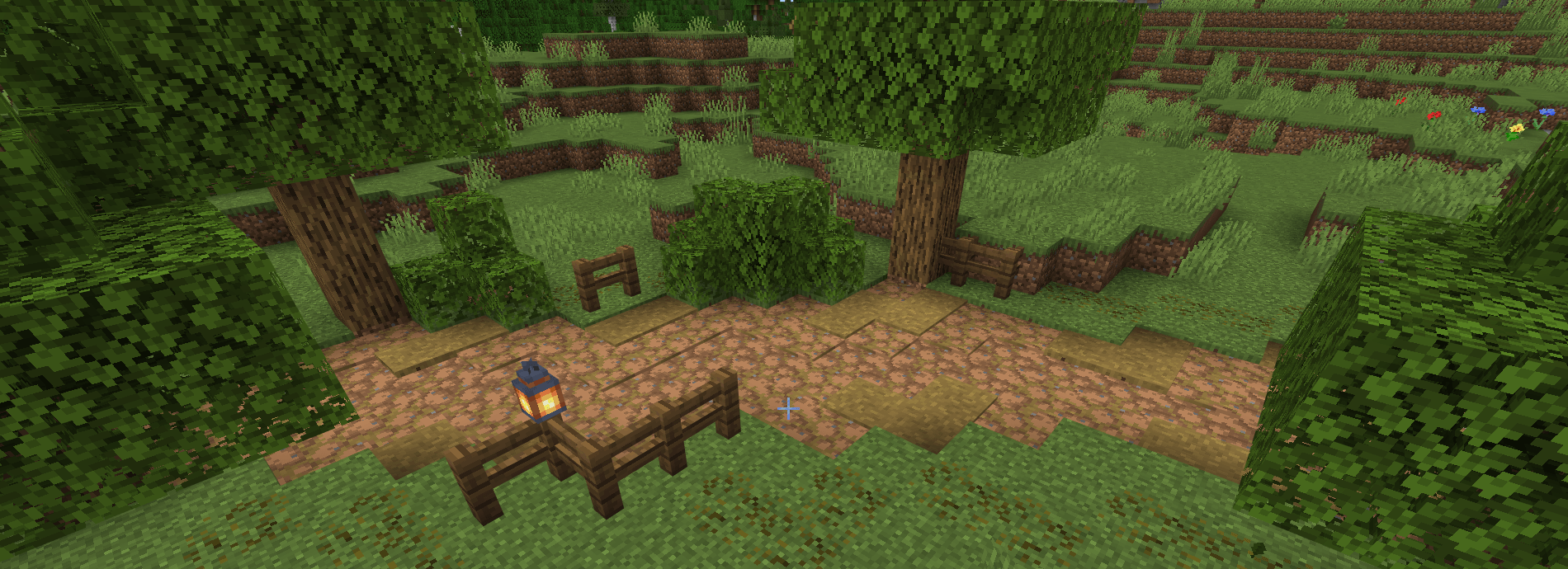
SAND: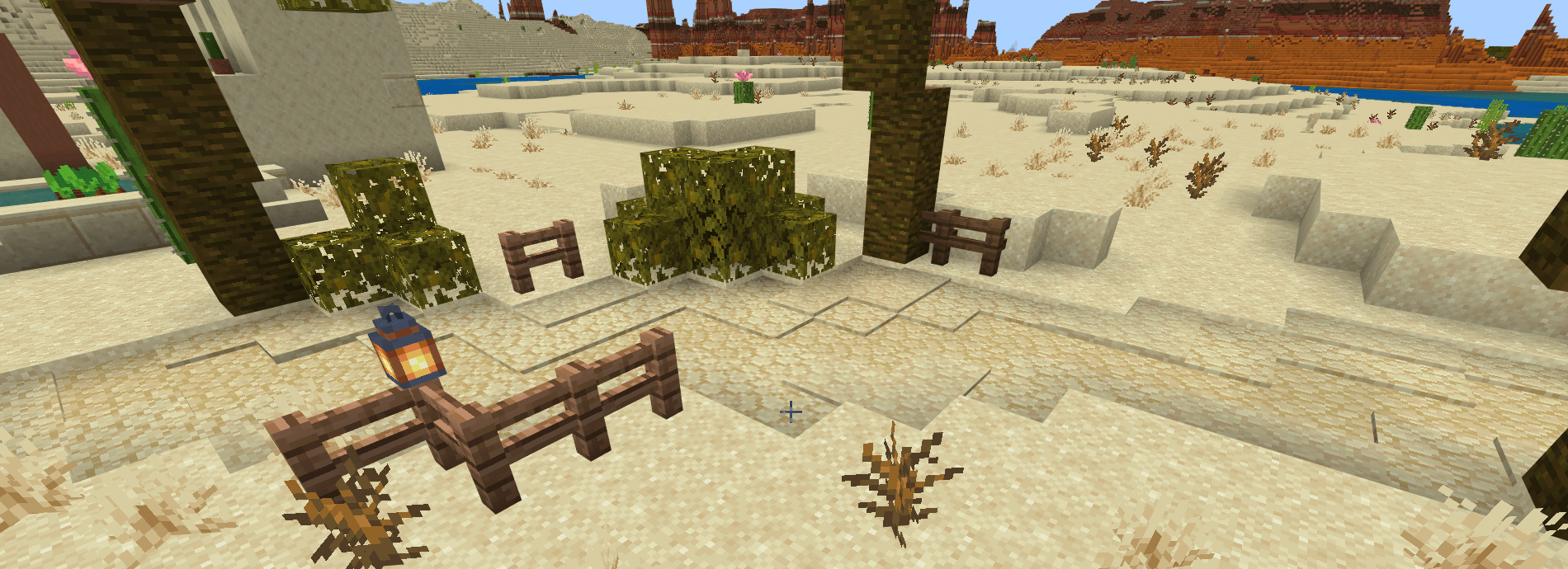
SNOW: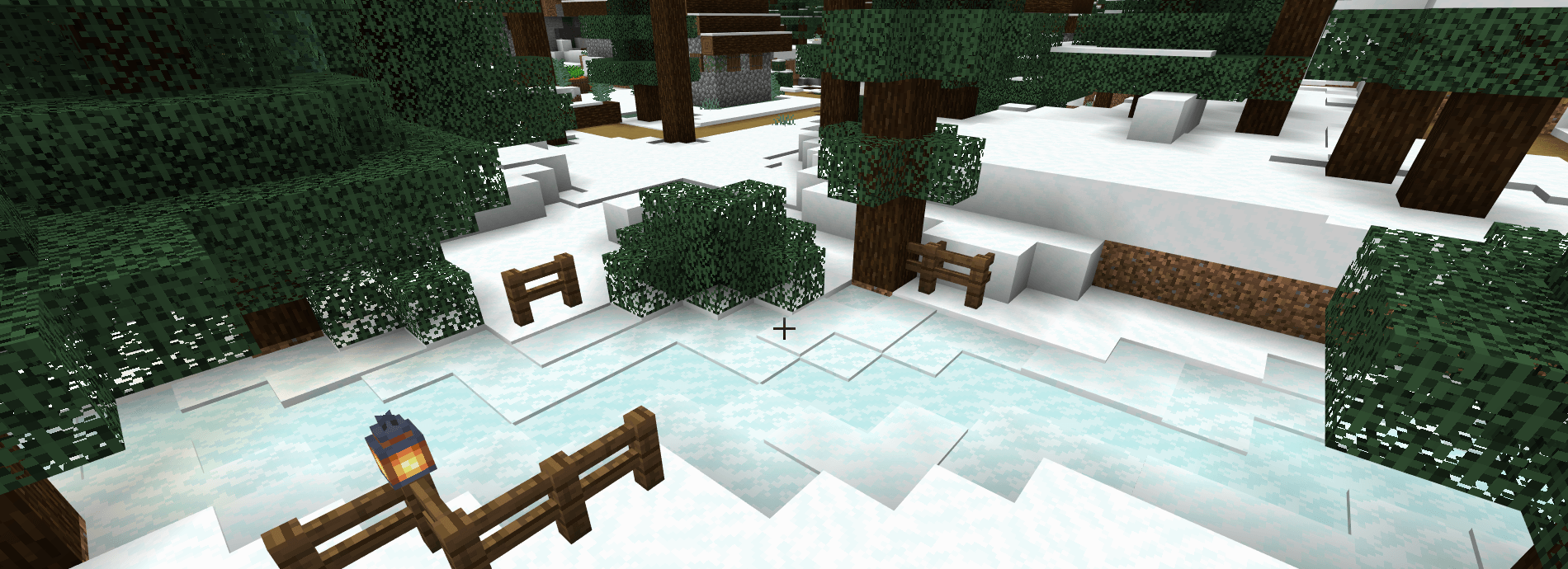
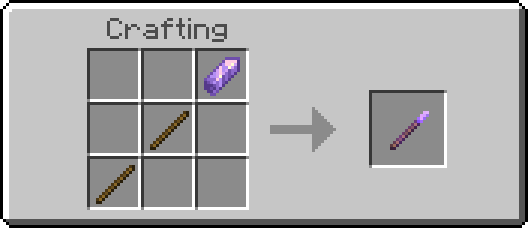
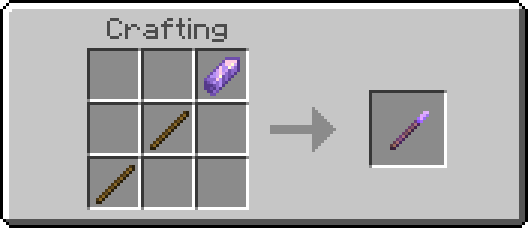
🪄 Path Warden Wand
Take direct control over your paths with the new Warden Wand. Lock blocks to freeze them in place: locked blocks will never wear down further, and never regenerate back. Apply to a single block or a whole area up to 32x8x32.
How to use:
- Right-click: open the menu (mode, particles)
- Sneak + right-click: quick-apply on the targeted block
- Settings are saved per player
- Locks are lost when the block is broken
🚀 Coming Soon
- 🪣 Snowball and sand block upgrades for path restoration
- 🌧️ Weather-driven erosion (rain speeds up grass wear)
- 🦌 Optional mob path wear (villagers, animals)
- 🌲 More terrain chains (mud, gravel, podzol-specific paths)
- 🏔️ Biome-aware wear rates (desert sand wears slower in the heat)
📜 License & Credits
Created by WanMine. Free for personal use. Modpack inclusion welcomed with credit. Do not redistribute or repost without permission.
💬 Join Our Community
This is version 1.0 your feedback shapes future updates.
If you want to leave feedback, feel free to use the comment space below or the dedicated channel in the WanMine Discord server.

- Edition: Minecraft Bedrock
- File type: .mcpack or .mcaddon
- Minecraft version listed: 26.20
- How to install: Download the .mcpack or .mcaddon file. → Open it — Minecraft imports it. → In your world: Behavior Packs → Available → Activate, then the same under Resource Packs.
- Where to get it: Opens on CurseForge — not every file is mirrored on our own servers.
Install steps are the general flow for this file type — How to install Minecraft Bedrock addons & mods walks through it step by step.
- Pack type: .mcaddon — behaviour and resource pack in one file
- Manifest requires Minecraft 1.26.20 or newer
- Complete pack — everything it depends on is inside the file
- Download size: 2.6 MB
- Download link checked 5 Oct 2026 — working
These come from our own check of the pack file, not from the source page.