HomeBedrockAddonsReal Clock | Addon Jam MCPE
Real Clock | Addon Jam MCPE
AddonsBedrock

Real Clock | Addon Jam MCPE

by Papa_Alsa · on CurseForge

A precise clock addon that syncs real-world time and works perfectly across all Minecraft dimensions without experimental toggles.

Which Minecraft do you have?

Every version of the game needs its own build. Pick yours, then download — the wrong build installs fine and then does nothing in the game.

⬇ Download for 26.40⬇ Download for 26.30⬇ Download for 26.20⬇ Download for 26.10⬇ Download for 26.0–26.3⬇ Download for 1.21.132
I don't know my version
Open Minecraft and look at the bottom-left corner of the main screen — the version is printed there, like v1.26.30.
The game writes a 1. in front; the buttons above leave it off. v1.26.30 in the game is 26.30 here.
Real Clock | Addon Jam MCPE — screenshot 1Real Clock | Addon Jam MCPE — screenshot 2Real Clock | Addon Jam MCPE — screenshot 3Real Clock | Addon Jam MCPE — screenshot 4Real Clock | Addon Jam MCPE — screenshot 5Real Clock | Addon Jam MCPE — screenshot 6

Main Banner

🕰️ Real Clock Addon: Finally, A Clock That Actually Works!

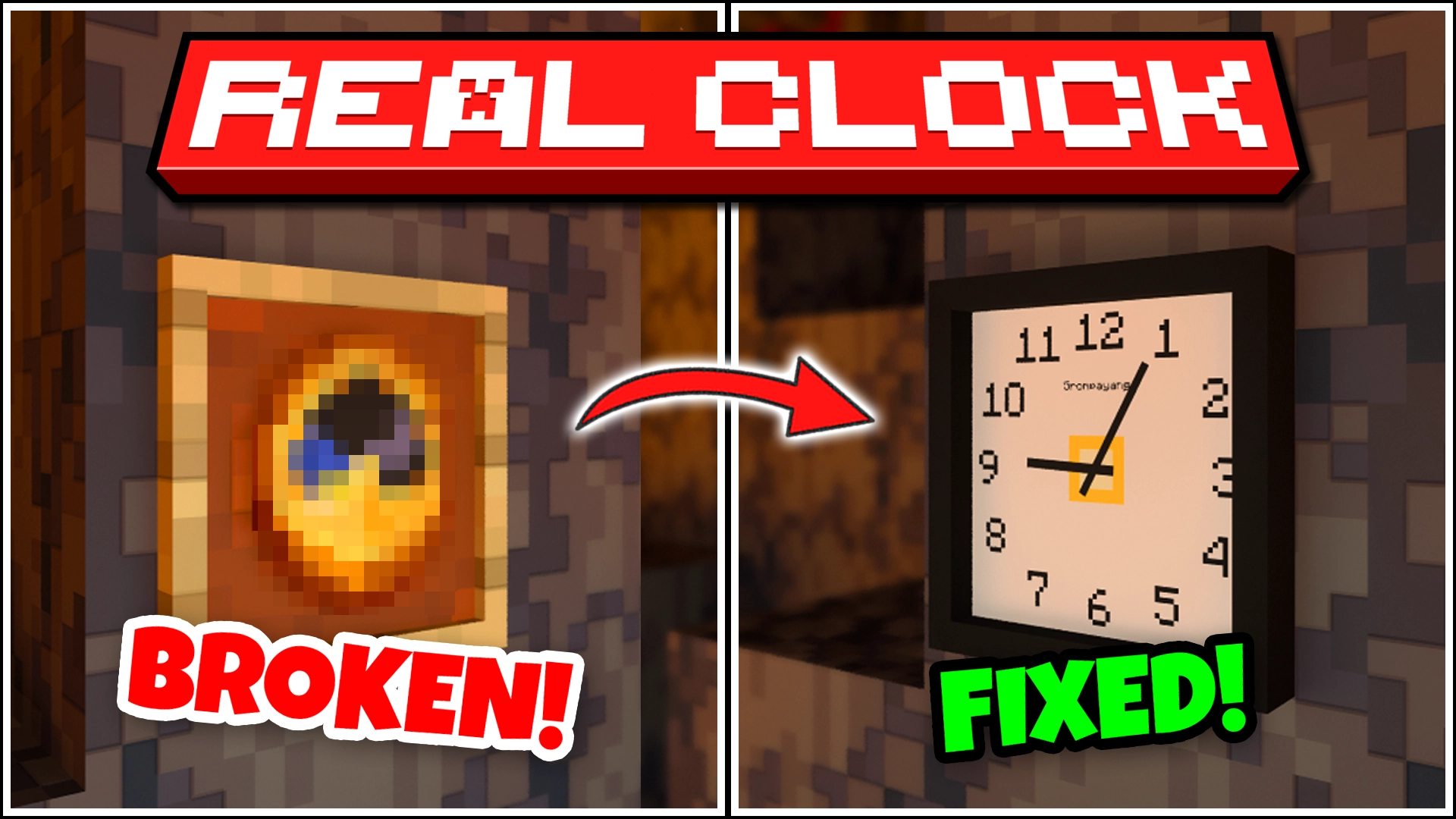
Let's be real—the vanilla Minecraft clock is… kind of a joke. It spins like crazy in the Nether and The End. Real Clock Addon is here to fix that!

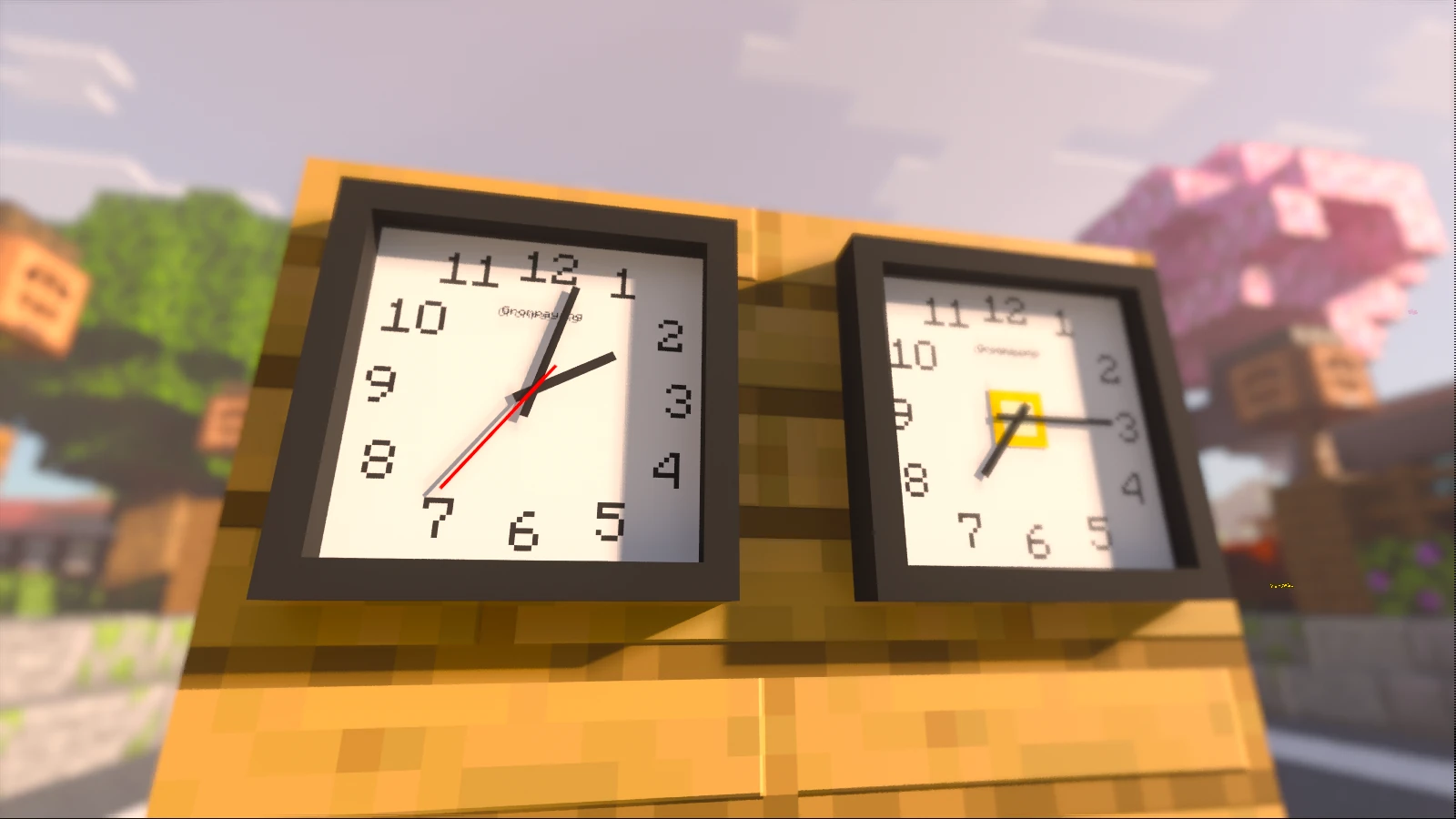
The In-Game Clock actually works in every dimension, and the Real-Time Clock syncs your real-world time directly into Minecraft!

No cap, this is the most precise timekeeping addon you'll ever find. Period.


▶️ Showcase


Real Clock RTX

Real Clock RTX Render.


🔥 Why This Is A Game Changer

🌍 Real-Time Clock (Real Clock MVP)

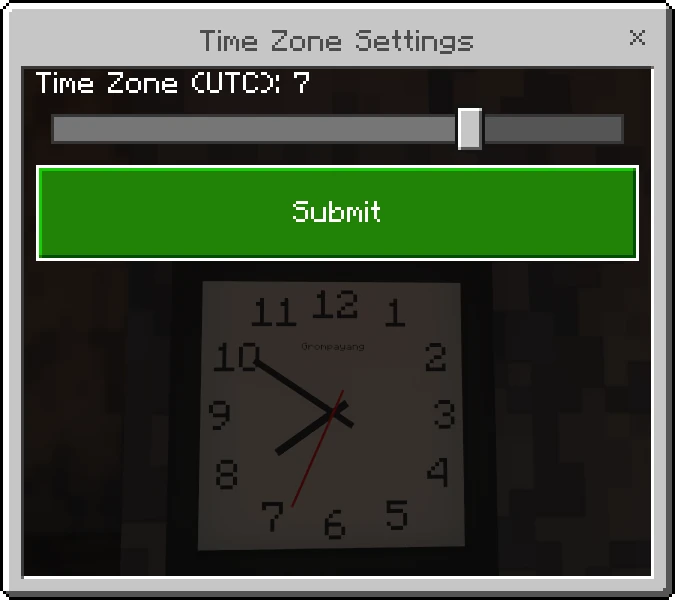
Ever lost track of time while trading with villagers or fighting off a pillager raid? This bad boy syncs perfectly with your real-world time.

Time Zone Settings

Time Zone Settings UI.


☀️ The Nether & The End Ready In-Game Clock


Forget that "spinning needle" nonsense when you're in the Nether or The End. This clock actually knows where it is.

The Nether & The End Ready

Stable in every dimension. No more spinning out of control. Period.


🎨 Visuals & Flex (Vibrant Visuals Ready)

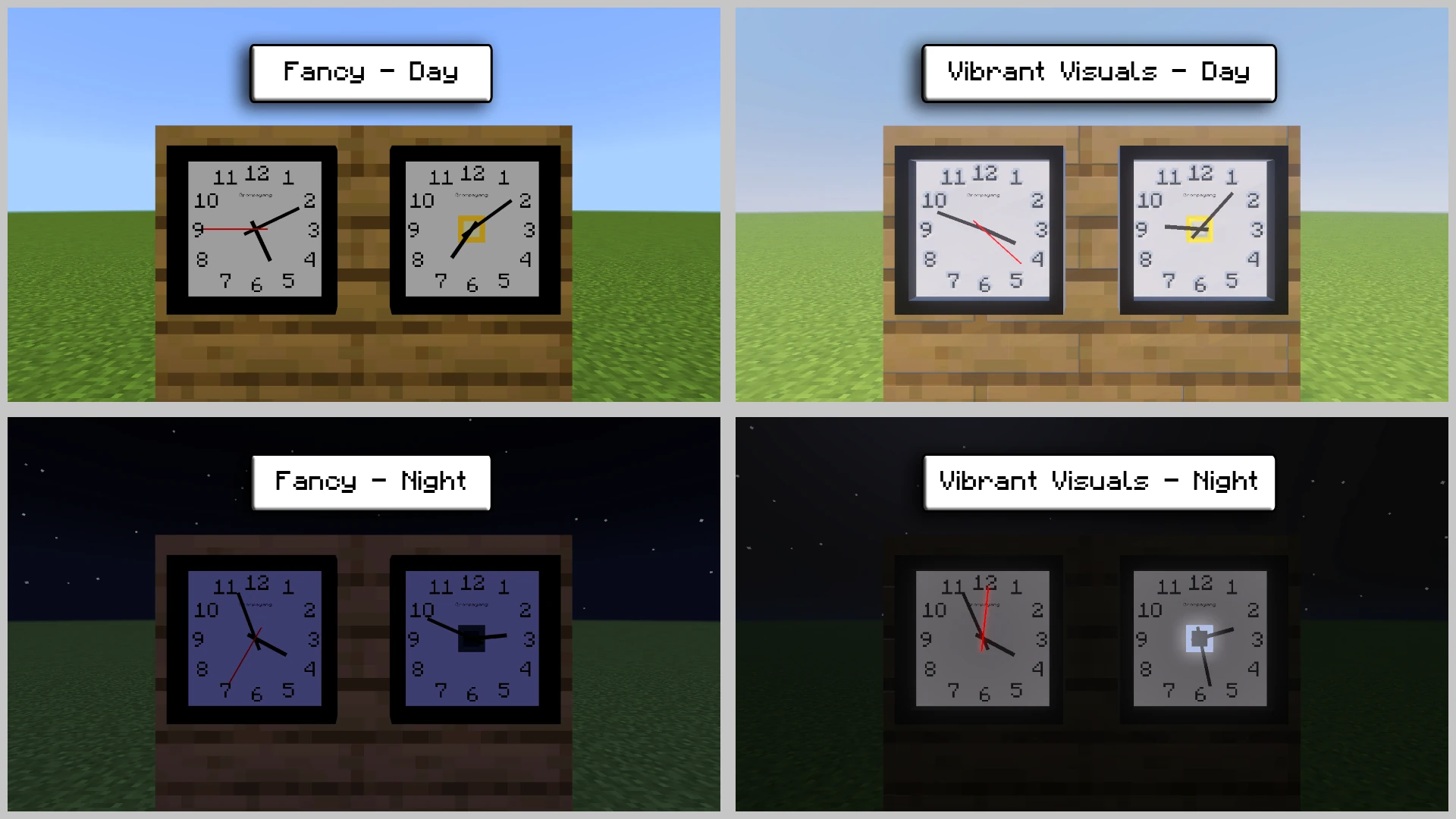
Beauty meets functionality. Here’s why these clocks are the ultimate wall flex.

Graphic Comparison

Fancy vs Vibrant Visuals. See the difference? Realistic 3D depth and that sweet emissive glow at night.

💡 Pro Tip: The Real-Time Clock item in your hand is a visual preview. Place it on a wall and set your time zone to see the real-world magic happen!


⚒️ Survival Recipes (No Cheats Needed!)

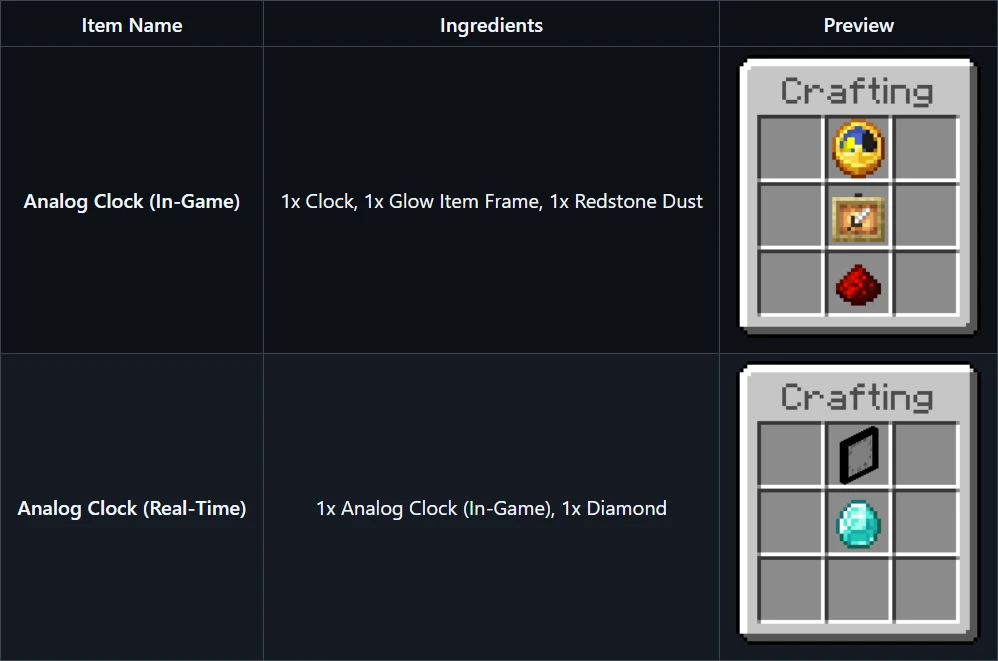
You don't need to be a command block wizard. Just craft it and place it!

Recipes

Simple recipes for both In-Game and Real-Time clocks. Survival friendly!

💡 Pro Tip: In Creative Mode, you can find these clocks in the Items Tab within the Creative Inventory. No crafting required!


⚙️ Technical Deets

Built for stability and ease of use, right out of the box.


📥 Quick Install

  1. Grab the .mcaddon file.
  2. Open it, and Minecraft does the rest.
  3. Enable Behavior + Resource Packs in your world settings.
  4. Go touch some grass (or just check the time in-game)!

📜 License & Credits

Creator: Papa Alsa | 📺 YouTube @alsahonggo

Licensed under CC BY-ND 4.0.

⚠️ Permission: Modifications and reuploads are strictly prohibited. Don't be that guy who steals other people's work.

"Real-world precision in a blocky world. Time is finally on your side."


Verified by MCModsHub

These come from our own check of the pack file, not from the source page.

Explore more