Automatic Trashcan
Bedrock add-on listed for Minecraft 1.21 (behavior + resource pack). File opened and checked on 25 Sep 2026; installs from the MC Bedrock Mods app on Android.
This Add-On introduces a customizable trashcan that lets you automate item disposal on a timer. Set the interval in seconds to automatically clear…
⬇ Download on CurseForge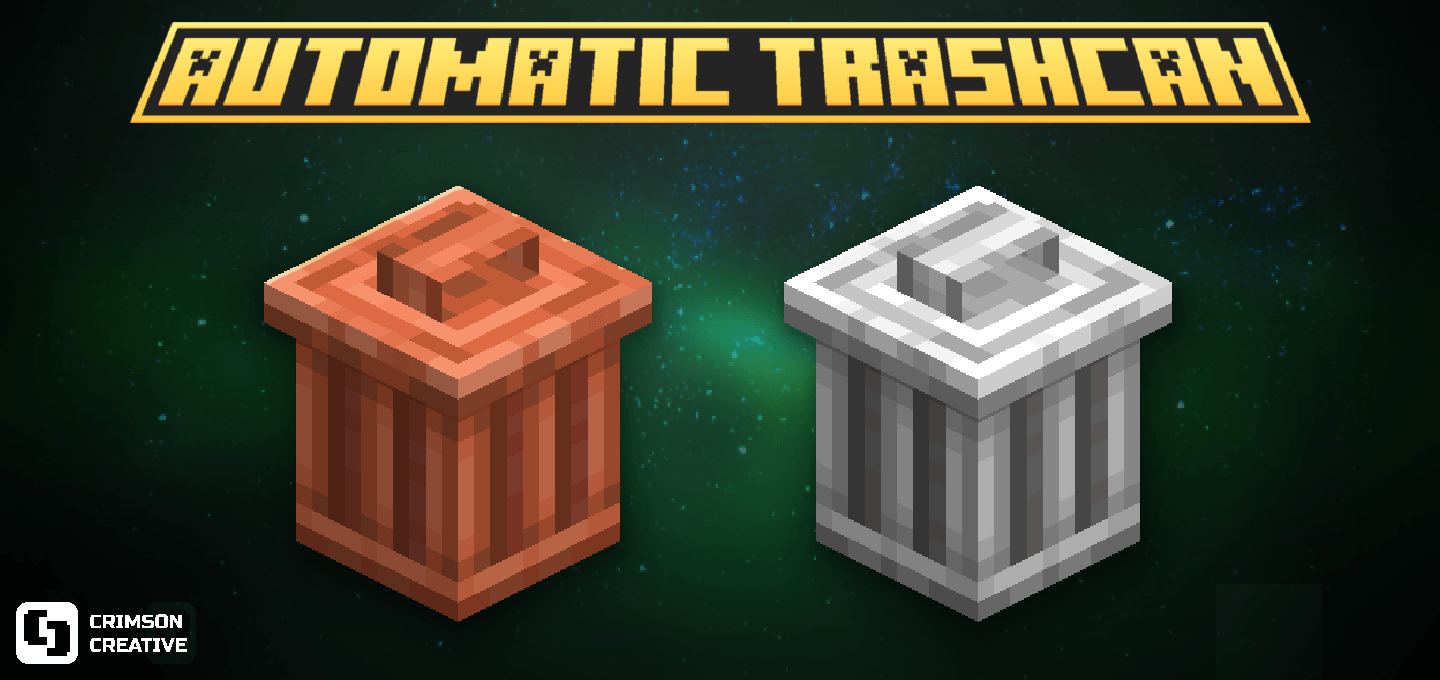
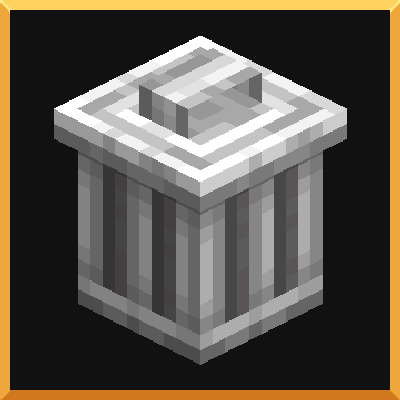
Automatic Trashcans adds Trash Cans to Minecraft! Use them to erase any item from your inventory immediately or after custom intervals.
This Add-On introduces a customizable trashcan that lets you automate item disposal on a timer. Set the interval in seconds to automatically clear unwanted items, keeping your inventory clean and organized effortlessly!
Copper Trashcan
This trashcan can remove the whole stack in hand after interacting with it.
Copper trashcan can be crafted using 1 barrel surrounded by 4 copper ingots as showed bellow.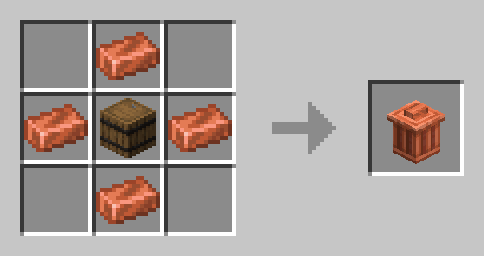
Iron Trashcan
This trashcan can remove the item you are holding one by one. Very useful when you want to get rid of exact amount of the item you have in hand.
Iron trashcan can be crafted using 1 barrel surrounded by 4 iron ingots as showed bellow.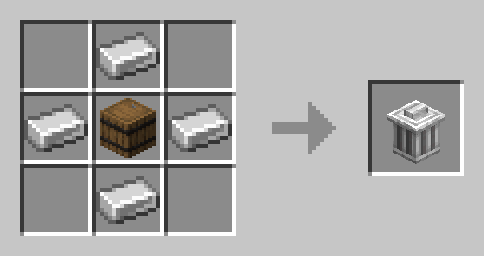
Trashcan
This is the sophisticated version of the trashcans.
You can interact with it to open an inventory to store all items you want to be removed.
In order to set a custom interval time for your trashcan to remove the items inside the inventory you have to "attack" the trashcan and a small panel will pop out.
There you can configure the interval time and stop the trashcan to work if you want.
You can also click on drop trashcan to get the item back and place it somewhere else.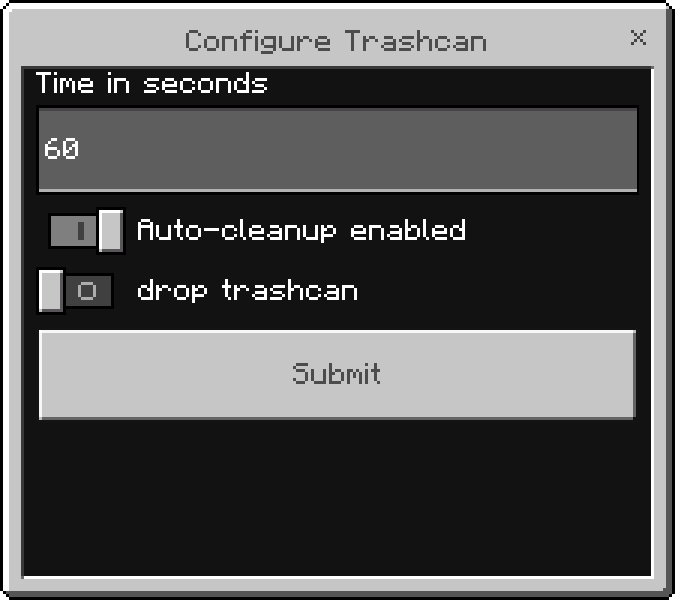
After choosing the interval you want the inventory to be cleaned up you will receive a chat confirmation and a hover text on top of the trashcan showing you how much time is left until the next clean up.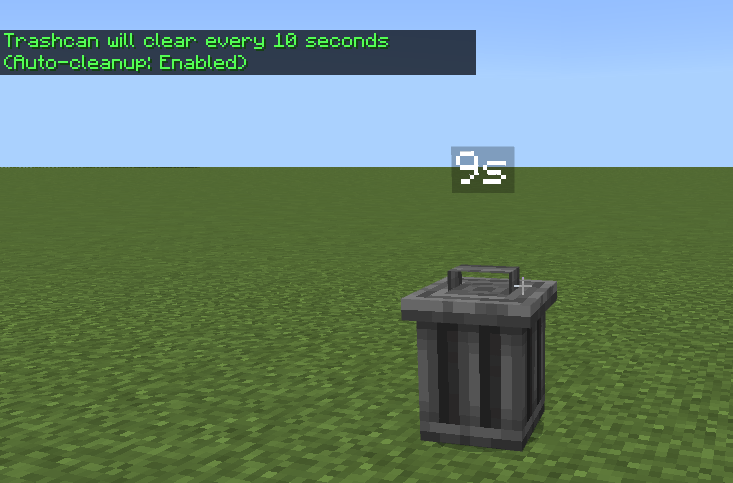
Trashcan can be crafted using 5 iron ingots, 1 redstone and 1 barrel as showed below.

INSTALLATION
The Simple Trashcans Add-On is as easy to install as just double clicking the downloadable file.
Once installed you can Activate it on any world!
You can also watch a review of the Add-On clicking the link below
- Edition: Minecraft Bedrock
- File type: .mcpack or .mcaddon
- Minecraft versions listed: 1.21.41, 1.21.40
- How to install: Download the .mcpack or .mcaddon file. → Open it — Minecraft imports it. → In your world: Behavior Packs → Available → Activate, then the same under Resource Packs.
- Where to get it: Opens on CurseForge — not every file is mirrored on our own servers.
Install steps are the general flow for this file type — How to install Minecraft Bedrock addons & mods walks through it step by step.
- Pack type: .mcaddon — behaviour and resource pack in one file
- Manifest requires Minecraft 1.21.0 or newer
- Complete pack — everything it depends on is inside the file
- Download size: 28 KB
- Download link checked 5 Oct 2026 — working
These come from our own check of the pack file, not from the source page.