![[RED] Tool Swapper | Dynamic Light v1.4.7](https://files.mcmodshub.com/img/curseforge/65727.png)
[RED] Tool Swapper | Dynamic Light v1.4.7
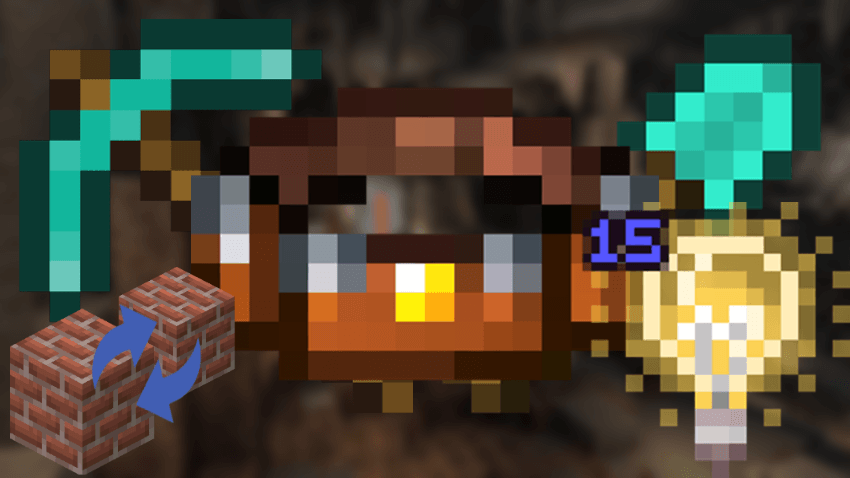
No more having your hotbar full. With this addon you can just save your tools into the tool belt and use them in any moment you want. (there is also a…
⬇ Download![[RED] Tool Swapper | Dynamic Light v1.4.7 — screenshot 1](https://files.mcmodshub.com/img/curseforge/65727_s0.png)
Who does not hate when you need to use many different tools but there is no space left in your hotbar? Or having to mine different blocks and having to change your tools every minute?
With this addon you can now save your all of your tools into a tool belt and use them at any time without having to open it and grab your tools.
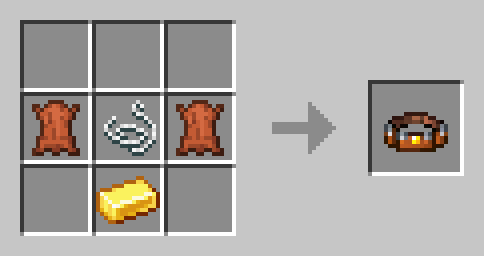
RECIPE:
FEATURES:
- Tool Swap (Select correct tool)
- Dynamic Light (When a torch is in the belt)
- Tool Re-stock (When your tools break)
- Block Re-stock (When you run out of blocks in your hand)
- Auto Totem (When the totem in your offhand is consumed)
CHANGELOG:
Update v1.1.0: Dynamic Lights have been added
Update v1.2.0: Blocks re-stocking feature has been added
Update v1.3.0: Auto totem & tool re-stock features have been added
NOTE: There are 2 versions of this addon, one with the tool belt and one without it. You don't need the resource pack for the version with no tool belt
(NOT NEEDED ANYMORE)
IF YOU ARE A DEVELOPER:
In order to get the tools from your addons to work with this addon, you'll have to add the corrects tags to them.
Example:
"minecraft:tags": {
  "tags": [
    "minecraft:is_tool",
    "minecraft:is_pickaxe"
  ]
}- Edition: Minecraft Bedrock
- File type: .mcpack or .mcaddon
- Minecraft versions listed: 1.21.30, 1.21.50, 1.21.81
- How to install: Download the .mcpack or .mcaddon file. → Open it — Minecraft imports it. → In your world: Behavior Packs → Available → Activate, then the same under Resource Packs.
- Where to get it: In MCModsHub, or directly above on this page.
Install steps are the general flow for this file type — How to install Minecraft Bedrock addons & mods walks through it step by step.
- Pack type: .mcaddon — behaviour and resource pack in one file
- Complete pack — everything it depends on is inside the file
- Download size: 203 KB
- Download link checked 18 Jun 2026 — working
These come from our own check of the pack file, not from the source page.