
Drop Multiplier increases the number of items dropped from almost any source, including mobs, ores, blocks, chests you break, players dying, or even items thrown on the ground
Features:
- Multiplies the drop quantity of every item
- Supports items from other addons
- Does not require any Experimental Features
- Compatible with achievements
Available Versions
-
X2 — Multiply every item drop by 2
-
X10 — Multiply every item drop by 10
-
X100 — Multiply every item drop by 100
-
No Player Drop - Multiply every item drop except Item drop from Player (Player drop item, Player death)
-
Mob Only — Only mob drops are multiplied (Doesn’t work with Knockback II enchantment)
- Ore Only — Only ore drops are multiplied (Only works with vanilla ores and tools without Silk Touch enchantment)
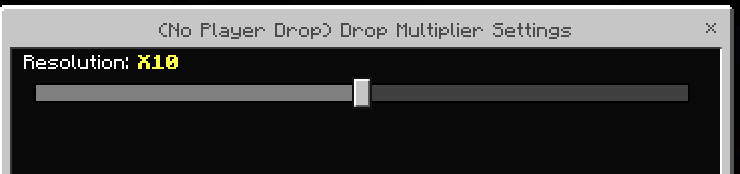
- You can now configure the multiplier value in the behavior pack settings
Notes:
- Choose the multiplier pack carefully. Extremely high multipliers can cause heavy lag or even crash the game, depending on your device and addons installed.
- The Mob Only and Ore Only packs can be used together. However, please use the No Player Drop pack and the default pack separately.
- This addon is pure fun only — not designed for balanced gameplay 😆
Credits / Author Info
Quick facts
- Edition: Minecraft Bedrock
- File type: .mcpack or .mcaddon
- Minecraft version listed: 1.21.130
- How to install: Download the .mcpack or .mcaddon file. → Open it — Minecraft imports it. → In your world: Behavior Packs → Available → Activate, then the same under Resource Packs.
- Where to get it: Opens on CurseForge — not every file is mirrored on our own servers.
Install steps are the general flow for this file type — How to install Minecraft Bedrock addons & mods walks through it step by step.
Verified by MCModsHub
- Save it as [V1.1] Drop Multiplier (Ore Only).mcaddon before opening — it downloads as .mcpack, but it is a .mcaddon pack
- Manifest requires Minecraft 1.21.0 or newer
- Complete pack — everything it depends on is inside the file
- Download size: 8 KB
- Download link checked 15 Sept 2026 — working
These come from our own check of the pack file, not from the source page.