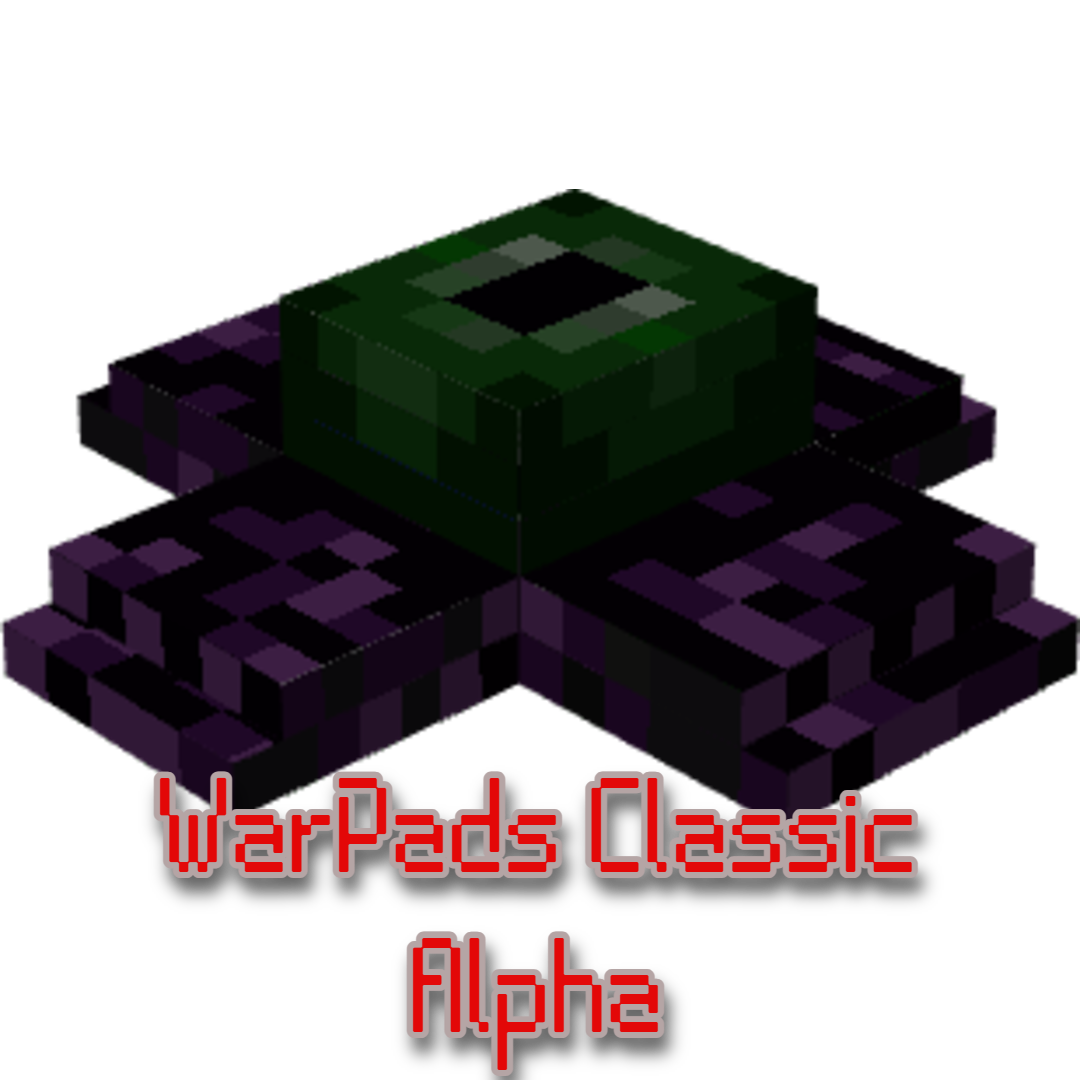
WarPads Classic
Bedrock add-on listed for Minecraft 1.21 (behavior + resource pack). Needs Beta APIs. File opened and checked on 10 Oct 2026; installs from the MC Bedrock Mods app on Android.
It allows you to warp instantly to any saved destination, even if it's in another dimension. Yes—you read that right. Nether, End, Overworld—all just one…
⬇ Download on CurseForge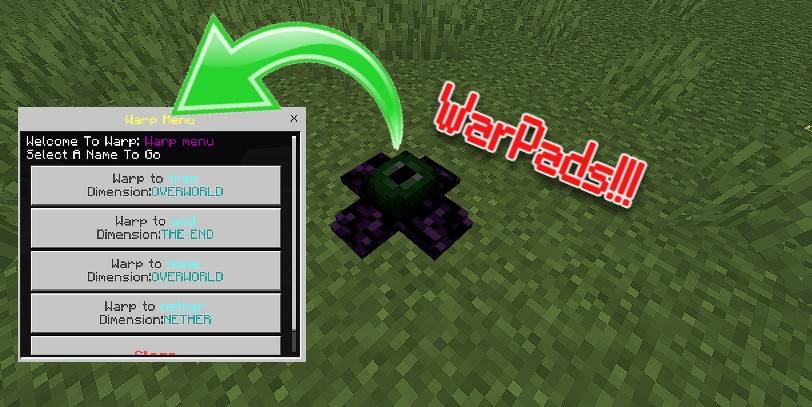
🌀 WarPads Classic
Instant Travel with Style | Created by GamerFile
Originally uploaded under the alias SuperD (mcpedl.com/user/superd) on MCPEDL
Published here: mcpedl.com/warpads — 2 years ago
🧽 Tired of running for ages?
Have you ever thought: "Ugh, it takes forever to get there..."?
Then you're in luck—because WarPads are here!
This addon gives you a powerful and fun way to teleport across your world (and even dimensions!) by simply placing a custom block and interacting with it.
🔧 What is WarPads?
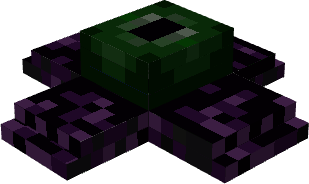
The addon adds a powerful block called the Warp Block.
It looks like this:
📷 
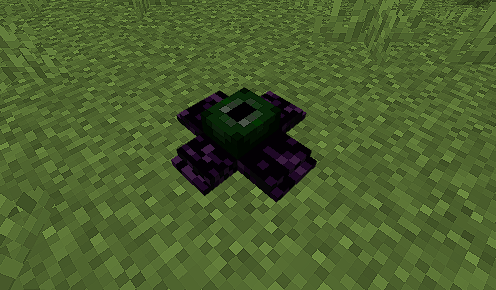
Once placed and configured, these blocks allow you to warp instantly to any saved destination, even if it's in another dimension.
Yes—you read that right.
Nether, End, Overworld—all just one block away.
🛠️ How to Use
⚠️ Make sure Beta APIs are enabled in your world settings!
🔹 Getting the Block
You can obtain the Warp Block in three ways:
-
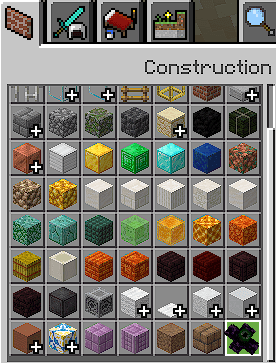
Creative Inventory
→ Found in the Construction category
📷 - .
-
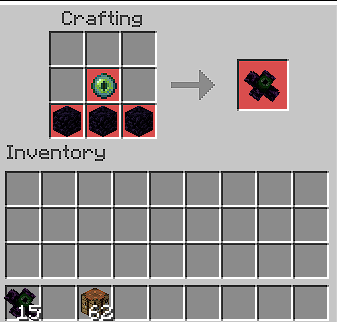
Crafting Table (Survival)
-
Commands
/give @s warp:block
/setblock
/fill
🔹 Setting a Warp
-
Place the Warp Block.
-
Interact with it (tap, right-click, or long-press) to open the naming menu.
-
Example: name it
"Home"or"Castle"
-
-
Interact again to open the Warp Menu.
-
Choose your saved location—BOOM, you’re teleported!
-
A message will confirm:
“Successfully warped to [warp name]”
-
📷

🔹 Cross-Dimensional Travel
Want to go from Nether to End instantly? Or End to Overworld?
No problem—Warpads work across all dimensions.
(Just make sure both ends are named and placed properly!)

🔹 Picking Up the Block
Warp Blocks can’t be broken in survival (to prevent accidental removal),
but you can still pick them up:
-
Sneak + Interact with the block
📷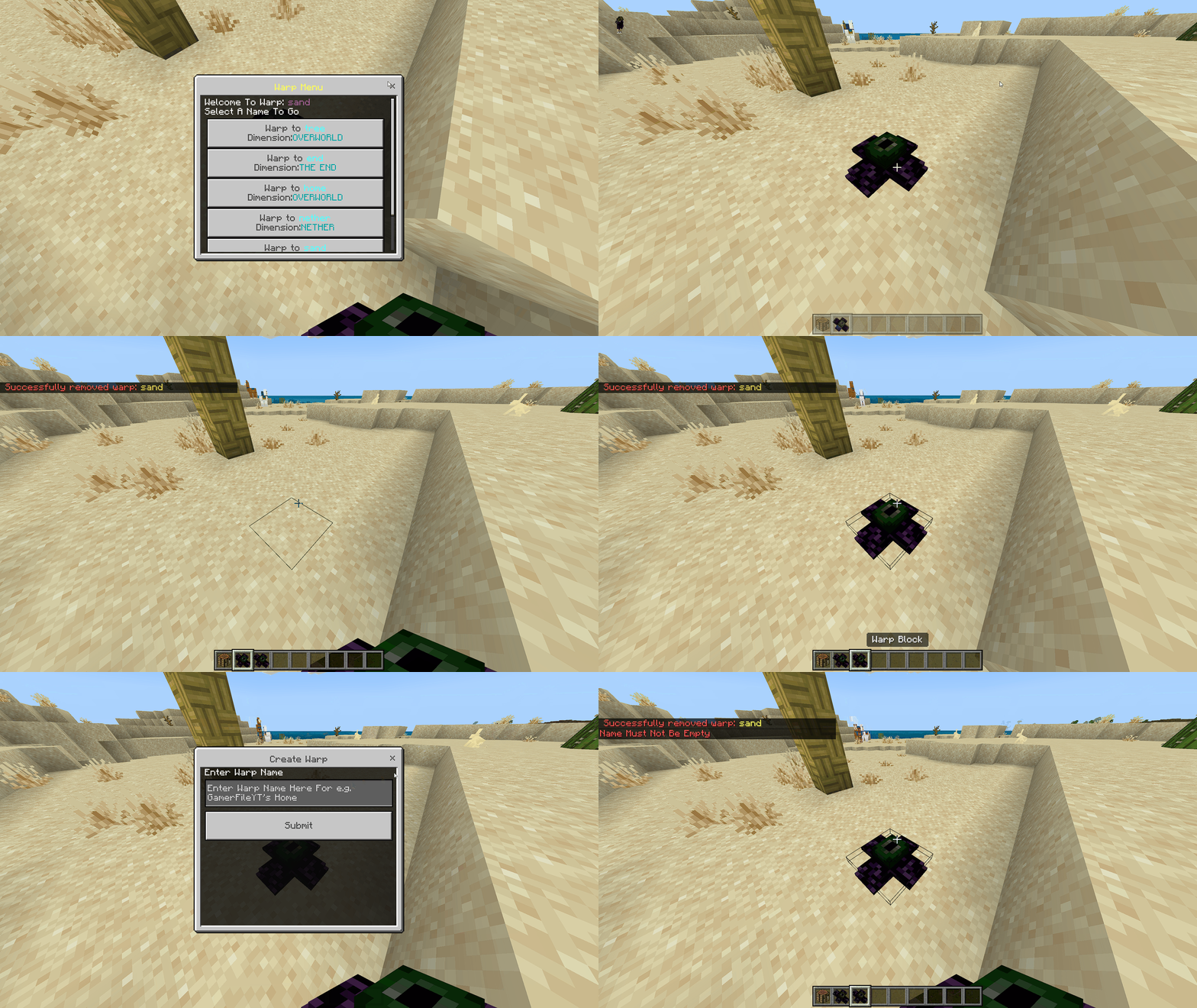
A confirmation popup ensures you don’t do it by mistake.
📦 What's in This Version?
🔧 This is an incomplete version of Warpads Classic. Big changes and improvements are coming in future versions!
-
✅ Support for Minecraft 1.21
-
🎨 Redesigned menu colors for readability
-
✍️ Added Rename Option for warp blocks
-
📊 Operator-only commands:
-
!warp open– open warp menu directly -
!warp create– create warp via coordinates (requires loaded chunks) 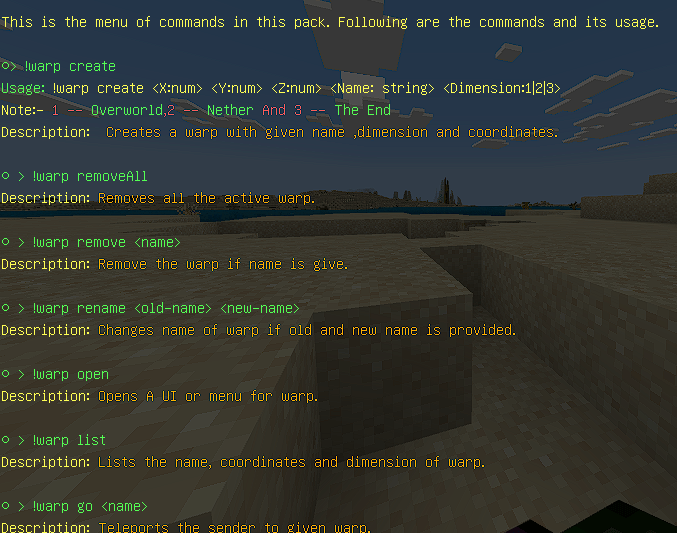
-
-
⚠️ Confirmation popup when picking up blocks
-
🧠 Improved error messages and bug fixes
-
🌈 Refined chat message colors
❗ Known Issue
-
Using
!warp createin unloaded chunks may cause the block not to appear.
Make sure the target area is loaded before using.
📌 Notes
-
This is the Classic version — designed primarily for creative or utility-focused gameplay.
-
A survival-friendly version with 2-pad linking and fuel system is in the works.
-
Operator-only commands can be fun but aren’t recommended for balanced survival.
-
Beta APIs must be turned on for this addon to function properly.
✉️ Feedback & Support
Have suggestions, questions, or found a bug?
Reach out in the comments.
📜 Terms of Use
-
❌ Do not reupload or redistribute the addon on other sites.
- ✅ You may modify for personal use only.
-
❌ Code stealing or rebranding is not allowed.
-
🎥 Content Creators:
-
You must credit GamerFile
-
Link to the official or MCPEDL page
-
Violation of these terms may result in copyright enforcement.
🧠 Credits
Made entirely by GamerFile.
✅ Final Words
That’s it—Warpads Classic lets you control space like never before.
Whether you're managing bases, exploring dimensions, or just flexing with fast travel, this addon is for you.
Download now and teleport like a pro.
- Edition: Minecraft Bedrock
- File type: .mcpack or .mcaddon
- Minecraft versions listed: 1.21.100, 1.21.93
- How to install: Download the .mcpack or .mcaddon file. → Open it — Minecraft imports it. → In your world: Behavior Packs → Available → Activate, then the same under Resource Packs.
- Where to get it: Opens on CurseForge — not every file is mirrored on our own servers.
Install steps are the general flow for this file type — How to install Minecraft Bedrock addons & mods walks through it step by step.
- Pack type: .mcaddon — behaviour and resource pack in one file
- Manifest requires Minecraft 1.21.90 or newer
- Needs Beta APIs switched on in the world settings
- Complete pack — everything it depends on is inside the file
- Download size: 483 KB
- Download link checked 26 Oct 2026 — working
These come from our own check of the pack file, not from the source page.